GPT-6 Sol and Luna Are Now in ChatGPT: What Actually Changed for You


If you opened ChatGPT in the last few weeks and something felt a little different, you weren’t imagining it. On October 7, 2026, OpenAI started swapping GPT-5.6 out of ChatGPT and dropping in new October versions of two GPT-6 models, nicknamed Sol and Luna. No announcement banner, no setting to flip. The model behind your chats just quietly changed.
The headlines are full of benchmark talk, but most of that doesn’t touch how you actually use the thing day to day. So here’s the plain-English version: which model you’re now talking to, the genuinely new trick it can do, the speed claim worth understanding, and the one distinction nearly every explainer glosses over.

Which one did you get, Sol or Luna?
It comes down to your plan. Paid tiers, Plus, Pro, Business and Enterprise, started getting GPT-6 Sol in the chat tab on October 7. Free and Go users began getting GPT-6 Luna from October 8. Both are part of the same GPT-6 family and build on OpenAI’s larger Astra model, brought down into faster, more affordable versions meant to run at scale.
Think of Sol as the stronger everyday model and Luna as the lighter one tuned to stay cheap and quick for a huge free audience. If you’re on Enterprise and haven’t seen the change, that’s expected: rollout there depends on your workspace administrators, so a company might not flip everyone over at once. There’s nothing you need to do either way; whichever model your plan gets simply becomes the default. If you ever want a sanity check on what a given model is actually good at, our guide to reading an AI’s “nutrition label” to pick a model that’s good for you is a useful companion to this change.

The real upgrade: answers that build themselves
The most interesting change isn’t a higher score on a test. It’s that GPT-6 in ChatGPT can now assemble more than a wall of text in a single reply. OpenAI calls it Intelligent UI, and in practice it means one answer can contain text, graphics, and little interactive elements together: an interactive diagram, a side-by-side comparison layout, even a small working tool like a calculator, without you having to open another app.
What makes this more than a gimmick is that the model was trained to decide when those formats actually help. Ask something that’s naturally a comparison and it can lay it out as one; ask something numeric and it might hand you a little calculator instead of a paragraph of arithmetic. A component library and a compiler render the interface progressively as the answer is generated, so it takes shape in front of you. It’s the same direction as ChatGPT learning to build a finished slide deck straight out of a chat: the assistant stops just describing things and starts assembling them.

The “44% faster” claim, translated
You’ll see a speed number thrown around, so it’s worth getting right. GPT-6 can begin responding before it has fully finished reasoning or using its tools. In OpenAI’s own internal tests, GPT-6 Instant starts answering questions that need a web search about 44% sooner on average than GPT-5.6 Instant did.
Read that carefully, because it’s easy to misquote. It’s a time-to-first-answer improvement, not a promise that every task finishes 44% faster. The model shows you something sooner so you’re not staring at a blank screen while it thinks; the full response still takes as long as it takes. In everyday use that’s a nice reduction in that “is it stuck?” feeling, especially on questions that trigger a search. Just don’t expect your long, complex requests to wrap up in half the time.
The distinction almost everyone misses
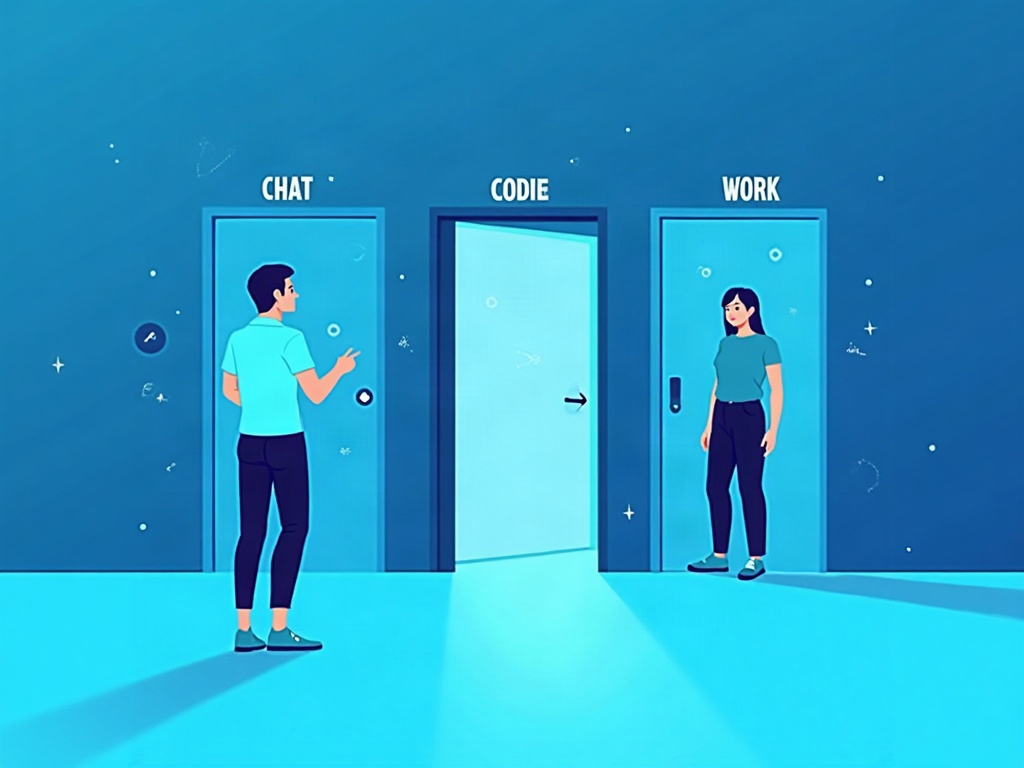
Here’s the part worth slowing down for. This October rollout changed the model inside ChatGPT the chat app. It did not change the GPT-6 models powering Codex (OpenAI’s coding tool) or ChatGPT Work, which continue running the earlier September versions.
Why does that matter to you? Because if you test something in a ChatGPT conversation and assume your coding agent or a Work workflow is running the exact same brain, you can get burned. They’re separate deployments on separate snapshots. There also isn’t a new public API endpoint or a separate price tag attached to these October chat snapshots; access is simply governed by your ChatGPT plan and when the rollout reaches you. It’s a good reminder that “GPT-6” is a family of deployments, not one single thing, a nuance that shows up all over the industry now, right down to one assistant letting you pick a rival’s model from inside it.
Is it actually better, or just faster?
On the safety and reliability side, OpenAI reports GPT-6 makes better decisions about when to run a web search and holds up better against multi-turn jailbreak attempts than GPT-5.6. Its deployment-safety notes also say neither Sol nor Luna crosses the “High” threshold on self-improvement risk, so they carry the same safeguards described for the previous generation rather than new restrictions.
That’s reassuring, but keep your expectations grounded. Faster first answers and prettier interactive layouts don’t automatically mean the underlying answer is more accurate. A confident interactive chart built on a wrong assumption is still wrong, just better dressed. The old habits still apply: check anything that matters, especially numbers, citations and anything you’ll act on. The model got a better presentation layer; your judgment is still the final one.

How to get the most out of it
You don’t need to relearn ChatGPT, but a few small adjustments pay off with the new version:
- Let it format for you. When you’d normally ask for a plain list, try asking for a comparison or a quick tool. The Intelligent UI shines when the answer genuinely wants structure, and you’ll stop copying things into a spreadsheet by hand.
- Use the early-answer habit to your advantage. Since it starts responding sooner, you can read the opening and course-correct mid-stream rather than waiting for a full reply you didn’t want.
- Know which product you’re in. If you’re coding in Codex or working in ChatGPT Work, remember you may be on a different GPT-6 snapshot than your casual chats. Test where you’ll actually use it.
- Keep verifying. Treat interactive, confident-looking output with the same healthy skepticism you’d give any AI answer. Presentation is not proof.
The takeaway
GPT-6 Sol and Luna landing in ChatGPT isn’t a flashy launch; it’s a quiet swap that changes the feel of the tool more than the marketing suggests. You get a model that starts talking sooner and can build a real, interactive answer instead of just describing one, with Sol for paid plans and Luna for everyone on Free and Go. The trap is assuming the chat model is the same everywhere and that a slicker answer is automatically a better one. Neither is guaranteed.
The best move is the same as always: lean on the new formatting to do the busywork, let the faster starts keep you in flow, and keep your own judgment firmly in the loop. That’s the whole point of AI that works for humans, less fiddling with format and waiting, more attention on the question that actually matters to you.
Sources & further reading:
- OpenAI brings new GPT-6 Sol and Luna snapshots to ChatGPT
- GPT-6 Sol and GPT-6 Luna: October 2026 update – OpenAI Deployment Safety Hub
- GPT-6 Release Date, Models, and Pricing: Astra, Sol, and Luna (2026)
Related Reading
- ChatGPT Can Now Build You a Tool Mid-Conversation: How GPT-6’s Intelligent UI Works
- GPT-5.6 Sol Is Here: OpenAI’s New Flagship — and the Two Quieter Models That Matter More for You
- GPT-6 Astra Is Here: What Actually Changed, the Messy Rollout, and Whether You Should Care Yet