Don’t Trust One AI for Everything: How to Build a Multi-Tool AI Stack That Actually Works


Earlier this year, Microsoft CEO Satya Nadella gave businesses a blunt warning: companies that hand all their AI work to a single provider may not survive. His argument was about control — keeping your own data, your own prompts, the freedom to swap models when a better one shows up. It was aimed at enterprises. But strip out the corporate framing and the same lesson lands squarely on the rest of us.
Most people have quietly done the opposite. You picked one chatbot — ChatGPT, Claude, Gemini, whatever — and now it is your hammer, so every task looks like a nail. Research? Ask it. Code? Ask it. Draft a tricky email, plan a trip, debug a spreadsheet, settle an argument? Same box, every time. It works often enough that you never question it. The problem is that “often enough” is leaving a lot of quality, speed, and accuracy on the table.

The “one AI for everything” trap
Here is the uncomfortable truth the labs would rather you didn’t dwell on: there is no single best AI. There is only the best AI for a given job right now, and that changes every few months. One model writes beautifully but hallucinates citations. Another is a research bloodhound but a mediocre writer. A third is brilliant at code and merely fine at everything else. When you force all of that through one tool out of habit, you get the model’s weakest performance exactly when the task plays to its weakness.
You also inherit a subtler risk, the one Nadella was really pointing at: dependence. If every note, prompt, and half-finished idea lives inside one company’s product, you have quietly outsourced not just the work but the continuity of it. A price change, a feature you relied on getting nerfed, a better rival you can’t be bothered to move to — and you’re stuck. The fix for both problems is the same, and it’s refreshingly low-effort: stop thinking in brands, and start thinking in jobs.
Think in jobs, not in brands
You don’t need to become an AI hobbyist who reads benchmark charts for fun. You just need a small mental switch. Before you type, ask one question: what kind of job is this? Almost everything you throw at AI falls into a handful of buckets, and each bucket has a tool that tends to win it:
- Reasoning and writing — drafting, explaining, brainstorming, summarising, thinking something through.
- Research with current facts — anything where being right and up to date matters more than prose, and you want sources you can click.
- Building things — code, a quick script, a webpage, a spreadsheet formula, an automation.
- Everyday-life and money tasks — the practical, personal errands: budgets, bookings, comparisons, reorders.
Once you see the bucket, the tool chooses itself. That’s the whole trick. The rest is just knowing which four or so tools fill the buckets.
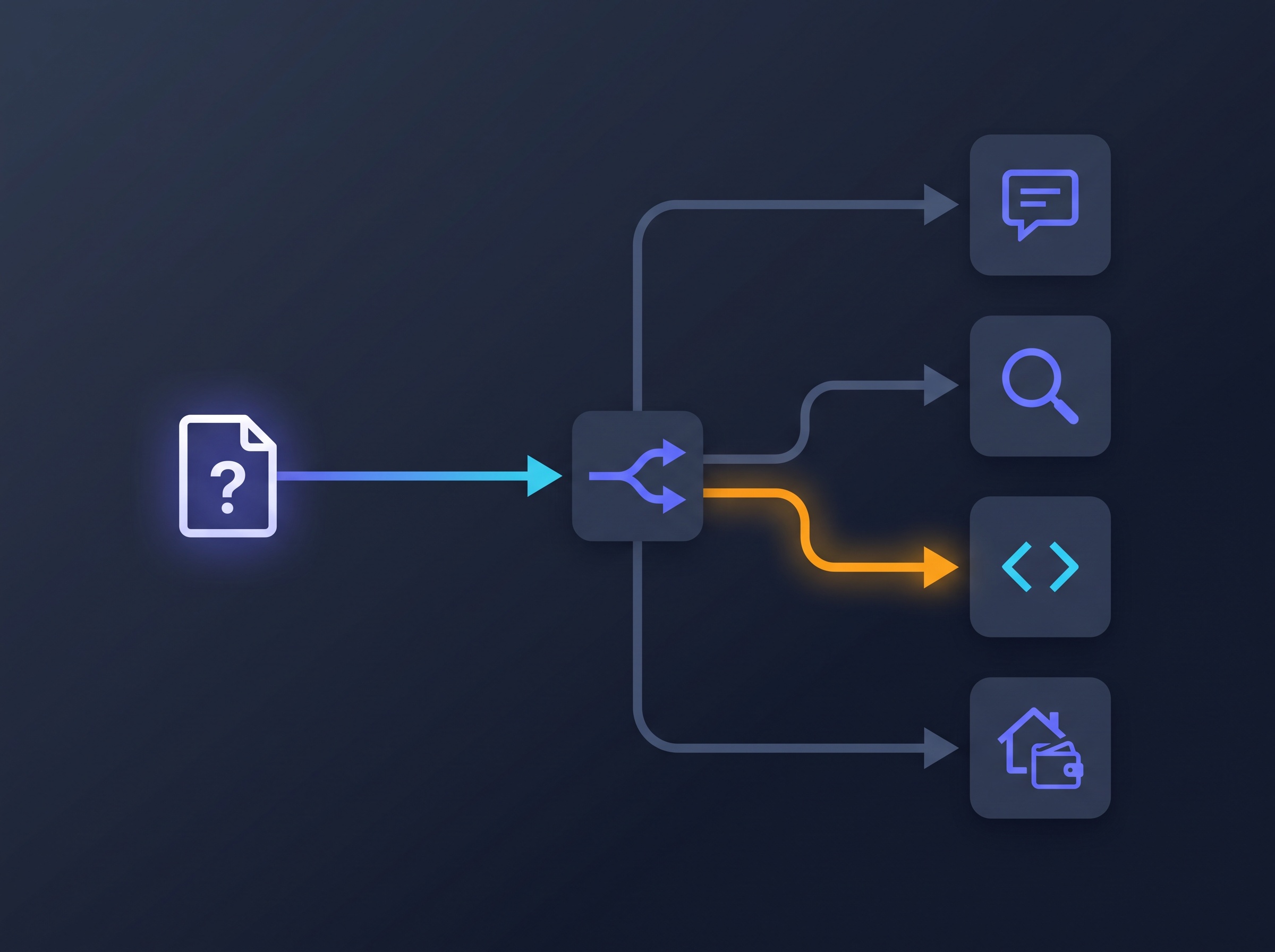
A simple four-job starter stack
You can build a genuinely capable stack with four tools, and you probably already use at least one of them. This isn’t a definitive ranking — the specifics shift constantly — so treat it as a template and swap in your favourites.
- A general reasoning model for the bulk of your day: writing, explaining, thinking out loud. The big frontier chatbots (ChatGPT, Claude, Gemini) all do this well; pick the one whose voice you like and make it your default for prose and ideas.
- A dedicated research engine for anything fact-shaped. Tools built around live search and citations are far safer here than a plain chatbot guessing from memory — and the newest ones can even go off and work in the background. We looked at exactly this shift in Perplexity’s new ‘Teammates’ that let AI work while you’re away.
- A building assistant for anything you’re making. Coding-focused tools shine here, and they’ve gotten good enough that you don’t need to be a developer to use them — we walked a complete beginner through building a real website with Claude using plain English.
- An everyday-life and money tool for practical errands. This category is exploding: assistants that can read your finances, compare options, and even complete a purchase. See what that looks like in practice in our breakdowns of Claude’s personal finance tool and ChatGPT Wallet checking out for you.
Four tools, four jobs. You will reach for the first one most, the others when the task calls for them — which is exactly the point.

How to route a task in practice
Say you’re planning to switch your home internet provider. Watch how the job splits across the stack instead of being dumped on one chatbot. “Explain the difference between fibre, cable, and 5G home internet in plain terms” is a reasoning-and-writing job — your default chatbot nails it. “What are the actual current plans and prices from providers in my area, with links?” is a research job — that goes to your research engine, because a plain chatbot will confidently invent prices. “Build me a little comparison table I can fill in” is a building job. And “track down my current contract end date and what I’d pay to leave early” is an everyday-life job for a tool that can dig through accounts and documents.
Same project, four tools, each doing the part it’s best at. It sounds like more effort than it is — after a week it becomes as automatic as choosing between a knife and a spoon.
You don’t need five subscriptions
The obvious objection: isn’t this expensive? It doesn’t have to be. Every one of these categories has a capable free tier, and a lean free stack beats one paid subscription you overload. A sensible starting point is to run everything on free plans, notice which one tool you lean on hardest, and pay for only that. You end up with one subscription and three free tools — broader capability than most people get from a single paid plan, at the same cost.
And don’t over-build it. Four tools is plenty; ten is a hobby, not a workflow. The goal is coverage of the jobs you actually do, not a trophy cabinet of logins. If you never write code, drop the building tool. If you live in research, maybe you run two. Shape the stack to your life.

Keep your own layer
There’s one more piece of Nadella’s advice worth stealing: keep your own layer. For a company that means owning their prompts and data so they can switch models freely. For you it’s simpler — keep the prompts, instructions, and reference notes you rely on somewhere outside any single AI product. A plain document of your best prompts and your standing context (who you are, how you like things written, the facts a tool keeps needing) is worth more than loyalty to one app. When a better model lands next quarter — and it will — you paste your layer in and you’re running in minutes, instead of being quietly held hostage by the one that happens to remember you.
The single-chatbot habit feels efficient because it’s one less decision. But that one skipped decision is where the quality leaks out. Spend a week noticing which bucket each task belongs to, point it at the right tool, and keep your own prompts portable. That’s the whole discipline — and it’s the difference between leaning on whatever one AI happens to be open and actually using tools that work. The people getting the most out of AI right now aren’t the ones with the best single model. They’re the ones who stopped asking one tool to be good at everything.
Sources & further reading:
Related Reading
- OpenAI Dots: What These New Always-On AI Agents Actually Do for You
- AI Agents for Everyday Users: How to Set Up Your First Automated Assistant in 2026
- NotebookLM: How to Use Google’s Most Underrated AI Tool Better Than 99% of People