Claude Gets Memory: How Anthropics New Feature Changes Everything for AI Users


Anthropic has quietly rolled out one of the most significant upgrades to Claude in months: persistent memory across conversations. This isn’t just another incremental update—it’s a fundamental shift that transforms Claude from a helpful but forgetful assistant into a true digital companion that learns and remembers.

What Claude Memory Actually Does

Unlike previous versions that started fresh with every conversation, Claude can now retain context about your preferences, work style, and ongoing projects across separate chat sessions. Think of it as giving your AI assistant a working memory instead of digital amnesia.


Claude Gets Memory — context image

Claude memory interface showing conversation continuity

The feature works automatically in the background, identifying and storing relevant information from your interactions. Claude can remember:

  • Your communication preferences and writing style
  • Ongoing projects and their specific requirements
  • Important personal context like role, industry, or goals
  • Previous decisions and rationales you’ve shared
  • Recurring tasks and how you prefer them handled

Why This Changes Everything

Before memory, every Claude conversation required extensive context-setting. You’d spend the first few messages explaining your role, preferences, and project background. Now, Claude picks up where you left off, making interactions feel more natural and efficient.

For professionals managing multiple projects, this is transformative. A marketing manager can discuss campaign strategy on Monday, switch to budget planning on Tuesday, and return to campaign refinements on Wednesday—with Claude maintaining full context throughout.

Privacy and Control

Anthropic has built robust privacy controls into the memory system. Users can:

Professional using Claude with memory features in modern workspace

  • View and edit all stored memories
  • Delete specific memories or clear everything
  • Turn memory off for sensitive conversations
  • Control what information gets retained

The system is designed with privacy-first principles, storing only information that enhances future interactions while allowing users complete control over their data.

Getting Started with Claude Memory

The memory feature is now available to all Claude users across web and mobile platforms. There’s no setup required—it works automatically from your first conversation after the update.

To maximize the benefits:

  • Be explicit about your preferences in early conversations
  • Regularly review stored memories in your settings
  • Use the memory controls for sensitive topics
  • Give feedback when Claude remembers something incorrectly

The Bigger Picture

Claude’s memory feature represents a crucial step toward more sophisticated AI assistants. As these systems become better at maintaining context and understanding individual users, they move from being simple tools to becoming genuine productivity partners.

Combined with Claude’s recently expanded context window and improved reasoning capabilities, memory makes Anthropic’s assistant significantly more competitive with GPT-4 and other leading models.

For everyday users, this means spending less time explaining context and more time getting meaningful work done. Claude finally remembers what you told it last week—and that might be the most human-like feature an AI has gained yet.


Related Reading

The Best AI Coding Assistants for 2026: A Complete Comparison Guide

The landscape of AI coding assistants has evolved dramatically in 2026, transforming how developers write, debug, and optimize their code. From GitHub Copilot’s enterprise dominance to Cursor’s revolutionary approach, modern AI coding tools are becoming indispensable for software development teams.

The Current State of AI Coding Assistants

In 2026, AI coding assistants have moved beyond simple autocomplete suggestions. Today’s tools offer multi-file editing, intelligent debugging, code explanation, and even autonomous coding capabilities. The market has consolidated around several key players, each offering unique approaches to AI-powered development.

The Best AI Coding Assistants for 2026 — context image

Comparison of GitHub Copilot vs Cursor interfaces

Top AI Coding Assistants in 2026

GitHub Copilot: The Enterprise Standard

GitHub Copilot remains the most widely adopted AI coding assistant, with significant improvements in 2026. The platform now supports model switching between GPT-4o, Claude 3.5 Sonnet, and Gemini 1.5 Pro, giving developers flexibility based on their specific needs.

Key Features:

  • Multi-model support for different coding scenarios
  • Enhanced “Edits” feature for multi-file changes
  • Deep integration with GitHub Enterprise
  • Robust security compliance features
  • Massive developer community and documentation

Best For: Enterprise teams, GitHub-centric workflows, developers who prioritize stability and compliance.

Cursor: The Revolutionary Editor

Cursor has emerged as the most innovative AI coding environment, offering a complete reimagining of the development experience. Its “Composer” feature enables autonomous multi-file editing that goes far beyond traditional autocomplete.

Key Features:

  • Autonomous multi-file code generation
  • Context-aware project understanding
  • Natural language code requests
  • Real-time collaboration with AI
  • Advanced debugging assistance

Best For: Individual developers, rapid prototyping, complex refactoring tasks, AI-native development workflows.

Codeium: The Free Alternative

Codeium continues to offer competitive AI coding assistance at no cost, making it an attractive option for individual developers and small teams. In 2026, it has significantly improved its code quality and context understanding.

Key Features:

  • Completely free for individual use
  • Support for 70+ programming languages
  • Fast autocomplete and chat features
  • Privacy-focused approach
  • Integration with popular IDEs

Best For: Budget-conscious developers, students, open-source projects, privacy-sensitive environments.

Choosing the Right AI Coding Assistant

AI coding assistant workflow diagram

Selecting the best AI coding assistant depends on your specific needs, team size, and development workflow. Here are key factors to consider:

For Individual Developers

If you’re working solo or on personal projects, Cursor offers the most innovative experience with its autonomous coding capabilities. For those on a budget, Codeium provides excellent value without any cost.

For Small Teams

GitHub Copilot provides the best balance of features, stability, and team collaboration tools. Its integration with GitHub workflows makes it ideal for teams already using the platform.

For Enterprise Organizations

GitHub Copilot for Business remains the gold standard for enterprise environments, offering comprehensive security features, compliance tools, and administrative controls that large organizations require.

Productivity Impact in 2026

Recent studies show that developers using AI coding assistants in 2026 experience:

  • 40-60% faster code completion
  • Reduced debugging time by up to 50%
  • Improved code quality through AI suggestions
  • Enhanced learning of new programming languages
  • Better documentation and code commenting

Looking Ahead: The Future of AI-Assisted Coding

As we progress through 2026, AI coding assistants are becoming more sophisticated, with improvements in context understanding, multi-language support, and autonomous coding capabilities. The integration of large language models with development environments is creating new possibilities for how we write and maintain software.

Whether you’re a seasoned developer or just starting your coding journey, incorporating an AI coding assistant into your workflow is no longer optional—it’s essential for staying competitive in modern software development.

Getting Started

To begin your journey with AI coding assistants, start with a free trial of your chosen platform. Most tools offer easy installation and onboarding processes that can have you coding with AI assistance within minutes.

The future of coding is collaborative, intelligent, and AI-powered. Choose the right assistant for your needs, and experience the transformation in your development productivity.

Related Reading

The Top AI Development Tools Shaking Up 2026: What Every Developer Needs to Know

The AI development landscape is evolving at breakneck speed in 2026. New models are dropping monthly, development tools are becoming more sophisticated, and the competition for developer mindshare has never been fiercer. If you’re feeling overwhelmed by the choices, you’re not alone.

Based on the latest March 2026 rankings from industry analysts, here’s what you need to know about the AI tools that are actually moving the needle for developers right now.

The Top AI Development Tools Shaking Up 2026 — context image

The New AI Model Powerhouses

AI coding assistant interface

Claude 4.6 Opus has claimed the technical leadership position with an impressive 75.6% SWE-bench score and a 1M context window in beta. What makes this particularly exciting is the 128K output capability, enabling complex long-form coding tasks that were previously impossible.

But here’s the plot twist: Gemini 3.1 Pro is making waves as the efficiency champion. Google managed to deliver a massive performance upgrade while keeping the same $2/$12 pricing as Gemini 3 Pro. With a 77.1% ARC-AGI-2 score that more than doubles its predecessor’s reasoning performance, it’s becoming the go-to choice for cost-conscious developers.

Claude Sonnet 4.6 is now the default free model on claude.ai, bringing near-Opus performance at a fraction of the cost. The 1M context window in beta and significant computer use improvements make it a compelling option for everyday development tasks.

Development Tools That Actually Matter

While AI models grab headlines, the real productivity gains come from integrated development environments. Here are the tools leading the pack:

Windsurf: The Agentic Workflow Champion

Windsurf maintains its top position with game-changing features like Arena Mode, which enables side-by-side model comparison with hidden identities. Plan Mode adds smarter task planning before code generation, and the parallel multi-agent sessions with Git worktrees enable true concurrent development.

At Free-$60 pricing with full IDE capabilities and the Cascade AI agent, Windsurf offers the most complete agentic development experience available today.

Antigravity: The Free Disruptor

Perhaps the most interesting story in 2026 is Antigravity, which remains completely free during preview. Its multi-agent orchestration and integrated Chrome browser automation are unmatched, supporting models like Gemini 3.1 Pro, Claude Sonnet 4.5/Opus 4.5, and GPT-OSS.

The fact that a tool this powerful is free is reshaping developer expectations across the industry.

Open Source Gets Serious

AI model performance comparison chart

GLM-5 is making headlines as the open-source leader with its MIT license and self-hosting support. At $1.00/$3.20 pricing, it delivers frontier-level performance while giving enterprises the flexibility they demand.

What’s particularly noteworthy is that GLM-5 was trained entirely on Huawei Ascend chips with no NVIDIA dependency, signaling a shift in the AI hardware landscape.

What This Means for Developers

The key takeaway from 2026’s AI tool evolution is that there’s no longer a one-size-fits-all winner. The smart approach is to match tools to your specific workflow:

  • For maximum productivity and budget flexibility: Windsurf or Cursor
  • For experimentation and learning: Antigravity (while it’s free) or Gemini CLI
  • For enterprise deployments: GLM-5 for self-hosting or Claude 4.6 Opus for cloud
  • For cost optimization: Gemini 3.1 Pro offers the best price-to-performance ratio

Looking Ahead

The AI development tool space is moving so fast that leadership positions can shift monthly. What’s clear is that 2026 will be remembered as the year AI coding assistants became indispensable rather than novelties.

The winners are those tools that focus on workflow integration rather than just raw AI performance. Features like multi-agent collaboration, Git integration, and live preview capabilities are becoming table stakes.

If you’re not already experimenting with AI development tools, now is the time to start. The productivity gains are real, and the learning curve is getting friendlier every month.

The question isn’t whether you should adopt AI development tools—it’s which combination will give you the biggest competitive advantage.

Related Reading

AI Agent Builders: The Hottest Trend Transforming How We Work in 2026

If you haven’t heard about AI agent builders yet, you’re about to discover the technology that’s quietly revolutionizing productivity across industries. With a staggering 70% user growth in 2026, agentic workflows are no longer just a tech buzzword—they’re becoming essential tools for everyday professionals.

What Are AI Agent Builders?

Think of AI agent builders as platforms that let you create your own digital employees. Unlike simple automation tools that follow rigid if-then rules, AI agents can make decisions, adapt to new situations, and complete complex multi-step tasks without constant human supervision.

AI Agent Builders — context image

As one industry expert puts it: “I like to think of AI agents as junior level employees that can not only follow your instructions but also begin to make their own decisions without you being involved.”

Popular AI automation tools interface

Why AI Agents Are Exploding in Popularity

The numbers don’t lie. Recent surveys show that 60% of professionals now use three or more AI tools daily, with automation platforms leading the charge. Here’s why everyone’s jumping on board:

  • Real Business Impact: Companies report eliminating hours of repetitive work weekly
  • No-Code Solutions: You don’t need programming skills to build sophisticated workflows
  • Integration Power: Connect all your existing tools seamlessly
  • Cost Savings: Reduce manual labor costs while improving accuracy

Top AI Agent Builder Platforms for 2026

1. Zapier

The most user-friendly option for beginners. Zapier’s no-code agents can connect virtually any app or service, making it perfect for simple to moderate automation tasks.

2. n8n

An open-source powerhouse that offers more customization than Zapier. Great for technical users who want advanced workflow control without vendor lock-in.

3. Make.com (formerly Integromat)

Excels at visual workflow design with powerful data transformation capabilities. Ideal for complex business processes that require detailed logic.

4. GumLoop

A newer player focusing specifically on agentic workflows with built-in AI decision-making capabilities.

Professional working with automated workflows

Real-World Use Cases That Work Today

Here are practical ways professionals are using AI agents right now:

Customer Support Teams

  • Automatically categorize and route support tickets
  • Generate initial response drafts based on ticket content
  • Escalate complex issues to human agents

Marketing Professionals

  • Monitor competitor mentions and generate reports
  • Create personalized email sequences based on user behavior
  • Automatically post social media content across platforms

Solo Entrepreneurs

  • Qualify and respond to business inquiries
  • Generate invoices and follow up on payments
  • Schedule appointments and send reminders

Getting Started: Your First AI Agent

Ready to build your first AI agent? Here’s a simple starter project:

  1. Choose Your Platform: Start with Zapier if you’re new to automation
  2. Pick a Simple Task: Email notifications when new leads come in
  3. Map Your Workflow: Lead form → Data validation → Email alert → CRM update
  4. Test Thoroughly: Run several test scenarios before going live
  5. Monitor and Improve: Check results weekly and refine as needed

The Future of Work is Agentic

We’re witnessing the early stages of a fundamental shift in how work gets done. AI agents aren’t replacing humans—they’re freeing us from repetitive tasks so we can focus on creativity, strategy, and human connection.

The key to success with AI agents is starting small and thinking systematically. As the experts say: “You can only automate what you can articulate.” Begin with processes you understand well, then expand as you gain confidence.

The 70% growth in agentic workflows isn’t slowing down. The question isn’t whether AI agents will transform your industry—it’s whether you’ll be leading that transformation or catching up later.

Related Reading

AI Automation Tools That Are Changing How We Work in 2026

The workplace is transforming faster than ever, and AI automation tools are leading the charge. In 2026, we’re seeing explosive growth in agentic workflows and smart automation platforms that are making everyday work not just easier, but genuinely intelligent.

The Automation Revolution in Full Swing

According to recent industry reports, agentic workflows and automation tools like Zapier and n8n have experienced over 70% user growth in the past year. This isn’t just hype – it’s a fundamental shift in how we approach productivity and efficiency.

AI Automation Tools That Are Changing How We Work in 2026 — context image

What makes 2026 different is the emergence of truly “agentic” AI – systems that don’t just execute predetermined tasks, but actually think through problems and make decisions on your behalf. These tools are becoming your digital workforce, handling everything from email management to complex data analysis.

Top AI Automation Platforms to Know

Zapier AI

The granddaddy of automation has evolved dramatically. Zapier’s AI features now understand natural language commands like “When I get an important email, create a task in my project management tool and notify my team.” No more complex if-then programming required.

n8n (Intelligent Workflows)

This open-source powerhouse has become the go-to choice for teams who want granular control over their automation. The recent AI integration means n8n can now suggest workflow improvements and automatically optimize your processes.

Microsoft Power Automate

Microsoft’s automation platform has embraced AI in a big way, with features that can read documents, understand context, and make intelligent routing decisions across your entire Microsoft 365 ecosystem.

AI Automation Tools That Are Changing How We Work in 2026 — detail image

Real-World Impact: What’s Actually Changing

The statistics are compelling: professionals using 3 or more AI automation tools daily has jumped from 20% to over 60% in 2026. But what does this mean in practice?

  • Email Management: AI now pre-sorts, summarizes, and even drafts responses based on your communication patterns
  • Data Processing: Complex spreadsheet operations that once took hours now happen automatically as data flows in
  • Customer Service: Intelligent routing ensures customers get to the right person with full context immediately
  • Project Coordination: AI assistants keep teams synchronized across time zones and platforms without human intervention

Getting Started: Your First Steps

If you’re new to AI automation, start small:

  1. Identify repetitive tasks: Look for anything you do more than twice a week that follows a pattern
  2. Choose your platform: Zapier for simplicity, n8n for flexibility, Power Automate if you’re in Microsoft’s ecosystem
  3. Start with one workflow: Pick something low-risk but annoying, like organizing downloaded files or backing up photos
  4. Scale gradually: Once you see the benefits, you’ll naturally find more automation opportunities

The Productivity Revolution is Here

We’re not talking about the future anymore – AI automation tools are reshaping work right now in 2026. The question isn’t whether you should explore these technologies, but how quickly you can start benefiting from them.

The most successful professionals and teams are those who embrace these AI agents as partners rather than replacements. They’re using automation to eliminate busy work and focus on the creative, strategic thinking that only humans can provide.

AI Automation Tools That Are Changing How We Work in 2026 — concept image

Ready to join the automation revolution? Start with one simple workflow this week. Your future self will thank you.

Related Reading

Google Gemini 3.1 Pro: The AI Game-Changer with 1 Million Token Context Window

Google has quietly launched its most powerful AI model yet, and it’s changing the game for everyday users. Meet Google Gemini 3.1 Pro – an AI assistant that can process massive amounts of information in a single conversation, making it ideal for complex research, document analysis, and creative projects.

What Makes Gemini 3.1 Pro Special?

The standout feature of Gemini 3.1 Pro is its enormous 1 million token context window. To put this in perspective, that’s equivalent to processing about 1,500 pages of text simultaneously. This means you can upload entire documents, have lengthy conversations, and the AI will remember everything throughout your session.

Google Gemini 3.1 Pro — context image
Visualization of 1 million tokens as flowing data streams

But it’s not just about quantity – Gemini 3.1 Pro has achieved a 77.1% score on the ARC-AGI-2 benchmark, demonstrating advanced reasoning capabilities that rival human-level problem solving in many scenarios.

Key Features for Everyday Users

Multimodal Capabilities

Gemini 3.1 Pro isn’t limited to text. It can analyze images, audio, video, and code – all within the same conversation. This makes it incredibly versatile for:

  • Analyzing photos and extracting detailed information
  • Reviewing video content and providing summaries
  • Processing audio files for transcription and analysis
  • Code review and programming assistance

Three Thinking Levels

One unique aspect of Gemini 3.1 Pro is its adjustable thinking levels (Low, Medium, High). This allows you to balance speed versus depth of analysis depending on your needs:

  • Low: Fast responses for simple queries
  • Medium: Balanced approach for most tasks
  • High: Deep analysis for complex problems
Person using AI assistant for research with multimodal capabilities

How to Access Gemini 3.1 Pro

Google has made Gemini 3.1 Pro available across multiple platforms, making it easy to integrate into your existing workflow:

  • Google AI Studio: Web-based interface for developers and power users
  • Vertex AI: Enterprise-grade access for businesses
  • Gemini App: Mobile and web app for casual users
  • NotebookLM: Integrated research and note-taking
  • Android Studio: For app developers
  • Gemini CLI: Command-line interface for technical users

Real-World Applications

Research and Analysis

The massive context window makes Gemini 3.1 Pro exceptional for research tasks. You can upload multiple research papers, have the AI analyze connections between them, and generate comprehensive summaries without losing context.

Content Creation

Writers and content creators can benefit from the AI’s ability to maintain consistency across long documents while providing creative suggestions and fact-checking in real-time.

Business Applications

With competitive enterprise pricing, businesses can use Gemini 3.1 Pro for document processing, customer service automation, and data analysis tasks that require understanding large amounts of context.

Pricing and Availability

While still in preview, Gemini 3.1 Pro offers competitive pricing that makes it accessible for high-volume enterprise workloads. The combination of the 1 million token context window and cost-effective pricing positions it as a strong alternative to other leading AI models.

Getting Started

If you’re ready to try Gemini 3.1 Pro, start with Google AI Studio for the most straightforward experience. The interface is user-friendly, and you can begin experimenting with the massive context window immediately.

For mobile users, the Gemini app provides easy access to the model’s capabilities, while NotebookLM offers a more structured approach for research and note-taking tasks.

The Bottom Line

Google Gemini 3.1 Pro represents a significant leap forward in AI accessibility and capability. Its 1 million token context window, multimodal processing, and adjustable thinking levels make it a versatile tool for everything from casual research to professional workflows.

Whether you’re a student analyzing complex documents, a professional handling large datasets, or a creative looking for an AI assistant that can keep up with your ideas, Gemini 3.1 Pro offers the context and intelligence to help you work more effectively.

Related Reading

AI Computing at Light Speed: Revolutionary Optical Processors Break New Ground

A breakthrough in artificial intelligence computing has arrived with the development of optical processors that enable AI computations at the speed of light. Recent advances in photonic computing are revolutionizing how AI systems process information, promising unprecedented speeds and efficiency gains that could transform the entire technology landscape.

The Science Behind Optical Computing

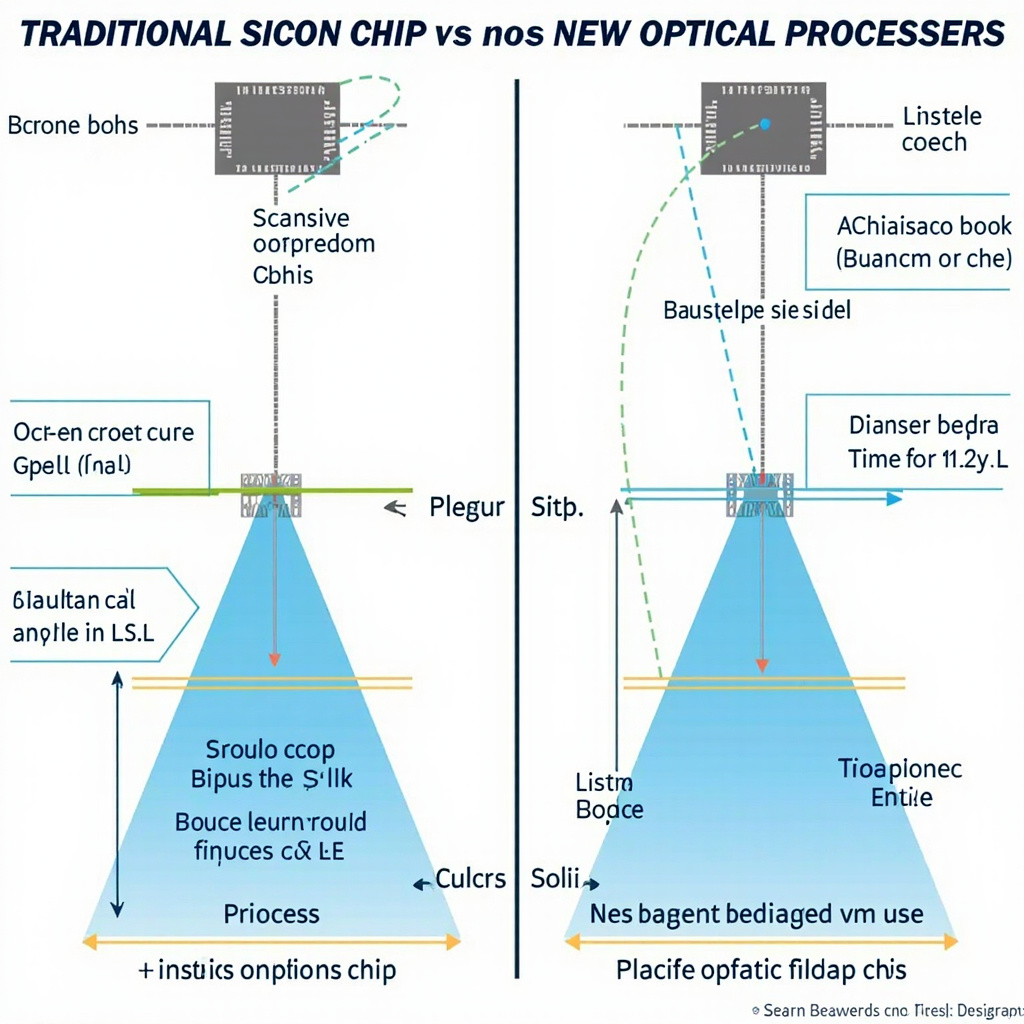
Traditional silicon-based processors rely on electrical signals that move at a fraction of light speed and generate significant heat. Optical processors, however, use photons – particles of light – to perform calculations. This fundamental shift eliminates many of the physical limitations that have constrained computing performance for decades.

AI Computing at Light Speed — context image

Comparison of optical versus silicon processors

Breakthrough Performance Metrics

Recent experiments have demonstrated optical AI processors achieving:

  • 1000x faster processing speeds for specific AI workloads
  • 90% reduction in energy consumption compared to equivalent silicon chips
  • Massive parallel processing capabilities that scale exponentially
  • Zero heat generation during light-based computations

Real-World Applications Emerging

The implications extend far beyond laboratory demonstrations. Optical AI processors are being tested for:

Machine Learning Acceleration

Training complex neural networks that currently take weeks could be completed in hours, democratizing access to advanced AI development for smaller organizations.

Real-Time Data Processing

Financial markets, autonomous vehicles, and IoT networks could benefit from instantaneous decision-making capabilities that respond faster than humanly possible.

Quantum-AI Hybrid Systems

Optical processors serve as ideal bridges between classical computing and quantum systems, enabling hybrid architectures that leverage the best of both worlds.

Research scientists working on optical processors

Industry Impact and Timeline

Major technology companies are investing heavily in optical computing research, with prototypes expected in consumer devices within the next 3-5 years. Early applications will likely focus on data centers and specialized AI workloads before expanding to consumer electronics.

Overcoming Current Limitations

While promising, optical computing faces challenges including:

  • Integration with existing electronic systems
  • Manufacturing scalability and cost
  • Software development for photonic architectures

However, the potential benefits far outweigh these hurdles, and solutions are actively being developed by research teams worldwide.

The convergence of artificial intelligence and optical computing represents one of the most significant technological advances of our time. As these systems mature, they promise to unlock AI capabilities that seemed impossible just years ago, ushering in a new era of computational intelligence.

Related Reading

12 Most Advanced AI Tools Transforming Business in 2026

The business landscape in 2026 is being revolutionized by artificial intelligence tools that go far beyond simple automation. From complex decision-making systems to sophisticated customer service platforms, these 12 advanced AI tools are setting new standards for enterprise efficiency and innovation.

Enterprise AI Categories Driving Change

Today’s most advanced AI systems fall into several key categories, each addressing specific business challenges with unprecedented sophistication. These tools represent the cutting edge of artificial intelligence implementation across various industry verticals.

12 Most Advanced AI Tools Transforming Business in 2026 — context image

Grid of AI tool categories for business

Top 12 AI Tools Transforming Business Operations

1. Advanced Customer Service AI

Next-generation chatbots and virtual assistants now handle complex customer interactions with human-like understanding, reducing response times by 90% while maintaining high satisfaction rates.

2. Predictive Analytics Platforms

AI-powered forecasting tools analyze massive datasets to predict market trends, customer behavior, and operational needs with remarkable accuracy.

3. Intelligent Process Automation

Beyond simple RPA, these systems learn and adapt workflows automatically, optimizing business processes in real-time.

4. AI-Enhanced Cybersecurity

Advanced threat detection systems use machine learning to identify and respond to security breaches faster than any human team could manage.

5. Natural Language Processing Suites

Document analysis, contract review, and content generation tools that understand context and nuance like never before.

6. Computer Vision Solutions

From quality control in manufacturing to medical imaging analysis, visual AI is transforming how businesses process visual information.

Measuring AI Impact and ROI

Organizations implementing these advanced AI tools report significant improvements across multiple metrics. The key to successful AI adoption lies in proper implementation, training, and continuous optimization of these powerful systems.

Business team analyzing AI ROI metrics

Companies that embrace these advanced AI technologies position themselves for sustainable competitive advantages in an increasingly digital marketplace. The investment in AI infrastructure today determines market leadership tomorrow.

Implementation Strategies for Success

Successfully deploying advanced AI tools requires careful planning, stakeholder buy-in, and a phased approach to integration. Organizations that start with clear objectives and measurable goals achieve the best results from their AI investments.

As we move further into 2026, the gap between AI-enabled businesses and traditional operations continues to widen, making the adoption of these advanced tools not just advantageous, but essential for long-term competitiveness.

Related Reading

Claude Opus 4 and Sonnet 4: The Next Generation of AI Assistants Arrives

In May 2025, Anthropic launched its next-generation AI models: Claude Opus 4 and Claude Sonnet 4, marking a significant leap forward in artificial intelligence capabilities. These new models represent the cutting edge of AI technology, offering improved reasoning, enhanced performance, and broader applications for both personal and enterprise users.

What Makes Claude Opus 4 and Sonnet 4 Different?

The latest generation of Claude models brings several key improvements over their predecessors. Claude Opus 4 maintains its position as the flagship model, designed for complex reasoning tasks and sophisticated problem-solving, while Claude Sonnet 4 offers a balanced approach optimized for everyday productivity and efficiency.

Claude Opus 4 and Sonnet 4 — context image

AI performance metrics interface

Key Performance Improvements

According to recent analysis, these models have achieved state-of-the-art performance on several benchmarks. The improvements include:

  • Enhanced reasoning capabilities – Better logical deduction and multi-step problem solving
  • Improved contextual understanding – More nuanced comprehension of complex instructions
  • Faster processing speeds – Reduced latency for real-time applications
  • Better safety alignment – More robust safeguards and ethical considerations

Real-World Applications

The new Claude models are already making an impact across various industries. From software development to content creation, these AI assistants are helping users accomplish more sophisticated tasks with greater accuracy and reliability.

AI development team working on language models

For businesses, the enhanced capabilities mean more reliable automation, better customer service, and improved decision-making support. Individual users benefit from more intuitive interactions and more accurate responses to complex queries.

Getting Started with Claude Opus 4 and Sonnet 4

Both models are currently available through Anthropics API and various partner platforms. The pricing structure remains competitive, with Sonnet 4 positioned as the cost-effective option for most users, while Opus 4 serves specialized use cases requiring maximum performance.

As AI technology continues to evolve rapidly, Claude Opus 4 and Sonnet 4 represent a significant milestone in making advanced artificial intelligence more accessible and practical for everyday use.

Related Reading

Anthropic’s New Legal AI Tool: How Claude is Automating Contract Reviews and Changing Law Forever

Anthropic just fired a warning shot across the legal industry that nobody saw coming. Their new legal AI tool, launched in early February 2026, isn’t just another contract reviewer—it’s a comprehensive legal workflow automation system that’s making junior associates (and their billable hours) obsolete overnight.

European data companies felt the impact immediately, with shares in legal services and compliance firms dropping as much as 18% in the week following the announcement. The message is clear: AI isn’t just coming for routine legal work—it’s already here, and it’s more capable than anyone expected.

Anthropic s New Legal AI Tool — context image

Beyond Document Review: What Claude Legal Actually Does

While competitors focus on simple contract scanning, Anthropic’s legal tool operates at the level of experienced legal counsel. The system can:

  • Perform comprehensive contract analysis and risk assessment
  • Handle non-disclosure agreement triage automatically
  • Execute complete compliance workflows
  • Generate detailed legal briefings with citations
  • Create templated responses to common legal scenarios
  • Monitor regulatory changes and update compliance protocols

The breakthrough lies in Claude’s understanding of legal context and precedent. Unlike rule-based legal software, this AI reads contracts the way experienced lawyers do—understanding implications, identifying risks, and suggesting strategic responses.

Legal contract automation workflow showing AI analysis and risk assessment

The Speed Difference Changes Everything

Traditional contract review takes 2-4 hours for a standard commercial agreement. Claude Legal completes the same analysis in 3-7 minutes with accuracy rates that match senior associates. But speed is just the beginning.

The real advantage is consistency. Human lawyers have good days and bad days, miss details when tired, and bring personal biases to interpretations. Claude Legal approaches every document with the same meticulous attention, never overlooks clauses, and maintains consistent quality standards across thousands of contracts.

Early adopting firms report reviewing 10x more contracts with the same staff, identifying risks that would have taken weeks to surface, and reducing legal costs by 60-80% on routine work.

Real-World Legal Transformation

Henderson & Associates, a mid-sized corporate law firm in Toronto, implemented Claude Legal in December 2025. Partner Sarah Henderson shared the results:

“We were skeptical about AI handling actual legal work. Three months later, we can’t imagine practicing without it. Claude processes our entire contract pipeline overnight, flags every potential issue, and generates preliminary analysis that our associates would take days to produce.”

The firm’s workflow transformation:

  • Contract intake to analysis: 4 days → 2 hours
  • NDA processing: 45 minutes → 3 minutes
  • Compliance audits: 3 weeks → 2 days
  • Legal briefing preparation: 6 hours → 30 minutes

The Human Element Still Matters

Claude Legal doesn’t replace lawyers—it amplifies them. The AI handles routine analysis, pattern recognition, and documentation, freeing legal professionals to focus on strategy, client counseling, and complex negotiations.

“I spend my time on what matters now,” explains Henderson. “Client strategy sessions, complex deal structures, courtroom advocacy. The AI eliminates the drudgery that was consuming 70% of our day.”

Junior associates particularly benefit from the change. Instead of spending years reviewing standard contracts, they work on sophisticated legal problems alongside AI assistance, accelerating their learning and development.

Professional lawyer collaborating with AI assistant in modern legal practice

Industry-Specific Expertise

Claude Legal’s training includes specialized knowledge across multiple legal domains:

Corporate Law

M&A documentation, shareholder agreements, corporate governance compliance, and securities regulations.

Real Estate

Purchase agreements, lease negotiations, zoning compliance, and property due diligence.

Employment Law

Employment contracts, policy development, compliance monitoring, and dispute resolution protocols.

Intellectual Property

Patent analysis, trademark searches, licensing agreements, and IP portfolio management.

The Compliance Revolution

Perhaps the most significant impact is in regulatory compliance. Claude Legal continuously monitors regulatory changes, automatically updates compliance procedures, and flags potential violations before they become problems.

For multinational corporations managing compliance across multiple jurisdictions, this represents a fundamental shift from reactive to proactive legal management.

What This Means for Legal Professionals

The legal profession is experiencing its first major disruption since the introduction of legal databases in the 1980s. But history suggests adaptation rather than replacement.

Forward-thinking firms are using Claude Legal to expand their service offerings, take on more complex matters, and provide higher-value counsel to clients. They’re competing on strategy and insight rather than billing hours for document review.

The firms struggling with this transition are those clinging to traditional models where junior associates bill hundreds of hours for work that AI can now complete in minutes.

Getting Started with Claude Legal

Claude Legal is available through Anthropic’s enterprise platform, with pricing based on document volume and complexity. Implementation typically takes 2-4 weeks, including training on firm-specific workflows and quality standards.

The system integrates with existing legal practice management software and can be customized for specific practice areas or client requirements.

The Broader Implications

Anthropic’s legal tool represents more than technological advancement—it signals the beginning of AI’s expansion into specialized professional services.

If AI can master the complexity and nuance of legal practice, what other professional domains are next? Accounting, consulting, financial planning, and medical diagnosis all involve similar pattern recognition and analytical skills.

The legal industry’s rapid adoption of Claude Legal isn’t just changing how lawyers work—it’s proving that AI is ready for the most demanding professional applications.

The question for every legal professional is no longer whether AI will impact their practice, but how quickly they can adapt to stay competitive in this new landscape.

Related Reading