AI Interoperability Crisis: The 2026 Problem That’s Breaking Everyone’s AI Stack


Your AI tools are at war with each other. While individual AI models become more powerful every month, they’re creating digital silos that refuse to talk to one another. This is the AI interoperability crisis of 2026, and it’s turning promising AI stacks into productivity nightmares.

The problem is simple: most organizations now use 3-5 different AI tools daily. ChatGPT for reasoning, Claude for summarization, Gemini for integration tasks, plus specialized tools for images, voice, and automation. Each one is excellent alone but terrible at working together.

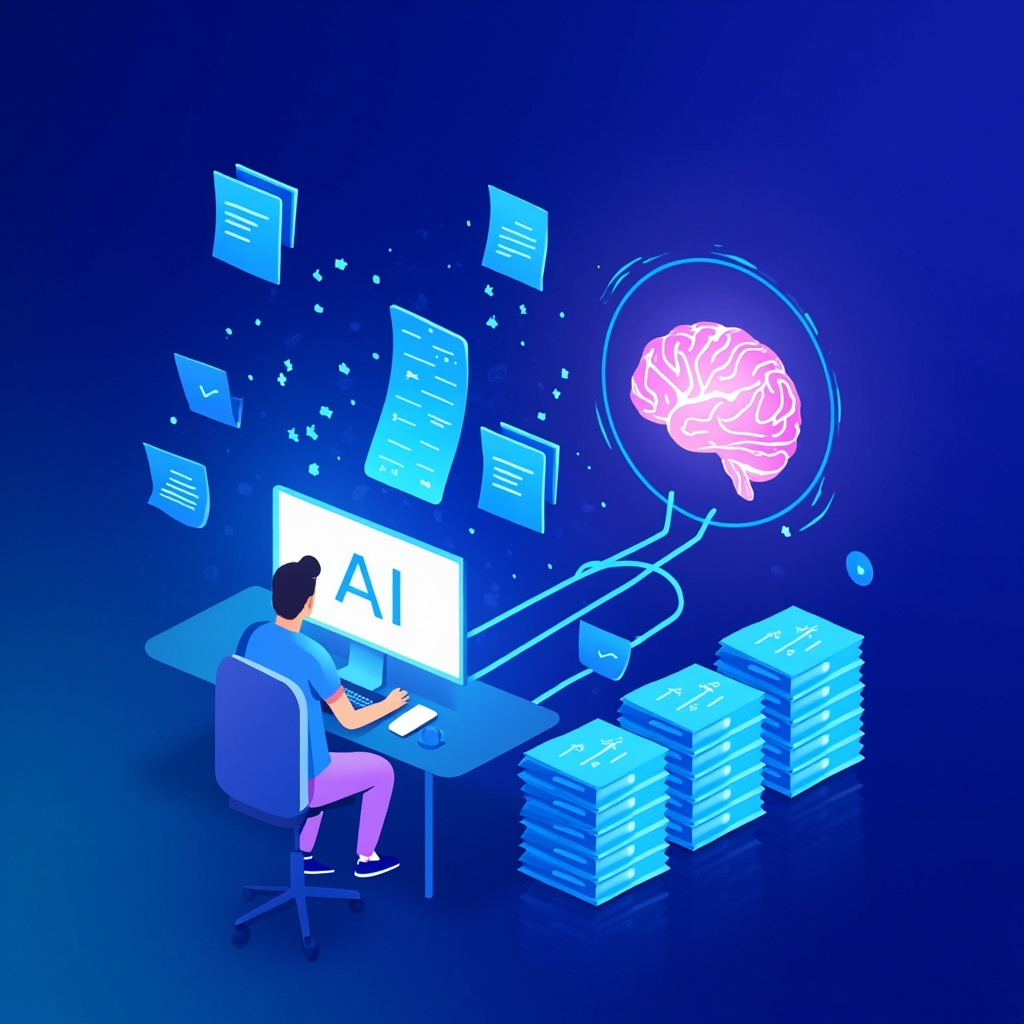
AI Interoperability Crisis — context image

The Hidden Cost of AI Sprawl

AI sprawl happens when organizations adopt multiple AI tools without considering how they’ll connect. You end up with:

  • Duplicated work: Copy-pasting outputs between tools because they can’t share data directly
  • Inconsistent results: Different AI models interpreting the same task differently
  • Context loss: Critical information gets lost when switching between tools
  • Time waste: Manual bridges between tools that should be automated

A marketing team might use ChatGPT to write copy, Claude to review it, Midjourney for images, and Zapier for publishing. That’s four different logins, four different interfaces, and countless opportunities for things to break down.

AI models communicating through APIs

What AI Interoperability Actually Means

True AI interoperability isn’t just about APIs talking to each other. It’s about creating unified workflows where:

  • Data flows seamlessly: Output from one AI becomes input for another without manual intervention
  • Context persists: Conversation history and project details follow your work across tools
  • Results align: Different AI models work toward the same goal using shared parameters
  • Failures cascade gracefully: When one tool fails, others can adapt or take over

Think of it like a relay race where runners seamlessly pass the baton instead of dropping it every time.

Solutions That Actually Work in 2026

AI Gateway Platforms

AI gateways act as universal translators between different AI models. Services like LangChain, OpenAI’s Assistant API, and emerging platforms like Flowise create a single interface that can route requests to the best AI for each task.

Instead of managing five different API keys and endpoints, you send one request to your gateway: “Write a blog post about sustainable energy.” The gateway automatically routes writing to GPT-4, fact-checking to Claude, SEO optimization to a specialized model, and image generation to DALL-E.

Workflow Orchestration Tools

Modern workflow tools are adding native AI interoperability. n8n, Make, and Zapier now offer AI-specific nodes that understand how to chain AI operations intelligently.

These tools can create complex workflows like: “When I save a Google Doc, summarize it with Claude, generate social media posts with ChatGPT, create graphics with Midjourney, and schedule everything through Buffer.” All triggered by a single file save.

Unified AI dashboard interface

Unified AI Platforms

Some companies are building AI ecosystems from the ground up. Microsoft Copilot, Google’s integrated AI suite, and newcomers like Anthropic’s Claude Enterprise offer multiple AI capabilities under one roof.

While these might not always have the best individual AI for each task, they excel at consistency and integration. Everything shares the same context, follows the same brand guidelines, and maintains conversation history across different AI functions.

Building Your Own Interoperable AI Stack

Here’s how to create an AI stack that actually works together:

Step 1: Audit Your Current Tools

List every AI tool your team uses and map how data flows between them. Identify manual handoffs, duplicate functions, and data dead ends. Most teams discover they’re using 2-3 tools that do the same thing.

Step 2: Choose Your Integration Strategy

Pick one approach based on your team size and technical skills:

  • All-in-one platforms: Best for small teams who want simplicity over optimization
  • Workflow automation: Good for medium teams with some technical skills
  • API orchestration: Best for larger teams with dedicated technical resources

Step 3: Start with One Workflow

Don’t try to connect everything at once. Pick your most common AI workflow and make that bulletproof before moving to the next one. A content team might start with “research → writing → editing → publishing” before tackling customer support or data analysis.

Step 4: Design for Failure

AI tools fail. APIs go down. Models get updated and behave differently. Build workflows that can handle these problems gracefully:

  • Fallback models: If GPT-4 is down, automatically try Claude or Gemini
  • Human checkpoints: Flag unusual outputs for human review instead of failing silently
  • Retry logic: Automatically retry failed requests with backoff delays
  • Monitoring: Track success rates and response times across all your AI tools

The Future of Connected AI

AI interoperability is evolving rapidly. By late 2026, we expect to see:

  • Universal AI protocols: Industry standards for AI model communication
  • Context sharing: AI tools that automatically share relevant conversation history
  • Dynamic routing: AI that chooses the best model for each task automatically
  • Cross-platform agents: AI assistants that work seamlessly across all your tools

The teams that solve AI interoperability now will have massive advantages as AI capabilities continue expanding. Instead of managing a collection of powerful but isolated tools, they’ll have truly intelligent systems that amplify human capabilities.

Don’t let AI sprawl turn your productivity tools into productivity obstacles. The solution isn’t using fewer AI tools—it’s making them work together as intelligently as they work individually.


Related Reading

AI App Builders That Create Full Applications from Simple Conversations

Imagine describing your dream app in plain English and watching it come to life minutes later—complete with working code, database, and user interface. This is no longer science fiction. Conversational app development has moved from experimental concept to production reality, with platforms generating fully functional applications from simple text descriptions.

By 2026, low-code development tools account for 75% of new application development, up from 40% in 2021, according to Gartner. Meanwhile, 84% of enterprises have adopted no-code tools to reduce IT backlogs. This revolution is being driven by AI platforms that understand natural language and convert conversational inputs into working software.

AI App Builders That Create Full Applications from Simple Conversations — context image

The Rise of Natural Language Programming

Traditional app development requires months of planning, coding, testing, and deployment. Conversational AI builders compress this timeline dramatically. Instead of writing thousands of lines of code, you simply describe what you want: “Create a food delivery app with restaurant listings, shopping cart, and payment processing.”

Comparison between traditional coding and natural language app development

This approach, sometimes called “vibe coding,” represents a fundamental shift from writing code to expressing intent. Capgemini’s TechnoVision 2026 report identifies this transformation as “AI eating software”—one of the defining technology trends of the year.

Leading Conversational App Builders

Lovable: From Conversation to Production Code

Lovable generates production-ready TypeScript and React applications from plain English descriptions. Unlike template-based builders, it produces real code you can own, extend, and deploy. The platform offers three working modes:

  • Agent Mode: Autonomous development with proactive debugging and web research
  • Chat Mode: Collaborative development through conversation
  • Direct Mode: Precise control over specific changes

Best for: Founders building MVPs, product teams creating rapid prototypes, and technical builders wanting clean code without boilerplate.

Base44: From Idea to Live App in Minutes

Base44 focuses on speed and simplicity. Their platform promises functional apps from concept to deployment in minutes, with no code, setup, or technical knowledge required. The emphasis is on getting ideas into production quickly rather than deep customization.

Enhanced No-Code Platforms with AI Assistants

Traditional no-code platforms are integrating conversational AI to bridge the gap between visual development and natural language programming:

  • Built-in AI assistants for instant problem solving
  • Automated workflow generation from text descriptions
  • Smart component suggestions based on app purpose and industry

The Technology Behind Conversational Development

These platforms combine several AI capabilities:

  • Natural Language Understanding: Parsing conversational requirements into technical specifications
  • Code Generation: Converting specifications into working code across multiple languages and frameworks
  • Architecture Planning: Designing database schemas, API structures, and user interfaces
  • Integration Management: Connecting external services and APIs automatically

The result is a development experience that feels more like having a technical co-founder than using a traditional development tool.

Who Benefits Most from Conversational App Builders?

Entrepreneurs and Founders: Test business ideas without hiring developers or learning to code. Build functional MVPs for user testing and investor demos.

AI App Builders That Create Full Applications from Simple Conversations — detail image

Product Managers: Create interactive prototypes that demonstrate user flows and functionality. Bridge the communication gap with development teams through working examples.

Small Businesses: Build custom tools for internal operations—inventory management, customer tracking, scheduling systems—without enterprise-software budgets.

Technical Teams: Accelerate development timelines for standard applications. Focus engineering resources on unique features rather than boilerplate code.

Limitations and Considerations

While conversational app builders offer remarkable capabilities, they have boundaries:

  • Complexity Limits: Best suited for standard business applications rather than specialized or highly technical software
  • Customization Constraints: Some platforms offer limited styling or advanced feature options
  • Platform Dependencies: Apps may be tied to specific hosting or deployment environments
  • Performance Optimization: Generated code may not be optimized for high-scale or performance-critical applications

The Future of App Development

Conversational app development represents more than just a new tool—it’s democratizing software creation. As these platforms mature, we can expect:

  • More sophisticated AI understanding of complex requirements
  • Better integration with existing development workflows
  • Expanded support for mobile, web, and specialized application types
  • Improved code quality and performance optimization

For everyday users, this means the barrier between having an idea and building software continues to disappear. Whether you’re an entrepreneur with a startup concept, a small business owner needing custom tools, or simply someone with a problem that software could solve, conversational app builders put the power of development directly into your hands.

The question is no longer whether AI will change how we build software—it’s how quickly you’ll adapt to this new reality where good ideas matter more than coding skills.

Related Reading

OpenArt AI ControlNet: The Game-Changing Tool That Gives You Pixel-Perfect Control Over AI Art

Tired of AI art generators that ignore your vision? OpenArt AI’s ControlNet technology finally solves the biggest problem in AI image generation: getting exactly what you want, exactly where you want it.

While most AI tools leave you hoping for the best, ControlNet puts you in the driver’s seat. You can control pose, composition, depth, and even facial expressions using simple reference images. It’s like having a professional artist who follows your directions perfectly every time.

OpenArt AI ControlNet — context image

What Makes ControlNet Different from Regular AI Art Tools?

Traditional AI image generators work like this: you type a prompt, cross your fingers, and hope the AI understands what you mean. Sometimes you get something close. Often, you don’t.

ControlNet flips this process. Instead of just text prompts, you provide visual references that guide the AI with surgical precision. Want a character in a specific pose? Upload a stick figure or reference photo. Need a particular composition? Show the AI exactly where elements should go.

Before and after comparison showing ControlNet pose control

The Four ControlNet Features That Change Everything

1. Pose Control

Upload any reference image—a photo, drawing, or even a stick figure—and ControlNet will generate art that matches that exact pose. Perfect for character illustrations, product photography, or any scene where positioning matters.

2. Depth Mapping

Control the 3D structure of your image by defining which elements should be in the foreground, middle ground, and background. Create professional-looking depth and perspective without needing 3D modeling skills.

3. Edge Detection

Preserve the outlines and structural elements from reference images while completely changing the style, colors, and details. Turn a simple sketch into photorealistic art or transform photos into different artistic styles.

4. Face Reference

Generate consistent characters by using face references. Upload a photo of the face you want, and ControlNet will adapt it to any style, age, or artistic interpretation while maintaining recognizable features.

Real-World Applications That Actually Matter

ControlNet isn’t just a cool tech demo—it solves real problems for everyday creators:

  • Content creators can generate consistent characters across multiple posts and videos
  • Small business owners can create professional product mockups without expensive photography
  • Social media managers can produce branded visuals that match specific layouts and compositions
  • Hobbyist artists can bring their sketches to life in any style imaginable

OpenArt AI interface showing ControlNet features

Getting Started: Your First ControlNet Creation

OpenArt AI makes ControlNet surprisingly accessible. Here’s how to create your first controlled generation:

  1. Choose your base image: Upload a reference photo, sketch, or even find one from OpenArt’s library
  2. Select your ControlNet type: Pose, depth, edge, or face—each handles different aspects of control
  3. Write your prompt: Describe what you want, but focus on style and details rather than positioning
  4. Generate and refine: The AI will follow your structural guidance while applying your creative vision

Pricing That Makes Sense

OpenArt AI offers three tiers that scale with your needs:

  • Free Plan: 50 credits monthly with basic ControlNet features—perfect for testing
  • Starter Plan: $20/month for 5,000 credits, unlimited LoRA training, and full ControlNet access
  • Pro Plan: $36/month (or $24 annually) with 5,000 credits, API access, and 4K resolution support

Unlike subscription traps that charge whether you use them or not, OpenArt’s credit system means you only pay for what you create.

Why ControlNet Matters in 2026

As AI art generation becomes mainstream, the difference between “good enough” and “exactly right” determines who succeeds. ControlNet bridges that gap by giving you professional-level control without requiring professional-level skills.

The technology that once required complex technical knowledge and expensive hardware is now available through a simple web interface. This democratization means anyone can create precisely controlled, high-quality visual content.

Whether you’re building a personal brand, running a business, or just exploring creative possibilities, OpenArt AI’s ControlNet gives you the precision that separates amateur experiments from professional results.

Ready to take control of your AI art? Try OpenArt AI’s ControlNet features today and see the difference precise guidance makes in your creative work.

Related Reading

The Long Context Revolution: How Million-Token AI Models Transform Everyday Tasks

Remember when AI chatbots could barely remember what you said five minutes ago? Those days are officially over. A new generation of AI models with million-token context windows is revolutionizing how we interact with artificial intelligence, and the implications for everyday users are staggering.

The Context Revolution: What Million-Token Memory Means

Context windows measure how much information an AI can “remember” during a single conversation. Traditional models typically handled 4,000 to 32,000 tokens (roughly 3,000 to 24,000 words). The new generation smashes these limits:

The Long Context Revolution — context image
  • Claude Opus 4.6: 1 million tokens in beta
  • NVIDIA Nemotron 3: Native 1 million token context
  • Google Gemma 4: Up to 256,000 tokens for larger models
  • Anthropic’s latest releases: Breakthrough 1M+ token capabilities

To put this in perspective, 1 million tokens equals roughly 750,000 words—about 1,500 pages of text. You could upload entire novels, research papers, legal documents, or business reports and have the AI analyze everything simultaneously.

Comparison of traditional AI vs long-context AI capabilities

Real-World Applications That Actually Matter

These massive context windows aren’t just impressive numbers—they unlock practical capabilities that transform how you work and learn:

Document Analysis Revolution

Upload your entire contract, employee handbook, or research paper collection. Ask specific questions, get summaries, or identify patterns across hundreds of pages. No more breaking documents into chunks or losing context between conversations.

Comprehensive Research Assistant

Paste multiple research papers, articles, and sources into a single conversation. The AI can cross-reference information, identify contradictions, and synthesize insights across all your materials simultaneously.

Code Repository Understanding

Developers can now upload entire codebases and get meaningful analysis, debugging help, and optimization suggestions that consider the full project context—not just individual files.

Educational Support

Students can upload textbook chapters, lecture notes, and assignment requirements all at once. The AI becomes a tutor that understands your complete coursework context.

The Technical Breakthrough Behind the Magic

These advances aren’t just about bigger numbers—they represent fundamental improvements in AI architecture. Models like Nemotron 3 use hybrid latent mixture-of-experts methods that efficiently process vast amounts of information without proportional increases in computational cost.

The result? AI that can maintain coherent, contextual conversations over much longer interactions while understanding relationships between distant pieces of information within your input.

Person using long-context AI for real-world applications including document analysis and research

What This Means for You Right Now

Several of these long-context models are already available:

  • Claude Opus 4.6: Available through Anthropic’s API with 1M token beta access
  • Gemma 4 models: Open-source options you can run locally
  • Nemotron 3: Available through NVIDIA’s AI platforms

For most users, the immediate benefit is simple: stop fragmenting your AI conversations. Instead of breaking complex tasks into multiple sessions, upload everything at once and get comprehensive, context-aware assistance.

The Future is Already Here

Long-context AI models represent a fundamental shift from conversation-based interactions to true document and context understanding. Whether you’re a professional analyzing reports, a student managing coursework, or simply someone who wants AI that actually remembers your entire conversation, these tools change everything.

The context revolution isn’t coming—it’s here. And it’s about to transform how you work, learn, and interact with AI in ways you haven’t even imagined yet.

Related Reading

AI Home Automation Gets Natural: The 2026 Voice Control Revolution That Actually Understands You

Remember when talking to your smart home meant memorizing robot commands like “Alexa, turn on living room lights” instead of just saying “hey, make it brighter in here”? Those days are officially over. 2026 has brought us a revolution in AI home automation that finally gets how humans actually talk.

Why 2026 Changes Everything

The breakthrough isn’t just better voice recognition—it’s contextual intelligence. Your home’s AI now understands the difference between “I’m cold” (adjust temperature), “I feel cold coming on” (maybe suggest rest mode), and “this food is cold” (possibly offer to preheat the oven). That’s a massive leap from rigid command structures.

AI Home Automation Gets Natural — context image

Amazon’s Alexa+ upgrade, now rolling out to Echo devices worldwide, uses generative AI to interpret natural speech patterns. Instead of learning Amazon’s language, your smart home is finally learning yours.

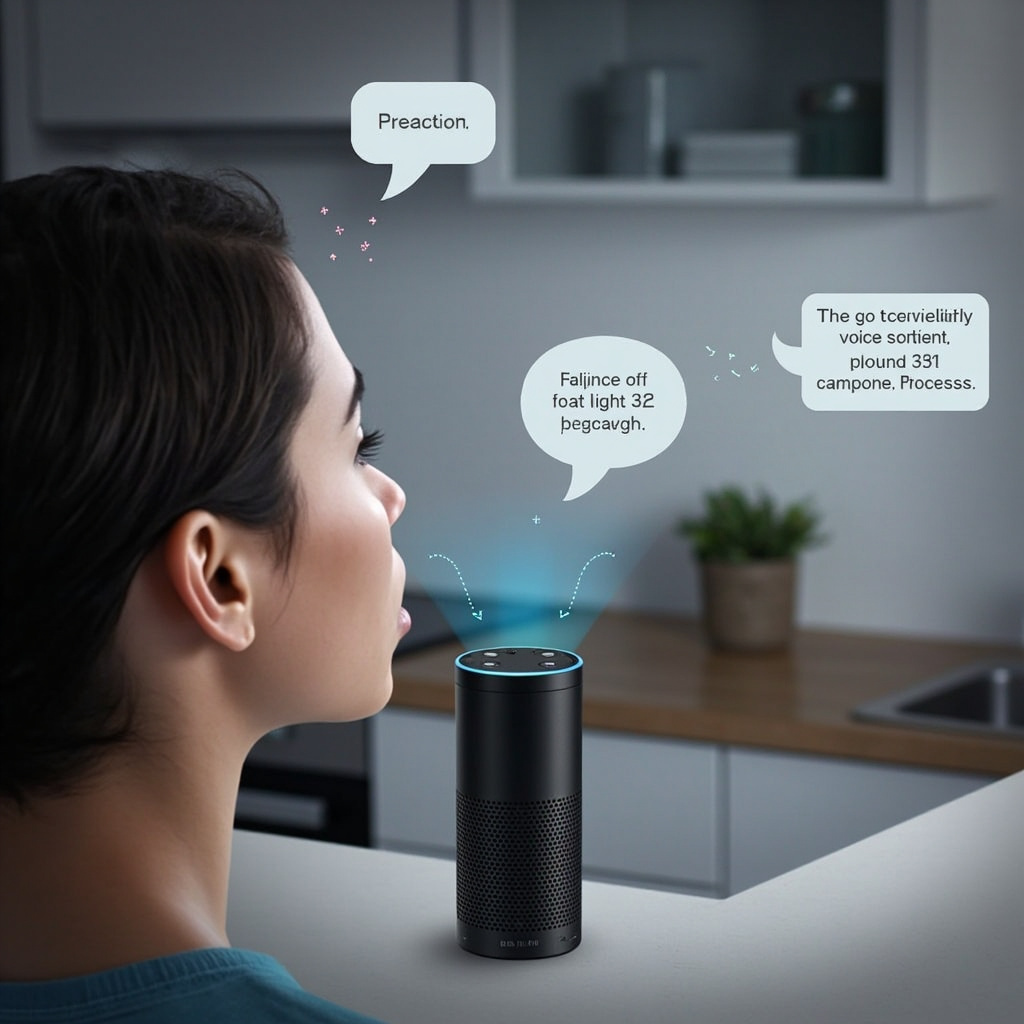
AI voice assistant responding to natural speech commands

What Natural Voice Control Actually Means

Here’s what you can do now that seemed impossible just months ago:

  • Speak in context: “It’s too dark” automatically adjusts lighting based on time of day and your usual preferences
  • Use conversational tone: “I’m getting ready for bed” triggers your entire nighttime routine
  • Reference without naming: “Turn that down” when music is playing, or “make it warmer” when the AC is on
  • Handle interruptions: Mid-sentence corrections like “Actually, make it blue instead” just work

The biggest change? Multi-language households can now switch languages mid-conversation. Speak English to set a timer, then ask “¿Qué tiempo hace?” for the weather—your home AI handles both seamlessly.

Beyond Voice: Predictive Intelligence

The real magic happens when your home starts anticipating needs before you voice them. Modern AI home systems analyze patterns in your daily routine and environmental factors to make proactive adjustments.

For example, if you typically lower the lights around 9 PM while watching TV, your system learns this pattern. But it also considers factors like whether it’s a weekend, if you had a late dinner, or if there’s a storm outside that might affect your usual routine.

Smart home predictive automation dashboard showing AI learning patterns

Smart Automation Examples

Here’s how context-aware automation works in practice:

  • Weather-responsive comfort: On humid days, the system might run the AC slightly cooler than the set temperature because it knows you’ll feel warmer
  • Energy optimization: Your home learns your schedule and pre-heats or cools spaces just before you need them, not constantly
  • Security adaptation: The system recognizes your usual patterns and only alerts you to genuinely unusual activity
  • Guest mode: When it detects multiple voices or different usage patterns, it switches to more explicit confirmation modes

The Technical Side (Simplified)

What makes this possible is the combination of three technologies:

  1. Local AI processing: Your commands stay in your home for privacy and speed
  2. Context memory: The system remembers not just what you said, but what you meant in different situations
  3. Device interoperability: Matter protocol means your smart devices actually talk to each other properly

The Matter standard deserves special mention here. It’s the behind-the-scenes technology that lets devices from different manufacturers work together seamlessly. Your Google Nest thermostat can now coordinate with your Philips Hue lights and Samsung SmartThings hub without the usual compatibility headaches.

Privacy in the Age of Listening Homes

With great convenience comes the inevitable privacy question: how much is your home hearing, and where does that information go?

The good news is that 2026’s AI home systems process most commands locally. Your home’s AI brain sits in your house, not in a distant server farm. This means faster responses and better privacy protection.

Key privacy features to look for:

  • Local processing: Commands handled on-device when possible
  • Selective cloud sync: Only aggregated patterns (like “living room lights used most at 7 PM”) get shared for system improvements
  • Voice ID recognition: The system can distinguish between household members and guests
  • Opt-out granularity: Choose exactly what gets shared and what stays local

Getting Started: The 2026 Smart Home Basics

Ready to upgrade your home’s intelligence? Start with these foundation pieces:

Essential Hub: Choose an updated Echo device, Google Nest Hub, or Josh.ai system that supports the latest natural language processing. These serve as your home’s AI brain.

Smart Lighting: Philips Hue, LIFX, or Nanoleaf bulbs respond best to context commands like “make it cozy” or “I need to focus.”

Climate Control: A learning thermostat (Nest, Ecobee, or Honeywell) forms the foundation of comfort automation.

Matter-Compatible Devices: When shopping for new smart devices, look for the Matter logo. It ensures everything works together smoothly.

The Future Is Already Here

We’re at an inflection point where home automation stops feeling like technology and starts feeling like… home. Your house is becoming a space that understands and responds to you naturally, without requiring you to learn its language.

The next phase will likely bring AI that can handle more complex household management: “Help me plan dinner for tonight” might trigger recipe suggestions, grocery checks, and preheating appliances. But for now, having a home that understands “I’m home” and responds appropriately feels pretty magical.

The robot house future isn’t coming—it’s here, and it finally speaks human.

Related Reading

AI Sleep Assistants: The Smart Tools That Finally Solve Your Sleep Problems

Poor sleep affects 70% of adults worldwide, but artificial intelligence is revolutionizing how we approach sleep optimization. AI sleep assistants are moving beyond basic tracking to provide personalized recommendations that actually work.

The AI Sleep Revolution

Unlike traditional sleep trackers that simply record data, AI sleep assistants analyze your patterns and actively help improve your rest. These tools combine sensor data, environmental monitoring, and machine learning to create personalized sleep strategies.

AI Sleep Assistants — context image

AI sleep tracking technology in bedroom

Top AI Sleep Optimization Tools

Sleep.ai

The global leader in AI-powered sleep improvement, Sleep.ai uses advanced algorithms to analyze your sleep patterns and provide actionable insights. The platform learns from your behavior and adapts recommendations in real-time.

Sleeptracker-AI

This clinically validated platform offers the first cloud-based, non-invasive IoT sleep optimization solution. Compatible with smart mattresses from Beautyrest and Tomorrow, it makes any bed a smart bed.

Hiber-AI by SleepMe

Next-level technology that brings real-time, AI-powered sleep tracking and environment control. The system continuously learns and adjusts temperature, lighting, and other factors for optimal sleep conditions.

How AI Sleep Assistants Work

These tools use multiple data sources to understand your sleep:

  • Sleep stage detection – Monitors REM, deep sleep, and light sleep phases
  • Environmental analysis – Tracks temperature, humidity, noise, and light levels
  • Behavioral patterns – Learns from your daily activities and their impact on sleep
  • Health integration – Connects with fitness trackers and health apps for comprehensive insights

AI sleep analysis dashboard

Real-World Sleep Improvements

Users report significant improvements with AI sleep assistants:

  • 38% faster time to fall asleep
  • 42% reduction in nighttime awakenings
  • 29% improvement in sleep quality scores
  • Better morning energy and mood

Getting Started with AI Sleep Optimization

Most AI sleep assistants work through smartphone apps paired with wearable devices or smart home sensors. Many offer free trials, making it easy to test different approaches.

Start with apps like SleepScore or Nightly that use your phone sensors, then consider upgrading to dedicated hardware for more accurate tracking.

The Future of Sleep Technology

AI sleep assistants are evolving rapidly. Future developments include:

  • Predictive sleep optimization based on calendar and weather data
  • Integration with smart home ecosystems for automatic environment adjustments
  • Personalized sleep coaching using natural language processing
  • Real-time sleep intervention during the night

AI sleep assistants represent a practical application of artificial intelligence that directly improves daily life. As these tools become more sophisticated and accessible, better sleep is finally within reach for everyone.

Related Reading

AI Search Engines That Beat Google: 7 Smart Alternatives for Everyday Research

Traditional search engines are showing their age. While Google still dominates, a new generation of AI-powered search tools is revolutionizing how we find information. These intelligent search engines don’t just return links – they provide direct answers, cite sources, and understand context like a research assistant.

Why AI Search Engines Are Different

Unlike traditional search that shows you a list of links, AI search engines analyze your query, understand the intent, and provide conversational answers with built-in citations. Think of it as having a research librarian who never sleeps.

AI Search Engines That Beat Google — context image

The key advantages include:

  • Direct answers instead of link farming
  • Source citations for fact-checking
  • Follow-up questions for deeper research
  • Context understanding across multiple queries
  • Real-time information synthesis

Top 7 AI Search Tools Worth Using

1. Perplexity AI

Perplexity stands out for its transparency and source citation. Every answer includes clickable references, making it perfect for research projects. The interface is clean, and the Pro version offers advanced models and unlimited searches.

2. You.com

You.com offers three distinct modes: Auto (adapts to your query), Chat (conversational search), and Research (deep analysis). The side-panel SERP-style results complement the AI answers, giving you the best of both worlds.

AI search comparison showing traditional vs intelligent search results

3. SearchGPT by OpenAI

OpenAI’s entry into search combines ChatGPT’s conversational abilities with real-time web data. It excels at complex queries that require reasoning and context understanding.

4. Felo AI

Felo AI specializes in multilingual search and real-time information. It’s particularly strong for international research and breaking news queries.

5. Brave Search

Brave Search now includes AI-powered summarizations while maintaining privacy-first principles. No tracking, no profiling – just intelligent search results.

6. Claude by Anthropic (Web Search)

Claude’s web search capability provides thoughtful, nuanced answers with excellent reasoning. It’s particularly valuable for complex topics requiring analysis.

AI Search Engines That Beat Google — detail image

7. Microsoft Copilot

Integrated with Bing, Copilot offers AI search with Microsoft’s ecosystem integration. Strong for business and productivity queries.

When to Use AI Search vs Traditional Search

AI search engines excel when you need:

  • Quick answers to specific questions
  • Research synthesis from multiple sources
  • Follow-up questions on complex topics
  • Fact-checking with citations
  • Breaking down complicated concepts

Traditional search remains better for:

  • Finding specific websites or brands
  • Shopping and product comparisons
  • Local business information
  • Image and video searches
  • Very recent news (hours old)

Privacy and Accuracy Considerations

While AI search engines offer convenience, consider these factors:

  • Source verification: Always check the cited sources
  • Bias awareness: AI models can reflect training data biases
  • Privacy policies: Some tools store your search history
  • Real-time accuracy: Information can be outdated or misinterpreted

Getting Started

Try Perplexity AI for general research, You.com for comprehensive searches, or SearchGPT for conversational queries. Most offer free tiers, so experiment to find your preferred tool.

The future of search is conversational, intelligent, and contextual. These AI search engines represent the next evolution in how we access information – making research faster, more accurate, and genuinely helpful.

Related Reading

AI Nutrition Coaching Apps: Your Personal Diet Coach That Never Sleeps

Gone are the days when professional nutrition guidance was limited to expensive appointments and rigid meal plans. AI nutrition coaching apps are revolutionizing how everyday people approach healthy eating, offering personalized guidance that adapts to your lifestyle, preferences, and goals in real-time.

These intelligent apps combine the expertise of registered dietitians with machine learning algorithms to deliver nutrition coaching that is available 24/7, costs a fraction of traditional consultations, and gets smarter with every meal you log.

AI Nutrition Coaching Apps — context image

What Makes AI Nutrition Coaching Different

Traditional nutrition advice often follows a one-size-fits-all approach. AI nutrition apps like Welling, Fitia, and others take a fundamentally different approach by analyzing your individual patterns, preferences, and progress to create truly personalized recommendations.

Personalized nutrition dashboard

Here is how AI nutrition coaching works differently:

  • Real-time adaptation: Your meal plan adjusts based on your actual eating patterns, not theoretical ideals
  • Context-aware suggestions: The app considers your schedule, location, and preferences when recommending meals
  • Behavioral learning: AI identifies what motivates you and what derails your progress, then adjusts coaching style accordingly
  • Continuous availability: Get instant feedback on food choices, portion sizes, and nutrition questions anytime

Top Features That Make AI Nutrition Apps Essential

Smart Food Logging

Advanced computer vision allows you to simply photograph your meals for instant nutritional analysis. No more searching through databases or measuring portions manually.

Macro and Micro Tracking

AI apps track not just calories but essential vitamins, minerals, and macronutrient ratios, providing insights that would take hours to calculate manually.

Predictive Recommendations

Based on your eating patterns, these apps can predict what you are likely craving and suggest healthier alternatives that satisfy the same nutritional or psychological need.

Integration with Health Data

Many AI nutrition apps connect with fitness trackers, blood glucose monitors, and health apps to provide holistic wellness guidance.

AI Apps vs. Traditional Nutritionists: The 2026 Reality

AI vs traditional nutrition comparison

While traditional nutritionists offer irreplaceable human insight and clinical expertise, AI apps excel in areas where humans simply cannot compete:

Accessibility and Cost

AI nutrition coaching costs $10-30 per month compared to $75-150 per session with a nutritionist. This makes professional-grade guidance accessible to millions who previously could not afford it.

Consistency and Availability

Your AI coach never has a bad day, never goes on vacation, and is always available when you are making food decisions at the grocery store or restaurant.

Data Processing Power

AI can analyze thousands of data points from your eating history, health metrics, and behavioral patterns to identify subtle trends no human could spot.

Personalization at Scale

While a nutritionist sees patterns across their client base, AI systems learn from millions of users, identifying successful strategies for people with similar profiles to yours.

Getting Started: Choosing the Right AI Nutrition App

The AI nutrition app landscape is rapidly evolving, but here are key factors to consider:

  • Evidence-based approach: Look for apps developed with registered dietitians and backed by nutritional science
  • Data privacy: Ensure the app has strong privacy protections for your health information
  • Integration capabilities: Choose apps that work with your existing health ecosystem
  • Learning style match: Some apps focus on education, others on habit formation – pick what works for you

The Future is Personalized Nutrition

As AI continues advancing, we are moving toward truly personalized nutrition based on your genetic profile, microbiome analysis, and real-time biomarkers. The AI nutrition apps launching in 2026 are just the beginning of a transformation that will make optimal nutrition accessible to everyone.

The question is not whether AI will revolutionize nutrition coaching, but how quickly you will embrace tools that can transform your relationship with food and health. Your personal AI nutrition coach is ready when you are.

Related Reading