Google shipped Gemini 3.6 Flash, 3.5 Flash-Lite, and a security-focused 3.5 Flash Cyber — and quietly held back the flagship. Here’s what each one is for, in plain language, and how to pick without overthinking it.
Alibaba’s Qwen team just launched Qwen-Image-3.0. Its headline trick is the one most image generators still fumble: putting readable, correctly spelled text inside the picture. Here’s what it does and how to try it without paying a cent.
Google’s AI Mode just stopped only answering questions and started completing tasks inside Canva, Instacart, and YouTube Music. Here’s what it actually does, where it stops, and the prompts worth trying first.
You don’t need the cloud — or a subscription — to use a capable AI. Here’s how to run a private chatbot entirely on your own computer in about fifteen minutes.
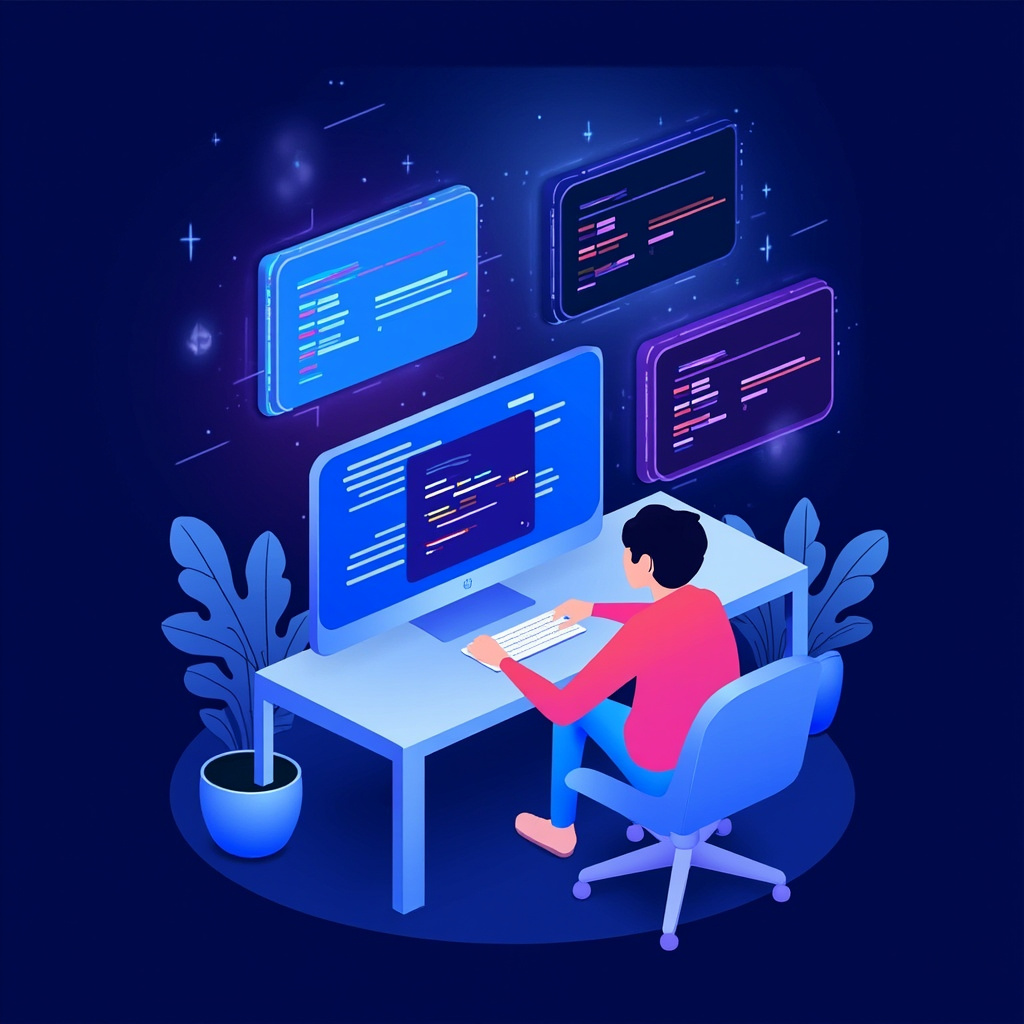
Learning a new programming language used to mean weeks of tutorials, documentation rabbit holes, and frustrating “hello world” exercises. In 2026, AI tools have fundamentally changed how developers pick up new languages — and the results are dramatically faster.
Here’s a practical, no-fluff guide to using AI to learn any programming language efficiently.
The AI-Accelerated Learning Framework
The fastest way to learn a new language with AI isn’t to ask it to teach you from scratch. Instead, use a framework we call “translate, build, review”:
Translate code you already know into the new language
Build small projects with AI as your pair programmer
Review your code with AI to learn idiomatic patterns
This approach leverages your existing programming knowledge as a bridge, which is how experienced developers actually learn new languages — not by starting from zero.
Step 1: Translate What You Know
Take a small program you’ve written in a language you know well — say, a REST API endpoint in Python — and ask Claude or GPT-4o to translate it to your target language. But don’t just copy the output. Instead:
Read the translated code line by line
Ask the AI to explain every construct you don’t recognize
Ask “what’s the idiomatic way to do this in [language]?” for each pattern
Retype the code yourself (don’t copy-paste) to build muscle memory
This is dramatically more effective than tutorials because you’re learning through familiar concepts. You already understand what the code does — now you’re learning how this language expresses it.
Step 2: Build With AI as Your Pair Programmer
Once you have basic syntax down, start building small projects. Use an AI coding assistant like Cursor or Copilot, but set rules for yourself:
Write the code yourself first. Even if it’s wrong or ugly, attempt it.
Use AI to fix and improve, not to write from scratch.
Ask “why” constantly. When the AI suggests something different from what you wrote, ask it to explain the difference.
Gradually reduce AI assistance as your confidence grows.
Project Ideas That Actually Teach
Avoid toy projects. Build things that exercise real language features:
A CLI tool that processes files — teaches I/O, error handling, argument parsing
A REST API with a database — teaches the ecosystem (frameworks, ORMs, testing)
A concurrent data processor — teaches the language’s concurrency model
A package/library — teaches the module system, publishing, and documentation conventions
Step 3: AI Code Review for Idiomatic Learning
This is the secret weapon most learners miss. After writing code in your new language, paste it into an AI model and ask:
“Review this [Rust/Go/etc.] code as if I’m a new developer learning the language. Point out anything that isn’t idiomatic, suggest improvements, and explain the ‘why’ behind each suggestion.”
The AI becomes a patient, infinitely available mentor who knows every language idiom. It will catch things like:
Using Python patterns in Go (e.g., not using Go’s error handling conventions)
Missing Rust ownership patterns that a borrow checker would catch
Writing C-style loops in a language with better iteration abstractions
Not using standard library features that replace common hand-rolled code
Which AI Tools Work Best for Learning
For explanations and conceptual learning: Claude excels here. Its ability to provide nuanced, detailed explanations of language concepts — including trade-offs and design decisions — is unmatched.
For hands-on coding practice: Cursor with its agent mode lets you write code and get real-time feedback. The AI can run your code, identify issues, and suggest fixes interactively.
For understanding existing codebases: When learning a language, reading good code is essential. Use Sourcegraph Cody to explore popular open-source projects in your target language. Ask it to explain patterns and conventions you encounter.
For free, privacy-conscious learning:Open-source models via Ollama let you practice without sending your (probably embarrassing) beginner code to cloud APIs.
Common Mistakes to Avoid
Don’t let AI write everything. You’re learning, not outsourcing. The struggle is where learning happens.
Don’t skip the docs. AI can explain concepts, but official documentation teaches the “why” behind language design decisions.
Don’t learn syntax without ecosystem. Knowing Go syntax without understanding Go modules, testing conventions, and the standard library isn’t useful.
Don’t ignore error messages. Before asking AI to fix an error, spend 5 minutes trying to understand it yourself. Then ask AI to explain, not just fix.
A Realistic Timeline
Using this AI-accelerated approach, an experienced developer can expect:
Week 1: Basic syntax fluency, can write simple programs
Week 2-3: Comfortable with the ecosystem, can build small projects
Month 3: Contributing to open-source projects in the new language
Without AI assistance, this same progression typically takes 6-9 months. The AI doesn’t replace the learning — it compresses the feedback loop from hours to seconds.
The best programmers in 2026 are polyglots, and AI is the universal translator that makes that possible.
The open-source AI revolution is no longer a promise — it’s a reality. In early 2026, open-weight models from DeepSeek, Meta, and Mistral are competitive with proprietary offerings on many tasks, and in some cases, they’re better. Here’s what you need to know.
DeepSeek: The Open-Source Disruptor
DeepSeek has arguably done more to democratize AI than any other organization in the past year. Their V3 model, released under the MIT license with zero downstream obligations, performs remarkably well on coding, reasoning, and general-purpose tasks.
The significance of the MIT license cannot be overstated. Unlike Meta’s Llama license, which requires “Built with Llama” branding and imposes restrictions on commercial derivatives, DeepSeek’s MIT license means you can do anything with it — fork it, modify it, sell products built on it, no strings attached.
The much-anticipated DeepSeek R2 reasoning model and V4 have been delayed, with speculation that reasoning capabilities may be baked directly into V4. Regardless of naming, the next DeepSeek release is one of the most anticipated events in open-source AI.
Running DeepSeek Locally
With tools like Ollama and vLLM, running DeepSeek locally is straightforward. A quantized version of DeepSeek V3 runs acceptably on consumer hardware with 32GB+ RAM, though you’ll want a good GPU for responsive inference. For teams with data sovereignty requirements or who simply want to avoid per-token API costs, this is a game-changer.
Meta’s Llama: The Corporate Open-Source Giant
Meta’s Llama models remain the most widely deployed open-weight models in production. Llama 3 established Meta as a serious player, and the ecosystem around Llama is the richest of any open model family — from fine-tuning frameworks to deployment tools to hosted inference services.
However, Llama’s license is more restrictive than pure open-source. The “Built with Llama” branding requirement and usage restrictions for companies with over 700 million monthly active users mean it’s not truly MIT-style open. For most developers and companies, these restrictions don’t matter. But they’re worth understanding.
The Llama ecosystem’s real strength is its community. Thousands of fine-tuned variants exist for specific tasks, and platforms like Hugging Face make discovering and deploying them trivial.
Mistral: Europe’s AI Champion
French startup Mistral AI went from zero to major player in 18 months. Their Mixtral mixture-of-experts models offer excellent performance-per-parameter, making them popular for efficiency-conscious deployments.
Mistral’s open models tend to punch above their weight class — a Mistral model with fewer parameters often matches larger models from competitors. For teams deploying on limited hardware or optimizing for inference cost, Mistral models are frequently the best choice.
The Qwen Factor
Alibaba’s Qwen models deserve mention as increasingly competitive open-weight options. Qwen 2.5 offers strong multilingual capabilities and competitive coding performance. The open-source AI ecosystem is genuinely global now, with significant contributions from Chinese, European, and American organizations.
Practical Considerations for Developers
When to Use Open-Source Models
Data privacy: When you can’t send code or data to external APIs
Cost at scale: When API costs become prohibitive (millions of tokens/day)
Customization: When you need to fine-tune for specific tasks or domains
Offline/air-gapped: When internet connectivity isn’t guaranteed
Compliance: When regulatory requirements mandate local data processing
Simplicity: API calls are simpler than managing GPU infrastructure
Rapid iteration: Proprietary models improve monthly without you deploying anything
The Tools That Make It Work
Ollama has become the standard way to run open models locally. One command to download and run any model, with an API compatible with OpenAI’s. vLLM handles high-throughput serving for production. LM Studio provides a GUI for those who prefer it.
The best AI coding assistants now support local model backends. Aider, Continue, and others let you use open-source models instead of proprietary APIs, giving you the same workflow with full control over your data.
What’s Next
The gap between open and proprietary models continues to narrow. Every major release from DeepSeek, Meta, or Mistral closes the distance further. By mid-2026, the choice between open and proprietary may come down entirely to convenience versus control, with capability being roughly equal.
For developers, this is unambiguously good news. Competition drives improvement, and having excellent free alternatives ensures that AI capabilities remain accessible to everyone — not just those with enterprise API budgets.
The AI model landscape has shifted dramatically in early 2026. With Claude Opus 4, GPT-4o, and Gemini 2.5 Pro all vying for developer attention, choosing the right model for your coding workflow has never been more consequential — or more confusing.
After extensive testing across real-world development tasks, here’s what actually matters for working developers.
The Current State of Play
As of February 2026, the three major AI models have carved out distinct niches. Claude Opus 4 leads SWE-bench evaluations and has become the default model for agentic coding workflows. GPT-4o maintains the largest ecosystem and broadest integration support. Gemini 2.5 Pro offers a million-token context window that’s genuinely game-changing for large codebases.
But benchmarks only tell part of the story. What matters is how these models perform when you’re debugging a race condition at 2 AM or refactoring a legacy monolith.
Code Generation: Claude Pulls Ahead
For raw code generation accuracy, Claude Opus 4 consistently produces the most correct, idiomatic code on the first attempt. In our testing across Python, TypeScript, and Rust, Claude’s outputs required fewer iterations to reach production-quality code.
GPT-4o remains excellent for straightforward tasks and benefits from deep integration with GitHub Copilot, making it the path of least resistance for many developers. Its code generation is reliable, if occasionally verbose.
Gemini 2.5 Pro shines when you need to generate code that interacts with a large existing codebase. Its million-token context window means you can feed it entire modules and get contextually aware implementations that respect existing patterns and conventions.
Debugging and Error Resolution
This is where the models diverge most sharply. Claude Opus 4’s extended thinking capability allows it to reason through complex debugging scenarios step by step. When presented with a stack trace and surrounding code, Claude identifies root causes more reliably than the competition.
GPT-4o is solid for common error patterns but can struggle with subtle bugs in concurrent code or complex type systems. It tends to suggest surface-level fixes rather than identifying deeper architectural issues.
Gemini 2.5 Pro’s strength in debugging comes from its context window — you can include entire dependency chains, and it will trace the bug across file boundaries. For microservices debugging, this is invaluable.
Multi-File Architecture Understanding
Modern development rarely involves single files. Here’s how each model handles architectural reasoning:
Claude Opus 4: Best at understanding design patterns and suggesting architecturally sound changes. Its agentic capabilities (via tools like Claude Code) allow it to navigate codebases autonomously.
GPT-4o: Good at following established patterns but less likely to suggest architectural improvements proactively.
Gemini 2.5 Pro: The million-token context means it can literally hold your entire project in memory. For monorepo work, this is unmatched.
Pricing and Practical Considerations
Cost matters, especially at scale. GPT-4o offers the most competitive pricing with a massive free tier through ChatGPT. Claude Opus 4 is premium-priced but delivers premium results. Gemini 2.5 Pro sits in between, with Google offering generous free tiers through AI Studio.
For teams, the ecosystem matters as much as the model. GPT-4o’s OpenAI API has the most third-party tool support. Claude’s API is clean and developer-friendly. Google’s Vertex AI platform integrates naturally if you’re already in GCP.
The Open Source Wild Card: DeepSeek V3
No comparison is complete without mentioning DeepSeek V3, which ships under an MIT license and performs remarkably well for coding tasks. If you need to run models locally or have data sovereignty requirements, DeepSeek is a serious contender that costs nothing in API fees.
Our Recommendations
For complex debugging and agentic coding: Claude Opus 4. Its reasoning capabilities are unmatched for difficult problems.
For broad ecosystem and team adoption: GPT-4o. The integration story is simply the best, and GitHub Copilot powered by GPT-4o is hard to beat for daily coding.
For large codebase work: Gemini 2.5 Pro. The context window changes how you can interact with AI about your code.
For budget-conscious developers: Mix and match. Use GPT-4o’s free tier for routine tasks, Claude for hard problems, and consider open-source models for privacy-sensitive work.
The truth is, the best developers in 2026 aren’t loyal to one model — they’re fluent in all of them and know when to reach for each one.
In early 2023, the science fiction magazine Clarkesworld made headlines when it was forced to close its submissions portal — overwhelmed by a flood of AI-generated short stories. It was one of the first visible signs of a phenomenon that security researcher Bruce Schneier and co-author Nathan E. Sanders now describe as an arms race between AI-generated content and the institutions trying to cope with it.
Three years later, that flood has become a tsunami — and it’s hitting virtually every institution that accepts written submissions from the public.
The Deluge Is Everywhere
The pattern is remarkably consistent across domains. A legacy system that relied on the natural difficulty of writing to limit volume suddenly faces an explosion of submissions, and the humans on the receiving end simply can’t keep up.
Here’s where AI-generated content is overwhelming existing systems:
Courts: Legal systems around the world are being flooded with AI-generated filings, particularly from self-represented litigants who can now produce voluminous (if not always coherent) legal documents.
Open source: Even software projects are seeing AI-generated contributions that create more work for maintainers than they solve.
Fighting AI With AI
Faced with this onslaught, institutions are increasingly turning to the same technology that created the problem. It’s a classic arms race — and the defensive measures mirror the offensive ones:
Educators use AI not just to grade papers but to administer oral exams and provide feedback.
The problem? This defensive AI will likely never achieve permanent supremacy. Each improvement in detection spurs improvements in generation, and vice versa. It’s an adversarial game with no stable equilibrium.
The Nuance: AI as Equalizer vs. AI as Fraud Engine
This is where the conversation gets genuinely complicated — and where Schneier and Sanders make their most important point.
Not all AI-assisted writing is fraud. Consider:
A non-English-speaking researcher using AI to write a paper in English was previously at a massive disadvantage. Well-funded researchers could hire human editors; everyone else struggled. AI levels that playing field.
A job seeker using AI to polish a resume or write a better cover letter is doing exactly what wealthy applicants have always done — hiring professional help. AI just makes that help universally accessible.
A citizen using AI to articulate their views to a legislator is exercising the same capability that lobbyists and the wealthy have always had — professional writing assistance.
The key distinction isn’t whether AI was used — it’s whether AI enables fraud or democratizes access.
Using AI to polish your genuine thoughts into clear prose? That’s democratization. Using AI to generate hundreds of fake constituent letters for an astroturf campaign? That’s fraud. Using AI to help express your real work experience in a cover letter? Legitimate. Using AI to fabricate credentials and cheat on job interviews? Clearly over the line.
As Schneier and Sanders put it: “What differentiates the positive from the negative here is not any inherent aspect of the technology, it’s the power dynamic.”
The Uncomfortable Reality
There’s no putting this genie back in the bottle. Highly capable AI models are widely available and can run on a laptop. The technology exists, it’s accessible, and it’s only getting better.
This means every institution needs to adapt. Some key principles for navigating this landscape:
Focus on fraud, not tool use. Policies that ban “AI-generated content” entirely are both unenforceable and counterproductive. Better to focus on whether the content is fraudulent or deceptive.
Embrace transparency. Requiring disclosure of AI assistance (as many academic journals now do) is more realistic and more fair than trying to detect and ban it.
Build better systems, not just better detectors. If your institution can be overwhelmed by volume alone, the problem is the system, not the AI. Courts, journals, and hiring processes all need structural adaptation.
Protect the equalizing benefits. Any response to AI slop needs to be careful not to eliminate the genuine benefits AI provides to people who previously lacked access to professional writing assistance.
What Developers Should Watch
For those of us building AI tools and applications, this arms race has direct implications:
Watermarking and provenance technologies are becoming increasingly important. If your tools generate text, consider building in provenance signals.
Detection APIs are a growing market, but they’re fundamentally limited — expect false positives and an ongoing cat-and-mouse game.
Authentication and identity may become more important than content analysis. Proving who wrote something may matter more than proving how it was written.
Responsible AI design means thinking about how your tools might be used at scale for fraud, not just how individual users interact with them.
The Bottom Line
The AI text arms race isn’t a problem that gets “solved.” It’s a new permanent feature of the information landscape. Institutions that adapt — by focusing on fraud rather than tool use, by embracing transparency, and by redesigning systems for a world of abundant generated text — will come out stronger. Those that try to simply detect and ban AI content are fighting a losing battle.
As Schneier and Sanders conclude: “There is no simple way to tell whether the potential benefits of AI will outweigh the harms, now or in the future. But as a society, we can influence the balance.”
The question isn’t whether people will use AI to write. They will. The question is whether we build systems that harness the democratizing potential while limiting the fraud. That’s the real challenge — and it’s one that requires thoughtful policy, not just better technology.
You don’t have to send your documents to a cloud to get AI’s help with them. We installed Ollama on an ordinary Windows PC, pointed it at our own files, and got a private, offline, no-API-key assistant. Here’s the honest story – what it’s great at, and where a normal computer hits its limits.
Search is quietly changing from a list of ten blue links into a single AI-written answer that quotes a few sources. Answer engine optimization (AEO) is how you become one of those quoted sources. Here’s what actually moves the needle – and what’s just noise.