Agentic AI Video Is Here: What You Can Actually Make Now — and How to Start


For the last couple of years, “AI video” mostly meant one nervous ritual: type a prompt, spend a credit, and hope the machine handed back a usable five-second clip. Half the time it gave you a person with seven fingers walking through a wall. Fun as a party trick, frustrating as a tool.
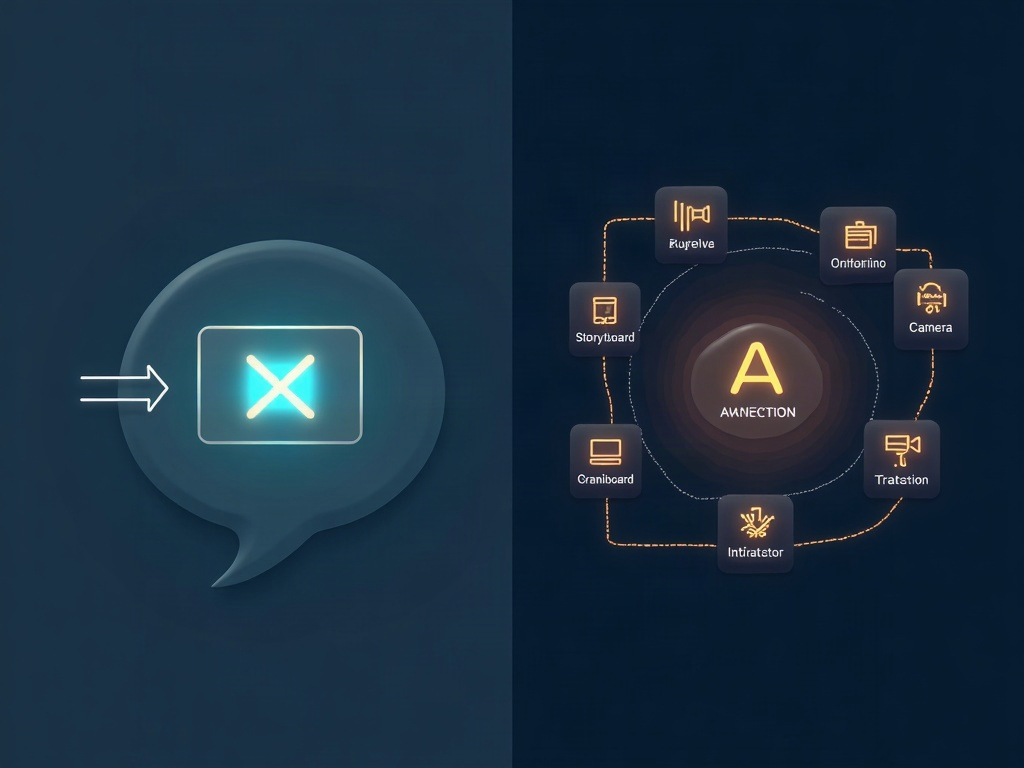
That era is quietly ending, and the thing replacing it is worth understanding. The new wave is agentic AI video — where the product you use isn’t a raw generator anymore, it’s an agent that takes a plain-language brief and runs the entire production: storyboarding, generating the shots, cutting them together, adding captions and music, and assembling a finished piece. You stop being the button-masher and start being the director.

What “agentic” actually changes
The difference is bigger than it sounds. A traditional text-to-video tool is a one-shot vending machine: one prompt in, one clip out, and stitching twelve of those into something coherent is your problem. An agentic system treats the whole workflow as the job. You hand it something like “a 20-second product teaser for a reusable water bottle, upbeat, three quick shots, ending on the logo,” and it plans the shot list, generates each segment, trims and sequences them, drops in captions, and returns an edit — not a pile of raw clips.
It’s the same leap we’ve been watching across every creative AI tool: the move from generating a fragment to orchestrating a finished thing. It mirrors how Anthropic’s assistant has started doing multi-step work proactively on your behalf, which we broke down in our look at Claude Duet. In both cases the machine stops waiting for the next instruction and starts carrying a goal through to the end.
The 2026 landscape, without the hype
You don’t need to memorize a leaderboard — it changes monthly — but it helps to know the shape of the field. Broadly, the tools cluster into a few camps:
- Native-audio generators (Google’s Veo line is the standout) now produce the sound along with the picture, so you’re not scoring silent footage by hand. These tend to be the safe, polished pick.
- Creative-control tools like Runway lean toward filmmakers who want to steer camera moves, timing, and look rather than accept whatever the model dreams up.
- Value and lip-sync favorites like Kling have won fans for getting a character’s mouth to actually match the words — a surprisingly hard problem.
- Multi-model agent platforms are the newest and most “agentic” category: they chain several models plus voice, music, and editing into one place, so a single brief can move through generation, narration, and assembly without you hopping between five apps.
A fair warning that keeps people grounded: this space moves fast and tools come and go — some once-famous models have already been retired or deprecated during 2026. So pick based on what you’re making right now, not on which name was loudest last quarter, and don’t build a whole workflow on a single tool you can’t easily replace.
What you can actually make today
Let’s be honest about the line between “realistic” and “wishful.” Here’s what the current crop handles genuinely well:
- Short social clips — 15-30 second vertical pieces for Reels, Shorts, or TikTok, where quick cuts hide the seams.
- Product demos and teasers — a clean object on a simple background, a little motion, a logo close. These look great and are forgiving.
- Explainer b-roll — abstract, conceptual footage to lay under a voiceover, which is far easier than photorealistic humans doing specific things.
- Storyboards and animatics — even if you don’t ship the AI footage, using it to previsualize a real shoot is a quiet superpower.
- Talking-avatar updates — a presenter-style head delivering a script, useful for announcements and training snippets.
And what still isn’t reliable: long continuous scenes with consistent characters across many shots, readable text inside the frame, precise physical actions (hands using tools, complex sports), and anything needing frame-perfect lip-sync to an existing song. Plan around those, and you’ll be happy; fight them, and you’ll burn a weekend.

How to start without wasting a month of credits
The number-one beginner mistake is trying to generate a two-minute masterpiece on day one. Do the opposite. Here’s a start-small playbook that actually works:
- Pick one concrete 15-30 second deliverable. “A teaser for my bakery’s new croissant” beats “a video for my business.” Constraints make the AI — and you — better.
- Write a real brief. Name the shot list (“three shots: croissant on marble, steam rising, hands tearing it open”), the tone, the pacing, and the aspect ratio (vertical for social, wide for YouTube). This is the same describe-it-clearly skill that pays off everywhere in AI — the clearer the direction, the better the output.
- Generate in short segments, then assemble. Even with an agent, a few short, strong shots beat one long shaky take. Review each before committing to the full edit.
- Iterate on the storyboard first. If the tool can show you a cheap storyboard or still frames before rendering full motion, use it. Fixing the plan costs pennies; re-rendering finished video costs real credits.
That credit point matters more than people expect: longer clips cost disproportionately more, and high-resolution renders eat your allowance fast. Treat full renders as the last step, not the exploration phase.
The honest limitations — read before you publish
A finished-looking clip still needs your judgment. Three things to always check:
- Consistency and glitches. Watch for a character whose face shifts between shots, a background that morphs, or the classic physics hiccup. Trim around the bad frames rather than accepting them.
- Rights and disclosure. Don’t generate recognizable real people or trademarked characters, and when AI video is doing real work in public — ads, news-style content — disclose it. The norms are tightening, and honesty ages better than a takedown.
- The last pass is yours. The agent assembles; you decide if it’s good. Read it as your audience will, on a phone, with the sound on, and cut anything that feels off.
None of that is a reason to wait. It’s the same deal we described when showing how Claude can build real 3D scenes from a plain description: the tool does the heavy lifting, and your taste does the steering.
Why this is a bigger shift than a new app
Step back and the pattern is unmistakable. Video was the last creative medium that still demanded a crew, a timeline, and a small mountain of technical skill. Agentic AI is collapsing that into a conversation — and the same engines powering it, like Google’s increasingly capable Gemini 4 Carbon model, are the ones quietly turning “describe it” into “here it is.”
The bottleneck has moved. It used to be can you operate the gear? Now it’s can you clearly picture what you want and direct it? That’s a skill anyone can build, starting with one small, specific clip. So pick your 20-second idea, write the brief, and let the agent do the grunt work. The hard part was never the rendering — it was knowing what to make. That part has always been yours, and now the gap between the idea and the finished video is smaller than it’s ever been.
Sources & further reading:
- AI Video Generation 2026: Sora, Runway, Kling Complete Guide – explainx.ai
- Best AI Video Generators in 2026: Ranked by Use Case – rework.com
Related Reading
- Perplexity’s New ‘Teammates’ Let AI Work While You’re Away — Here’s What That Actually Looks Like
- The Best AI Video Editing Tools in 2026: Create Professional Videos Without the Learning Curve
- Spec-First AI Coding: Why Writing the Plan Beats Firing Off the Prompt