Top AI Coding Assistants in 2026: Beyond GitHub Copilot

Discover the best AI coding assistants in 2026 that go beyond GitHub Copilot, including open-source, privacy-focused, and cutting-edge AI-native solutions.
Discover the best AI coding assistants in 2026 that go beyond GitHub Copilot, including open-source, privacy-focused, and cutting-edge AI-native solutions.
The promise of AI boosting productivity has been repeated so often that it’s become background noise. But February 2026 marks the moment when that promise finally became reality for millions of everyday users. After years of impressive demos followed by disappointing real-world performance, AI productivity tools have crossed the threshold from “interesting experiment” to “essential workflow component.”
The difference isn’t just incremental improvement – it’s fundamental. These new tools understand context, anticipate needs, and integrate seamlessly into existing workflows. More importantly, they actually save time instead of creating new tasks to manage.
Recent research confirms what many workers are experiencing firsthand: the right AI tools are delivering genuine 40% productivity improvements. But the key phrase is “the right tools.” The winners aren’t necessarily the most advanced or feature-packed – they’re the ones that solve real problems without creating new friction.
Microsoft 365 Copilot has evolved into something that feels indispensable. The February 2026 updates introduced AI workflows that can handle entire processes autonomously. Instead of just helping with individual tasks, Copilot now manages multi-step projects, coordinates between team members, and learns from your patterns to anticipate future needs.
The breakthrough is in workflow automation. You can now tell Copilot “prepare for the quarterly review meeting” and it will automatically compile relevant data, draft presentation slides, schedule preparation sessions with team members, and create discussion agendas based on past meetings and current priorities.

Zoom AI Companion has transformed from a meeting recorder into a collaboration intelligence platform. It doesn’t just track what was said – it understands project implications, identifies potential conflicts before they become problems, and can facilitate discussions by surfacing relevant information from previous conversations and shared documents.
The game-changing feature is persistent memory across meetings. Your AI companion remembers every discussion, decision, and commitment across months of collaboration, making it an invaluable partner for complex, long-term projects.
Jasper AI 4.0 represents the maturation of AI content assistance. Unlike earlier tools that produced generic, obviously AI-generated text, the latest version understands brand voice, audience context, and industry-specific requirements. It’s become the go-to platform for marketing teams, content creators, and writers who need to maintain quality while scaling output.
What makes Jasper 4.0 different is its collaborative approach. Instead of generating finished content, it works with you through the creative process, offering suggestions, alternatives, and improvements that feel like having an expert writing partner rather than using a content generator.
The most successful productivity AI tools of 2026 share a common characteristic: they integrate invisibly into existing workflows rather than demanding wholesale process changes. The winners understand that the best AI tool is one you forget you’re using.
GitHub Copilot exemplifies this approach. Instead of replacing programmers, it’s made programming more accessible and efficient. Experienced developers use it to handle routine coding tasks faster, while beginners use it to learn best practices and overcome knowledge gaps. The tool adapts to the user’s skill level and working style.
Similarly, ElevenLabs voice generation has found its productivity sweet spot not in replacing human communication, but in scaling it. Busy professionals are using AI voice to create personalized video messages, training content, and presentations at scale while maintaining the human touch that makes communication effective.
The February 2026 wave of productivity tools has finally solved the automation paradox: making systems smart enough to handle complex workflows without becoming so complex that they’re harder to manage than manual processes.
Modern AI workflow automation understands context, adapts to exceptions, and learns from user corrections. When something goes wrong, these systems don’t just break – they explain what happened and suggest improvements, making them genuinely collaborative partners rather than fragile automatons.
The productivity revolution is measurable in hours reclaimed. Knowledge workers report saving 2-4 hours daily on routine tasks, but the real value comes from what they’re doing with that time: more strategic thinking, deeper collaboration, and higher-quality creative work.
The transformation is particularly dramatic for small businesses and solo professionals. Tasks that previously required dedicated staff or external vendors – market research, content creation, customer service, data analysis – are now manageable by individuals with the right AI assistance.
What separates the successful productivity tools from the abandonware is the relationship between learning curve and value delivery. The best tools provide immediate value while gradually revealing more sophisticated capabilities as users become more comfortable.
Claude Cowork, Anthropic’s February 2026 release focused on professional workflows, demonstrates this perfectly. It starts as a smart writing assistant but evolves into a comprehensive project management and collaboration platform as teams learn to leverage its capabilities.
The key insight is that productivity AI succeeds when it amplifies human capabilities rather than replacing human judgment. The most effective implementations feel like having a brilliant assistant who never gets tired, forgets details, or makes careless mistakes.
Individual productivity gains are impressive, but the real transformation happens when AI-powered workflows compound across entire organizations. Teams using integrated AI productivity suites report not just faster completion of existing tasks, but entirely new capabilities that weren’t feasible with manual processes.
Complex multi-department projects that previously took months now happen in weeks. Market research that once required expensive consultants can be completed in-house. Customer service that needed large teams can be handled by small, AI-augmented groups without sacrificing quality.
Perhaps most importantly, the 2026 generation of productivity AI has solved the quality-quantity tradeoff. Earlier tools forced users to choose between speed and excellence. Today’s tools maintain high standards while dramatically accelerating output.
This shift is creating a new competitive landscape where small teams with excellent AI integration can compete effectively with much larger organizations. The advantage isn’t just operational – it’s strategic, allowing rapid response to market changes and customer needs.
The productivity AI tools of February 2026 represent more than technological advancement – they’re reshaping the fundamental nature of knowledge work. Routine cognitive tasks are increasingly automated, freeing human workers to focus on creativity, strategy, and interpersonal collaboration.
The transition isn’t without challenges. Workers need to develop new skills around AI collaboration and prompt engineering. Organizations must rethink processes and performance metrics. But for those embracing the change, the productivity gains are transformational.
The question isn’t whether AI will change how we work – it already has. The question is whether you’ll be part of the productivity revolution or watching it happen from the sidelines. The tools are mature, the benefits are proven, and the competitive advantages are significant.
February 2026 might be remembered as the moment productivity AI finally lived up to its promise. The only remaining question is how quickly you’ll make it part of your daily workflow.
Your relationship with AI is about to get a lot more personal. February 2026 has brought us to an inflection point where voice-powered AI assistants have transcended basic commands to become sophisticated conversation partners that understand context, emotion, and intent in remarkably human-like ways.
We’re no longer talking about simple “Hey Siri, set a timer” interactions. Today’s AI assistants are conducting nuanced conversations, managing complex workflows, and adapting their personalities to match your preferences and mood. The line between artificial and natural conversation is blurring in ways that seemed like science fiction just months ago.
Leading the charge are the February 2026 flagship models: Claude Opus 4.6 dominates writing and creative tasks, GPT-5.2 excels at reasoning and problem-solving, while Google’s Gemini 3 has revolutionized multimodal interactions by seamlessly processing voice, image, and text simultaneously.
What makes these assistants remarkable isn’t just their intelligence – it’s their conversational sophistication. Claude Opus 4.6 can maintain context across hours-long conversations, remembering details from earlier in the day and building on previous discussions. GPT-5.2’s advanced reasoning capabilities mean it can work through complex problems step-by-step, explaining its thinking in natural language.
But the real game-changer is how these models have been integrated into our daily environments. Google’s Gemini 3 doesn’t just live in your phone – it’s becoming the brain behind smart home ecosystems, understanding not just what you say, but the context of where you are, what time it is, and what you typically do in different situations.
The breakthrough in voice synthesis has been equally dramatic. ElevenLabs has pushed voice generation to near-perfect human quality, with their latest models capable of capturing subtle emotional nuances, regional accents, and even personality quirks. More importantly, they’ve solved the latency problem – conversations now flow as naturally as talking to a person.
This isn’t just about sounding better. When AI voices sound genuinely human, something psychological shifts. Users report feeling more comfortable sharing personal information, asking for help with sensitive topics, and treating their AI assistants as trusted advisors rather than just tools.
The February 2026 updates have introduced something unprecedented: AI assistants that develop genuine understanding of your preferences, habits, and communication style. These aren’t just chatbots with good memory – they’re systems that learn and adapt.
Take the new ChatGPT Voice improvements. The system now recognizes emotional context in your voice, adjusting its responses accordingly. Stressed about a deadline? It becomes more focused and actionable. Having a casual conversation? It matches your relaxed tone and maybe throws in some humor.

Meanwhile, Android users are experiencing Gemini’s integration as an upgraded Google Assistant that feels less like using a search engine and more like consulting with a knowledgeable friend. It understands follow-up questions, maintains conversation threads, and can switch seamlessly between helping with work tasks and casual chat.
Voice AI has finally delivered on the promise of the smart home. Instead of memorizing specific commands for different devices, you can now have natural conversations with your environment. “It’s getting cold and I’m working late” triggers not just temperature adjustment, but also lighting optimization for focus and maybe a gentle reminder about your usual evening routine.
The key breakthrough is contextual awareness. Your AI assistant knows if you’re alone or have guests, whether it’s a workday or weekend, and what you typically prefer in similar situations. This contextual intelligence transforms voice commands from rigid interactions into fluid conversations.
The practical applications extend far beyond convenience. Healthcare workers are using voice AI to update patient records while maintaining eye contact during consultations. Teachers are getting real-time assistance with lesson planning and student questions. Parents are using AI tutors that adapt their teaching style to each child’s learning preferences.
For people with disabilities, these advances represent genuine life improvements. Voice-controlled everything, from complex software to environmental controls, is becoming more reliable and intuitive. The technology is finally delivering on its promise of genuine accessibility.
Interestingly, as these AI systems become more capable and personal, developers have also improved privacy controls. Local processing for sensitive conversations, granular data controls, and transparent AI decision-making are becoming standard features rather than premium add-ons.
Users can now have truly private conversations with AI assistants, with sensitive discussions processed locally rather than sent to cloud servers. This privacy-first approach is building trust and encouraging more intimate, helpful interactions.
Professional environments are seeing the most dramatic changes. Voice AI isn’t just taking notes in meetings anymore – it’s actively participating. AI assistants can now summarize complex discussions, identify action items, schedule follow-ups, and even participate in brainstorming sessions by offering relevant information and alternative perspectives.
The latest Zoom AI Companion updates demonstrate this evolution. The system doesn’t just record and transcribe meetings – it understands meeting dynamics, tracks who needs to follow up on what, and can even facilitate discussions by suggesting agenda items based on previous conversations and current priorities.
Microsoft 365 Copilot has evolved into something that feels like having a knowledgeable colleague who never forgets anything and is always available. It can join voice calls, provide real-time research, suggest document improvements, and coordinate complex scheduling across teams – all through natural conversation.
The transformation isn’t just technological – it’s deeply personal. People are developing relationships with AI assistants that feel genuine and meaningful. These aren’t just tools anymore; they’re becoming trusted advisors, creative collaborators, and even emotional support systems.
The key insight is that when AI becomes truly conversational, it stops feeling like you’re using technology and starts feeling like you’re engaging with intelligence. This shift changes everything about how we work, learn, create, and solve problems.
Voice AI in February 2026 represents more than incremental improvement – it’s the moment artificial intelligence became genuinely helpful in the way humans naturally communicate. The future isn’t about learning to talk to machines; it’s about machines learning to talk with us.
As these systems continue improving, the question isn’t whether voice AI will transform daily life – it’s how quickly you’ll adapt to having an intelligent conversation partner available whenever you need one. The technology is ready. The only question is whether you are.
The barriers between having an idea and turning it into a working digital product have never been lower. In February 2026, we’re witnessing something remarkable: people with zero programming experience are building sophisticated apps, websites, and digital tools that would have required months of development work just a few years ago.
This isn’t just about drag-and-drop website builders anymore. We’re talking about AI-powered platforms that understand natural language and transform your descriptions into fully functional software. The no-code revolution has evolved into something far more powerful than anyone anticipated.
Leading this transformation are platforms that have redefined what it means to “code.” Take Lovable, which has become the poster child of conversational development. Instead of wrestling with syntax and frameworks, you simply describe what you want: “Create a productivity app that tracks my daily habits with a clean, minimalist interface and progress charts.”
Within minutes, Lovable generates not just a prototype, but production-ready code complete with responsive design, user authentication, and database integration. The MIT Technology Review recently highlighted how tools like this are creating a new category of “citizen developers” – ordinary people who can now build the digital solutions they’ve always envisioned.
But Lovable isn’t alone in this space. GitHub Copilot has evolved far beyond code completion, now offering full project scaffolding and architectural suggestions. Cursor provides an AI-powered coding environment that feels more like having a conversation with an expert developer than traditional programming.
Meanwhile, Replit has transformed into a complete development ecosystem where you can go from idea to deployed application without ever leaving your browser. These tools aren’t just making coding easier – they’re making it accessible to people who never thought they could create software.
The proof isn’t in the marketing materials – it’s in what everyday users are actually building. Sarah Chen, a marketing manager from Portland, used Lovable to create a client project management system that her agency now uses daily. “I described exactly what frustrated me about our current tools, and within an hour I had something that worked better than expensive software we’d been paying for,” she explains.
Teachers are building custom classroom management tools. Small business owners are creating inventory systems tailored to their exact needs. Parents are making family organization apps that actually fit their household routines. The common thread? None of these creators considered themselves “technical” people.
What makes these tools so powerful isn’t just their user interfaces – it’s the sophisticated AI models trained on millions of lines of code and thousands of software patterns. When you tell Lovable to “add a feature that sends email reminders,” it doesn’t just generate random code. It understands software architecture, security best practices, and user experience principles.
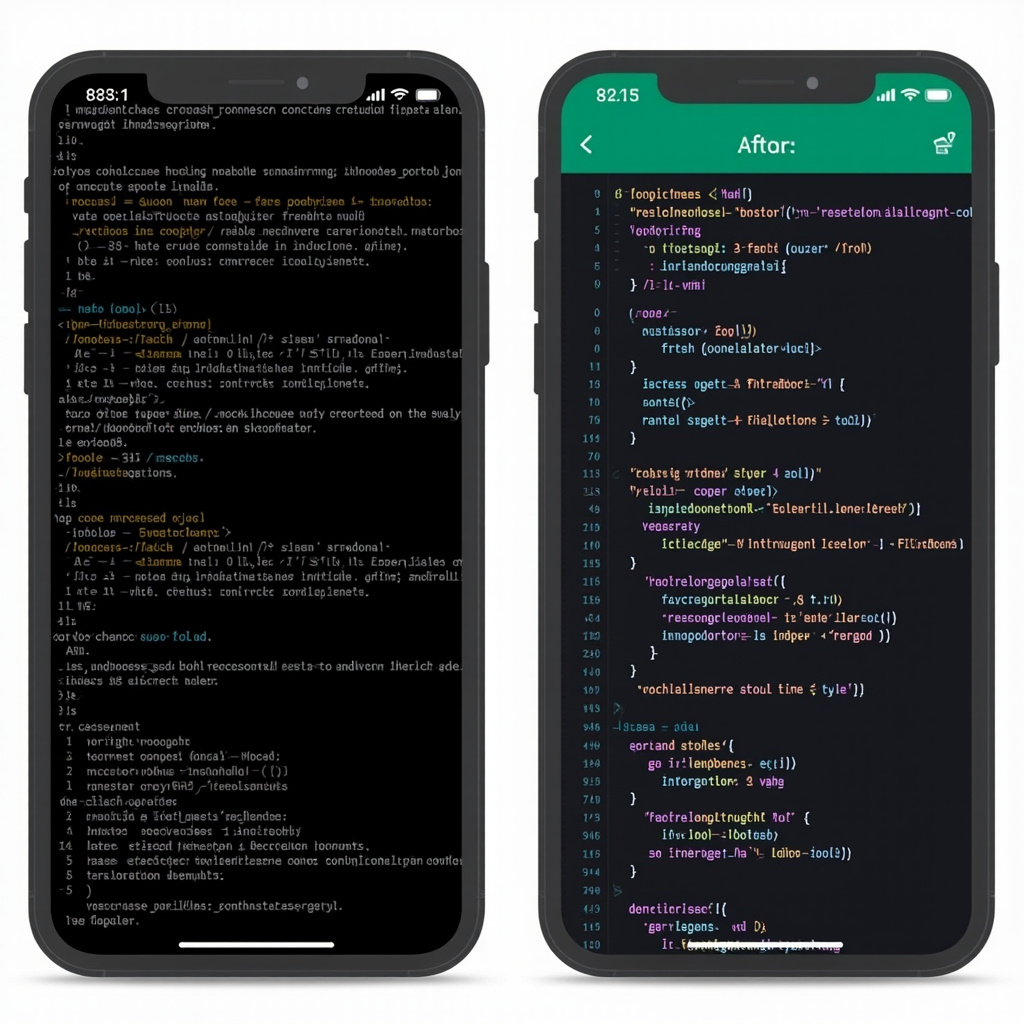
These platforms use advanced reasoning models, including OpenAI’s GPT-5.2 series and Anthropic’s Claude Opus 4.6, which have dramatically reduced the hallucination rates that plagued earlier AI coding assistants. The result is generated code that’s not just functional, but follows industry standards and best practices.
Recent research indicates that workers using generative AI tools report genuine productivity boosts of up to 40%. But the real revolution isn’t just about doing existing work faster – it’s about enabling entirely new forms of productivity.
Consider the small restaurant owner who can now create a custom ordering system that integrates with their specific workflow, or the fitness instructor who builds a client progress tracking app tailored to their training methodology. These aren’t generic solutions adapted to their needs – they’re purpose-built tools that fit like a glove.
The ripple effects extend beyond individual productivity. Companies are discovering that employees who can rapidly prototype and build tools are more innovative and engaged. Teams are solving their own workflow problems instead of waiting for IT departments or external vendors.
This democratization of software development is creating what economists call “micro-innovation” – thousands of small improvements and custom solutions that collectively drive significant economic value. When everyone can build digital tools, the pace of innovation accelerates dramatically.
If you’ve ever thought “I wish there was an app that…” or “Why doesn’t this software do…” – 2026 might be the year you stop wishing and start building. The learning curve isn’t what it used to be. You don’t need to understand variables, functions, or databases. You just need to clearly articulate what you want.
Start simple: think about a repetitive task in your daily routine that could be automated, or a piece of information you wish you could organize better. Try describing it to one of these platforms. You might be surprised at what you can create.
The no-code revolution isn’t coming – it’s here. The question isn’t whether these tools will change how we work and solve problems. The question is whether you’ll be part of the transformation or watching it happen from the sidelines.
The barrier between having an idea and making it real has never been thinner. In 2026, your imagination might be the only limit to what you can build.
Artificial intelligence has quietly revolutionized personal health and wellness, transforming everything from sleep tracking to mental health support into sophisticated, personalized experiences. In 2026, AI health tools have moved beyond simple step counting to provide genuinely useful insights that can improve your daily life in meaningful ways.
The most impressive part? These tools don’t require medical expertise to use effectively. They translate complex health data into actionable recommendations that fit seamlessly into your existing routines.
WHOOP 4.0 with Enhanced AI Coaching doesn’t just track your sleep—it learns your unique patterns and provides personalized recommendations for optimal recovery. The AI coach analyzes your heart rate variability, sleep stages, and daily activities to suggest the perfect bedtime, optimal room temperature, and even which activities to avoid before sleep.
Eight Sleep Pod with AI Climate Control actively manages your sleep environment throughout the night. The AI learns your body’s temperature patterns and adjusts the mattress temperature to keep you in deep sleep longer. Users report average sleep quality improvements of 32% within the first month.
Oura Ring Generation 4 with predictive health insights can detect early signs of illness before you feel symptoms. The AI analyzes subtle changes in your body temperature, heart rate variability, and sleep patterns to alert you when your body might be fighting something off.
Woebot Enhanced offers AI-powered cognitive behavioral therapy techniques that adapt to your communication style and emotional patterns. Unlike generic self-help apps, Woebot learns how you process emotions and provides personalized coping strategies that actually resonate with your personality.
Headspace AI Meditation Guide creates custom meditation sessions based on your stress levels, available time, and current emotional state. The AI can detect tension in your voice during check-ins and adjusts meditation techniques accordingly.
Calm AI Sleep Stories generates personalized bedtime stories and soundscapes based on your sleep patterns and preferences. The AI learns what helps you fall asleep faster and creates content specifically designed for your relaxation triggers.
Mirror Home Gym with AI Form Correction provides real-time feedback on your workout form using computer vision. The AI personal trainer can spot when you’re favoring one side, compensating for an injury, or pushing too hard, and adjusts exercises immediately to prevent injury.
Tonal AI Strength Training learns your strength patterns and automatically adjusts resistance throughout each rep to maximize muscle engagement. The system can detect when you’re having a good day and push you harder, or when you’re tired and need a lighter workout.
Peloton AI Instructor creates personalized workout playlists and class recommendations based on your energy levels, fitness goals, and even your calendar. Have a stressful meeting later? It might suggest a calming yoga flow. Feeling energetic? Time for a high-intensity ride.
Noom AI Food Logging can identify foods from photos and automatically log nutritional information, but more importantly, it learns your eating patterns and suggests healthier alternatives that you’ll actually enjoy. Instead of generic diet advice, it provides personalized suggestions based on your taste preferences.
MyFitnessPal AI Meal Planning creates weekly meal plans based on your nutritional goals, cooking skills, available time, and food preferences. The AI considers your schedule and suggests quick meals for busy days and more elaborate cooking projects for weekends.
Cronometer AI Nutrient Optimization analyzes your dietary patterns and identifies specific nutrient deficiencies, then suggests simple food swaps to improve your overall nutrition without drastically changing your eating habits.
Apple Watch Ultra with Advanced Health AI can detect irregular heart rhythms, monitor blood oxygen levels, and even identify potential signs of diabetes through heart rate variability patterns. The AI learns your baseline health metrics and alerts you to significant changes.
Fitbit Sense 2 with Stress Management AI monitors stress levels throughout the day and provides personalized breathing exercises and mindfulness reminders at optimal times. The AI learns when you’re most susceptible to stress and provides preemptive support.
Samsung Galaxy Watch with Health Insights combines multiple health metrics to provide comprehensive wellness scores and actionable recommendations. The AI can correlate poor sleep with increased stress and suggest specific interventions.
Replika Wellness Companion creates an AI friend who provides emotional support and helps you process daily stresses. Unlike chatbots, Replika develops a persistent relationship with you, remembering your goals, concerns, and progress over time.
Sanvello AI Anxiety Management uses machine learning to identify your anxiety triggers and provides personalized coping strategies. The AI tracks which techniques work best for you and suggests them proactively when it detects rising stress levels.
MindShift AI Thought Challenging helps you identify and reframe negative thought patterns using cognitive behavioral therapy techniques. The AI learns your specific thought distortions and provides targeted exercises to build healthier thinking habits.
Ada AI Symptom Checker provides sophisticated health assessments that consider your complete medical history and current symptoms. The AI can help you understand when symptoms require immediate attention and when they can wait for a regular appointment.
K Health AI Doctor Consultations combines AI symptom analysis with access to licensed physicians for comprehensive virtual care. The AI pre-screens your concerns and provides doctors with detailed symptom analysis to make consultations more efficient.
Babylon Health AI Triage helps you navigate healthcare decisions by analyzing symptoms, medical history, and risk factors to recommend appropriate levels of care, from self-care to emergency room visits.
Noom AI Behavior Change goes beyond calorie counting to understand the psychological patterns behind your health choices. The AI coach identifies your motivation patterns and provides personalized strategies for building lasting healthy habits.
RISE AI Sleep Debt Management tracks your sleep debt and provides personalized recovery plans. The AI learns your sleep patterns and suggests optimal nap timing, bedtime adjustments, and caffeine cutoff times to optimize your energy levels.
Way of Life AI Habit Tracking uses machine learning to identify habit patterns and suggest optimal times and contexts for building new healthy behaviors. The AI understands your schedule and energy patterns to recommend when you’re most likely to succeed with habit changes.
Curable AI Pain Psychology helps manage chronic pain through personalized pain science education and psychological techniques. The AI learns your pain patterns and triggers, providing targeted interventions to reduce pain perception.
BetterBack AI Posture Coaching uses smartphone sensors and computer vision to monitor your posture throughout the day and provide gentle reminders and exercises to reduce back pain and improve alignment.
Therabody AI Recovery Planning analyzes your activity levels, sleep quality, and stress indicators to create personalized recovery protocols using percussion massage, stretching, and breathing techniques.
Start with One Area: Choose the health aspect that bothers you most—sleep, stress, fitness, or nutrition. Focus on mastering one AI tool before adding others to avoid information overload.
Give the AI Time to Learn: Most AI health tools need 2-4 weeks to understand your patterns and provide personalized recommendations. Consistency in the early weeks is crucial for accurate insights.
Integrate with Existing Habits: The most successful AI health tools enhance routines you already have rather than requiring completely new behaviors. Look for tools that fit into your current lifestyle.
Privacy First: Health data is sensitive. Choose tools that encrypt data, allow you to delete your information, and clearly explain how your data is used. Many tools now offer local processing options.
Combine AI Insights with Professional Care: AI tools provide valuable insights, but they don’t replace professional medical advice. Use AI to optimize daily habits and inform conversations with healthcare providers.
What makes 2026’s AI health tools revolutionary isn’t just their sophistication—it’s their ability to provide genuinely personalized advice that works for your specific body, lifestyle, and preferences.
These tools learn that you’re more motivated by progress tracking than competition, that you sleep better with cooler temperatures, or that your stress levels spike during certain times of the day. They use this knowledge to provide recommendations that actually fit your life.
The key to success with AI health tools is consistency and patience. Give them time to learn your patterns, and they’ll become increasingly valuable partners in your wellness journey.
Most importantly, these tools make healthy living more accessible and less overwhelming. Instead of generic advice that might not work for you, AI provides personalized guidance that considers your unique circumstances and helps you make sustainable improvements to your daily life.
Your health is personal. Now your health tools can be, too.
Language learning has been revolutionized by artificial intelligence in 2026, with apps that adapt to your learning style, correct pronunciation in real-time, and create personalized conversation practice that feels surprisingly natural. These aren’t the flashcard apps of yesterday—today’s AI language tutors use sophisticated algorithms to make learning faster, more engaging, and remarkably effective.
The most impressive development? AI tutors that can hold genuine conversations, correct mistakes naturally, and adjust difficulty on the fly. If you’ve been putting off learning that second language, 2026 is your year.
Duolingo Max with GPT-4 Integration has transformed from a gamified vocabulary builder into a sophisticated conversation partner. The AI tutor, Lily, can explain grammar rules in plain English, help you understand cultural context, and even engage in roleplay scenarios. When you make a mistake, she doesn’t just mark it wrong—she explains why and helps you understand the pattern.
Babbel Live AI Conversations creates unlimited practice opportunities with AI conversation partners who have distinct personalities and backgrounds. You might practice ordering food with “Maria” from Barcelona or discuss business with “Hans” from Berlin. Each AI character maintains consistent personality traits and regional language variations.
Rosetta Stone with Adaptive Intelligence now adjusts its teaching methodology based on how you learn best. Visual learner? It emphasizes images and context clues. Auditory learner? It increases listening exercises and pronunciation drills. The system identifies your learning patterns within the first week.
Speechling with Advanced Voice AI provides instant feedback on pronunciation with accuracy that rivals human tutors. It doesn’t just tell you you’re wrong—it shows you exactly which sounds need adjustment and provides targeted exercises to improve specific phonemes.
ELSA Speak for Multiple Languages has expanded beyond English to cover Spanish, French, German, and Mandarin. The AI analyzes your native language accent patterns and provides customized pronunciation training to help you sound more natural in your target language.
Nemo with Contextual Pronunciation teaches pronunciation within natural conversation contexts. Instead of practicing isolated sounds, you learn pronunciation while discussing topics that interest you, making the learning feel less artificial.
Replika Language Partner creates a persistent AI companion that learns your interests and personality while helping you practice your target language. Your AI friend remembers previous conversations and builds on them, creating continuity that traditional language apps lack.
ChatGPT Language Tutor with custom instructions provides unlimited conversation practice on any topic. You can ask it to roleplay specific scenarios, correct your grammar while maintaining conversation flow, or explain cultural nuances behind language usage.
Claude Language Coach excels at providing detailed explanations and cultural context. It can break down complex grammar concepts, explain why certain phrases are used in specific situations, and help you understand the subtle differences between similar expressions.
VR Language Worlds using Meta Quest and Apple Vision Pro create fully immersive environments where you practice languages in context. Order coffee in a virtual Parisian café, negotiate in a Tokyo business meeting, or chat with locals in a simulated Barcelona neighborhood.
Mondly VR with AI NPCs populates virtual worlds with AI-powered non-player characters who engage in natural conversations. Each character has unique personality traits, speaking styles, and knowledge areas, creating diverse practice opportunities.
ImmerseMe AI Scenarios creates situation-specific learning environments. Preparing for a job interview in German? Practice with an AI hiring manager. Planning a trip to Italy? Navigate virtual Italian airports and hotels.
Busuu AI Study Plan analyzes your learning patterns, available study time, and goals to create personalized daily lessons. It knows when you’re likely to forget certain words and reintroduces them just before you would naturally forget them.
Memrise AI-Generated Content creates unlimited practice materials based on your interests. Love cooking? It generates cooking-themed vocabulary and conversation scenarios. Into sports? Your lessons revolve around athletics terminology and game commentary.
Lingoda Live AI Assessment continuously evaluates your progress and adjusts lesson difficulty in real-time. If you’re struggling with past tense, it provides more examples and practice. If you’ve mastered basic conversation, it introduces more complex grammatical structures.
Beelinguapp with Smart Recommendations analyzes news articles, stories, and content in your target language, then creates comprehension exercises and vocabulary lists based on current events and topics you find interesting.
FluentU AI Curation finds real-world videos in your target language and creates personalized lessons around them. Whether it’s cooking shows, news broadcasts, or movie trailers, the AI identifies your comprehension level and creates appropriate exercises.
LingQ AI Content Generation creates reading and listening materials at your exact proficiency level. It can transform any text into a learning resource with integrated vocabulary assistance and comprehension questions.
Grammarly for Multiple Languages now supports Spanish, French, German, and Portuguese with AI-powered grammar and style suggestions. It understands context and can distinguish between formal and casual writing styles.
LanguageTool AI Enhancement provides sophisticated grammar checking with explanations that help you learn rules rather than just fixing errors. It can identify patterns in your mistakes and suggest targeted practice exercises.
DeepL Write with Learning Mode not only translates and corrects your writing but explains why certain constructions are preferred and offers alternative phrasings to expand your vocabulary.
Drops AI Word Association uses visual learning and AI-generated memory techniques to help you remember vocabulary. The system identifies which memory methods work best for you and creates personalized mnemonic devices.
Lingokids AI for Adults brings gamification techniques developed for children to adult learners, with AI-powered progress tracking that keeps you motivated without feeling childish.
Cake AI Social Learning connects you with other learners at similar levels and creates AI-moderated group challenges and conversations to maintain motivation and provide peer learning opportunities.
Preply AI Business Coach creates industry-specific language training. Learning English for healthcare? It focuses on medical terminology and patient interaction scenarios. Need German for engineering? It emphasizes technical vocabulary and presentation skills.
Voxy AI Professional integrates with your calendar and email to identify upcoming meetings or presentations where you’ll need your target language, then provides just-in-time training for those specific scenarios.
FluentUp AI Career Path aligns language learning with your professional goals, focusing on the specific vocabulary, cultural knowledge, and communication styles you’ll need for career advancement.
Choose Your Primary App: Start with one main app that aligns with your learning style. Conversation-focused learners should try Duolingo Max or Babbel Live. Grammar-focused learners might prefer Rosetta Stone or Busuu.
Supplement with Specialists: Use pronunciation apps like Speechling or ELSA Speak for 10 minutes daily. Add immersive content with FluentU or BeeLinguapp for variety.
Practice Real Conversations: Set up regular ChatGPT or Claude conversations in your target language. Start with 15 minutes daily and gradually increase as you become more comfortable.
Set Realistic Goals: AI can accelerate learning, but consistency matters more than intensity. 30 minutes daily for six months will achieve more than three hours once a week.
Track Your Progress: Use AI analytics to identify your strengths and weaknesses. Most apps provide detailed insights about your learning patterns and areas needing improvement.
Why do AI language apps claim you can learn “5x faster”? The science is compelling:
Personalized Spaced Repetition: AI optimizes when you review material based on your individual forgetting curve, ensuring maximum retention with minimum repetition.
Immediate Error Correction: Instead of practicing mistakes for days or weeks, AI provides instant feedback, preventing bad habits from forming.
Adaptive Difficulty: The AI keeps you in your optimal learning zone—challenging enough to grow, but not so difficult that you become frustrated and quit.
Contextual Learning: By learning language in situational contexts rather than isolated grammar rules, your brain creates stronger neural pathways for retention.
The key to success with AI language learning isn’t just choosing the right app—it’s creating a sustainable learning ecosystem that fits your lifestyle.
Start with your strongest learning modality. Visual learners should emphasize apps with rich imagery and context. Auditory learners should prioritize conversation and pronunciation tools. Kinesthetic learners should explore VR and interactive scenarios.
The AI revolution in language learning means you no longer need expensive private tutors or rigid classroom schedules to achieve fluency. These tools provide personalized, patient, and available-anytime instruction that adapts to your pace and style.
The future of language learning is here, and it’s powered by AI that truly understands how you learn best.
Smart homes are getting smarter, and artificial intelligence is leading the charge. In 2026, AI-powered home automation tools have evolved from simple voice commands to sophisticated systems that learn your habits, anticipate your needs, and create truly intelligent living spaces.
Gone are the days when “smart home” meant just turning lights on and off with your phone. Today’s AI home automation tools create ecosystems that think ahead, save energy, and make your daily routines effortlessly smooth.

Google Nest Hub with Gemini Integration has become the central nervous system for many smart homes. The 2026 version doesn’t just respond to commands—it observes patterns and makes proactive suggestions. When it notices you always dim the lights at 8 PM while watching TV, it starts doing it automatically while gently asking if you’d like to make it a routine.
Amazon Echo with Advanced Alexa now features contextual awareness that’s genuinely impressive. It can distinguish between different family members’ voices and adjust responses accordingly. When your teenager asks about homework help, it offers study resources. When you ask about the weather, it includes pollen counts because it knows about your allergies from previous conversations.
Apple HomeKit with enhanced Siri has finally caught up in the home automation race. The seamless integration between your iPhone, Apple Watch, and home devices creates an ecosystem where your intentions are anticipated across all your devices.
Ecobee SmartThermostat with AI Insights goes beyond traditional programming. It learns when different rooms are occupied, factors in outdoor weather patterns, and even considers your calendar. If it sees a dinner party on your calendar, it pre-cools the house because it knows more people means more heat.
Nest Learning Thermostat Pro with its enhanced AI algorithms can now predict seasonal changes and adjust heating and cooling patterns weeks in advance. Users report average energy savings of 23% compared to traditional programmable thermostats.
Honeywell T10 Pro Smart Thermostat introduces “comfort prediction” that analyzes humidity, air quality, and even your sleep patterns to maintain optimal comfort levels automatically.
Ring AI-Enhanced Cameras now distinguish between family members, regular visitors, delivery drivers, and potential threats. The system learns your family’s routines and only alerts you to genuinely unusual activity. No more notifications every time the neighbor walks their dog.
Arlo Pro 5 with AI Detection features advanced behavioral analysis. It can detect if someone is acting suspiciously—lingering too long, trying door handles, or peering into windows—rather than just motion detection.
SimpliSafe AI Monitoring combines traditional security with predictive intelligence. It learns your family’s patterns and can distinguish between normal activity and potential break-ins with remarkable accuracy.

Philips Hue with Adaptive Lighting automatically adjusts color temperature throughout the day to support your circadian rhythm. It brightens gradually in the morning, provides energizing light during work hours, and shifts to warm tones in the evening.
LIFX AI Bulbs can sync with your calendar and activities. Working late? They provide focused task lighting. Movie night? They create the perfect ambiance automatically.
Nanoleaf Learning Panels create dynamic lighting scenes that respond to music, weather, and even your mood as detected through smartphone sensors and wearable devices.
Samsung Smart Refrigerator with AI Vision tracks what food you have, suggests recipes based on expiration dates, and can even order groceries when you’re running low on essentials.
June Intelligent Oven recognizes different foods and adjusts cooking parameters automatically. It can distinguish between a frozen pizza and fresh vegetables, applying the perfect time and temperature for each.
Whirlpool Smart Appliances work together as a connected ecosystem. Your dishwasher can communicate with your refrigerator to suggest the best time to run a cycle based on your daily routine and energy costs.
Sonos Arc with AI Audio automatically adjusts sound based on room acoustics and what you’re watching. It enhances dialogue during quiet scenes and optimizes surround sound for action sequences.
LG OLED TV with AI Picture analyzes content in real-time, optimizing picture settings for movies, sports, games, or streaming content automatically.
Apple TV 4K with enhanced AI recommendations learns viewing patterns across your entire household and suggests content that different family members might enjoy together.
Tesla Powerwall with AI Optimization learns your energy usage patterns and automatically stores solar energy when it’s most efficient and releases it when electricity rates are highest.
Sense Home Energy Monitor uses machine learning to identify individual appliances and their energy usage, helping you understand and reduce your electricity costs.
Emporia Vue Smart Home Monitor provides AI-powered insights that can identify energy waste and suggest specific changes to reduce your monthly bills.
Start Small: Begin with one room or one type of device. A smart thermostat or a few smart bulbs can demonstrate the value before you invest in a full system.
Choose Your Ecosystem: Decide whether you want to build around Google, Amazon, Apple, or remain platform-agnostic. Each has strengths, but consistency within an ecosystem provides the best experience.
Prioritize Privacy: Look for devices that process data locally when possible, and always review privacy policies before connecting devices to your network.
Plan for Growth: Choose devices that can integrate with other systems. Today’s smart switch should work with tomorrow’s AI assistant upgrade.
AI home automation in 2026 isn’t science fiction—it’s practical technology that genuinely improves daily life. These tools learn your preferences, anticipate your needs, and create living spaces that adapt to you rather than requiring constant manual adjustment.
The key is choosing tools that solve real problems in your specific situation. Whether that’s saving energy, improving security, or just making daily routines more convenient, AI home automation tools are finally sophisticated enough to deliver on their promises.
Start with the areas that frustrate you most in your current home setup. Let AI handle the thinking so you can focus on living.


The Transformative Impact Voice AI isn’t just changing how we interact with technology—it’s changing how we communicate with each other. Language barriers are dissolving, accessibility is improving, and the speed of information processing is accelerating. The tools available in 2026 represent just the beginning of this transformation. As voice AI becomes more sophisticated and ubiquitous, it will reshape everything from education and healthcare to entertainment and international relations. Whether you’re looking to improve productivity, create better content, or build more inclusive communication systems, voice AI tools offer unprecedented capabilities that are becoming more accessible and affordable every day.
If your inbox feels like a second job, you’re not alone. The average professional receives over 120 emails per day, and for many of us, managing that flood takes up hours that could be spent on actual work. AI email assistants promise to change that — and in 2026, they’re finally delivering on that promise.
From intelligent sorting and auto-replies to full-blown email drafting and follow-up tracking, AI email tools have matured significantly. In this guide, we’ll cover the best options available, what they actually do well, and which one fits your workflow.
Before diving into specific tools, let’s clarify what “AI email assistant” means in practice. These tools typically handle one or more of the following:
Superhuman has long been the email client of choice for power users, and its AI features have made it even more compelling. The “Superhuman AI” layer is deeply integrated into every aspect of the experience.
What makes it stand out: Speed. Superhuman was already the fastest email client, and AI makes it faster. You can process your entire inbox in a fraction of the time — AI drafts replies, summarizes threads, and auto-categorizes everything. The “Write with AI” feature learns your tone and produces drafts that genuinely sound like you.
Key features: AI-powered email drafting and editing, thread summarization, instant reply suggestions, read status tracking, snooze and reminders, split inbox, and keyboard-driven navigation. The AI can also translate emails and adjust tone (formal, casual, friendly) on the fly.
Best for: Professionals and executives who handle high email volumes and want the fastest possible experience.
Pricing: $30/month. No free tier, but there is a 14-day trial.
Google has been steadily rolling out Gemini AI features across Gmail, and in 2026, they’ve reached a tipping point of genuine usefulness. If you’re already a Gmail user, these features are available without switching to a new client.
What makes it stand out: Zero friction. There’s nothing to install or configure — Gemini features appear naturally within Gmail. The “Help me write” button generates contextual drafts, thread summaries appear at the top of long conversations, and the search has gotten dramatically smarter.
Key features: “Help me write” for composing and replying, thread summarization, smart categorization, Q&A across your inbox (“What did Sarah say about the Q3 budget?”), and integration with Google Calendar and Drive. The contextual awareness is impressive — it pulls relevant documents and calendar events into suggested replies.
Best for: Anyone already using Gmail who wants AI enhancement without changing their workflow.
Pricing: Basic features free with Gmail; advanced features require Google One AI Premium at $19.99/month.
Microsoft’s Copilot integration in Outlook is the enterprise counterpart to Google’s Gmail AI. It’s deeply connected to the Microsoft 365 ecosystem, making it especially powerful for organizations that run on Teams, SharePoint, and OneDrive.
What makes it stand out: The cross-app intelligence is unmatched. Copilot in Outlook knows about your Teams conversations, your SharePoint documents, and your calendar. When drafting an email about a project, it can pull in relevant data from across your entire Microsoft 365 workspace.
Key features: Email drafting and coaching, thread summarization, meeting prep summaries (pulling from Teams and calendar), tone adjustment, priority inbox sorting, and action item extraction. The “coaching” feature is unique — it reviews your draft and suggests improvements for clarity, tone, and sentiment.
Best for: Organizations and professionals embedded in the Microsoft 365 ecosystem.
Pricing: Included with Microsoft 365 Copilot at $30/user/month (requires Microsoft 365 Business or Enterprise subscription).
Shortwave is built from the ground up as an AI-native email client. Founded by former Google engineers, it rethinks email around AI-powered organization and an emphasis on deep work.
What makes it stand out: Shortwave’s AI assistant is the most conversational of the bunch. You can chat with it about your inbox — “What are the most urgent things I need to respond to?” or “Draft a polite decline for the vendor pitch from yesterday.” It also groups related emails into bundles automatically, dramatically reducing visual clutter.
Key features: AI email assistant (chat-based), automatic email bundling, AI drafting and reply suggestions, thread summaries, scheduled send, shared labels for teams, and a “todo” system that turns emails into actionable tasks. The bundling feature alone can transform an overwhelming inbox into something manageable.
Best for: Knowledge workers who want a modern, AI-first email experience with strong organizational features.
Pricing: Free for personal use; Pro at $7/month; Business at $14/user/month.
Unlike the other tools on this list, SaneBox isn’t an email client — it’s an AI layer that works behind the scenes with whatever email setup you already use. Gmail, Outlook, Yahoo, Apple Mail — SaneBox connects to all of them.
What makes it stand out: Flexibility. If you love your current email client but just want smarter sorting and fewer distractions, SaneBox is the answer. It filters your inbox server-side, so the sorting happens before emails even reach your client. The “SaneBlackHole” feature is legendary — drag an unwanted email into it, and you’ll never hear from that sender again.
Key features: AI inbox filtering, SaneLater (defers non-urgent mail), SaneBlackHole (permanent sender block), SaneReminders (follow-up tracking), SaneNoReplies (flags emails that didn’t get responses), and daily digest of filtered emails. No AI drafting, but the organizational features are best-in-class.
Best for: Anyone who wants AI email organization without switching email clients.
Pricing: Snack at $7/month (1 account, 2 features); Lunch at $12/month (2 accounts, 6 features); Dinner at $36/month (4 accounts, all features). 14-day free trial.
Email isn’t going anywhere, but the way we manage it is changing fast. AI email assistants in 2026 can genuinely save you 30-60 minutes per day — that’s not marketing fluff, that’s the real experience of people who’ve integrated these tools into their workflow.
The key is picking the tool that fits your existing setup. Don’t fight your habits — augment them. Whether that means AI built into Gmail, a premium client like Superhuman, or a background service like SaneBox, there’s an option that will make your inbox feel manageable again.
Try one this week. Your future self — the one who isn’t drowning in unread emails — will thank you.
A few years ago, the idea of creating professional-sounding music without knowing how to play an instrument seemed like science fiction. In 2026, it’s Tuesday. AI music tools have evolved dramatically, and whether you want to produce a podcast intro, score a YouTube video, write a full song, or just jam for fun, there’s a tool that can help — no music theory required.
In this roundup, we’ll explore the best AI music creation tools available right now, covering everything from full song generation to AI-assisted production for experienced musicians.
Before diving into tools, it helps to understand what’s happening under the hood. Modern AI music models work similarly to large language models (LLMs) but for audio. They’re trained on vast datasets of music and learn patterns — chord progressions, rhythms, instrumentation, genre conventions — that they can then recombine in novel ways.
Most tools fall into two categories:
Suno has emerged as the clear leader in text-to-music generation. Its v4 model (released late 2025) produces remarkably polished tracks complete with vocals, instrumentation, and professional mixing — all from a text prompt.
What makes it stand out: The quality gap between Suno and everything else is noticeable. Songs sound genuinely professional, with realistic vocals, creative arrangements, and genre-appropriate production. The lyrics generation is also impressively coherent — it understands verse/chorus structure, rhyme schemes, and emotional tone.
Key features: Full song generation from text prompts, custom lyrics input, style remixing, stem separation, song extension, and a community library of millions of AI-generated tracks. You can also upload a melody and have Suno build a full arrangement around it.
Best for: Content creators, hobbyists, anyone who wants complete songs quickly.
Pricing: Free tier (10 songs/day with watermark); Pro at $10/month (500 songs, commercial license); Premier at $30/month (2,000 songs).
Udio positions itself as the higher-fidelity alternative to Suno, and many musicians agree that its output has a more “organic” quality. While Suno excels at pop and mainstream genres, Udio tends to shine with more complex musical styles.
What makes it stand out: Udio’s audio quality is exceptional. Tracks have better dynamic range, more nuanced performances, and less of the “AI sheen” that sometimes gives generated music away. It’s particularly impressive with classical, jazz, and electronic music.
Key features: Text-to-music generation, inpainting (regenerating specific sections), audio extension, custom lyrics, and style blending. The inpainting feature is uniquely powerful — if you like 90% of a generated track but want to redo the bridge, you can regenerate just that section.
Best for: Musicians and producers who want higher-fidelity output and more granular control.
Pricing: Free tier (25 generations/month); Standard at $10/month (1,200 generations); Pro at $30/month (4,800 generations).
AIVA (Artificial Intelligence Virtual Artist) takes a different approach. Rather than generating songs with vocals, it focuses on instrumental compositions — think film scores, game soundtracks, corporate background music, and advertising jingles.
What makes it stand out: AIVA gives you significantly more control over the composition process. You can specify key, tempo, instrumentation, duration, and emotional arc. It also outputs MIDI, which means you can import compositions into your DAW and tweak every note.
Key features: Style-based composition, MIDI export, multiple format outputs (MP3, WAV, MIDI), genre presets (cinematic, electronic, pop, jazz, etc.), and a composition editor for fine-tuning. You can even upload a reference track and have AIVA compose something similar.
Best for: Video creators, game developers, advertisers, and anyone needing royalty-free instrumental music.
Pricing: Free tier (3 downloads/month, non-commercial); Standard at $15/month (commercial license); Pro at $49/month (full copyright ownership).
From the creators of Stable Diffusion comes Stable Audio, which brings the same open, community-driven philosophy to music generation. It’s particularly popular among developers and technically-minded creators who want more control over the generation process.
What makes it stand out: Stable Audio offers an API, making it easy to integrate into apps and workflows. The model is also available for local deployment, which appeals to users who want privacy or need to generate music at scale without per-track costs.
Key features: Text-to-audio generation, sound effect creation, variable-length output (up to 3 minutes), API access, and an open model for self-hosting. The sound effect generation is particularly useful — need a specific ambient sound or transition effect? Just describe it.
Best for: Developers, technical creators, and anyone who wants API-level access to music generation.
Pricing: Free tier (20 generations/month); Professional at $12/month (500 generations); self-hosted model is free.
BandLab is a free online DAW with a built-in social network for musicians. Its SongStarter AI feature generates musical ideas — chord progressions, melodies, beats — that you can then customize and build upon in the full DAW.
What makes it stand out: Unlike pure AI generators, BandLab encourages you to use AI as a starting point, not an endpoint. Generate an AI beat, then record your vocals over it. Use an AI chord progression as the foundation for your own arrangement. It’s AI as collaborator, not replacement.
Key features: AI song starter, full DAW with multitrack recording, effects library, virtual instruments, collaboration features, and music publishing. Everything runs in your browser — no downloads needed.
Best for: Aspiring musicians who want to learn and create, collaborative projects, and anyone who wants a free full-featured DAW.
Pricing: Completely free.
Suno — Best for complete songs with vocals — From free
Udio — Best audio fidelity and genre range — From free
AIVA — Best for instrumental/score compositions — From free
Stable Audio — Best for developers and API access — From free
BandLab — Best free DAW with AI assistance — Free
AI music creation in 2026 is accessible, powerful, and — most importantly — fun. Whether you’re a complete beginner or a seasoned producer looking for inspiration, these tools can dramatically accelerate your creative process. The barrier to making music has never been lower, and the ceiling of what’s possible has never been higher.
Pick a tool, describe the music in your head, and hit generate. You might just surprise yourself with what comes out.