AI-Powered Customer Service Tools That Are Transforming Small Business Support in 2026


Why AI Customer Service Tools Matter Now More Than Ever

The expectations for customer service have skyrocketed. Customers want instant responses, personalized solutions, and round-the-clock availability. At the same time, hiring and training human customer service representatives has become increasingly expensive and challenging.

This is where AI steps in—not to replace human agents entirely, but to handle routine inquiries, provide instant responses, and escalate complex issues to humans when needed. The result? Faster resolution times, consistent service quality, and the ability to scale support without proportionally increasing costs.

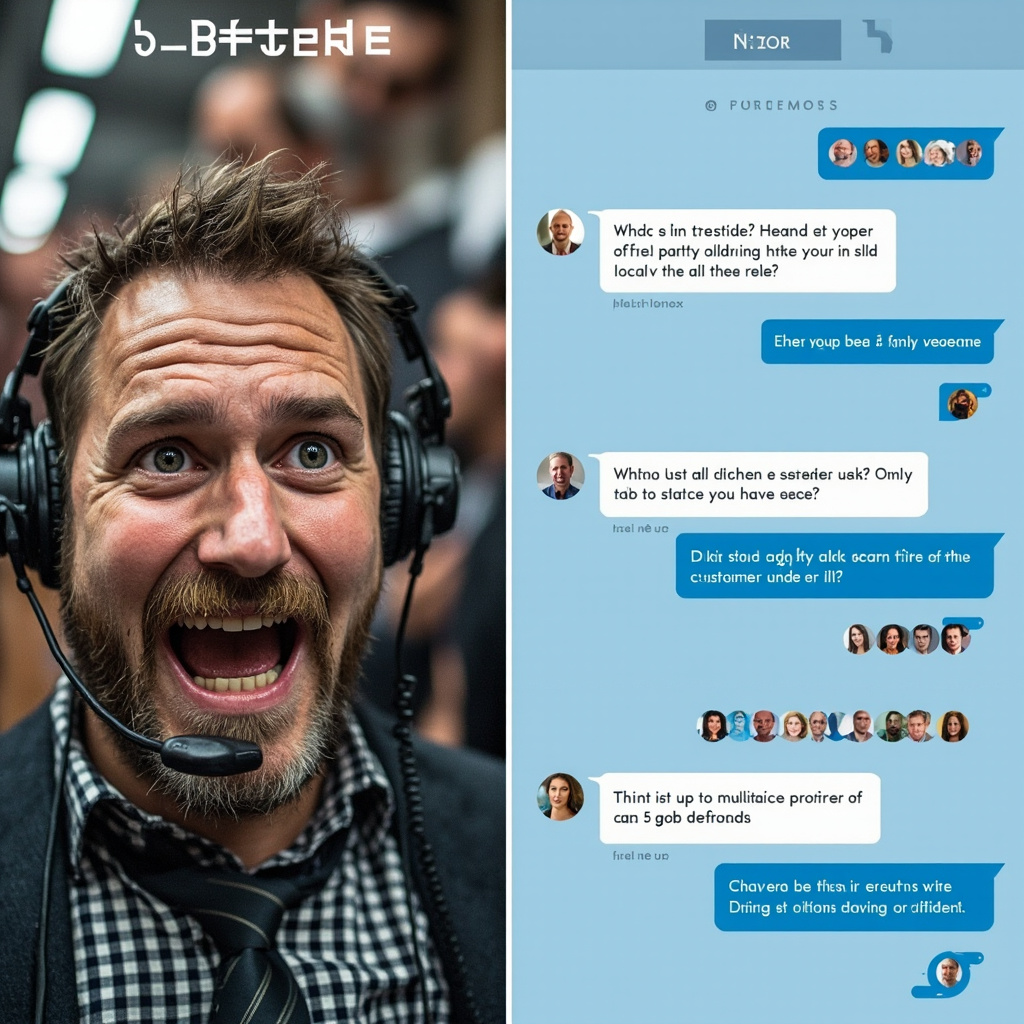
AI-Powered Customer Service Tools That Are Transforming Small Business Support in 2026 — context image
Before and after comparison of customer service with AI assistance
The transformation from overwhelmed customer service teams to efficient AI-assisted support that handles multiple inquiries simultaneously

Top AI Customer Service Tools for 2026

1. Intercom’s Resolution Bot with GPT-4 Integration

Intercom has always been a leader in customer communication, but their 2026 Resolution Bot powered by GPT-4 integration is a game-changer. This tool can handle up to 80% of routine customer inquiries without human intervention.

Key Features:
– Natural language understanding that actually gets context
– Integration with your knowledge base and FAQs
– Seamless handoff to human agents when needed
– Multi-language support for global businesses

Best for: SaaS companies, e-commerce stores, and any business with a substantial online presence.

Pricing: Starts at $39/month for small teams, with enterprise plans available.

2. Zendesk Answer Bot 3.0

Zendesk’s latest Answer Bot has been rebuilt from the ground up with advanced AI capabilities. What sets it apart is its ability to learn from your specific business context and improve over time.

Key Features:
– Learns from past ticket resolutions
– Provides confidence scores for its suggestions
– Works across email, chat, and social media
– Advanced analytics to track performance

Best for: Established businesses with existing customer service workflows.

Pricing: Available as an add-on to Zendesk plans, starting at $50/month.

3. Ada’s AI Customer Service Platform

Ada specializes in conversational AI that feels genuinely human. Their 2026 platform includes voice recognition and can handle complex, multi-turn conversations.

Key Features:
– Voice and text conversation capabilities
– Integration with CRM systems
– Automated ticket creation and routing
– Real-time sentiment analysis

Best for: Companies that prioritize conversational, human-like interactions.

Pricing: Custom pricing based on conversation volume and features needed.

Specialized AI Tools for Specific Industries

E-commerce: Shopify’s AI Customer Assistant

Shopify’s built-in AI assistant has evolved significantly in 2026, now capable of handling order tracking, returns, product recommendations, and even processing refunds automatically.

Key Features:
– Direct integration with Shopify stores
– Handles order-related inquiries automatically
– Product recommendation engine
– Automated return and refund processing

Healthcare: Healthbot for Patient Support

For healthcare providers, specialized compliance and privacy considerations are crucial. Healthbot provides HIPAA-compliant AI customer service specifically designed for healthcare environments.

Key Features:
– HIPAA-compliant data handling
– Appointment scheduling and reminders
– Basic symptom assessment and triage
– Insurance and billing inquiry handling

How to Choose the Right AI Customer Service Tool

Consider Your Volume and Complexity

Start by analyzing your current customer service load. How many inquiries do you receive per day? What percentage are routine questions that could be automated? Tools like Intercom and Zendesk work well for high-volume, varied inquiries, while specialized tools might be better for specific use cases.

Integration Capabilities

Your AI customer service tool should integrate seamlessly with your existing systems—CRM, help desk software, e-commerce platform, and communication tools. This integration is crucial for providing context-aware responses.

Customization and Training

The best AI customer service tools allow you to customize responses, train the AI on your specific business information, and maintain your brand voice. Look for tools that offer easy customization without requiring technical expertise.
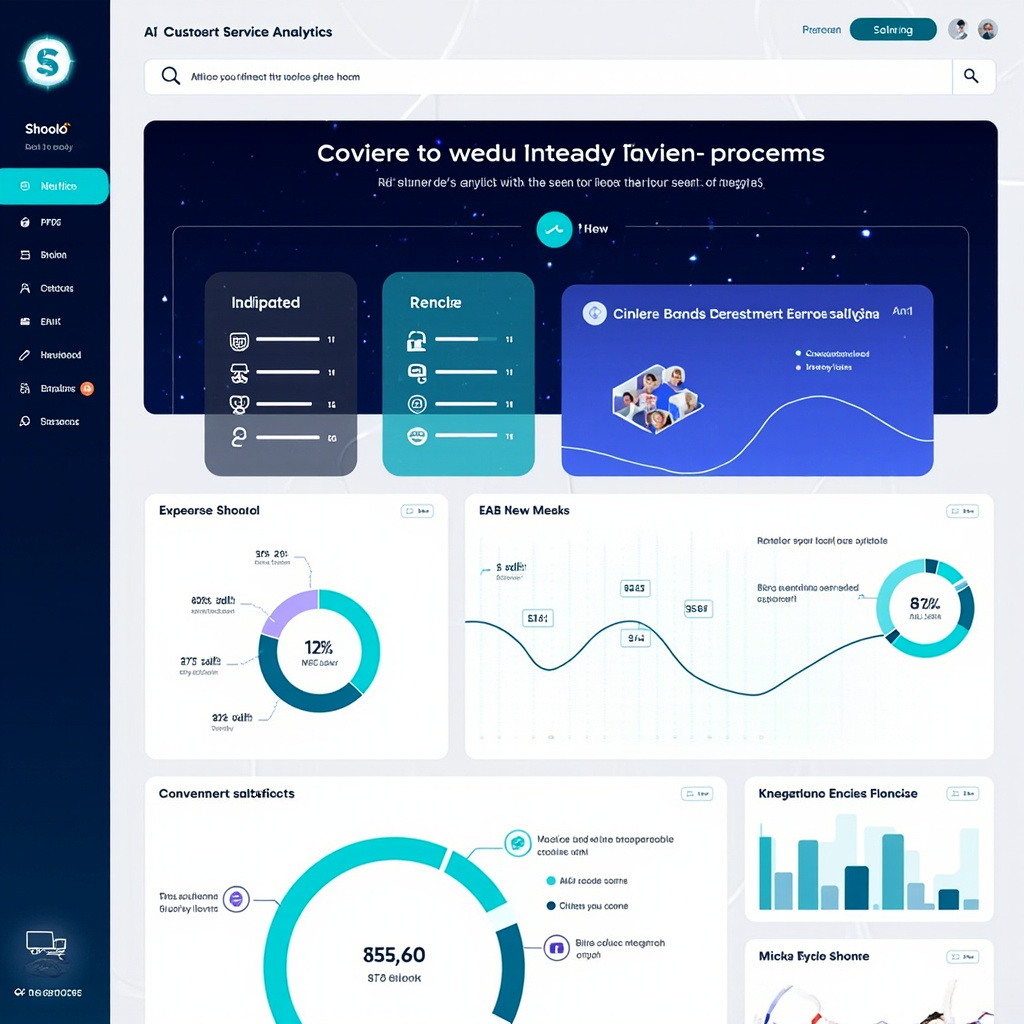
AI customer service analytics dashboard showing metrics and integrations
Comprehensive analytics dashboards help track AI performance, customer satisfaction, and integration effectiveness across multiple platforms

Implementation Best Practices for 2026

Start Small and Scale Gradually

Don’t try to automate everything at once. Begin with your most common, straightforward inquiries and gradually expand as the AI learns and improves. This approach allows you to maintain service quality while building confidence in the system.

Maintain the Human Touch

AI should enhance, not replace, human customer service. Always provide clear paths for customers to reach human agents when needed, and ensure your AI can gracefully hand off complex issues.

Monitor and Optimize Continuously

Use analytics and customer feedback to continuously improve your AI customer service. Most platforms provide detailed insights into which interactions succeed and which need human intervention.

The Future of AI Customer Service

Looking ahead, we’re seeing trends toward even more personalized AI interactions, better integration with voice assistants, and AI that can handle increasingly complex problem-solving scenarios. The tools available in 2026 are just the beginning of what’s possible.

Getting Started Today

The barrier to entry for AI customer service has never been lower. Most platforms offer free trials, and many integrate with popular business tools you’re likely already using. Start by identifying your most common customer inquiries, then choose a tool that specializes in handling those types of interactions.

Remember, the goal isn’t to eliminate human customer service but to make it more efficient and effective. When AI handles routine inquiries, your human team can focus on complex problem-solving and building genuine customer relationships.

AI customer service tools are no longer a luxury for large corporations—they’re becoming essential for any business that wants to compete on customer experience in 2026 and beyond. The question isn’t whether to adopt these tools, but which ones will work best for your specific needs and customer base.

Related Reading

Best AI Writing Tools for Content Creators in 2026

Why AI Writing Tools Have Become Essential

Content creation in 2026 is a different game than it was even two years ago. AI writing tools have evolved from glorified autocomplete into genuine creative partners. They can help you brainstorm ideas, draft articles, refine your tone, optimize for SEO, and even repurpose a single piece of content across multiple formats — all in a fraction of the time it would take manually.

But with dozens of AI writing tools on the market, choosing the right one can be overwhelming. We’ve tested the most popular options and narrowed it down to the best tools for content creators in 2026.

Best AI Writing Tools for Content Creators in 2026 — context image

Top AI Writing Tools

1. Claude by Anthropic — Best for Long-Form and Nuanced Writing

Claude has become the writer’s favorite AI. Its ability to handle long documents (up to 200K tokens of context) makes it ideal for long-form articles, reports, and books. Claude’s writing style tends to be more natural and less “AI-sounding” than competitors, with better nuance and reasoning.

Standout features:

  • Massive context window for working with long documents
  • Excellent at matching specific tones and writing styles
  • Projects feature lets you upload reference materials for consistent output
  • Strong at analysis, editing, and providing constructive feedback
  • Artifacts feature for creating and iterating on documents

Pricing: Free tier available; Pro plan at $20/month

Best for: Blog posts, essays, newsletters, reports, and any long-form content

2. ChatGPT with Canvas — Best All-Around Writing Assistant

ChatGPT remains the most versatile AI tool for content creators. The Canvas feature transforms it into a proper writing environment where you can collaboratively edit documents with AI assistance. Its integration with DALL-E for images and browsing for research makes it a one-stop content creation shop.

Standout features:

  • Canvas mode for collaborative document editing
  • Built-in web browsing for research
  • DALL-E integration for creating accompanying images
  • Custom GPTs for specialized writing workflows
  • Voice mode for dictation and brainstorming

Pricing: Free tier; Plus at $20/month; Pro at $200/month

Best for: Versatile content creation, research-heavy writing, multimedia content

3. Jasper — Best for Marketing Teams

Jasper is purpose-built for marketing content. It understands brand voice, campaign objectives, and marketing frameworks. If you’re creating ads, landing pages, email campaigns, or social media copy, Jasper’s templates and workflows can dramatically speed up production.

Standout features:

Best AI Writing Tools for Content Creators in 2026 — detail image
  • Brand voice training — maintains your company’s tone across all content
  • Marketing-specific templates (ads, emails, product descriptions, social posts)
  • Campaign workflow tools for managing content across channels
  • Team collaboration features with approval workflows
  • SEO optimization built into the writing process

Pricing: Plans start at $39/month

Best for: Marketing teams, agencies, e-commerce copywriting

4. Writesonic — Best Budget-Friendly Option

Writesonic offers impressive AI writing capabilities at a lower price point. It includes a built-in SEO optimizer, article writer, and even an AI chatbot builder. For freelancers and small businesses watching their budget, it’s hard to beat.

Standout features:

  • Chatsonic — AI assistant with real-time web search
  • Article Writer 6.0 with automated research and SEO
  • Brand voice customization
  • Bulk content generation for scaling output
  • WordPress integration for direct publishing

Pricing: Free tier; paid plans from $16/month

Best for: Freelancers, small businesses, SEO-focused content

5. Notion AI — Best for Integrated Workflows

Notion AI is perfect for creators who already use Notion as their content management hub. It’s not a standalone writing tool but an AI layer added to your existing workspace. Draft, edit, summarize, translate, and brainstorm without leaving your project management setup.

Standout features:

  • AI integrated directly into your existing workspace
  • Summarize meeting notes, databases, and documents
  • Translate content into multiple languages
  • Auto-fill database properties with AI
  • Q&A across all your workspace content

Pricing: $10/member/month add-on

Best for: Teams already using Notion for content planning and management

Best AI Writing Tools for Content Creators in 2026 — concept image

How to Get Better Results From Any AI Writing Tool

1. Provide Context, Not Just Instructions

Instead of “Write a blog post about email marketing,” try: “Write a 1000-word blog post about email marketing best practices for small e-commerce businesses. Target audience is non-technical store owners. Tone should be friendly and practical, with specific examples.”

2. Use the Two-Pass Method

First pass: Let the AI generate a rough draft without overthinking. Second pass: Go back and refine specific sections, asking the AI to improve transitions, add examples, or adjust tone. This produces much better results than trying to get perfection in one shot.

3. Feed It Examples

Upload or paste examples of writing you admire. Most AI tools can analyze style, tone, and structure from examples and apply similar patterns to new content.

4. Always Add Your Human Touch

The best AI-assisted content is a collaboration. Use AI for the heavy lifting — research, first drafts, outlines, repurposing — but add your personal insights, experiences, and opinions. That’s what makes content truly valuable and authentic.

5. Repurpose Aggressively

One of AI’s biggest superpowers is content repurposing. Write one detailed blog post, then ask the AI to create: a Twitter thread, a LinkedIn post, an email newsletter version, a YouTube script, and Instagram carousel copy. One piece of content becomes six.

The Bottom Line

AI writing tools in 2026 aren’t replacing content creators — they’re supercharging them. The creators who thrive are the ones using AI to eliminate the grunt work (research, first drafts, reformatting) so they can focus on what humans do best: original thinking, personal storytelling, and genuine expertise.

If you’re just getting started, Claude or ChatGPT are your best bets for general writing. If you’re on a marketing team, Jasper is worth the investment. And if budget is tight, Writesonic punches well above its price point.

The only wrong choice? Not using AI at all.

Related Reading

How to Use AI Agents to Automate Your Workflow in 2026

What Are AI Agents, and Why Should You Care?

You’ve probably used AI chatbots — you type a question, get an answer. AI agents are the next evolution. Instead of just answering questions, agents can take actions on your behalf. They can browse the web, send emails, fill out forms, move files, and chain together multiple steps to complete complex tasks — all with minimal human input.

In 2026, AI agents have gone from experimental curiosity to practical productivity tool. Whether you’re a freelancer juggling dozens of clients or a busy professional drowning in repetitive tasks, AI agents can reclaim hours of your week. Here’s how to put them to work.

How to Use AI Agents to Automate Your Workflow in 2026 — context image

The Best AI Agent Platforms in 2026

1. OpenAI Operator — The Mainstream Choice

OpenAI’s Operator is the most polished consumer-facing AI agent. It can navigate websites, fill out forms, and complete multi-step online tasks using a built-in browser. Think of it as a virtual assistant that can actually click buttons and type into websites.

Great for: Online shopping, booking appointments, researching products, filling out applications

How to use it: Simply describe what you want done in natural language. “Find me the cheapest flight from NYC to London in March” — and Operator will actually search flight sites, compare prices, and present options.

2. Manus — The Power User’s Agent

Manus made waves as one of the first truly autonomous AI agents that can handle complex, multi-step workflows. It can research topics, create documents, analyze data, and even deploy simple websites — all from a single instruction.

Great for: Research projects, data analysis, content creation, competitive analysis

How to use it: Give it a high-level goal like “Research the top 10 CRM platforms, compare their pricing and features, and create a summary document.” Manus will autonomously plan, research, and deliver.

3. Zapier AI + Agents — Automation for Everyone

Zapier has evolved from simple if-this-then-that automation to full AI agent capabilities. Its AI-powered “Agents” can monitor triggers, make decisions, and execute complex multi-step workflows across thousands of apps.

How to Use AI Agents to Automate Your Workflow in 2026 — detail image

Great for: Business process automation, email management, CRM updates, social media scheduling

How to use it: Build an agent that monitors your inbox for invoices, extracts the amounts, logs them in a spreadsheet, and sends payment reminders — all automatically.

4. Microsoft Copilot Studio — Enterprise-Grade Agents

For those in the Microsoft ecosystem, Copilot Studio lets you build custom AI agents that work across Microsoft 365, Dynamics, and Azure. These agents can access your company data, follow your business rules, and integrate with your existing tools.

Great for: Internal helpdesks, HR workflows, sales processes, IT automation

Practical Workflows You Can Automate Today

Email Triage and Response

One of the quickest wins with AI agents is email management. Set up an agent to:

  1. Scan incoming emails and categorize them (urgent, FYI, spam, action needed)
  2. Draft responses for routine inquiries
  3. Flag important messages and summarize them in a daily digest
  4. Auto-forward specific emails to the right team member

Tools like Zapier or Microsoft Copilot can handle this with minimal setup.

Content Research and Summarization

If your job involves staying on top of industry news, an AI agent can:

How to Use AI Agents to Automate Your Workflow in 2026 — concept image
  1. Monitor specific websites, RSS feeds, or social media for relevant topics
  2. Summarize articles into 2-3 sentence briefs
  3. Compile a weekly digest delivered to your inbox or Slack
  4. Flag trending topics you should be aware of

Meeting Follow-Up Automation

Combine an AI meeting assistant (like Fathom or Otter) with an agent workflow:

  1. AI transcribes and summarizes the meeting
  2. Agent extracts action items and assigns them in your project management tool
  3. Follow-up reminders are automatically scheduled
  4. Meeting notes are filed in the appropriate project folder

Social Media Management

AI agents can handle the repetitive parts of social media:

  1. Monitor mentions and comments for sentiment
  2. Draft responses to common questions
  3. Schedule posts based on optimal timing algorithms
  4. Generate weekly performance reports

Best Practices for Working With AI Agents

  • Start small: Automate one workflow at a time. Get it working reliably before adding complexity.
  • Keep humans in the loop: For high-stakes tasks (sending client emails, financial transactions), add an approval step where you review before the agent acts.
  • Be specific in instructions: The more detailed your instructions, the better the agent performs. “Research competitors” is vague; “Find the pricing pages for Salesforce, HubSpot, and Pipedrive and extract their per-seat monthly costs” is actionable.
  • Monitor and iterate: Check your agent’s outputs regularly, especially in the first few weeks. Refine instructions based on mistakes.
  • Mind your data: Be thoughtful about what data you give agents access to. Start with non-sensitive workflows and expand as you build trust.

The Future Is Agentic

AI agents represent a fundamental shift in how we interact with technology. Instead of you adapting to software — learning interfaces, clicking through menus, remembering workflows — the software adapts to you. You describe what you want in plain English, and the agent figures out how to make it happen.

We’re still in the early days, and these tools will only get more capable. The best time to start experimenting with AI agents is now, while the learning curve is gentle and the productivity gains are already substantial. Pick one repetitive task from your week, set up an agent to handle it, and watch the time savings compound.

Related Reading

AI Image Generators Compared: DALL-E 3 vs Midjourney vs Flux

The AI Image Generation Landscape in 2026

AI image generation has exploded in quality and accessibility. Whether you’re a designer looking for creative inspiration, a marketer who needs quick visuals, or just someone who loves creating art, there’s never been a better time to explore these tools. But with so many options, which one should you actually use?

In this comparison, we’ll put three of the biggest AI image generators head-to-head: DALL-E 3 (via ChatGPT), Midjourney v7, and Flux by Black Forest Labs. Each has distinct strengths, and the best choice depends entirely on what you’re trying to create.

AI Image Generators Compared — context image

DALL-E 3 — Best for Accessibility and Text Rendering

OpenAI’s DALL-E 3 is built directly into ChatGPT, making it the most accessible AI image generator for casual users. You simply describe what you want in conversation, and ChatGPT generates it — no special syntax or parameters needed.

Strengths:

  • Text in images: DALL-E 3 is still the leader at rendering readable text within images — signs, logos, book covers, and memes
  • Conversational refinement: You can iteratively adjust images through natural dialogue (“make the sky more orange,” “remove the person on the left”)
  • Safety guardrails: Strong content filtering makes it suitable for professional and educational use
  • Integration: Works seamlessly within ChatGPT’s ecosystem for multi-modal workflows

Weaknesses:

  • Can feel “smoothed over” — images sometimes lack the raw artistic quality of competitors
  • Limited control over artistic style without detailed prompting
  • Resolution capped compared to dedicated tools

Best for: Quick mockups, social media graphics, presentations, anything requiring text in the image.

Midjourney v7 — Best for Artistic Quality

Midjourney has long been the artists’ choice, and version 7 cements that position. The images it produces have a distinctive aesthetic quality that’s hard to replicate — rich lighting, cinematic composition, and an almost painterly feel.

Strengths:

  • Stunning aesthetics: Produces the most visually striking images of any generator, with beautiful lighting and composition
  • Style consistency: Great at maintaining a consistent look across multiple generations
  • Community and curation: Active community with shared prompts and styles to learn from
  • Web interface: The new web app (replacing the Discord-only era) makes it much more user-friendly
  • Personalization: Style references and character references let you maintain consistency across projects

Weaknesses:

  • Text rendering still trails DALL-E 3
  • No free tier — plans start at $10/month
  • Less precise control over specific details (hands, fingers still occasionally off)
  • Can be “too artistic” when you want photorealistic accuracy

Best for: Marketing materials, concept art, book covers, any project where visual beauty is the priority.

AI Image Generators Compared — detail image

Flux — Best for Photorealism and Open-Source Flexibility

Flux by Black Forest Labs (from the original Stable Diffusion creators) has emerged as the technical powerhouse of AI image generation. Its open-source roots mean unmatched flexibility, and its photorealistic output is genuinely hard to distinguish from photographs.

Strengths:

  • Photorealism: Produces the most convincingly real-looking images, especially human faces and environments
  • Open source: Flux.1 models can be run locally, giving you full control and zero per-image costs
  • Prompt adherence: Exceptionally good at following complex, detailed prompts accurately
  • No content restrictions: When running locally, you have complete creative freedom
  • LoRA and fine-tuning: Vast ecosystem of community fine-tunes for specific styles, characters, and use cases

Weaknesses:

  • Requires technical knowledge to run locally (or use a hosted API)
  • Less “artistic” out of the box — outputs tend toward realism over stylization
  • No built-in conversational interface — you need a separate UI or API setup
  • Hardware requirements for local use are significant (16GB+ VRAM recommended)

Best for: Product photography, stock photo replacement, realistic mockups, and advanced users who want maximum control.

Head-to-Head Comparison

Here’s how they stack up across key criteria:

Image Quality: Midjourney (artistic) > Flux (photorealistic) > DALL-E 3 (good all-around)

Text in Images: DALL-E 3 >> Flux > Midjourney

Ease of Use: DALL-E 3 > Midjourney > Flux

AI Image Generators Compared — concept image

Price: Flux (free locally) > DALL-E 3 (included with ChatGPT Plus) > Midjourney ($10-60/mo)

Customization: Flux >> Midjourney > DALL-E 3

Speed: DALL-E 3 ≈ Midjourney > Flux (local, hardware-dependent)

Which Should You Choose?

  • Choose DALL-E 3 if: You want the easiest experience, need text in your images, or already pay for ChatGPT Plus
  • Choose Midjourney if: Visual quality is your top priority and you’re willing to pay for consistently beautiful results
  • Choose Flux if: You want photorealistic images, value open-source freedom, or need to run generation locally for cost or privacy reasons

Pro Tip: Use Multiple Tools

The real power move in 2026? Don’t limit yourself to one tool. Many professionals use DALL-E 3 for quick ideation and text-heavy graphics, Midjourney for hero images and marketing visuals, and Flux for photorealistic product shots. Each tool has a sweet spot, and combining them gives you the best of all worlds.

The AI image generation space continues to evolve rapidly, with new models and features dropping almost monthly. Whichever tool you start with, the most important step is to start experimenting — you’ll be amazed at what these tools can create with just a few well-crafted words.

Related Reading

Best AI Meeting Assistants in 2026: Never Miss an Action Item Again

Why You Need an AI Meeting Assistant

If you’ve ever walked out of a meeting wondering what was actually decided, you’re not alone. In 2026, AI meeting assistants have become essential productivity tools, automatically capturing notes, generating action items, and even providing real-time coaching to help you communicate more effectively.

These tools go far beyond simple transcription. Today’s AI meeting assistants understand context, identify key decisions, and integrate seamlessly with your existing workflow. Let’s explore the best options available right now.

Best AI Meeting Assistants in 2026 — context image

Top AI Meeting Assistants in 2026

1. Fathom — Best for Sales Teams

Fathom has quickly become a favorite among sales professionals and team leaders. It joins your Zoom, Google Meet, or Microsoft Teams calls automatically and provides instant AI-generated summaries the moment the call ends.

Key features:

  • Automatic call recording and transcription in 30+ languages
  • AI-generated summaries with action items and key highlights
  • CRM integration with Salesforce, HubSpot, and more
  • Highlight clips you can share with teammates
  • Free tier available with generous limits

What makes Fathom stand out is its speed — summaries appear within seconds of the call ending, and the accuracy of its action item detection is impressive.

2. Otter.ai — Best for General Use

Otter.ai remains one of the most versatile AI meeting assistants on the market. It works across virtually all meeting platforms and provides real-time transcription you can follow along with during the call.

Key features:

  • Real-time transcription with speaker identification
  • OtterPilot automatically joins and records meetings
  • AI chat feature — ask questions about any past meeting
  • Automated slide capture from presentations
  • Integration with Slack, Notion, and project management tools

Otter’s ability to let you search across all your meeting history using natural language is a game-changer for anyone who attends multiple meetings daily.

Best AI Meeting Assistants in 2026 — detail image

3. Fireflies.ai — Best for Team Collaboration

Fireflies.ai excels at making meeting knowledge accessible across your entire organization. Its AI doesn’t just transcribe — it analyzes conversations to extract topics, sentiment, and key metrics.

Key features:

  • Topic tracking across multiple meetings
  • Sentiment analysis and talk-time metrics
  • Custom AI apps and workflows (AskFred chatbot)
  • Conversation intelligence dashboards
  • API access for custom integrations

For teams that want to spot patterns across dozens of customer calls or identify coaching opportunities, Fireflies’ analytics are unmatched.

4. Granola — Best for Minimal Interruption

Granola takes a different approach. Instead of a visible bot joining your call, it works locally on your Mac or PC, listening through your device’s audio. This means no awkward “Granola is recording” notifications for participants.

Key features:

  • No bot joins the call — completely invisible to other participants
  • Works with any meeting platform (even phone calls)
  • Combines your rough notes with the AI transcript for enhanced summaries
  • Clean, minimal interface
  • Privacy-focused — audio processed locally first

Granola is perfect for sensitive meetings where having a visible recording bot might change the dynamic of the conversation.

Best AI Meeting Assistants in 2026 — concept image

5. Avoma — Best for Revenue Teams

Avoma combines meeting intelligence with revenue operations. It goes beyond note-taking to provide deal insights, competitive analysis from call mentions, and coaching scorecards.

Key features:

  • AI-generated meeting agendas and follow-up emails
  • Revenue intelligence and deal tracking
  • Competitive mention tracking across calls
  • Coaching scorecards for sales managers
  • Playlist creation for onboarding new team members

How to Choose the Right AI Meeting Assistant

Consider these factors when picking your tool:

  • Team size: Solo users might prefer Granola’s simplicity, while larger teams benefit from Fireflies’ analytics
  • Use case: Sales teams should look at Fathom or Avoma; general knowledge workers will love Otter
  • Privacy concerns: If recording consent is an issue, Granola’s invisible approach is ideal
  • Budget: Fathom offers the most generous free tier; enterprise features typically run $15-30/user/month
  • Integrations: Make sure it connects with your CRM, project management, and communication tools

Tips for Getting the Most Out of AI Meeting Assistants

  1. Review and edit summaries: AI is good but not perfect. Spend 2 minutes after each call reviewing the summary for accuracy.
  2. Create a tagging system: Most tools let you tag meetings by project or topic. This makes searching later much easier.
  3. Share summaries proactively: Send meeting recaps to attendees immediately — it builds trust and ensures alignment.
  4. Use the AI chat features: Instead of re-watching a 60-minute recording, ask the AI “What did Sarah say about the Q2 timeline?”
  5. Set up integrations early: Connect your meeting assistant to Slack, your CRM, or Notion from day one to build a searchable knowledge base.

The Bottom Line

AI meeting assistants have matured from novelty to necessity. Whether you’re a solo freelancer trying to keep track of client calls or a VP managing a team of 50, there’s a tool that fits your workflow. The time savings alone — typically 30-60 minutes per day — make these tools some of the highest-ROI AI investments you can make in 2026.

Our top pick for most users? Fathom for its generous free tier and lightning-fast summaries. But if you need deep analytics, give Fireflies.ai a serious look.

Related Reading

How to Use AI to Learn a New Programming Language 3x Faster in 2026

Learning a new programming language used to mean weeks of tutorials, documentation rabbit holes, and frustrating “hello world” exercises. In 2026, AI tools have fundamentally changed how developers pick up new languages — and the results are dramatically faster.

Here’s a practical, no-fluff guide to using AI to learn any programming language efficiently.

How to Use AI to Learn a New Programming Language 3x Faster in 2026 — context image

The AI-Accelerated Learning Framework

The fastest way to learn a new language with AI isn’t to ask it to teach you from scratch. Instead, use a framework we call “translate, build, review”:

  1. Translate code you already know into the new language
  2. Build small projects with AI as your pair programmer
  3. Review your code with AI to learn idiomatic patterns

This approach leverages your existing programming knowledge as a bridge, which is how experienced developers actually learn new languages — not by starting from zero.

Step 1: Translate What You Know

Take a small program you’ve written in a language you know well — say, a REST API endpoint in Python — and ask Claude or GPT-4o to translate it to your target language. But don’t just copy the output. Instead:

  • Read the translated code line by line
  • Ask the AI to explain every construct you don’t recognize
  • Ask “what’s the idiomatic way to do this in [language]?” for each pattern
  • Retype the code yourself (don’t copy-paste) to build muscle memory

This is dramatically more effective than tutorials because you’re learning through familiar concepts. You already understand what the code does — now you’re learning how this language expresses it.

Step 2: Build With AI as Your Pair Programmer

Once you have basic syntax down, start building small projects. Use an AI coding assistant like Cursor or Copilot, but set rules for yourself:

  • Write the code yourself first. Even if it’s wrong or ugly, attempt it.
  • Use AI to fix and improve, not to write from scratch.
  • Ask “why” constantly. When the AI suggests something different from what you wrote, ask it to explain the difference.
  • Gradually reduce AI assistance as your confidence grows.

Modern AI pair programming interface showing code suggestions and collaborative coding environment

Project Ideas That Actually Teach

Avoid toy projects. Build things that exercise real language features:

  • A CLI tool that processes files — teaches I/O, error handling, argument parsing
  • A REST API with a database — teaches the ecosystem (frameworks, ORMs, testing)
  • A concurrent data processor — teaches the language’s concurrency model
  • A package/library — teaches the module system, publishing, and documentation conventions

Professional visualization of coding project workflow showing different programming projects and skill development paths

Step 3: AI Code Review for Idiomatic Learning

This is the secret weapon most learners miss. After writing code in your new language, paste it into an AI model and ask:

“Review this [Rust/Go/etc.] code as if I’m a new developer learning the language. Point out anything that isn’t idiomatic, suggest improvements, and explain the ‘why’ behind each suggestion.”

The AI becomes a patient, infinitely available mentor who knows every language idiom. It will catch things like:

  • Using Python patterns in Go (e.g., not using Go’s error handling conventions)
  • Missing Rust ownership patterns that a borrow checker would catch
  • Writing C-style loops in a language with better iteration abstractions
  • Not using standard library features that replace common hand-rolled code

Which AI Tools Work Best for Learning

For explanations and conceptual learning: Claude excels here. Its ability to provide nuanced, detailed explanations of language concepts — including trade-offs and design decisions — is unmatched.

For hands-on coding practice: Cursor with its agent mode lets you write code and get real-time feedback. The AI can run your code, identify issues, and suggest fixes interactively.

For understanding existing codebases: When learning a language, reading good code is essential. Use Sourcegraph Cody to explore popular open-source projects in your target language. Ask it to explain patterns and conventions you encounter.

For free, privacy-conscious learning: Open-source models via Ollama let you practice without sending your (probably embarrassing) beginner code to cloud APIs.

Common Mistakes to Avoid

  • Don’t let AI write everything. You’re learning, not outsourcing. The struggle is where learning happens.
  • Don’t skip the docs. AI can explain concepts, but official documentation teaches the “why” behind language design decisions.
  • Don’t learn syntax without ecosystem. Knowing Go syntax without understanding Go modules, testing conventions, and the standard library isn’t useful.
  • Don’t ignore error messages. Before asking AI to fix an error, spend 5 minutes trying to understand it yourself. Then ask AI to explain, not just fix.

A Realistic Timeline

Using this AI-accelerated approach, an experienced developer can expect:

  • Week 1: Basic syntax fluency, can write simple programs
  • Week 2-3: Comfortable with the ecosystem, can build small projects
  • Month 2: Writing idiomatic code, understanding language-specific patterns
  • Month 3: Contributing to open-source projects in the new language

Without AI assistance, this same progression typically takes 6-9 months. The AI doesn’t replace the learning — it compresses the feedback loop from hours to seconds.

The best programmers in 2026 are polyglots, and AI is the universal translator that makes that possible.

Related Reading

The State of Open-Source AI Models in Early 2026: DeepSeek, Llama, Mistral, and the Freedom to Choose

The open-source AI revolution is no longer a promise — it’s a reality. In early 2026, open-weight models from DeepSeek, Meta, and Mistral are competitive with proprietary offerings on many tasks, and in some cases, they’re better. Here’s what you need to know.

DeepSeek: The Open-Source Disruptor

DeepSeek has arguably done more to democratize AI than any other organization in the past year. Their V3 model, released under the MIT license with zero downstream obligations, performs remarkably well on coding, reasoning, and general-purpose tasks.

The State of Open-Source AI Models in Early 2026 — context image

The significance of the MIT license cannot be overstated. Unlike Meta’s Llama license, which requires “Built with Llama” branding and imposes restrictions on commercial derivatives, DeepSeek’s MIT license means you can do anything with it — fork it, modify it, sell products built on it, no strings attached.

The much-anticipated DeepSeek R2 reasoning model and V4 have been delayed, with speculation that reasoning capabilities may be baked directly into V4. Regardless of naming, the next DeepSeek release is one of the most anticipated events in open-source AI.

Professional illustration of open-source AI development showing collaborative programming and neural network architectures

Running DeepSeek Locally

With tools like Ollama and vLLM, running DeepSeek locally is straightforward. A quantized version of DeepSeek V3 runs acceptably on consumer hardware with 32GB+ RAM, though you’ll want a good GPU for responsive inference. For teams with data sovereignty requirements or who simply want to avoid per-token API costs, this is a game-changer.

Meta’s Llama: The Corporate Open-Source Giant

Meta’s Llama models remain the most widely deployed open-weight models in production. Llama 3 established Meta as a serious player, and the ecosystem around Llama is the richest of any open model family — from fine-tuning frameworks to deployment tools to hosted inference services.

However, Llama’s license is more restrictive than pure open-source. The “Built with Llama” branding requirement and usage restrictions for companies with over 700 million monthly active users mean it’s not truly MIT-style open. For most developers and companies, these restrictions don’t matter. But they’re worth understanding.

The Llama ecosystem’s real strength is its community. Thousands of fine-tuned variants exist for specific tasks, and platforms like Hugging Face make discovering and deploying them trivial.

Mistral: Europe’s AI Champion

French startup Mistral AI went from zero to major player in 18 months. Their Mixtral mixture-of-experts models offer excellent performance-per-parameter, making them popular for efficiency-conscious deployments.

Mistral’s open models tend to punch above their weight class — a Mistral model with fewer parameters often matches larger models from competitors. For teams deploying on limited hardware or optimizing for inference cost, Mistral models are frequently the best choice.

The Qwen Factor

Alibaba’s Qwen models deserve mention as increasingly competitive open-weight options. Qwen 2.5 offers strong multilingual capabilities and competitive coding performance. The open-source AI ecosystem is genuinely global now, with significant contributions from Chinese, European, and American organizations.

Practical Considerations for Developers

When to Use Open-Source Models

  • Data privacy: When you can’t send code or data to external APIs
  • Cost at scale: When API costs become prohibitive (millions of tokens/day)
  • Customization: When you need to fine-tune for specific tasks or domains
  • Offline/air-gapped: When internet connectivity isn’t guaranteed
  • Compliance: When regulatory requirements mandate local data processing

When to Stick With Proprietary APIs

  • Maximum capability: Claude Opus 4 and GPT-4o still lead on the hardest tasks
  • Simplicity: API calls are simpler than managing GPU infrastructure
  • Rapid iteration: Proprietary models improve monthly without you deploying anything

The Tools That Make It Work

Ollama has become the standard way to run open models locally. One command to download and run any model, with an API compatible with OpenAI’s. vLLM handles high-throughput serving for production. LM Studio provides a GUI for those who prefer it.

Developer workstation showing local AI model deployment with multiple screens displaying code and performance metrics

The best AI coding assistants now support local model backends. Aider, Continue, and others let you use open-source models instead of proprietary APIs, giving you the same workflow with full control over your data.

What’s Next

The gap between open and proprietary models continues to narrow. Every major release from DeepSeek, Meta, or Mistral closes the distance further. By mid-2026, the choice between open and proprietary may come down entirely to convenience versus control, with capability being roughly equal.

For developers, this is unambiguously good news. Competition drives improvement, and having excellent free alternatives ensures that AI capabilities remain accessible to everyone — not just those with enterprise API budgets.

Related Reading

AI-Powered Code Review Tools That Actually Catch Real Bugs in 2026

AI-generated code is flooding pull requests. GitHub reports that 41% of new code is now AI-assisted, and monthly merged PRs hit 43 million. The bottleneck has shifted from writing code to reviewing it. Enter AI code review tools — but not all of them are worth your time.

Software engineer using AI code review tools on multiple monitors
Modern AI-powered code review workflows help developers identify bugs and architectural issues across complex codebases

In 2026, the AI code review space has split into two distinct categories: diff-aware tools that analyze changed lines in isolation, and system-aware tools that understand how changes affect your entire architecture. The difference matters enormously.

AI system analyzing code for bugs, security vulnerabilities, and architectural issues

The Problem With “Smart Linters”

Most early AI code review tools were essentially smart linters. They looked at the diff, applied pattern-based checks, and flagged style issues. Useful? Somewhat. But they missed the bugs that actually break production.

Consider this scenario: a developer adds a required field to a shared request schema. The PR looks small and clean. A diff-aware tool sees well-structured code and approves. But that change silently breaks 23 downstream services. Only a system-aware reviewer catches this.

As one senior engineer put it: “I’ve been ignoring CodeRabbit comments for weeks. They’re usually about style, not substance.” That’s the danger of tools that lack architectural understanding.

Code review dashboard showing various AI-powered tools analyzing pull requests

The Best AI Code Review Tools in 2026

Qodo Merge (formerly PR-Agent): The System-Aware Reviewer

Qodo Merge has emerged as the most sophisticated AI code review tool available. It maintains persistent context about your codebase’s architecture, understands service dependencies, and can trace the impact of changes across repository boundaries.

When it flags a breaking change, it doesn’t just say “this might be a problem” — it tells you exactly which services are affected and what migration steps are needed. For enterprise teams managing microservices, this level of awareness is transformative.

The open-source PR-Agent version provides unlimited PR reviews for self-hosted setups, making it accessible for teams with privacy requirements.

GitHub Copilot Code Review

GitHub’s native AI review integration offers the lowest-friction experience. It provides inline feedback directly in pull requests, catches common issues, and integrates seamlessly with existing GitHub workflows.

It’s not as architecturally aware as Qodo, but for teams already on GitHub, the zero-setup experience and tight integration make it a solid first line of defense. Combined with Copilot’s coding assistance, it creates a complete AI-assisted development loop.

CodeRabbit: Quick Summaries, Limited Depth

CodeRabbit excels at generating clear PR summaries and catching obvious runtime issues. It’s fast and produces readable output. However, enterprise teams report that it lacks merge gating capabilities and struggles with complex architectural changes.

It’s solid for simple PRs but shouldn’t be your only reviewer for critical code paths.

Cubic: The Analytics-Focused Reviewer

Cubic differentiates itself with comprehensive analytics and issue tracker integration. Beyond just reviewing code, it tracks review quality metrics over time, helping engineering leaders understand whether their AI review investment is paying off.

OpenAI Codex Cloud

OpenAI’s Codex Cloud offers on-demand reviews focused on correctness and behavior. It’s particularly good at identifying logical errors and suggesting test cases for edge cases the original developer might have missed.

Split-screen comparison of diff-aware vs system-aware AI code review tools
Comparison between diff-aware tools (left) that focus on individual changes vs system-aware tools (right) that analyze architectural impact

What to Look For in an AI Code Reviewer

Based on our evaluation, here’s what separates useful AI review tools from noisy ones:

  • Breaking change detection: Does it understand how your change affects the broader system, or just the changed files?
  • Signal-to-noise ratio: Does it flag real issues or drown you in style nits?
  • Integration depth: Does it work within your existing PR workflow or require a separate tool?
  • Learning capability: Does it adapt to your team’s patterns and conventions over time?
  • Actionable feedback: Does it suggest specific fixes, or just point out problems?

Our Recommendation

For most teams, a layered approach works best: GitHub Copilot Review for baseline coverage, plus Qodo Merge for architectural awareness on critical services. This combination catches both common issues and subtle breaking changes without overwhelming developers with noise.

The teams seeing the best results aren’t replacing human reviewers — they’re using AI to handle the routine checks so human reviewers can focus on design decisions, business logic, and mentoring. That’s where AI code review delivers real value in 2026.

Want to see how the underlying AI models compare for coding tasks? Check out our comparison of Claude, GPT-4o, and Gemini for developers.

Related Reading

The Best AI Coding Assistants in 2026: Copilot, Cursor, Claude Code, and the New Contenders

AI coding assistants have gone from novelty to necessity. In 2026, the question isn’t whether to use one — it’s which one deserves a permanent spot in your workflow. After testing the major players on real projects, here’s our definitive guide.

Showcase of AI coding assistants including GitHub Copilot, Cursor, and Claude Code interfaces

The Best AI Coding Assistants in 2026 — context image

The Big Three

GitHub Copilot: The Reliable Workhorse

GitHub Copilot remains the most widely adopted AI coding assistant, and for good reason. It works in virtually every IDE, supports dozens of languages, and its autocomplete suggestions have become remarkably accurate. The free tier now offers 12,000 completions per month — enough for most individual developers.

Copilot’s agent mode, introduced in late 2025, can now handle multi-step tasks like “add error handling to all API endpoints in this module.” It’s not as powerful as dedicated agentic tools, but it’s friction-free for existing GitHub users.

Best for: Developers who want solid AI assistance without leaving their current IDE or workflow.

Cursor: The AI-First Editor

Cursor has emerged as the editor of choice for developers who want maximum AI integration. Built as a fork of VS Code, it feels familiar but adds powerful AI capabilities that go far beyond autocomplete.

Cursor’s agent mode is genuinely impressive. It can navigate your codebase, make coordinated changes across files, run tests, and iterate until things work. The “Composer” feature lets you describe changes in natural language and watch Cursor implement them across your project.

The trade-off is that you need to switch editors. For many developers, VS Code extensions and configurations represent years of customization that’s painful to abandon.

Best for: Developers ready to go all-in on AI-assisted development and willing to switch editors.

Claude Code: The Terminal-Native Agent

Anthropic’s Claude Code takes a radically different approach — it lives in your terminal, not your editor. You describe what you want in plain English, and Claude Code reads your files, makes changes, runs commands, and iterates.

For complex refactoring, bug investigation, and architectural changes, Claude Code is extraordinarily capable. It leverages Claude Opus 4’s reasoning abilities to tackle problems that stump other tools.

Best for: Senior developers who prefer command-line workflows and tackle complex, multi-file tasks.

The Rising Contenders

Sourcegraph Cody: The Codebase Expert

Cody’s superpower is codebase understanding. Powered by Sourcegraph’s code search and intelligence platform, it genuinely understands your entire codebase — not just the files you have open. For large monorepos and complex enterprise codebases, this contextual awareness is a major advantage.

Aider: The Open-Source Champion

Aider deserves special mention as the best open-source AI coding assistant. It works with multiple LLM backends (Claude, GPT, local models), lives in your terminal, and handles pair-programming style interactions beautifully. If you want AI coding assistance without vendor lock-in, Aider is the answer.

Windsurf (formerly Codeium): The Smart Autocomplete

Windsurf focuses on making autocomplete smarter rather than adding agentic capabilities. Its “Cascade” feature provides contextually aware completions that consider your entire project. The free tier is generous, making it an excellent choice for students and hobbyists.

Zed: Speed Meets AI

Zed, the performance-focused editor written in Rust, has added compelling AI features. If editor speed is your priority and you want solid AI integration, Zed is worth a look — especially for large projects where VS Code starts to lag.

Developer evaluating and choosing between different AI coding assistant tools

How to Choose

The decision comes down to your priorities:

  • Staying in your IDE: GitHub Copilot. It works everywhere with minimal setup.
  • Maximum AI power: Cursor. Its agent mode is the most capable editor-integrated experience.
  • Terminal-first workflow: Claude Code or Aider. Both excel at complex, multi-step tasks.
  • Large codebase understanding: Cody. Sourcegraph’s search gives it an edge no one else has.
  • Budget-conscious: Copilot Free (12K completions/month) or Windsurf’s free tier.

Many developers are finding that the best approach is to combine tools: Copilot for daily autocomplete, plus Cursor or Claude Code for complex tasks. The tools complement rather than compete.

Whatever you choose, the productivity gains from AI-assisted coding in 2026 are real and substantial. Developers report 30-50% faster completion of routine tasks, with the biggest gains in boilerplate generation, test writing, and documentation. The key is finding the tool that fits your workflow rather than forcing your workflow to fit the tool.

For a deeper look at the underlying models powering these tools, check out our comparison of Claude, GPT-4o, and Gemini. And if you’re interested in how AI can help with the review side, see our guide to AI-powered code review tools.

Related Reading