Best AI Email Assistants in 2026: Tame Your Inbox Once and For All


If your inbox feels like a second job, you’re not alone. The average professional receives over 120 emails per day, and for many of us, managing that flood takes up hours that could be spent on actual work. AI email assistants promise to change that — and in 2026, they’re finally delivering on that promise.

From intelligent sorting and auto-replies to full-blown email drafting and follow-up tracking, AI email tools have matured significantly. In this guide, we’ll cover the best options available, what they actually do well, and which one fits your workflow.

What AI Email Assistants Actually Do

Before diving into specific tools, let’s clarify what “AI email assistant” means in practice. These tools typically handle one or more of the following:

  • Smart prioritization: Automatically sorting your inbox by importance, moving newsletters and low-priority messages out of your main view.
  • Email drafting: Generating replies or new emails based on context, your writing style, and the conversation history.
  • Summarization: Condensing long email threads into brief summaries so you can catch up in seconds.
  • Follow-up tracking: Detecting when you’re waiting for a reply and reminding you to follow up.
  • Scheduling and automation: Handling meeting scheduling, recurring responses, and workflow triggers.

1. Superhuman — The Premium AI Email Experience

Superhuman has long been the email client of choice for power users, and its AI features have made it even more compelling. The “Superhuman AI” layer is deeply integrated into every aspect of the experience.

What makes it stand out: Speed. Superhuman was already the fastest email client, and AI makes it faster. You can process your entire inbox in a fraction of the time — AI drafts replies, summarizes threads, and auto-categorizes everything. The “Write with AI” feature learns your tone and produces drafts that genuinely sound like you.

Key features: AI-powered email drafting and editing, thread summarization, instant reply suggestions, read status tracking, snooze and reminders, split inbox, and keyboard-driven navigation. The AI can also translate emails and adjust tone (formal, casual, friendly) on the fly.

Best for: Professionals and executives who handle high email volumes and want the fastest possible experience.

Pricing: $30/month. No free tier, but there is a 14-day trial.

2. Google Gemini in Gmail — AI Built Right Into Your Inbox

Google has been steadily rolling out Gemini AI features across Gmail, and in 2026, they’ve reached a tipping point of genuine usefulness. If you’re already a Gmail user, these features are available without switching to a new client.

What makes it stand out: Zero friction. There’s nothing to install or configure — Gemini features appear naturally within Gmail. The “Help me write” button generates contextual drafts, thread summaries appear at the top of long conversations, and the search has gotten dramatically smarter.

Key features: “Help me write” for composing and replying, thread summarization, smart categorization, Q&A across your inbox (“What did Sarah say about the Q3 budget?”), and integration with Google Calendar and Drive. The contextual awareness is impressive — it pulls relevant documents and calendar events into suggested replies.

Best for: Anyone already using Gmail who wants AI enhancement without changing their workflow.

Pricing: Basic features free with Gmail; advanced features require Google One AI Premium at $19.99/month.

3. Microsoft Copilot in Outlook — The Enterprise Powerhouse

Microsoft’s Copilot integration in Outlook is the enterprise counterpart to Google’s Gmail AI. It’s deeply connected to the Microsoft 365 ecosystem, making it especially powerful for organizations that run on Teams, SharePoint, and OneDrive.

What makes it stand out: The cross-app intelligence is unmatched. Copilot in Outlook knows about your Teams conversations, your SharePoint documents, and your calendar. When drafting an email about a project, it can pull in relevant data from across your entire Microsoft 365 workspace.

Key features: Email drafting and coaching, thread summarization, meeting prep summaries (pulling from Teams and calendar), tone adjustment, priority inbox sorting, and action item extraction. The “coaching” feature is unique — it reviews your draft and suggests improvements for clarity, tone, and sentiment.

Best for: Organizations and professionals embedded in the Microsoft 365 ecosystem.

Pricing: Included with Microsoft 365 Copilot at $30/user/month (requires Microsoft 365 Business or Enterprise subscription).

4. Shortwave — AI-Native Email for Focused Work

Shortwave is built from the ground up as an AI-native email client. Founded by former Google engineers, it rethinks email around AI-powered organization and an emphasis on deep work.

What makes it stand out: Shortwave’s AI assistant is the most conversational of the bunch. You can chat with it about your inbox — “What are the most urgent things I need to respond to?” or “Draft a polite decline for the vendor pitch from yesterday.” It also groups related emails into bundles automatically, dramatically reducing visual clutter.

Key features: AI email assistant (chat-based), automatic email bundling, AI drafting and reply suggestions, thread summaries, scheduled send, shared labels for teams, and a “todo” system that turns emails into actionable tasks. The bundling feature alone can transform an overwhelming inbox into something manageable.

Best for: Knowledge workers who want a modern, AI-first email experience with strong organizational features.

Pricing: Free for personal use; Pro at $7/month; Business at $14/user/month.

5. SaneBox — The AI Layer That Works With Any Email Client

Unlike the other tools on this list, SaneBox isn’t an email client — it’s an AI layer that works behind the scenes with whatever email setup you already use. Gmail, Outlook, Yahoo, Apple Mail — SaneBox connects to all of them.

What makes it stand out: Flexibility. If you love your current email client but just want smarter sorting and fewer distractions, SaneBox is the answer. It filters your inbox server-side, so the sorting happens before emails even reach your client. The “SaneBlackHole” feature is legendary — drag an unwanted email into it, and you’ll never hear from that sender again.

Key features: AI inbox filtering, SaneLater (defers non-urgent mail), SaneBlackHole (permanent sender block), SaneReminders (follow-up tracking), SaneNoReplies (flags emails that didn’t get responses), and daily digest of filtered emails. No AI drafting, but the organizational features are best-in-class.

Best for: Anyone who wants AI email organization without switching email clients.

Pricing: Snack at $7/month (1 account, 2 features); Lunch at $12/month (2 accounts, 6 features); Dinner at $36/month (4 accounts, all features). 14-day free trial.

How to Choose the Right AI Email Tool

  • Gmail user who wants built-in AI? Google Gemini features are already there — just upgrade to Google One AI Premium for the full experience.
  • Microsoft 365 organization? Copilot in Outlook is the natural choice with cross-app intelligence.
  • High-volume emailer who needs speed? Superhuman’s keyboard-driven workflow with AI is unbeatable.
  • Want a fresh AI-native approach? Shortwave reimagines email around AI in smart ways.
  • Happy with your current client? SaneBox adds AI sorting without requiring you to switch anything.

The Bottom Line

Email isn’t going anywhere, but the way we manage it is changing fast. AI email assistants in 2026 can genuinely save you 30-60 minutes per day — that’s not marketing fluff, that’s the real experience of people who’ve integrated these tools into their workflow.

The key is picking the tool that fits your existing setup. Don’t fight your habits — augment them. Whether that means AI built into Gmail, a premium client like Superhuman, or a background service like SaneBox, there’s an option that will make your inbox feel manageable again.

Try one this week. Your future self — the one who isn’t drowning in unread emails — will thank you.


Best AI Music Creation Tools in 2026: Make Professional Tracks Without Musical Training

A few years ago, the idea of creating professional-sounding music without knowing how to play an instrument seemed like science fiction. In 2026, it’s Tuesday. AI music tools have evolved dramatically, and whether you want to produce a podcast intro, score a YouTube video, write a full song, or just jam for fun, there’s a tool that can help — no music theory required.

In this roundup, we’ll explore the best AI music creation tools available right now, covering everything from full song generation to AI-assisted production for experienced musicians.

How AI Music Generation Actually Works

Before diving into tools, it helps to understand what’s happening under the hood. Modern AI music models work similarly to large language models (LLMs) but for audio. They’re trained on vast datasets of music and learn patterns — chord progressions, rhythms, instrumentation, genre conventions — that they can then recombine in novel ways.

Most tools fall into two categories:

  • Text-to-music generators: You describe what you want (“upbeat jazz piano with a walking bass line”) and the AI creates it from scratch.
  • AI-assisted DAWs: These integrate AI into traditional music production workflows, helping with arrangement, mixing, mastering, or generating individual stems.

1. Suno — The Best All-Around AI Music Generator

Suno has emerged as the clear leader in text-to-music generation. Its v4 model (released late 2025) produces remarkably polished tracks complete with vocals, instrumentation, and professional mixing — all from a text prompt.

What makes it stand out: The quality gap between Suno and everything else is noticeable. Songs sound genuinely professional, with realistic vocals, creative arrangements, and genre-appropriate production. The lyrics generation is also impressively coherent — it understands verse/chorus structure, rhyme schemes, and emotional tone.

Key features: Full song generation from text prompts, custom lyrics input, style remixing, stem separation, song extension, and a community library of millions of AI-generated tracks. You can also upload a melody and have Suno build a full arrangement around it.

Best for: Content creators, hobbyists, anyone who wants complete songs quickly.

Pricing: Free tier (10 songs/day with watermark); Pro at $10/month (500 songs, commercial license); Premier at $30/month (2,000 songs).

2. Udio — The Audiophile’s AI Music Tool

Udio positions itself as the higher-fidelity alternative to Suno, and many musicians agree that its output has a more “organic” quality. While Suno excels at pop and mainstream genres, Udio tends to shine with more complex musical styles.

What makes it stand out: Udio’s audio quality is exceptional. Tracks have better dynamic range, more nuanced performances, and less of the “AI sheen” that sometimes gives generated music away. It’s particularly impressive with classical, jazz, and electronic music.

Key features: Text-to-music generation, inpainting (regenerating specific sections), audio extension, custom lyrics, and style blending. The inpainting feature is uniquely powerful — if you like 90% of a generated track but want to redo the bridge, you can regenerate just that section.

Best for: Musicians and producers who want higher-fidelity output and more granular control.

Pricing: Free tier (25 generations/month); Standard at $10/month (1,200 generations); Pro at $30/month (4,800 generations).

3. AIVA — AI Composer for Film, Games, and Advertising

AIVA (Artificial Intelligence Virtual Artist) takes a different approach. Rather than generating songs with vocals, it focuses on instrumental compositions — think film scores, game soundtracks, corporate background music, and advertising jingles.

What makes it stand out: AIVA gives you significantly more control over the composition process. You can specify key, tempo, instrumentation, duration, and emotional arc. It also outputs MIDI, which means you can import compositions into your DAW and tweak every note.

Key features: Style-based composition, MIDI export, multiple format outputs (MP3, WAV, MIDI), genre presets (cinematic, electronic, pop, jazz, etc.), and a composition editor for fine-tuning. You can even upload a reference track and have AIVA compose something similar.

Best for: Video creators, game developers, advertisers, and anyone needing royalty-free instrumental music.

Pricing: Free tier (3 downloads/month, non-commercial); Standard at $15/month (commercial license); Pro at $49/month (full copyright ownership).

4. Stable Audio by Stability AI — Open and Flexible

From the creators of Stable Diffusion comes Stable Audio, which brings the same open, community-driven philosophy to music generation. It’s particularly popular among developers and technically-minded creators who want more control over the generation process.

What makes it stand out: Stable Audio offers an API, making it easy to integrate into apps and workflows. The model is also available for local deployment, which appeals to users who want privacy or need to generate music at scale without per-track costs.

Key features: Text-to-audio generation, sound effect creation, variable-length output (up to 3 minutes), API access, and an open model for self-hosting. The sound effect generation is particularly useful — need a specific ambient sound or transition effect? Just describe it.

Best for: Developers, technical creators, and anyone who wants API-level access to music generation.

Pricing: Free tier (20 generations/month); Professional at $12/month (500 generations); self-hosted model is free.

5. BandLab with SongStarter — AI Meets Social Music Creation

BandLab is a free online DAW with a built-in social network for musicians. Its SongStarter AI feature generates musical ideas — chord progressions, melodies, beats — that you can then customize and build upon in the full DAW.

What makes it stand out: Unlike pure AI generators, BandLab encourages you to use AI as a starting point, not an endpoint. Generate an AI beat, then record your vocals over it. Use an AI chord progression as the foundation for your own arrangement. It’s AI as collaborator, not replacement.

Key features: AI song starter, full DAW with multitrack recording, effects library, virtual instruments, collaboration features, and music publishing. Everything runs in your browser — no downloads needed.

Best for: Aspiring musicians who want to learn and create, collaborative projects, and anyone who wants a free full-featured DAW.

Pricing: Completely free.

Quick Comparison Table

Suno — Best for complete songs with vocals — From free
Udio — Best audio fidelity and genre range — From free
AIVA — Best for instrumental/score compositions — From free
Stable Audio — Best for developers and API access — From free
BandLab — Best free DAW with AI assistance — Free

Tips for Getting the Best Results

  1. Be specific in your prompts. Instead of “rock song,” try “high-energy garage rock with distorted guitars, driving drums, and raspy male vocals, 140 BPM.”
  2. Iterate. Generate multiple versions and pick the best one. AI music is fast enough that you can afford to be selective.
  3. Layer tools. Generate a backing track in Suno, extract stems, then add your own vocals or instruments in BandLab.
  4. Check licensing. Free tiers often restrict commercial use. If you’re using AI music in content that generates revenue, make sure you’re on a plan that grants commercial rights.

The Bottom Line

AI music creation in 2026 is accessible, powerful, and — most importantly — fun. Whether you’re a complete beginner or a seasoned producer looking for inspiration, these tools can dramatically accelerate your creative process. The barrier to making music has never been lower, and the ceiling of what’s possible has never been higher.

Pick a tool, describe the music in your head, and hit generate. You might just surprise yourself with what comes out.

Best AI Personal Finance Tools in 2026: Let AI Manage Your Money Smarter

Managing personal finances has always been one of those tasks that people know they should do but rarely enjoy. Between tracking expenses, building budgets, monitoring investments, and planning for retirement, it’s easy to feel overwhelmed. That’s where AI-powered personal finance tools come in — and in 2026, they’ve gotten remarkably good.

Whether you’re trying to save for a down payment, pay off debt, or simply understand where your money goes each month, there’s now an AI tool that can help. In this guide, we’ll walk through the best AI personal finance tools available right now, what makes each one unique, and how to pick the right one for your situation.

Why AI Is a Game-Changer for Personal Finance

Traditional budgeting apps required you to manually categorize transactions, set static budgets, and check in regularly. AI changes the equation in several key ways:

  • Automatic categorization: AI learns your spending patterns and categorizes transactions with 95%+ accuracy — no more sorting through hundreds of entries.
  • Predictive insights: Instead of just showing you what happened, AI tools can forecast your cash flow, flag upcoming shortfalls, and suggest adjustments before problems arise.
  • Personalized advice: Based on your income, spending habits, and goals, AI can offer tailored recommendations that actually make sense for your specific situation.
  • Natural language interaction: Many tools now let you ask questions like “How much did I spend on dining out last month?” and get instant answers.

1. Cleo — The AI Financial Assistant That Talks Like a Friend

Cleo has been around for a few years, but its 2026 update is a significant leap forward. The app connects to your bank accounts and credit cards, then uses AI to analyze your spending and provide a conversational financial experience.

What makes it stand out: Cleo’s chatbot interface is genuinely fun to use. You can text it questions, get roasted about your spending habits (yes, it has a “roast me” mode), or ask for a weekly spending summary. It’s particularly good for younger users who find traditional finance apps boring.

Key features: Automated savings, salary advance (up to $250), budget tracking, spending insights, and credit score monitoring. The AI component has gotten much smarter at detecting subscription creep and suggesting cancellations.

Pricing: Free tier available; Cleo Plus at $5.99/month; Cleo Builder at $14.99/month for credit building features.

2. Monarch Money — AI-Powered Financial Dashboard for Couples and Families

Monarch Money has quickly become the go-to replacement for Mint (which shut down in 2024). It offers a comprehensive financial dashboard that aggregates all your accounts in one place, with AI layered on top for intelligent insights.

What makes it stand out: Monarch is particularly strong for households. It handles joint accounts, individual accounts, and shared budgets elegantly. The AI assistant can answer questions about combined household spending, identify where one partner might be overspending, and suggest budget adjustments.

Key features: Multi-account aggregation, investment tracking, net worth monitoring, collaborative budgets, recurring transaction detection, and AI-powered financial advice. The investment tracking is especially impressive — it can analyze your portfolio allocation and compare it to your stated risk tolerance.

Pricing: $14.99/month or $99.99/year. No free tier, but there’s a 7-day trial.

3. Copilot Money — Beautiful Design Meets Smart AI

If you’re an Apple user who appreciates clean design, Copilot Money is hard to beat. Originally iOS-only, it expanded to web and Android in late 2025. The AI engine behind Copilot is focused on making your financial data instantly understandable.

What makes it stand out: The visual presentation is best-in-class. Copilot turns complex financial data into beautiful, intuitive charts and summaries. The AI automatically detects recurring charges, tracks spending trends, and provides weekly email digests with actionable insights.

Key features: Real-time transaction feeds, smart categorization, investment tracking, spending trends, recurring transaction management, and AI-generated weekly reports. The “Ask Copilot” feature lets you query your finances in natural language.

Pricing: $14.99/month or $95.88/year.

4. YNAB (You Need A Budget) + AI Features

YNAB has always been the gold standard for intentional budgeting, and in 2026 they’ve finally added meaningful AI features. The core philosophy — give every dollar a job — remains, but AI now helps you stick to it.

What makes it stand out: YNAB’s AI doesn’t just track spending passively. It actively helps you allocate money, suggests category adjustments based on your actual patterns, and can predict which budget categories you’re likely to overspend on this month based on historical data.

Key features: Zero-based budgeting, goal tracking, AI-powered budget suggestions, debt payoff planning, and a robust education library. The AI loan planner is particularly useful — it can model different payoff strategies and show you exactly how much you’d save.

Pricing: $14.99/month or $109/year. 34-day free trial.

5. Magnifi — AI Investment Advisor

If your main concern is investing rather than day-to-day budgeting, Magnifi deserves a look. It’s an AI-powered investment platform that lets you research, compare, and trade investments using natural language queries.

What makes it stand out: You can ask Magnifi questions like “Show me low-cost ETFs focused on clean energy with strong 5-year returns” and get curated results with AI analysis. It’s like having a financial advisor who never sleeps and has no minimum account balance.

Key features: Natural language investment search, portfolio analysis, trade execution, AI-generated investment comparisons, and educational content. The AI can explain complex financial concepts in plain English.

Pricing: Free to browse; trading accounts start at $0 with standard brokerage fees.

How to Choose the Right AI Finance Tool

Here’s a quick framework for choosing:

  • Just starting out with budgeting? Start with Cleo — it’s free and makes finance feel approachable.
  • Managing household finances? Monarch Money handles multi-person budgeting better than anyone.
  • Apple ecosystem + design-conscious? Copilot Money is your best bet.
  • Serious about zero-based budgeting? YNAB with its new AI features is unmatched.
  • Focused on investing? Magnifi’s natural language interface makes research effortless.

The Bottom Line

AI personal finance tools in 2026 aren’t just glorified calculators — they’re genuine assistants that learn your habits, anticipate your needs, and help you make better decisions with your money. The best part? Most offer free tiers or trials, so you can experiment before committing.

Start with one tool, give it a month, and see how it changes your relationship with money. You might be surprised how much easier financial management becomes when AI is doing the heavy lifting.

AI Tools That Are Revolutionizing Small Business Automation in 2026

The Small Business Automation Revolution

Gone are the days when automation required expensive enterprise software and teams of developers. Today’s AI tools are plug-and-play solutions that can be set up in minutes and provide immediate value. From automating social media posts to managing inventory, these tools are democratizing business efficiency.

The key is understanding which processes to automate first and how to choose tools that grow with your business.

Essential AI Automation Categories for Small Businesses

AI-powered marketing automation workspace
Modern AI marketing automation combines social media scheduling, email campaigns, and content creation across multiple platforms

1. Social Media and Content Management

Hootsuite AI Assistant 2026

Hootsuite’s AI assistant has evolved far beyond simple scheduling. It now creates content, responds to comments, and even adjusts posting times based on audience engagement patterns.

Key Features:
– AI-generated posts tailored to your brand voice
– Automatic response to common customer inquiries on social platforms
– Performance optimization that learns from your audience
– Multi-platform content adaptation (what works on LinkedIn vs. Instagram)

Best for: Service-based businesses, retail stores, restaurants

Pricing: Starts at $49/month for comprehensive AI features

Buffer’s Create AI

Buffer’s 2026 offering focuses on visual content creation and scheduling, making it perfect for businesses that rely heavily on imagery.

Key Features:
– AI-generated images and graphics
– Automatic hashtag optimization
– Content calendar that adapts to trending topics
– ROI tracking for social media efforts

2. Email Marketing and Customer Communication

Mailchimp’s AI Campaign Builder

Mailchimp has transformed from a simple email service to a comprehensive marketing automation platform powered by AI.

Key Features:
– Emails that write themselves based on customer behavior
– Predictive analytics for optimal send times
– Automatic list segmentation based on engagement patterns
– A/B testing that runs continuously and implements winners automatically

Best for: E-commerce, content creators, service providers

Pricing: Free plan available, paid plans from $13/month

ActiveCampaign’s AI Sales Assistant

This tool goes beyond email marketing to provide full customer journey automation.

Key Features:
– Lead scoring that actually predicts purchase likelihood
– Automated follow-up sequences that adapt to customer responses
– CRM integration with predictive contact management
– Sales forecasting based on email engagement

3. Financial Management and Bookkeeping

QuickBooks AI Bookkeeper

QuickBooks has integrated AI to automate most bookkeeping tasks that traditionally required human intervention.

Key Features:
– Automatic transaction categorization with 95% accuracy
– Cash flow predictions based on historical patterns
– Expense report automation from photo receipts
– Tax preparation assistance throughout the year

Best for: Any business that needs financial organization

Pricing: Starts at $30/month with AI features included

FreshBooks AI Time Tracking

Perfect for service-based businesses that bill by the hour.

Key Features:
– Automatic time tracking based on computer activity
– AI-generated invoices with project details
– Expense tracking through photo recognition
– Client communication automation

4. Inventory and Supply Chain Management

TradeGecko AI (now QuickBooks Commerce)

This platform uses AI to predict inventory needs and automate reordering.

Key Features:
– Demand forecasting that considers seasonality and trends
– Automatic reorder points that adjust based on sales velocity
– Multi-channel inventory sync (online store, physical location, marketplaces)
– Supplier performance tracking with alternative source suggestions

Best for: Product-based businesses with complex inventory

Cin7’s AI Demand Planning

Advanced inventory management with AI-powered insights.

Key Features:
– Sales forecasting with weather and event consideration
– Automated purchase order generation
– Dead stock identification and clearance recommendations
– Integration with major e-commerce platforms

Industry-Specific AI Automation Tools

For Restaurants: Toast AI Manager

Toast’s 2026 AI manager handles scheduling, inventory, and customer service simultaneously.

Features:
– Staff scheduling based on predicted busy periods
– Ingredient ordering automation
– Customer preference tracking and menu recommendations
– Automated review response management

For Professional Services: Calendly AI Scheduling

Beyond simple appointment booking, this AI understands context and optimizes your entire schedule.

Features:
– Meeting preparation automation with client research
– Follow-up task creation based on meeting outcomes
– Buffer time insertion based on meeting types
– Client communication automation throughout the engagement

For E-commerce: Shopify AI Store Manager

Shopify’s AI has evolved into a comprehensive store management assistant.

Features:
– Product description generation from just a photo
– Dynamic pricing based on competitor analysis
– Customer support chat that handles complex queries
– Marketing campaign creation and management

AI financial and inventory management dashboard
AI-powered financial dashboards provide automated invoicing, cash flow predictions, inventory management, and supply chain optimization

Implementation Strategy: Starting Your AI Automation Journey

Phase 1: Identify Repetitive Tasks (Week 1)

Before choosing tools, spend a week documenting how you spend your time. Look for tasks you do daily or weekly that follow the same pattern. These are prime automation candidates.

Common automation-ready tasks:
– Social media posting
– Invoice generation and follow-up
– Appointment confirmations and reminders
– Basic customer service inquiries
– Data entry and file organization

Phase 2: Start with One Tool (Month 1)

Choose the automation tool that addresses your biggest time drain. Don’t try to automate everything at once. Master one system before adding another.

Implementation tips:
– Start with the tool’s templates and gradually customize
– Set aside time to train the AI on your specific business
– Monitor results closely for the first month
– Document what works and what doesn’t

Phase 3: Integration and Optimization (Months 2-3)

Once your first automation tool is working smoothly, add complementary tools and focus on making them work together.

Key considerations:
– Choose tools that integrate with each other
– Create workflows that span multiple platforms
– Regular review and optimization of automation rules
– Staff training on how to work alongside AI tools

Measuring Success: AI Automation ROI

Track these metrics to ensure your AI automation investment is paying off:

Time Savings:
– Hours per week saved on routine tasks
– Reduction in manual data entry
– Faster response times to customers

Revenue Impact:
– Increased sales from better customer communication
– Improved cash flow from automated invoicing
– Higher customer retention from consistent service

Cost Reduction:
– Reduced need for additional staff
– Lower error rates in financial management
– Decreased customer service costs

Common Pitfalls and How to Avoid Them

Over-automation: Not every task should be automated. Keep human touch points for complex customer issues and relationship building.

Under-training: AI tools work best when properly configured for your specific business. Invest time in setup and training.

Ignoring maintenance: Automation isn’t “set and forget.” Regular review and optimization are essential.

The Future of Small Business Automation

We’re moving toward a future where AI assistants will handle entire business processes, not just individual tasks. The tools available in 2026 are laying the groundwork for even more sophisticated automation in the coming years.

Emerging trends:
– Cross-platform AI that manages multiple business functions
– Predictive automation that anticipates needs before they arise
– Natural language business management (“AI, increase our marketing spend if profit margins stay above 20%”)

Getting Started Today

The best time to start with AI automation was yesterday. The second-best time is today. Choose one area of your business where you spend the most time on repetitive tasks, select an appropriate tool, and begin your automation journey.

Remember, the goal of AI automation isn’t to replace human judgment and creativity—it’s to free up your time so you can focus on growing your business and serving your customers better. Start small, measure results, and gradually expand your automation toolkit as you see success.

The small businesses that embrace AI automation now will have a significant competitive advantage in the years to come. Don’t let the complexity intimidate you. These tools are designed for business owners, not tech experts, and they’re more accessible than ever before.

AI-Powered Customer Service Tools That Are Transforming Small Business Support in 2026

Why AI Customer Service Tools Matter Now More Than Ever

The expectations for customer service have skyrocketed. Customers want instant responses, personalized solutions, and round-the-clock availability. At the same time, hiring and training human customer service representatives has become increasingly expensive and challenging.

This is where AI steps in—not to replace human agents entirely, but to handle routine inquiries, provide instant responses, and escalate complex issues to humans when needed. The result? Faster resolution times, consistent service quality, and the ability to scale support without proportionally increasing costs.

Before and after comparison of customer service with AI assistance
The transformation from overwhelmed customer service teams to efficient AI-assisted support that handles multiple inquiries simultaneously

Top AI Customer Service Tools for 2026

1. Intercom’s Resolution Bot with GPT-4 Integration

Intercom has always been a leader in customer communication, but their 2026 Resolution Bot powered by GPT-4 integration is a game-changer. This tool can handle up to 80% of routine customer inquiries without human intervention.

Key Features:
– Natural language understanding that actually gets context
– Integration with your knowledge base and FAQs
– Seamless handoff to human agents when needed
– Multi-language support for global businesses

Best for: SaaS companies, e-commerce stores, and any business with a substantial online presence.

Pricing: Starts at $39/month for small teams, with enterprise plans available.

2. Zendesk Answer Bot 3.0

Zendesk’s latest Answer Bot has been rebuilt from the ground up with advanced AI capabilities. What sets it apart is its ability to learn from your specific business context and improve over time.

Key Features:
– Learns from past ticket resolutions
– Provides confidence scores for its suggestions
– Works across email, chat, and social media
– Advanced analytics to track performance

Best for: Established businesses with existing customer service workflows.

Pricing: Available as an add-on to Zendesk plans, starting at $50/month.

3. Ada’s AI Customer Service Platform

Ada specializes in conversational AI that feels genuinely human. Their 2026 platform includes voice recognition and can handle complex, multi-turn conversations.

Key Features:
– Voice and text conversation capabilities
– Integration with CRM systems
– Automated ticket creation and routing
– Real-time sentiment analysis

Best for: Companies that prioritize conversational, human-like interactions.

Pricing: Custom pricing based on conversation volume and features needed.

Specialized AI Tools for Specific Industries

E-commerce: Shopify’s AI Customer Assistant

Shopify’s built-in AI assistant has evolved significantly in 2026, now capable of handling order tracking, returns, product recommendations, and even processing refunds automatically.

Key Features:
– Direct integration with Shopify stores
– Handles order-related inquiries automatically
– Product recommendation engine
– Automated return and refund processing

Healthcare: Healthbot for Patient Support

For healthcare providers, specialized compliance and privacy considerations are crucial. Healthbot provides HIPAA-compliant AI customer service specifically designed for healthcare environments.

Key Features:
– HIPAA-compliant data handling
– Appointment scheduling and reminders
– Basic symptom assessment and triage
– Insurance and billing inquiry handling

How to Choose the Right AI Customer Service Tool

Consider Your Volume and Complexity

Start by analyzing your current customer service load. How many inquiries do you receive per day? What percentage are routine questions that could be automated? Tools like Intercom and Zendesk work well for high-volume, varied inquiries, while specialized tools might be better for specific use cases.

Integration Capabilities

Your AI customer service tool should integrate seamlessly with your existing systems—CRM, help desk software, e-commerce platform, and communication tools. This integration is crucial for providing context-aware responses.

Customization and Training

The best AI customer service tools allow you to customize responses, train the AI on your specific business information, and maintain your brand voice. Look for tools that offer easy customization without requiring technical expertise.

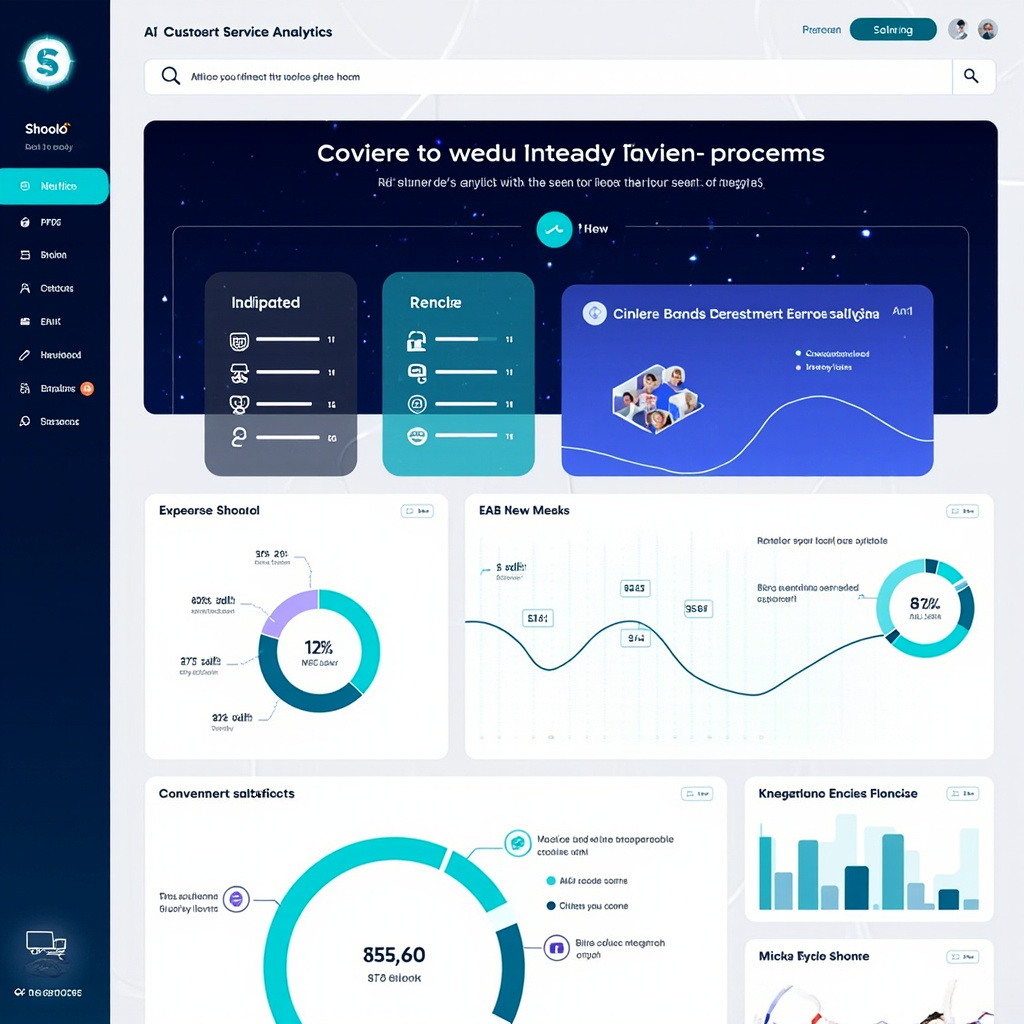
AI customer service analytics dashboard showing metrics and integrations
Comprehensive analytics dashboards help track AI performance, customer satisfaction, and integration effectiveness across multiple platforms

Implementation Best Practices for 2026

Start Small and Scale Gradually

Don’t try to automate everything at once. Begin with your most common, straightforward inquiries and gradually expand as the AI learns and improves. This approach allows you to maintain service quality while building confidence in the system.

Maintain the Human Touch

AI should enhance, not replace, human customer service. Always provide clear paths for customers to reach human agents when needed, and ensure your AI can gracefully hand off complex issues.

Monitor and Optimize Continuously

Use analytics and customer feedback to continuously improve your AI customer service. Most platforms provide detailed insights into which interactions succeed and which need human intervention.

The Future of AI Customer Service

Looking ahead, we’re seeing trends toward even more personalized AI interactions, better integration with voice assistants, and AI that can handle increasingly complex problem-solving scenarios. The tools available in 2026 are just the beginning of what’s possible.

Getting Started Today

The barrier to entry for AI customer service has never been lower. Most platforms offer free trials, and many integrate with popular business tools you’re likely already using. Start by identifying your most common customer inquiries, then choose a tool that specializes in handling those types of interactions.

Remember, the goal isn’t to eliminate human customer service but to make it more efficient and effective. When AI handles routine inquiries, your human team can focus on complex problem-solving and building genuine customer relationships.

AI customer service tools are no longer a luxury for large corporations—they’re becoming essential for any business that wants to compete on customer experience in 2026 and beyond. The question isn’t whether to adopt these tools, but which ones will work best for your specific needs and customer base.

Best AI Writing Tools for Content Creators in 2026

Why AI Writing Tools Have Become Essential

Content creation in 2026 is a different game than it was even two years ago. AI writing tools have evolved from glorified autocomplete into genuine creative partners. They can help you brainstorm ideas, draft articles, refine your tone, optimize for SEO, and even repurpose a single piece of content across multiple formats — all in a fraction of the time it would take manually.

But with dozens of AI writing tools on the market, choosing the right one can be overwhelming. We’ve tested the most popular options and narrowed it down to the best tools for content creators in 2026.

Top AI Writing Tools

1. Claude by Anthropic — Best for Long-Form and Nuanced Writing

Claude has become the writer’s favorite AI. Its ability to handle long documents (up to 200K tokens of context) makes it ideal for long-form articles, reports, and books. Claude’s writing style tends to be more natural and less “AI-sounding” than competitors, with better nuance and reasoning.

Standout features:

  • Massive context window for working with long documents
  • Excellent at matching specific tones and writing styles
  • Projects feature lets you upload reference materials for consistent output
  • Strong at analysis, editing, and providing constructive feedback
  • Artifacts feature for creating and iterating on documents

Pricing: Free tier available; Pro plan at $20/month

Best for: Blog posts, essays, newsletters, reports, and any long-form content

2. ChatGPT with Canvas — Best All-Around Writing Assistant

ChatGPT remains the most versatile AI tool for content creators. The Canvas feature transforms it into a proper writing environment where you can collaboratively edit documents with AI assistance. Its integration with DALL-E for images and browsing for research makes it a one-stop content creation shop.

Standout features:

  • Canvas mode for collaborative document editing
  • Built-in web browsing for research
  • DALL-E integration for creating accompanying images
  • Custom GPTs for specialized writing workflows
  • Voice mode for dictation and brainstorming

Pricing: Free tier; Plus at $20/month; Pro at $200/month

Best for: Versatile content creation, research-heavy writing, multimedia content

3. Jasper — Best for Marketing Teams

Jasper is purpose-built for marketing content. It understands brand voice, campaign objectives, and marketing frameworks. If you’re creating ads, landing pages, email campaigns, or social media copy, Jasper’s templates and workflows can dramatically speed up production.

Standout features:

  • Brand voice training — maintains your company’s tone across all content
  • Marketing-specific templates (ads, emails, product descriptions, social posts)
  • Campaign workflow tools for managing content across channels
  • Team collaboration features with approval workflows
  • SEO optimization built into the writing process

Pricing: Plans start at $39/month

Best for: Marketing teams, agencies, e-commerce copywriting

4. Writesonic — Best Budget-Friendly Option

Writesonic offers impressive AI writing capabilities at a lower price point. It includes a built-in SEO optimizer, article writer, and even an AI chatbot builder. For freelancers and small businesses watching their budget, it’s hard to beat.

Standout features:

  • Chatsonic — AI assistant with real-time web search
  • Article Writer 6.0 with automated research and SEO
  • Brand voice customization
  • Bulk content generation for scaling output
  • WordPress integration for direct publishing

Pricing: Free tier; paid plans from $16/month

Best for: Freelancers, small businesses, SEO-focused content

5. Notion AI — Best for Integrated Workflows

Notion AI is perfect for creators who already use Notion as their content management hub. It’s not a standalone writing tool but an AI layer added to your existing workspace. Draft, edit, summarize, translate, and brainstorm without leaving your project management setup.

Standout features:

  • AI integrated directly into your existing workspace
  • Summarize meeting notes, databases, and documents
  • Translate content into multiple languages
  • Auto-fill database properties with AI
  • Q&A across all your workspace content

Pricing: $10/member/month add-on

Best for: Teams already using Notion for content planning and management

How to Get Better Results From Any AI Writing Tool

1. Provide Context, Not Just Instructions

Instead of “Write a blog post about email marketing,” try: “Write a 1000-word blog post about email marketing best practices for small e-commerce businesses. Target audience is non-technical store owners. Tone should be friendly and practical, with specific examples.”

2. Use the Two-Pass Method

First pass: Let the AI generate a rough draft without overthinking. Second pass: Go back and refine specific sections, asking the AI to improve transitions, add examples, or adjust tone. This produces much better results than trying to get perfection in one shot.

3. Feed It Examples

Upload or paste examples of writing you admire. Most AI tools can analyze style, tone, and structure from examples and apply similar patterns to new content.

4. Always Add Your Human Touch

The best AI-assisted content is a collaboration. Use AI for the heavy lifting — research, first drafts, outlines, repurposing — but add your personal insights, experiences, and opinions. That’s what makes content truly valuable and authentic.

5. Repurpose Aggressively

One of AI’s biggest superpowers is content repurposing. Write one detailed blog post, then ask the AI to create: a Twitter thread, a LinkedIn post, an email newsletter version, a YouTube script, and Instagram carousel copy. One piece of content becomes six.

The Bottom Line

AI writing tools in 2026 aren’t replacing content creators — they’re supercharging them. The creators who thrive are the ones using AI to eliminate the grunt work (research, first drafts, reformatting) so they can focus on what humans do best: original thinking, personal storytelling, and genuine expertise.

If you’re just getting started, Claude or ChatGPT are your best bets for general writing. If you’re on a marketing team, Jasper is worth the investment. And if budget is tight, Writesonic punches well above its price point.

The only wrong choice? Not using AI at all.

How to Use AI Agents to Automate Your Workflow in 2026

What Are AI Agents, and Why Should You Care?

You’ve probably used AI chatbots — you type a question, get an answer. AI agents are the next evolution. Instead of just answering questions, agents can take actions on your behalf. They can browse the web, send emails, fill out forms, move files, and chain together multiple steps to complete complex tasks — all with minimal human input.

In 2026, AI agents have gone from experimental curiosity to practical productivity tool. Whether you’re a freelancer juggling dozens of clients or a busy professional drowning in repetitive tasks, AI agents can reclaim hours of your week. Here’s how to put them to work.

The Best AI Agent Platforms in 2026

1. OpenAI Operator — The Mainstream Choice

OpenAI’s Operator is the most polished consumer-facing AI agent. It can navigate websites, fill out forms, and complete multi-step online tasks using a built-in browser. Think of it as a virtual assistant that can actually click buttons and type into websites.

Great for: Online shopping, booking appointments, researching products, filling out applications

How to use it: Simply describe what you want done in natural language. “Find me the cheapest flight from NYC to London in March” — and Operator will actually search flight sites, compare prices, and present options.

2. Manus — The Power User’s Agent

Manus made waves as one of the first truly autonomous AI agents that can handle complex, multi-step workflows. It can research topics, create documents, analyze data, and even deploy simple websites — all from a single instruction.

Great for: Research projects, data analysis, content creation, competitive analysis

How to use it: Give it a high-level goal like “Research the top 10 CRM platforms, compare their pricing and features, and create a summary document.” Manus will autonomously plan, research, and deliver.

3. Zapier AI + Agents — Automation for Everyone

Zapier has evolved from simple if-this-then-that automation to full AI agent capabilities. Its AI-powered “Agents” can monitor triggers, make decisions, and execute complex multi-step workflows across thousands of apps.

Great for: Business process automation, email management, CRM updates, social media scheduling

How to use it: Build an agent that monitors your inbox for invoices, extracts the amounts, logs them in a spreadsheet, and sends payment reminders — all automatically.

4. Microsoft Copilot Studio — Enterprise-Grade Agents

For those in the Microsoft ecosystem, Copilot Studio lets you build custom AI agents that work across Microsoft 365, Dynamics, and Azure. These agents can access your company data, follow your business rules, and integrate with your existing tools.

Great for: Internal helpdesks, HR workflows, sales processes, IT automation

Practical Workflows You Can Automate Today

Email Triage and Response

One of the quickest wins with AI agents is email management. Set up an agent to:

  1. Scan incoming emails and categorize them (urgent, FYI, spam, action needed)
  2. Draft responses for routine inquiries
  3. Flag important messages and summarize them in a daily digest
  4. Auto-forward specific emails to the right team member

Tools like Zapier or Microsoft Copilot can handle this with minimal setup.

Content Research and Summarization

If your job involves staying on top of industry news, an AI agent can:

  1. Monitor specific websites, RSS feeds, or social media for relevant topics
  2. Summarize articles into 2-3 sentence briefs
  3. Compile a weekly digest delivered to your inbox or Slack
  4. Flag trending topics you should be aware of

Meeting Follow-Up Automation

Combine an AI meeting assistant (like Fathom or Otter) with an agent workflow:

  1. AI transcribes and summarizes the meeting
  2. Agent extracts action items and assigns them in your project management tool
  3. Follow-up reminders are automatically scheduled
  4. Meeting notes are filed in the appropriate project folder

Social Media Management

AI agents can handle the repetitive parts of social media:

  1. Monitor mentions and comments for sentiment
  2. Draft responses to common questions
  3. Schedule posts based on optimal timing algorithms
  4. Generate weekly performance reports

Best Practices for Working With AI Agents

  • Start small: Automate one workflow at a time. Get it working reliably before adding complexity.
  • Keep humans in the loop: For high-stakes tasks (sending client emails, financial transactions), add an approval step where you review before the agent acts.
  • Be specific in instructions: The more detailed your instructions, the better the agent performs. “Research competitors” is vague; “Find the pricing pages for Salesforce, HubSpot, and Pipedrive and extract their per-seat monthly costs” is actionable.
  • Monitor and iterate: Check your agent’s outputs regularly, especially in the first few weeks. Refine instructions based on mistakes.
  • Mind your data: Be thoughtful about what data you give agents access to. Start with non-sensitive workflows and expand as you build trust.

The Future Is Agentic

AI agents represent a fundamental shift in how we interact with technology. Instead of you adapting to software — learning interfaces, clicking through menus, remembering workflows — the software adapts to you. You describe what you want in plain English, and the agent figures out how to make it happen.

We’re still in the early days, and these tools will only get more capable. The best time to start experimenting with AI agents is now, while the learning curve is gentle and the productivity gains are already substantial. Pick one repetitive task from your week, set up an agent to handle it, and watch the time savings compound.

AI Image Generators Compared: DALL-E 3 vs Midjourney vs Flux

The AI Image Generation Landscape in 2026

AI image generation has exploded in quality and accessibility. Whether you’re a designer looking for creative inspiration, a marketer who needs quick visuals, or just someone who loves creating art, there’s never been a better time to explore these tools. But with so many options, which one should you actually use?

In this comparison, we’ll put three of the biggest AI image generators head-to-head: DALL-E 3 (via ChatGPT), Midjourney v7, and Flux by Black Forest Labs. Each has distinct strengths, and the best choice depends entirely on what you’re trying to create.

DALL-E 3 — Best for Accessibility and Text Rendering

OpenAI’s DALL-E 3 is built directly into ChatGPT, making it the most accessible AI image generator for casual users. You simply describe what you want in conversation, and ChatGPT generates it — no special syntax or parameters needed.

Strengths:

  • Text in images: DALL-E 3 is still the leader at rendering readable text within images — signs, logos, book covers, and memes
  • Conversational refinement: You can iteratively adjust images through natural dialogue (“make the sky more orange,” “remove the person on the left”)
  • Safety guardrails: Strong content filtering makes it suitable for professional and educational use
  • Integration: Works seamlessly within ChatGPT’s ecosystem for multi-modal workflows

Weaknesses:

  • Can feel “smoothed over” — images sometimes lack the raw artistic quality of competitors
  • Limited control over artistic style without detailed prompting
  • Resolution capped compared to dedicated tools

Best for: Quick mockups, social media graphics, presentations, anything requiring text in the image.

Midjourney v7 — Best for Artistic Quality

Midjourney has long been the artists’ choice, and version 7 cements that position. The images it produces have a distinctive aesthetic quality that’s hard to replicate — rich lighting, cinematic composition, and an almost painterly feel.

Strengths:

  • Stunning aesthetics: Produces the most visually striking images of any generator, with beautiful lighting and composition
  • Style consistency: Great at maintaining a consistent look across multiple generations
  • Community and curation: Active community with shared prompts and styles to learn from
  • Web interface: The new web app (replacing the Discord-only era) makes it much more user-friendly
  • Personalization: Style references and character references let you maintain consistency across projects

Weaknesses:

  • Text rendering still trails DALL-E 3
  • No free tier — plans start at $10/month
  • Less precise control over specific details (hands, fingers still occasionally off)
  • Can be “too artistic” when you want photorealistic accuracy

Best for: Marketing materials, concept art, book covers, any project where visual beauty is the priority.

Flux — Best for Photorealism and Open-Source Flexibility

Flux by Black Forest Labs (from the original Stable Diffusion creators) has emerged as the technical powerhouse of AI image generation. Its open-source roots mean unmatched flexibility, and its photorealistic output is genuinely hard to distinguish from photographs.

Strengths:

  • Photorealism: Produces the most convincingly real-looking images, especially human faces and environments
  • Open source: Flux.1 models can be run locally, giving you full control and zero per-image costs
  • Prompt adherence: Exceptionally good at following complex, detailed prompts accurately
  • No content restrictions: When running locally, you have complete creative freedom
  • LoRA and fine-tuning: Vast ecosystem of community fine-tunes for specific styles, characters, and use cases

Weaknesses:

  • Requires technical knowledge to run locally (or use a hosted API)
  • Less “artistic” out of the box — outputs tend toward realism over stylization
  • No built-in conversational interface — you need a separate UI or API setup
  • Hardware requirements for local use are significant (16GB+ VRAM recommended)

Best for: Product photography, stock photo replacement, realistic mockups, and advanced users who want maximum control.

Head-to-Head Comparison

Here’s how they stack up across key criteria:

Image Quality: Midjourney (artistic) > Flux (photorealistic) > DALL-E 3 (good all-around)

Text in Images: DALL-E 3 >> Flux > Midjourney

Ease of Use: DALL-E 3 > Midjourney > Flux

Price: Flux (free locally) > DALL-E 3 (included with ChatGPT Plus) > Midjourney ($10-60/mo)

Customization: Flux >> Midjourney > DALL-E 3

Speed: DALL-E 3 ≈ Midjourney > Flux (local, hardware-dependent)

Which Should You Choose?

  • Choose DALL-E 3 if: You want the easiest experience, need text in your images, or already pay for ChatGPT Plus
  • Choose Midjourney if: Visual quality is your top priority and you’re willing to pay for consistently beautiful results
  • Choose Flux if: You want photorealistic images, value open-source freedom, or need to run generation locally for cost or privacy reasons

Pro Tip: Use Multiple Tools

The real power move in 2026? Don’t limit yourself to one tool. Many professionals use DALL-E 3 for quick ideation and text-heavy graphics, Midjourney for hero images and marketing visuals, and Flux for photorealistic product shots. Each tool has a sweet spot, and combining them gives you the best of all worlds.

The AI image generation space continues to evolve rapidly, with new models and features dropping almost monthly. Whichever tool you start with, the most important step is to start experimenting — you’ll be amazed at what these tools can create with just a few well-crafted words.

Best AI Meeting Assistants in 2026: Never Miss an Action Item Again

Why You Need an AI Meeting Assistant

If you’ve ever walked out of a meeting wondering what was actually decided, you’re not alone. In 2026, AI meeting assistants have become essential productivity tools, automatically capturing notes, generating action items, and even providing real-time coaching to help you communicate more effectively.

These tools go far beyond simple transcription. Today’s AI meeting assistants understand context, identify key decisions, and integrate seamlessly with your existing workflow. Let’s explore the best options available right now.

Top AI Meeting Assistants in 2026

1. Fathom — Best for Sales Teams

Fathom has quickly become a favorite among sales professionals and team leaders. It joins your Zoom, Google Meet, or Microsoft Teams calls automatically and provides instant AI-generated summaries the moment the call ends.

Key features:

  • Automatic call recording and transcription in 30+ languages
  • AI-generated summaries with action items and key highlights
  • CRM integration with Salesforce, HubSpot, and more
  • Highlight clips you can share with teammates
  • Free tier available with generous limits

What makes Fathom stand out is its speed — summaries appear within seconds of the call ending, and the accuracy of its action item detection is impressive.

2. Otter.ai — Best for General Use

Otter.ai remains one of the most versatile AI meeting assistants on the market. It works across virtually all meeting platforms and provides real-time transcription you can follow along with during the call.

Key features:

  • Real-time transcription with speaker identification
  • OtterPilot automatically joins and records meetings
  • AI chat feature — ask questions about any past meeting
  • Automated slide capture from presentations
  • Integration with Slack, Notion, and project management tools

Otter’s ability to let you search across all your meeting history using natural language is a game-changer for anyone who attends multiple meetings daily.

3. Fireflies.ai — Best for Team Collaboration

Fireflies.ai excels at making meeting knowledge accessible across your entire organization. Its AI doesn’t just transcribe — it analyzes conversations to extract topics, sentiment, and key metrics.

Key features:

  • Topic tracking across multiple meetings
  • Sentiment analysis and talk-time metrics
  • Custom AI apps and workflows (AskFred chatbot)
  • Conversation intelligence dashboards
  • API access for custom integrations

For teams that want to spot patterns across dozens of customer calls or identify coaching opportunities, Fireflies’ analytics are unmatched.

4. Granola — Best for Minimal Interruption

Granola takes a different approach. Instead of a visible bot joining your call, it works locally on your Mac or PC, listening through your device’s audio. This means no awkward “Granola is recording” notifications for participants.

Key features:

  • No bot joins the call — completely invisible to other participants
  • Works with any meeting platform (even phone calls)
  • Combines your rough notes with the AI transcript for enhanced summaries
  • Clean, minimal interface
  • Privacy-focused — audio processed locally first

Granola is perfect for sensitive meetings where having a visible recording bot might change the dynamic of the conversation.

5. Avoma — Best for Revenue Teams

Avoma combines meeting intelligence with revenue operations. It goes beyond note-taking to provide deal insights, competitive analysis from call mentions, and coaching scorecards.

Key features:

  • AI-generated meeting agendas and follow-up emails
  • Revenue intelligence and deal tracking
  • Competitive mention tracking across calls
  • Coaching scorecards for sales managers
  • Playlist creation for onboarding new team members

How to Choose the Right AI Meeting Assistant

Consider these factors when picking your tool:

  • Team size: Solo users might prefer Granola’s simplicity, while larger teams benefit from Fireflies’ analytics
  • Use case: Sales teams should look at Fathom or Avoma; general knowledge workers will love Otter
  • Privacy concerns: If recording consent is an issue, Granola’s invisible approach is ideal
  • Budget: Fathom offers the most generous free tier; enterprise features typically run $15-30/user/month
  • Integrations: Make sure it connects with your CRM, project management, and communication tools

Tips for Getting the Most Out of AI Meeting Assistants

  1. Review and edit summaries: AI is good but not perfect. Spend 2 minutes after each call reviewing the summary for accuracy.
  2. Create a tagging system: Most tools let you tag meetings by project or topic. This makes searching later much easier.
  3. Share summaries proactively: Send meeting recaps to attendees immediately — it builds trust and ensures alignment.
  4. Use the AI chat features: Instead of re-watching a 60-minute recording, ask the AI “What did Sarah say about the Q2 timeline?”
  5. Set up integrations early: Connect your meeting assistant to Slack, your CRM, or Notion from day one to build a searchable knowledge base.

The Bottom Line

AI meeting assistants have matured from novelty to necessity. Whether you’re a solo freelancer trying to keep track of client calls or a VP managing a team of 50, there’s a tool that fits your workflow. The time savings alone — typically 30-60 minutes per day — make these tools some of the highest-ROI AI investments you can make in 2026.

Our top pick for most users? Fathom for its generous free tier and lightning-fast summaries. But if you need deep analytics, give Fireflies.ai a serious look.