AI-Powered Health and Wellness Tools That Actually Improve Your Daily Life in 2026

Artificial intelligence has quietly revolutionized personal health and wellness, transforming everything from sleep tracking to mental health support into sophisticated, personalized experiences. In 2026, AI health tools have moved beyond simple step counting to provide genuinely useful insights that can improve your daily life in meaningful ways.

The most impressive part? These tools don’t require medical expertise to use effectively. They translate complex health data into actionable recommendations that fit seamlessly into your existing routines.

AI Sleep Optimization That Actually Works

WHOOP 4.0 with Enhanced AI Coaching doesn’t just track your sleep—it learns your unique patterns and provides personalized recommendations for optimal recovery. The AI coach analyzes your heart rate variability, sleep stages, and daily activities to suggest the perfect bedtime, optimal room temperature, and even which activities to avoid before sleep.

Eight Sleep Pod with AI Climate Control actively manages your sleep environment throughout the night. The AI learns your body’s temperature patterns and adjusts the mattress temperature to keep you in deep sleep longer. Users report average sleep quality improvements of 32% within the first month.

Oura Ring Generation 4 with predictive health insights can detect early signs of illness before you feel symptoms. The AI analyzes subtle changes in your body temperature, heart rate variability, and sleep patterns to alert you when your body might be fighting something off.

Mental Health AI That Provides Real Support

Woebot Enhanced offers AI-powered cognitive behavioral therapy techniques that adapt to your communication style and emotional patterns. Unlike generic self-help apps, Woebot learns how you process emotions and provides personalized coping strategies that actually resonate with your personality.

Headspace AI Meditation Guide creates custom meditation sessions based on your stress levels, available time, and current emotional state. The AI can detect tension in your voice during check-ins and adjusts meditation techniques accordingly.

Calm AI Sleep Stories generates personalized bedtime stories and soundscapes based on your sleep patterns and preferences. The AI learns what helps you fall asleep faster and creates content specifically designed for your relaxation triggers.

AI Fitness Coaches That Understand Your Body

Mirror Home Gym with AI Form Correction provides real-time feedback on your workout form using computer vision. The AI personal trainer can spot when you’re favoring one side, compensating for an injury, or pushing too hard, and adjusts exercises immediately to prevent injury.

Tonal AI Strength Training learns your strength patterns and automatically adjusts resistance throughout each rep to maximize muscle engagement. The system can detect when you’re having a good day and push you harder, or when you’re tired and need a lighter workout.

Peloton AI Instructor creates personalized workout playlists and class recommendations based on your energy levels, fitness goals, and even your calendar. Have a stressful meeting later? It might suggest a calming yoga flow. Feeling energetic? Time for a high-intensity ride.

Nutrition AI That Makes Healthy Eating Effortless

Noom AI Food Logging can identify foods from photos and automatically log nutritional information, but more importantly, it learns your eating patterns and suggests healthier alternatives that you’ll actually enjoy. Instead of generic diet advice, it provides personalized suggestions based on your taste preferences.

MyFitnessPal AI Meal Planning creates weekly meal plans based on your nutritional goals, cooking skills, available time, and food preferences. The AI considers your schedule and suggests quick meals for busy days and more elaborate cooking projects for weekends.

Cronometer AI Nutrient Optimization analyzes your dietary patterns and identifies specific nutrient deficiencies, then suggests simple food swaps to improve your overall nutrition without drastically changing your eating habits.

AI-Powered Preventive Health Monitoring

Apple Watch Ultra with Advanced Health AI can detect irregular heart rhythms, monitor blood oxygen levels, and even identify potential signs of diabetes through heart rate variability patterns. The AI learns your baseline health metrics and alerts you to significant changes.

Fitbit Sense 2 with Stress Management AI monitors stress levels throughout the day and provides personalized breathing exercises and mindfulness reminders at optimal times. The AI learns when you’re most susceptible to stress and provides preemptive support.

Samsung Galaxy Watch with Health Insights combines multiple health metrics to provide comprehensive wellness scores and actionable recommendations. The AI can correlate poor sleep with increased stress and suggest specific interventions.

AI Therapy and Emotional Support

Replika Wellness Companion creates an AI friend who provides emotional support and helps you process daily stresses. Unlike chatbots, Replika develops a persistent relationship with you, remembering your goals, concerns, and progress over time.

Sanvello AI Anxiety Management uses machine learning to identify your anxiety triggers and provides personalized coping strategies. The AI tracks which techniques work best for you and suggests them proactively when it detects rising stress levels.

MindShift AI Thought Challenging helps you identify and reframe negative thought patterns using cognitive behavioral therapy techniques. The AI learns your specific thought distortions and provides targeted exercises to build healthier thinking habits.

AI-Enhanced Medical Care

Ada AI Symptom Checker provides sophisticated health assessments that consider your complete medical history and current symptoms. The AI can help you understand when symptoms require immediate attention and when they can wait for a regular appointment.

K Health AI Doctor Consultations combines AI symptom analysis with access to licensed physicians for comprehensive virtual care. The AI pre-screens your concerns and provides doctors with detailed symptom analysis to make consultations more efficient.

Babylon Health AI Triage helps you navigate healthcare decisions by analyzing symptoms, medical history, and risk factors to recommend appropriate levels of care, from self-care to emergency room visits.

AI Wellness Coaching for Sustainable Habits

Noom AI Behavior Change goes beyond calorie counting to understand the psychological patterns behind your health choices. The AI coach identifies your motivation patterns and provides personalized strategies for building lasting healthy habits.

RISE AI Sleep Debt Management tracks your sleep debt and provides personalized recovery plans. The AI learns your sleep patterns and suggests optimal nap timing, bedtime adjustments, and caffeine cutoff times to optimize your energy levels.

Way of Life AI Habit Tracking uses machine learning to identify habit patterns and suggest optimal times and contexts for building new healthy behaviors. The AI understands your schedule and energy patterns to recommend when you’re most likely to succeed with habit changes.

AI-Powered Recovery and Pain Management

Curable AI Pain Psychology helps manage chronic pain through personalized pain science education and psychological techniques. The AI learns your pain patterns and triggers, providing targeted interventions to reduce pain perception.

BetterBack AI Posture Coaching uses smartphone sensors and computer vision to monitor your posture throughout the day and provide gentle reminders and exercises to reduce back pain and improve alignment.

Therabody AI Recovery Planning analyzes your activity levels, sleep quality, and stress indicators to create personalized recovery protocols using percussion massage, stretching, and breathing techniques.

Getting Started with AI Health Tools

Start with One Area: Choose the health aspect that bothers you most—sleep, stress, fitness, or nutrition. Focus on mastering one AI tool before adding others to avoid information overload.

Give the AI Time to Learn: Most AI health tools need 2-4 weeks to understand your patterns and provide personalized recommendations. Consistency in the early weeks is crucial for accurate insights.

Integrate with Existing Habits: The most successful AI health tools enhance routines you already have rather than requiring completely new behaviors. Look for tools that fit into your current lifestyle.

Privacy First: Health data is sensitive. Choose tools that encrypt data, allow you to delete your information, and clearly explain how your data is used. Many tools now offer local processing options.

Combine AI Insights with Professional Care: AI tools provide valuable insights, but they don’t replace professional medical advice. Use AI to optimize daily habits and inform conversations with healthcare providers.

The Future of Personalized Wellness

What makes 2026’s AI health tools revolutionary isn’t just their sophistication—it’s their ability to provide genuinely personalized advice that works for your specific body, lifestyle, and preferences.

These tools learn that you’re more motivated by progress tracking than competition, that you sleep better with cooler temperatures, or that your stress levels spike during certain times of the day. They use this knowledge to provide recommendations that actually fit your life.

The key to success with AI health tools is consistency and patience. Give them time to learn your patterns, and they’ll become increasingly valuable partners in your wellness journey.

Most importantly, these tools make healthy living more accessible and less overwhelming. Instead of generic advice that might not work for you, AI provides personalized guidance that considers your unique circumstances and helps you make sustainable improvements to your daily life.

Your health is personal. Now your health tools can be, too.

Best AI Language Learning Apps in 2026: Master New Languages 5x Faster

Language learning has been revolutionized by artificial intelligence in 2026, with apps that adapt to your learning style, correct pronunciation in real-time, and create personalized conversation practice that feels surprisingly natural. These aren’t the flashcard apps of yesterday—today’s AI language tutors use sophisticated algorithms to make learning faster, more engaging, and remarkably effective.

The most impressive development? AI tutors that can hold genuine conversations, correct mistakes naturally, and adjust difficulty on the fly. If you’ve been putting off learning that second language, 2026 is your year.

The New Generation of AI Language Tutors

Duolingo Max with GPT-4 Integration has transformed from a gamified vocabulary builder into a sophisticated conversation partner. The AI tutor, Lily, can explain grammar rules in plain English, help you understand cultural context, and even engage in roleplay scenarios. When you make a mistake, she doesn’t just mark it wrong—she explains why and helps you understand the pattern.

Babbel Live AI Conversations creates unlimited practice opportunities with AI conversation partners who have distinct personalities and backgrounds. You might practice ordering food with “Maria” from Barcelona or discuss business with “Hans” from Berlin. Each AI character maintains consistent personality traits and regional language variations.

Rosetta Stone with Adaptive Intelligence now adjusts its teaching methodology based on how you learn best. Visual learner? It emphasizes images and context clues. Auditory learner? It increases listening exercises and pronunciation drills. The system identifies your learning patterns within the first week.

AI-Powered Pronunciation Perfection

Speechling with Advanced Voice AI provides instant feedback on pronunciation with accuracy that rivals human tutors. It doesn’t just tell you you’re wrong—it shows you exactly which sounds need adjustment and provides targeted exercises to improve specific phonemes.

ELSA Speak for Multiple Languages has expanded beyond English to cover Spanish, French, German, and Mandarin. The AI analyzes your native language accent patterns and provides customized pronunciation training to help you sound more natural in your target language.

Nemo with Contextual Pronunciation teaches pronunciation within natural conversation contexts. Instead of practicing isolated sounds, you learn pronunciation while discussing topics that interest you, making the learning feel less artificial.

Conversational AI That Actually Understands

Replika Language Partner creates a persistent AI companion that learns your interests and personality while helping you practice your target language. Your AI friend remembers previous conversations and builds on them, creating continuity that traditional language apps lack.

ChatGPT Language Tutor with custom instructions provides unlimited conversation practice on any topic. You can ask it to roleplay specific scenarios, correct your grammar while maintaining conversation flow, or explain cultural nuances behind language usage.

Claude Language Coach excels at providing detailed explanations and cultural context. It can break down complex grammar concepts, explain why certain phrases are used in specific situations, and help you understand the subtle differences between similar expressions.

Immersive AI Language Environments

VR Language Worlds using Meta Quest and Apple Vision Pro create fully immersive environments where you practice languages in context. Order coffee in a virtual Parisian café, negotiate in a Tokyo business meeting, or chat with locals in a simulated Barcelona neighborhood.

Mondly VR with AI NPCs populates virtual worlds with AI-powered non-player characters who engage in natural conversations. Each character has unique personality traits, speaking styles, and knowledge areas, creating diverse practice opportunities.

ImmerseMe AI Scenarios creates situation-specific learning environments. Preparing for a job interview in German? Practice with an AI hiring manager. Planning a trip to Italy? Navigate virtual Italian airports and hotels.

Adaptive Learning That Actually Adapts

Busuu AI Study Plan analyzes your learning patterns, available study time, and goals to create personalized daily lessons. It knows when you’re likely to forget certain words and reintroduces them just before you would naturally forget them.

Memrise AI-Generated Content creates unlimited practice materials based on your interests. Love cooking? It generates cooking-themed vocabulary and conversation scenarios. Into sports? Your lessons revolve around athletics terminology and game commentary.

Lingoda Live AI Assessment continuously evaluates your progress and adjusts lesson difficulty in real-time. If you’re struggling with past tense, it provides more examples and practice. If you’ve mastered basic conversation, it introduces more complex grammatical structures.

Context-Aware Language Learning

Beelinguapp with Smart Recommendations analyzes news articles, stories, and content in your target language, then creates comprehension exercises and vocabulary lists based on current events and topics you find interesting.

FluentU AI Curation finds real-world videos in your target language and creates personalized lessons around them. Whether it’s cooking shows, news broadcasts, or movie trailers, the AI identifies your comprehension level and creates appropriate exercises.

LingQ AI Content Generation creates reading and listening materials at your exact proficiency level. It can transform any text into a learning resource with integrated vocabulary assistance and comprehension questions.

AI Writing and Grammar Assistants

Grammarly for Multiple Languages now supports Spanish, French, German, and Portuguese with AI-powered grammar and style suggestions. It understands context and can distinguish between formal and casual writing styles.

LanguageTool AI Enhancement provides sophisticated grammar checking with explanations that help you learn rules rather than just fixing errors. It can identify patterns in your mistakes and suggest targeted practice exercises.

DeepL Write with Learning Mode not only translates and corrects your writing but explains why certain constructions are preferred and offers alternative phrasings to expand your vocabulary.

Gamified AI Learning That Works

Drops AI Word Association uses visual learning and AI-generated memory techniques to help you remember vocabulary. The system identifies which memory methods work best for you and creates personalized mnemonic devices.

Lingokids AI for Adults brings gamification techniques developed for children to adult learners, with AI-powered progress tracking that keeps you motivated without feeling childish.

Cake AI Social Learning connects you with other learners at similar levels and creates AI-moderated group challenges and conversations to maintain motivation and provide peer learning opportunities.

Specialized AI for Business Languages

Preply AI Business Coach creates industry-specific language training. Learning English for healthcare? It focuses on medical terminology and patient interaction scenarios. Need German for engineering? It emphasizes technical vocabulary and presentation skills.

Voxy AI Professional integrates with your calendar and email to identify upcoming meetings or presentations where you’ll need your target language, then provides just-in-time training for those specific scenarios.

FluentUp AI Career Path aligns language learning with your professional goals, focusing on the specific vocabulary, cultural knowledge, and communication styles you’ll need for career advancement.

Getting Started with AI Language Learning

Choose Your Primary App: Start with one main app that aligns with your learning style. Conversation-focused learners should try Duolingo Max or Babbel Live. Grammar-focused learners might prefer Rosetta Stone or Busuu.

Supplement with Specialists: Use pronunciation apps like Speechling or ELSA Speak for 10 minutes daily. Add immersive content with FluentU or BeeLinguapp for variety.

Practice Real Conversations: Set up regular ChatGPT or Claude conversations in your target language. Start with 15 minutes daily and gradually increase as you become more comfortable.

Set Realistic Goals: AI can accelerate learning, but consistency matters more than intensity. 30 minutes daily for six months will achieve more than three hours once a week.

Track Your Progress: Use AI analytics to identify your strengths and weaknesses. Most apps provide detailed insights about your learning patterns and areas needing improvement.

The Science Behind the Speed

Why do AI language apps claim you can learn “5x faster”? The science is compelling:

Personalized Spaced Repetition: AI optimizes when you review material based on your individual forgetting curve, ensuring maximum retention with minimum repetition.

Immediate Error Correction: Instead of practicing mistakes for days or weeks, AI provides instant feedback, preventing bad habits from forming.

Adaptive Difficulty: The AI keeps you in your optimal learning zone—challenging enough to grow, but not so difficult that you become frustrated and quit.

Contextual Learning: By learning language in situational contexts rather than isolated grammar rules, your brain creates stronger neural pathways for retention.

Making AI Language Learning Work for You

The key to success with AI language learning isn’t just choosing the right app—it’s creating a sustainable learning ecosystem that fits your lifestyle.

Start with your strongest learning modality. Visual learners should emphasize apps with rich imagery and context. Auditory learners should prioritize conversation and pronunciation tools. Kinesthetic learners should explore VR and interactive scenarios.

The AI revolution in language learning means you no longer need expensive private tutors or rigid classroom schedules to achieve fluency. These tools provide personalized, patient, and available-anytime instruction that adapts to your pace and style.

The future of language learning is here, and it’s powered by AI that truly understands how you learn best.

AI Home Automation Tools: Transform Your Smart Home with Intelligent Assistants in 2026

Smart homes are getting smarter, and artificial intelligence is leading the charge. In 2026, AI-powered home automation tools have evolved from simple voice commands to sophisticated systems that learn your habits, anticipate your needs, and create truly intelligent living spaces.

Gone are the days when “smart home” meant just turning lights on and off with your phone. Today’s AI home automation tools create ecosystems that think ahead, save energy, and make your daily routines effortlessly smooth.

Smart kitchen with AI appliances and intelligent refrigerator with touchscreen display
Modern AI-powered kitchen appliances seamlessly integrate intelligent automation into daily cooking routines

The New Generation of AI Home Assistants

Google Nest Hub with Gemini Integration has become the central nervous system for many smart homes. The 2026 version doesn’t just respond to commands—it observes patterns and makes proactive suggestions. When it notices you always dim the lights at 8 PM while watching TV, it starts doing it automatically while gently asking if you’d like to make it a routine.

Amazon Echo with Advanced Alexa now features contextual awareness that’s genuinely impressive. It can distinguish between different family members’ voices and adjust responses accordingly. When your teenager asks about homework help, it offers study resources. When you ask about the weather, it includes pollen counts because it knows about your allergies from previous conversations.

Apple HomeKit with enhanced Siri has finally caught up in the home automation race. The seamless integration between your iPhone, Apple Watch, and home devices creates an ecosystem where your intentions are anticipated across all your devices.

AI-Powered Climate Control That Actually Works

Ecobee SmartThermostat with AI Insights goes beyond traditional programming. It learns when different rooms are occupied, factors in outdoor weather patterns, and even considers your calendar. If it sees a dinner party on your calendar, it pre-cools the house because it knows more people means more heat.

Nest Learning Thermostat Pro with its enhanced AI algorithms can now predict seasonal changes and adjust heating and cooling patterns weeks in advance. Users report average energy savings of 23% compared to traditional programmable thermostats.

Honeywell T10 Pro Smart Thermostat introduces “comfort prediction” that analyzes humidity, air quality, and even your sleep patterns to maintain optimal comfort levels automatically.

Intelligent Security That Thinks Ahead

Ring AI-Enhanced Cameras now distinguish between family members, regular visitors, delivery drivers, and potential threats. The system learns your family’s routines and only alerts you to genuinely unusual activity. No more notifications every time the neighbor walks their dog.

Arlo Pro 5 with AI Detection features advanced behavioral analysis. It can detect if someone is acting suspiciously—lingering too long, trying door handles, or peering into windows—rather than just motion detection.

SimpliSafe AI Monitoring combines traditional security with predictive intelligence. It learns your family’s patterns and can distinguish between normal activity and potential break-ins with remarkable accuracy.

Advanced home security system with AI cameras and smart door locks
AI-powered security systems provide intelligent monitoring that distinguishes between normal activity and genuine threats

Smart Lighting That Adapts to Your Life

Philips Hue with Adaptive Lighting automatically adjusts color temperature throughout the day to support your circadian rhythm. It brightens gradually in the morning, provides energizing light during work hours, and shifts to warm tones in the evening.

LIFX AI Bulbs can sync with your calendar and activities. Working late? They provide focused task lighting. Movie night? They create the perfect ambiance automatically.

Nanoleaf Learning Panels create dynamic lighting scenes that respond to music, weather, and even your mood as detected through smartphone sensors and wearable devices.

Kitchen AI That Makes Cooking Effortless

Samsung Smart Refrigerator with AI Vision tracks what food you have, suggests recipes based on expiration dates, and can even order groceries when you’re running low on essentials.

June Intelligent Oven recognizes different foods and adjusts cooking parameters automatically. It can distinguish between a frozen pizza and fresh vegetables, applying the perfect time and temperature for each.

Whirlpool Smart Appliances work together as a connected ecosystem. Your dishwasher can communicate with your refrigerator to suggest the best time to run a cycle based on your daily routine and energy costs.

AI-Powered Entertainment Centers

Sonos Arc with AI Audio automatically adjusts sound based on room acoustics and what you’re watching. It enhances dialogue during quiet scenes and optimizes surround sound for action sequences.

LG OLED TV with AI Picture analyzes content in real-time, optimizing picture settings for movies, sports, games, or streaming content automatically.

Apple TV 4K with enhanced AI recommendations learns viewing patterns across your entire household and suggests content that different family members might enjoy together.

Energy Management That Saves Money

Tesla Powerwall with AI Optimization learns your energy usage patterns and automatically stores solar energy when it’s most efficient and releases it when electricity rates are highest.

Sense Home Energy Monitor uses machine learning to identify individual appliances and their energy usage, helping you understand and reduce your electricity costs.

Emporia Vue Smart Home Monitor provides AI-powered insights that can identify energy waste and suggest specific changes to reduce your monthly bills.

Getting Started with AI Home Automation

Start Small: Begin with one room or one type of device. A smart thermostat or a few smart bulbs can demonstrate the value before you invest in a full system.

Choose Your Ecosystem: Decide whether you want to build around Google, Amazon, Apple, or remain platform-agnostic. Each has strengths, but consistency within an ecosystem provides the best experience.

Prioritize Privacy: Look for devices that process data locally when possible, and always review privacy policies before connecting devices to your network.

Plan for Growth: Choose devices that can integrate with other systems. Today’s smart switch should work with tomorrow’s AI assistant upgrade.

The Future is Already Here

AI home automation in 2026 isn’t science fiction—it’s practical technology that genuinely improves daily life. These tools learn your preferences, anticipate your needs, and create living spaces that adapt to you rather than requiring constant manual adjustment.

The key is choosing tools that solve real problems in your specific situation. Whether that’s saving energy, improving security, or just making daily routines more convenient, AI home automation tools are finally sophisticated enough to deliver on their promises.

Start with the areas that frustrate you most in your current home setup. Let AI handle the thinking so you can focus on living.

Voice AI and Audio Processing Tools That Are Changing How We Communicate in 2026

The Voice AI Revolution: Beyond Simple Commands The voice AI tools of 2026 don’t just follow commands—they understand context, emotion, and intent. They can participate in natural conversations, process multiple languages simultaneously, and even adapt to individual speaking patterns and preferences. This evolution has opened up possibilities that seemed like science fiction just a few years ago: real-time language translation in your own voice, AI-generated podcasts that sound completely human, and meeting assistants that not only transcribe but also provide intelligent summaries and action items.

Professional business meeting with voice AI transcription tools and collaborative workspace
Modern meeting environments leverage voice AI for seamless transcription and collaboration

Essential Voice AI Tools for Everyday Users

1. Transcription and Speech-to-Text **Otter.ai Pro 2026** Otter.ai has evolved from a simple transcription service to a comprehensive meeting intelligence platform that understands context and speaker intent. **Key Features:** – Real-time transcription with 98% accuracy – Speaker identification and voice separation – Automatic meeting summaries with action items – Integration with Zoom, Teams, and Google Meet – Multi-language support with real-time translation **Best for:** Professionals who attend lots of meetings, journalists, students, content creators **Pricing:** Free plan with limitations, Pro plans from $20/month **Deepgram’s Nova-3 API** For developers and businesses needing custom transcription solutions, Deepgram offers the most accurate speech recognition available. **Key Features:** – Industry-leading accuracy across multiple languages – Real-time and batch processing – Custom vocabulary and domain adaptation – Sentiment analysis and emotion detection – Privacy-focused on-premise deployment options **Best for:** Businesses building voice-enabled applications, call centers, medical practices **Rev AI Enhanced** Rev has enhanced their human-AI hybrid approach, combining the best of both worlds for critical transcription needs. **Key Features:** – 99%+ accuracy with human review option – Specialized models for legal, medical, and technical content – Automatic speaker labeling and timestamping – Foreign accent recognition improvement – Quick turnaround times (2-12 hours)

2. Voice Enhancement and Audio Processing **Adobe Podcast AI (formerly Audition)** Adobe’s AI-powered audio tool has revolutionized podcast and content creation by making professional-quality audio accessible to everyone. **Key Features:** – Background noise removal with surgical precision – Voice enhancement that improves clarity without artifacts – Automatic leveling and EQ optimization – Remove “ums,” “ahs,” and long pauses automatically – Voice isolation in multi-speaker recordings **Best for:** Podcasters, content creators, online educators, marketers **Pricing:** Included with Creative Cloud subscription, standalone plans from $23/month **Krisp AI 3.0** The ultimate noise cancellation tool for remote workers and online communicators. **Key Features:** – Real-time noise cancellation for both input and output audio – Voice clarity enhancement for clearer communication – Echo cancellation for better video calls – Meeting transcription and note-taking – Works with any communication app **Best for:** Remote workers, online educators, customer service representatives **Pricing:** Free tier available, Pro plans from $12/month **Resemble AI Voice Cloning** Ethically-designed voice cloning technology that creates realistic synthetic voices. **Key Features:** – High-quality voice cloning from minimal audio samples – Real-time voice conversion during calls – Custom voice creation for brands and content – Emotion and style control in synthetic speech – Ethical safeguards and speaker verification **Best for:** Content creators, audiobook narrators, accessibility applications

3. Language Translation and Interpretation **DeepL Voice Translator 2026** DeepL’s expansion into real-time voice translation has set a new standard for accuracy and naturalness. **Key Features:** – Real-time conversation translation in 35+ languages – Preserves speaker’s tone and emotion – Works offline for privacy-sensitive conversations – Integration with phone calls and video conferences – Cultural context awareness for better translations **Best for:** International business professionals, travelers, multilingual families **Pricing:** Free tier with limitations, Pro plans from $15/month **Google Translate Live Conversation** Google’s updated real-time conversation feature now handles complex, multi-party discussions. **Key Features:** – Multi-person conversation translation – Automatic language detection – Visual translation for signs and documents – Offline translation for 59 languages – Integration with Android and iOS keyboards **Best for:** Casual users, travelers, students learning languages **Microsoft Translator Teams Integration** Microsoft’s enterprise-focused translation tool integrates seamlessly with business workflows. **Key Features:** – Real-time meeting translation in Microsoft Teams – Document translation with formatting preservation – Custom terminology dictionaries for businesses – Compliance with enterprise security standards – Integration with Office 365 suite

Diverse people using voice AI translation technology with multilingual interface displays
Voice AI translation technology breaks down language barriers in global communication

4. Voice Assistants and Productivity **OpenAI Voice Assistant (GPT-4 Voice)** The most advanced conversational AI available, now with natural voice interaction. **Key Features:** – Natural, contextual conversations – Task automation through voice commands – Integration with calendars, email, and productivity apps – Creative writing and brainstorming assistance – Code generation and debugging via voice **Best for:** Knowledge workers, developers, writers, researchers **Pricing:** ChatGPT Plus ($20/month) includes voice features **Anthropic Claude Voice** Anthropic’s voice-enabled AI assistant focuses on helpful, harmless, and honest interactions. **Key Features:** – Thoughtful, nuanced conversation abilities – Strong reasoning and analysis capabilities – Ethical AI responses with built-in safety measures – Research assistance and fact-checking – Writing and editing support **Best for:** Academics, researchers, content creators who value accuracy **Amazon Alexa for Business Enhanced** Amazon’s business-focused voice assistant has gained significant capabilities for workplace productivity. **Key Features:** – Conference room management and scheduling – Integration with business applications and CRMs – Custom skills development for specific workflows – Multi-user recognition and personalization – Enterprise-grade security and privacy controls

Industry-Specific Voice AI Applications

For Content Creators: Descript’s AI Studio Descript has evolved into a comprehensive audio and video editing platform powered by AI. **Key Features:** – Edit audio by editing text transcriptions – AI voice generation for corrections and additions – Automatic removal of filler words and pauses – Multi-track editing with voice isolation – Collaboration features for team projects **Best for:** Podcasters, video creators, marketing teams

For Healthcare: Nuance Dragon Medical One Medical professionals get specialized voice recognition designed for clinical environments. **Key Features:** – Medical vocabulary and terminology recognition – EHR integration for direct dictation into patient records – HIPAA-compliant cloud-based processing – Accent and specialty-specific adaptation – Mobile app for dictation on the go **Best for:** Doctors, nurses, medical transcriptionists

For Legal: Lex Machina Voice Analytics Legal professionals can analyze voice patterns in depositions and proceedings. **Key Features:** – Emotion and stress detection in testimony – Speaker verification and identification – Automatic legal document transcription – Pattern analysis across multiple cases – Integration with legal research databases

Accessibility and Inclusion Through Voice AI **Voice AI for Speech Disabilities** Tools like Project Euphonia by Google help people with speech impairments communicate more effectively. **Key Features:** – Personalized speech recognition models – Voice banking for degenerative conditions – Real-time speech enhancement – Integration with assistive communication devices **Voice AI for Vision Impairment** Services like Be My Eyes AI provide visual assistance through voice interaction. **Key Features:** – Scene description through smartphone cameras – Text reading from any surface – Navigation assistance with voice guidance – Object recognition and identification

Privacy and Security in Voice AI As voice AI becomes more prevalent, privacy concerns have led to important developments: **On-Device Processing** Many tools now offer on-device processing to keep sensitive audio data private. **Voice Biometrics** Advanced speaker verification prevents unauthorized access to voice-controlled systems. **Ethical AI Standards** Leading companies have implemented guidelines for responsible voice AI development and deployment.

Implementation Tips for Businesses

Start with Clear Use Cases Don’t implement voice AI just because it’s trendy. Identify specific problems it can solve: – Reducing meeting documentation time – Improving customer service response quality – Enabling hands-free operation in manufacturing – Enhancing accessibility for employees with disabilities

Train Your Team Voice AI tools require different interaction patterns than traditional software: – Teach natural speaking techniques for better recognition – Establish voice command standards and protocols – Provide backup manual methods for critical operations – Regular training updates as tools evolve

Consider Privacy Implications Voice data is highly personal and potentially sensitive: – Implement clear voice data policies – Use on-premise or private cloud solutions when necessary – Regular security audits and compliance checks – Employee consent and transparency about voice data usage

The Future of Voice AI Looking ahead, we’re moving toward even more natural and intuitive voice interactions: **Emotional Intelligence**: AI that responds appropriately to emotional cues in speech **Context Awareness**: Systems that remember and reference previous conversations naturally **Multimodal Integration**: Voice AI that works seamlessly with visual and text interfaces **Personalization**: AI that adapts to individual communication styles and preferences

Getting Started with Voice AI in 2026 The barrier to entry has never been lower. Most voice AI tools offer free trials, and many integrate with software you’re already using. **For Personal Use:** Start with a transcription tool like Otter.ai for meeting notes, or try voice-enhanced ChatGPT for daily productivity tasks. **For Content Creation:** Adobe Podcast AI or Descript can immediately improve your audio quality and editing efficiency. **For Business:** Begin with meeting transcription and gradually expand to customer service and workflow automation. **For Developers:** Explore APIs from Deepgram, OpenAI, or Google Cloud to build custom voice-enabled applications.

The Transformative Impact Voice AI isn’t just changing how we interact with technology—it’s changing how we communicate with each other. Language barriers are dissolving, accessibility is improving, and the speed of information processing is accelerating. The tools available in 2026 represent just the beginning of this transformation. As voice AI becomes more sophisticated and ubiquitous, it will reshape everything from education and healthcare to entertainment and international relations. Whether you’re looking to improve productivity, create better content, or build more inclusive communication systems, voice AI tools offer unprecedented capabilities that are becoming more accessible and affordable every day.

Best AI Email Assistants in 2026: Tame Your Inbox Once and For All

If your inbox feels like a second job, you’re not alone. The average professional receives over 120 emails per day, and for many of us, managing that flood takes up hours that could be spent on actual work. AI email assistants promise to change that — and in 2026, they’re finally delivering on that promise.

From intelligent sorting and auto-replies to full-blown email drafting and follow-up tracking, AI email tools have matured significantly. In this guide, we’ll cover the best options available, what they actually do well, and which one fits your workflow.

What AI Email Assistants Actually Do

Before diving into specific tools, let’s clarify what “AI email assistant” means in practice. These tools typically handle one or more of the following:

  • Smart prioritization: Automatically sorting your inbox by importance, moving newsletters and low-priority messages out of your main view.
  • Email drafting: Generating replies or new emails based on context, your writing style, and the conversation history.
  • Summarization: Condensing long email threads into brief summaries so you can catch up in seconds.
  • Follow-up tracking: Detecting when you’re waiting for a reply and reminding you to follow up.
  • Scheduling and automation: Handling meeting scheduling, recurring responses, and workflow triggers.

1. Superhuman — The Premium AI Email Experience

Superhuman has long been the email client of choice for power users, and its AI features have made it even more compelling. The “Superhuman AI” layer is deeply integrated into every aspect of the experience.

What makes it stand out: Speed. Superhuman was already the fastest email client, and AI makes it faster. You can process your entire inbox in a fraction of the time — AI drafts replies, summarizes threads, and auto-categorizes everything. The “Write with AI” feature learns your tone and produces drafts that genuinely sound like you.

Key features: AI-powered email drafting and editing, thread summarization, instant reply suggestions, read status tracking, snooze and reminders, split inbox, and keyboard-driven navigation. The AI can also translate emails and adjust tone (formal, casual, friendly) on the fly.

Best for: Professionals and executives who handle high email volumes and want the fastest possible experience.

Pricing: $30/month. No free tier, but there is a 14-day trial.

2. Google Gemini in Gmail — AI Built Right Into Your Inbox

Google has been steadily rolling out Gemini AI features across Gmail, and in 2026, they’ve reached a tipping point of genuine usefulness. If you’re already a Gmail user, these features are available without switching to a new client.

What makes it stand out: Zero friction. There’s nothing to install or configure — Gemini features appear naturally within Gmail. The “Help me write” button generates contextual drafts, thread summaries appear at the top of long conversations, and the search has gotten dramatically smarter.

Key features: “Help me write” for composing and replying, thread summarization, smart categorization, Q&A across your inbox (“What did Sarah say about the Q3 budget?”), and integration with Google Calendar and Drive. The contextual awareness is impressive — it pulls relevant documents and calendar events into suggested replies.

Best for: Anyone already using Gmail who wants AI enhancement without changing their workflow.

Pricing: Basic features free with Gmail; advanced features require Google One AI Premium at $19.99/month.

3. Microsoft Copilot in Outlook — The Enterprise Powerhouse

Microsoft’s Copilot integration in Outlook is the enterprise counterpart to Google’s Gmail AI. It’s deeply connected to the Microsoft 365 ecosystem, making it especially powerful for organizations that run on Teams, SharePoint, and OneDrive.

What makes it stand out: The cross-app intelligence is unmatched. Copilot in Outlook knows about your Teams conversations, your SharePoint documents, and your calendar. When drafting an email about a project, it can pull in relevant data from across your entire Microsoft 365 workspace.

Key features: Email drafting and coaching, thread summarization, meeting prep summaries (pulling from Teams and calendar), tone adjustment, priority inbox sorting, and action item extraction. The “coaching” feature is unique — it reviews your draft and suggests improvements for clarity, tone, and sentiment.

Best for: Organizations and professionals embedded in the Microsoft 365 ecosystem.

Pricing: Included with Microsoft 365 Copilot at $30/user/month (requires Microsoft 365 Business or Enterprise subscription).

4. Shortwave — AI-Native Email for Focused Work

Shortwave is built from the ground up as an AI-native email client. Founded by former Google engineers, it rethinks email around AI-powered organization and an emphasis on deep work.

What makes it stand out: Shortwave’s AI assistant is the most conversational of the bunch. You can chat with it about your inbox — “What are the most urgent things I need to respond to?” or “Draft a polite decline for the vendor pitch from yesterday.” It also groups related emails into bundles automatically, dramatically reducing visual clutter.

Key features: AI email assistant (chat-based), automatic email bundling, AI drafting and reply suggestions, thread summaries, scheduled send, shared labels for teams, and a “todo” system that turns emails into actionable tasks. The bundling feature alone can transform an overwhelming inbox into something manageable.

Best for: Knowledge workers who want a modern, AI-first email experience with strong organizational features.

Pricing: Free for personal use; Pro at $7/month; Business at $14/user/month.

5. SaneBox — The AI Layer That Works With Any Email Client

Unlike the other tools on this list, SaneBox isn’t an email client — it’s an AI layer that works behind the scenes with whatever email setup you already use. Gmail, Outlook, Yahoo, Apple Mail — SaneBox connects to all of them.

What makes it stand out: Flexibility. If you love your current email client but just want smarter sorting and fewer distractions, SaneBox is the answer. It filters your inbox server-side, so the sorting happens before emails even reach your client. The “SaneBlackHole” feature is legendary — drag an unwanted email into it, and you’ll never hear from that sender again.

Key features: AI inbox filtering, SaneLater (defers non-urgent mail), SaneBlackHole (permanent sender block), SaneReminders (follow-up tracking), SaneNoReplies (flags emails that didn’t get responses), and daily digest of filtered emails. No AI drafting, but the organizational features are best-in-class.

Best for: Anyone who wants AI email organization without switching email clients.

Pricing: Snack at $7/month (1 account, 2 features); Lunch at $12/month (2 accounts, 6 features); Dinner at $36/month (4 accounts, all features). 14-day free trial.

How to Choose the Right AI Email Tool

  • Gmail user who wants built-in AI? Google Gemini features are already there — just upgrade to Google One AI Premium for the full experience.
  • Microsoft 365 organization? Copilot in Outlook is the natural choice with cross-app intelligence.
  • High-volume emailer who needs speed? Superhuman’s keyboard-driven workflow with AI is unbeatable.
  • Want a fresh AI-native approach? Shortwave reimagines email around AI in smart ways.
  • Happy with your current client? SaneBox adds AI sorting without requiring you to switch anything.

The Bottom Line

Email isn’t going anywhere, but the way we manage it is changing fast. AI email assistants in 2026 can genuinely save you 30-60 minutes per day — that’s not marketing fluff, that’s the real experience of people who’ve integrated these tools into their workflow.

The key is picking the tool that fits your existing setup. Don’t fight your habits — augment them. Whether that means AI built into Gmail, a premium client like Superhuman, or a background service like SaneBox, there’s an option that will make your inbox feel manageable again.

Try one this week. Your future self — the one who isn’t drowning in unread emails — will thank you.

Best AI Music Creation Tools in 2026: Make Professional Tracks Without Musical Training

A few years ago, the idea of creating professional-sounding music without knowing how to play an instrument seemed like science fiction. In 2026, it’s Tuesday. AI music tools have evolved dramatically, and whether you want to produce a podcast intro, score a YouTube video, write a full song, or just jam for fun, there’s a tool that can help — no music theory required.

In this roundup, we’ll explore the best AI music creation tools available right now, covering everything from full song generation to AI-assisted production for experienced musicians.

How AI Music Generation Actually Works

Before diving into tools, it helps to understand what’s happening under the hood. Modern AI music models work similarly to large language models (LLMs) but for audio. They’re trained on vast datasets of music and learn patterns — chord progressions, rhythms, instrumentation, genre conventions — that they can then recombine in novel ways.

Most tools fall into two categories:

  • Text-to-music generators: You describe what you want (“upbeat jazz piano with a walking bass line”) and the AI creates it from scratch.
  • AI-assisted DAWs: These integrate AI into traditional music production workflows, helping with arrangement, mixing, mastering, or generating individual stems.

1. Suno — The Best All-Around AI Music Generator

Suno has emerged as the clear leader in text-to-music generation. Its v4 model (released late 2025) produces remarkably polished tracks complete with vocals, instrumentation, and professional mixing — all from a text prompt.

What makes it stand out: The quality gap between Suno and everything else is noticeable. Songs sound genuinely professional, with realistic vocals, creative arrangements, and genre-appropriate production. The lyrics generation is also impressively coherent — it understands verse/chorus structure, rhyme schemes, and emotional tone.

Key features: Full song generation from text prompts, custom lyrics input, style remixing, stem separation, song extension, and a community library of millions of AI-generated tracks. You can also upload a melody and have Suno build a full arrangement around it.

Best for: Content creators, hobbyists, anyone who wants complete songs quickly.

Pricing: Free tier (10 songs/day with watermark); Pro at $10/month (500 songs, commercial license); Premier at $30/month (2,000 songs).

2. Udio — The Audiophile’s AI Music Tool

Udio positions itself as the higher-fidelity alternative to Suno, and many musicians agree that its output has a more “organic” quality. While Suno excels at pop and mainstream genres, Udio tends to shine with more complex musical styles.

What makes it stand out: Udio’s audio quality is exceptional. Tracks have better dynamic range, more nuanced performances, and less of the “AI sheen” that sometimes gives generated music away. It’s particularly impressive with classical, jazz, and electronic music.

Key features: Text-to-music generation, inpainting (regenerating specific sections), audio extension, custom lyrics, and style blending. The inpainting feature is uniquely powerful — if you like 90% of a generated track but want to redo the bridge, you can regenerate just that section.

Best for: Musicians and producers who want higher-fidelity output and more granular control.

Pricing: Free tier (25 generations/month); Standard at $10/month (1,200 generations); Pro at $30/month (4,800 generations).

3. AIVA — AI Composer for Film, Games, and Advertising

AIVA (Artificial Intelligence Virtual Artist) takes a different approach. Rather than generating songs with vocals, it focuses on instrumental compositions — think film scores, game soundtracks, corporate background music, and advertising jingles.

What makes it stand out: AIVA gives you significantly more control over the composition process. You can specify key, tempo, instrumentation, duration, and emotional arc. It also outputs MIDI, which means you can import compositions into your DAW and tweak every note.

Key features: Style-based composition, MIDI export, multiple format outputs (MP3, WAV, MIDI), genre presets (cinematic, electronic, pop, jazz, etc.), and a composition editor for fine-tuning. You can even upload a reference track and have AIVA compose something similar.

Best for: Video creators, game developers, advertisers, and anyone needing royalty-free instrumental music.

Pricing: Free tier (3 downloads/month, non-commercial); Standard at $15/month (commercial license); Pro at $49/month (full copyright ownership).

4. Stable Audio by Stability AI — Open and Flexible

From the creators of Stable Diffusion comes Stable Audio, which brings the same open, community-driven philosophy to music generation. It’s particularly popular among developers and technically-minded creators who want more control over the generation process.

What makes it stand out: Stable Audio offers an API, making it easy to integrate into apps and workflows. The model is also available for local deployment, which appeals to users who want privacy or need to generate music at scale without per-track costs.

Key features: Text-to-audio generation, sound effect creation, variable-length output (up to 3 minutes), API access, and an open model for self-hosting. The sound effect generation is particularly useful — need a specific ambient sound or transition effect? Just describe it.

Best for: Developers, technical creators, and anyone who wants API-level access to music generation.

Pricing: Free tier (20 generations/month); Professional at $12/month (500 generations); self-hosted model is free.

5. BandLab with SongStarter — AI Meets Social Music Creation

BandLab is a free online DAW with a built-in social network for musicians. Its SongStarter AI feature generates musical ideas — chord progressions, melodies, beats — that you can then customize and build upon in the full DAW.

What makes it stand out: Unlike pure AI generators, BandLab encourages you to use AI as a starting point, not an endpoint. Generate an AI beat, then record your vocals over it. Use an AI chord progression as the foundation for your own arrangement. It’s AI as collaborator, not replacement.

Key features: AI song starter, full DAW with multitrack recording, effects library, virtual instruments, collaboration features, and music publishing. Everything runs in your browser — no downloads needed.

Best for: Aspiring musicians who want to learn and create, collaborative projects, and anyone who wants a free full-featured DAW.

Pricing: Completely free.

Quick Comparison Table

Suno — Best for complete songs with vocals — From free
Udio — Best audio fidelity and genre range — From free
AIVA — Best for instrumental/score compositions — From free
Stable Audio — Best for developers and API access — From free
BandLab — Best free DAW with AI assistance — Free

Tips for Getting the Best Results

  1. Be specific in your prompts. Instead of “rock song,” try “high-energy garage rock with distorted guitars, driving drums, and raspy male vocals, 140 BPM.”
  2. Iterate. Generate multiple versions and pick the best one. AI music is fast enough that you can afford to be selective.
  3. Layer tools. Generate a backing track in Suno, extract stems, then add your own vocals or instruments in BandLab.
  4. Check licensing. Free tiers often restrict commercial use. If you’re using AI music in content that generates revenue, make sure you’re on a plan that grants commercial rights.

The Bottom Line

AI music creation in 2026 is accessible, powerful, and — most importantly — fun. Whether you’re a complete beginner or a seasoned producer looking for inspiration, these tools can dramatically accelerate your creative process. The barrier to making music has never been lower, and the ceiling of what’s possible has never been higher.

Pick a tool, describe the music in your head, and hit generate. You might just surprise yourself with what comes out.

Best AI Personal Finance Tools in 2026: Let AI Manage Your Money Smarter

Managing personal finances has always been one of those tasks that people know they should do but rarely enjoy. Between tracking expenses, building budgets, monitoring investments, and planning for retirement, it’s easy to feel overwhelmed. That’s where AI-powered personal finance tools come in — and in 2026, they’ve gotten remarkably good.

Whether you’re trying to save for a down payment, pay off debt, or simply understand where your money goes each month, there’s now an AI tool that can help. In this guide, we’ll walk through the best AI personal finance tools available right now, what makes each one unique, and how to pick the right one for your situation.

Why AI Is a Game-Changer for Personal Finance

Traditional budgeting apps required you to manually categorize transactions, set static budgets, and check in regularly. AI changes the equation in several key ways:

  • Automatic categorization: AI learns your spending patterns and categorizes transactions with 95%+ accuracy — no more sorting through hundreds of entries.
  • Predictive insights: Instead of just showing you what happened, AI tools can forecast your cash flow, flag upcoming shortfalls, and suggest adjustments before problems arise.
  • Personalized advice: Based on your income, spending habits, and goals, AI can offer tailored recommendations that actually make sense for your specific situation.
  • Natural language interaction: Many tools now let you ask questions like “How much did I spend on dining out last month?” and get instant answers.

1. Cleo — The AI Financial Assistant That Talks Like a Friend

Cleo has been around for a few years, but its 2026 update is a significant leap forward. The app connects to your bank accounts and credit cards, then uses AI to analyze your spending and provide a conversational financial experience.

What makes it stand out: Cleo’s chatbot interface is genuinely fun to use. You can text it questions, get roasted about your spending habits (yes, it has a “roast me” mode), or ask for a weekly spending summary. It’s particularly good for younger users who find traditional finance apps boring.

Key features: Automated savings, salary advance (up to $250), budget tracking, spending insights, and credit score monitoring. The AI component has gotten much smarter at detecting subscription creep and suggesting cancellations.

Pricing: Free tier available; Cleo Plus at $5.99/month; Cleo Builder at $14.99/month for credit building features.

2. Monarch Money — AI-Powered Financial Dashboard for Couples and Families

Monarch Money has quickly become the go-to replacement for Mint (which shut down in 2024). It offers a comprehensive financial dashboard that aggregates all your accounts in one place, with AI layered on top for intelligent insights.

What makes it stand out: Monarch is particularly strong for households. It handles joint accounts, individual accounts, and shared budgets elegantly. The AI assistant can answer questions about combined household spending, identify where one partner might be overspending, and suggest budget adjustments.

Key features: Multi-account aggregation, investment tracking, net worth monitoring, collaborative budgets, recurring transaction detection, and AI-powered financial advice. The investment tracking is especially impressive — it can analyze your portfolio allocation and compare it to your stated risk tolerance.

Pricing: $14.99/month or $99.99/year. No free tier, but there’s a 7-day trial.

3. Copilot Money — Beautiful Design Meets Smart AI

If you’re an Apple user who appreciates clean design, Copilot Money is hard to beat. Originally iOS-only, it expanded to web and Android in late 2025. The AI engine behind Copilot is focused on making your financial data instantly understandable.

What makes it stand out: The visual presentation is best-in-class. Copilot turns complex financial data into beautiful, intuitive charts and summaries. The AI automatically detects recurring charges, tracks spending trends, and provides weekly email digests with actionable insights.

Key features: Real-time transaction feeds, smart categorization, investment tracking, spending trends, recurring transaction management, and AI-generated weekly reports. The “Ask Copilot” feature lets you query your finances in natural language.

Pricing: $14.99/month or $95.88/year.

4. YNAB (You Need A Budget) + AI Features

YNAB has always been the gold standard for intentional budgeting, and in 2026 they’ve finally added meaningful AI features. The core philosophy — give every dollar a job — remains, but AI now helps you stick to it.

What makes it stand out: YNAB’s AI doesn’t just track spending passively. It actively helps you allocate money, suggests category adjustments based on your actual patterns, and can predict which budget categories you’re likely to overspend on this month based on historical data.

Key features: Zero-based budgeting, goal tracking, AI-powered budget suggestions, debt payoff planning, and a robust education library. The AI loan planner is particularly useful — it can model different payoff strategies and show you exactly how much you’d save.

Pricing: $14.99/month or $109/year. 34-day free trial.

5. Magnifi — AI Investment Advisor

If your main concern is investing rather than day-to-day budgeting, Magnifi deserves a look. It’s an AI-powered investment platform that lets you research, compare, and trade investments using natural language queries.

What makes it stand out: You can ask Magnifi questions like “Show me low-cost ETFs focused on clean energy with strong 5-year returns” and get curated results with AI analysis. It’s like having a financial advisor who never sleeps and has no minimum account balance.

Key features: Natural language investment search, portfolio analysis, trade execution, AI-generated investment comparisons, and educational content. The AI can explain complex financial concepts in plain English.

Pricing: Free to browse; trading accounts start at $0 with standard brokerage fees.

How to Choose the Right AI Finance Tool

Here’s a quick framework for choosing:

  • Just starting out with budgeting? Start with Cleo — it’s free and makes finance feel approachable.
  • Managing household finances? Monarch Money handles multi-person budgeting better than anyone.
  • Apple ecosystem + design-conscious? Copilot Money is your best bet.
  • Serious about zero-based budgeting? YNAB with its new AI features is unmatched.
  • Focused on investing? Magnifi’s natural language interface makes research effortless.

The Bottom Line

AI personal finance tools in 2026 aren’t just glorified calculators — they’re genuine assistants that learn your habits, anticipate your needs, and help you make better decisions with your money. The best part? Most offer free tiers or trials, so you can experiment before committing.

Start with one tool, give it a month, and see how it changes your relationship with money. You might be surprised how much easier financial management becomes when AI is doing the heavy lifting.

AI Tools That Are Revolutionizing Small Business Automation in 2026

The Small Business Automation Revolution

Gone are the days when automation required expensive enterprise software and teams of developers. Today’s AI tools are plug-and-play solutions that can be set up in minutes and provide immediate value. From automating social media posts to managing inventory, these tools are democratizing business efficiency.

The key is understanding which processes to automate first and how to choose tools that grow with your business.

Essential AI Automation Categories for Small Businesses

AI-powered marketing automation workspace
Modern AI marketing automation combines social media scheduling, email campaigns, and content creation across multiple platforms

1. Social Media and Content Management

Hootsuite AI Assistant 2026

Hootsuite’s AI assistant has evolved far beyond simple scheduling. It now creates content, responds to comments, and even adjusts posting times based on audience engagement patterns.

Key Features:
– AI-generated posts tailored to your brand voice
– Automatic response to common customer inquiries on social platforms
– Performance optimization that learns from your audience
– Multi-platform content adaptation (what works on LinkedIn vs. Instagram)

Best for: Service-based businesses, retail stores, restaurants

Pricing: Starts at $49/month for comprehensive AI features

Buffer’s Create AI

Buffer’s 2026 offering focuses on visual content creation and scheduling, making it perfect for businesses that rely heavily on imagery.

Key Features:
– AI-generated images and graphics
– Automatic hashtag optimization
– Content calendar that adapts to trending topics
– ROI tracking for social media efforts

2. Email Marketing and Customer Communication

Mailchimp’s AI Campaign Builder

Mailchimp has transformed from a simple email service to a comprehensive marketing automation platform powered by AI.

Key Features:
– Emails that write themselves based on customer behavior
– Predictive analytics for optimal send times
– Automatic list segmentation based on engagement patterns
– A/B testing that runs continuously and implements winners automatically

Best for: E-commerce, content creators, service providers

Pricing: Free plan available, paid plans from $13/month

ActiveCampaign’s AI Sales Assistant

This tool goes beyond email marketing to provide full customer journey automation.

Key Features:
– Lead scoring that actually predicts purchase likelihood
– Automated follow-up sequences that adapt to customer responses
– CRM integration with predictive contact management
– Sales forecasting based on email engagement

3. Financial Management and Bookkeeping

QuickBooks AI Bookkeeper

QuickBooks has integrated AI to automate most bookkeeping tasks that traditionally required human intervention.

Key Features:
– Automatic transaction categorization with 95% accuracy
– Cash flow predictions based on historical patterns
– Expense report automation from photo receipts
– Tax preparation assistance throughout the year

Best for: Any business that needs financial organization

Pricing: Starts at $30/month with AI features included

FreshBooks AI Time Tracking

Perfect for service-based businesses that bill by the hour.

Key Features:
– Automatic time tracking based on computer activity
– AI-generated invoices with project details
– Expense tracking through photo recognition
– Client communication automation

4. Inventory and Supply Chain Management

TradeGecko AI (now QuickBooks Commerce)

This platform uses AI to predict inventory needs and automate reordering.

Key Features:
– Demand forecasting that considers seasonality and trends
– Automatic reorder points that adjust based on sales velocity
– Multi-channel inventory sync (online store, physical location, marketplaces)
– Supplier performance tracking with alternative source suggestions

Best for: Product-based businesses with complex inventory

Cin7’s AI Demand Planning

Advanced inventory management with AI-powered insights.

Key Features:
– Sales forecasting with weather and event consideration
– Automated purchase order generation
– Dead stock identification and clearance recommendations
– Integration with major e-commerce platforms

Industry-Specific AI Automation Tools

For Restaurants: Toast AI Manager

Toast’s 2026 AI manager handles scheduling, inventory, and customer service simultaneously.

Features:
– Staff scheduling based on predicted busy periods
– Ingredient ordering automation
– Customer preference tracking and menu recommendations
– Automated review response management

For Professional Services: Calendly AI Scheduling

Beyond simple appointment booking, this AI understands context and optimizes your entire schedule.

Features:
– Meeting preparation automation with client research
– Follow-up task creation based on meeting outcomes
– Buffer time insertion based on meeting types
– Client communication automation throughout the engagement

For E-commerce: Shopify AI Store Manager

Shopify’s AI has evolved into a comprehensive store management assistant.

Features:
– Product description generation from just a photo
– Dynamic pricing based on competitor analysis
– Customer support chat that handles complex queries
– Marketing campaign creation and management

AI financial and inventory management dashboard
AI-powered financial dashboards provide automated invoicing, cash flow predictions, inventory management, and supply chain optimization

Implementation Strategy: Starting Your AI Automation Journey

Phase 1: Identify Repetitive Tasks (Week 1)

Before choosing tools, spend a week documenting how you spend your time. Look for tasks you do daily or weekly that follow the same pattern. These are prime automation candidates.

Common automation-ready tasks:
– Social media posting
– Invoice generation and follow-up
– Appointment confirmations and reminders
– Basic customer service inquiries
– Data entry and file organization

Phase 2: Start with One Tool (Month 1)

Choose the automation tool that addresses your biggest time drain. Don’t try to automate everything at once. Master one system before adding another.

Implementation tips:
– Start with the tool’s templates and gradually customize
– Set aside time to train the AI on your specific business
– Monitor results closely for the first month
– Document what works and what doesn’t

Phase 3: Integration and Optimization (Months 2-3)

Once your first automation tool is working smoothly, add complementary tools and focus on making them work together.

Key considerations:
– Choose tools that integrate with each other
– Create workflows that span multiple platforms
– Regular review and optimization of automation rules
– Staff training on how to work alongside AI tools

Measuring Success: AI Automation ROI

Track these metrics to ensure your AI automation investment is paying off:

Time Savings:
– Hours per week saved on routine tasks
– Reduction in manual data entry
– Faster response times to customers

Revenue Impact:
– Increased sales from better customer communication
– Improved cash flow from automated invoicing
– Higher customer retention from consistent service

Cost Reduction:
– Reduced need for additional staff
– Lower error rates in financial management
– Decreased customer service costs

Common Pitfalls and How to Avoid Them

Over-automation: Not every task should be automated. Keep human touch points for complex customer issues and relationship building.

Under-training: AI tools work best when properly configured for your specific business. Invest time in setup and training.

Ignoring maintenance: Automation isn’t “set and forget.” Regular review and optimization are essential.

The Future of Small Business Automation

We’re moving toward a future where AI assistants will handle entire business processes, not just individual tasks. The tools available in 2026 are laying the groundwork for even more sophisticated automation in the coming years.

Emerging trends:
– Cross-platform AI that manages multiple business functions
– Predictive automation that anticipates needs before they arise
– Natural language business management (“AI, increase our marketing spend if profit margins stay above 20%”)

Getting Started Today

The best time to start with AI automation was yesterday. The second-best time is today. Choose one area of your business where you spend the most time on repetitive tasks, select an appropriate tool, and begin your automation journey.

Remember, the goal of AI automation isn’t to replace human judgment and creativity—it’s to free up your time so you can focus on growing your business and serving your customers better. Start small, measure results, and gradually expand your automation toolkit as you see success.

The small businesses that embrace AI automation now will have a significant competitive advantage in the years to come. Don’t let the complexity intimidate you. These tools are designed for business owners, not tech experts, and they’re more accessible than ever before.

AI-Powered Customer Service Tools That Are Transforming Small Business Support in 2026

Why AI Customer Service Tools Matter Now More Than Ever

The expectations for customer service have skyrocketed. Customers want instant responses, personalized solutions, and round-the-clock availability. At the same time, hiring and training human customer service representatives has become increasingly expensive and challenging.

This is where AI steps in—not to replace human agents entirely, but to handle routine inquiries, provide instant responses, and escalate complex issues to humans when needed. The result? Faster resolution times, consistent service quality, and the ability to scale support without proportionally increasing costs.

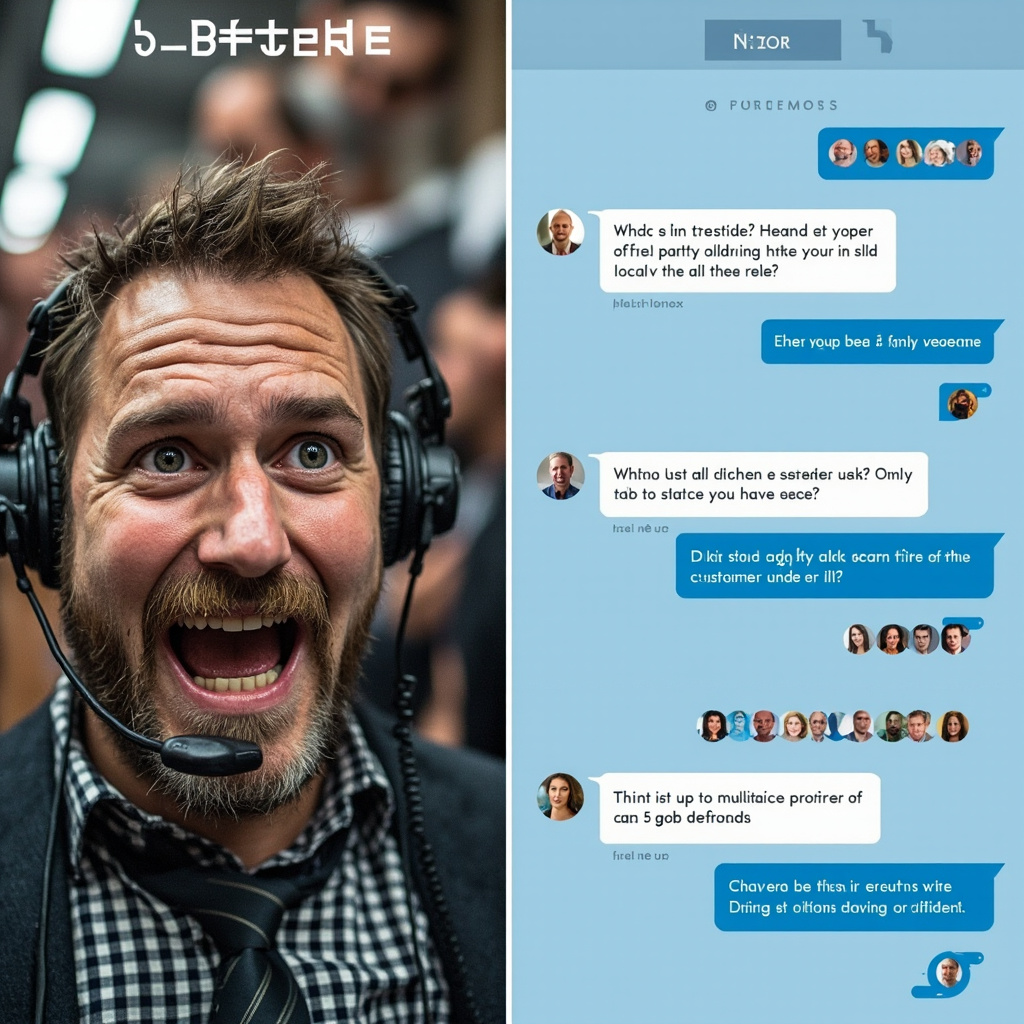
Before and after comparison of customer service with AI assistance
The transformation from overwhelmed customer service teams to efficient AI-assisted support that handles multiple inquiries simultaneously

Top AI Customer Service Tools for 2026

1. Intercom’s Resolution Bot with GPT-4 Integration

Intercom has always been a leader in customer communication, but their 2026 Resolution Bot powered by GPT-4 integration is a game-changer. This tool can handle up to 80% of routine customer inquiries without human intervention.

Key Features:
– Natural language understanding that actually gets context
– Integration with your knowledge base and FAQs
– Seamless handoff to human agents when needed
– Multi-language support for global businesses

Best for: SaaS companies, e-commerce stores, and any business with a substantial online presence.

Pricing: Starts at $39/month for small teams, with enterprise plans available.

2. Zendesk Answer Bot 3.0

Zendesk’s latest Answer Bot has been rebuilt from the ground up with advanced AI capabilities. What sets it apart is its ability to learn from your specific business context and improve over time.

Key Features:
– Learns from past ticket resolutions
– Provides confidence scores for its suggestions
– Works across email, chat, and social media
– Advanced analytics to track performance

Best for: Established businesses with existing customer service workflows.

Pricing: Available as an add-on to Zendesk plans, starting at $50/month.

3. Ada’s AI Customer Service Platform

Ada specializes in conversational AI that feels genuinely human. Their 2026 platform includes voice recognition and can handle complex, multi-turn conversations.

Key Features:
– Voice and text conversation capabilities
– Integration with CRM systems
– Automated ticket creation and routing
– Real-time sentiment analysis

Best for: Companies that prioritize conversational, human-like interactions.

Pricing: Custom pricing based on conversation volume and features needed.

Specialized AI Tools for Specific Industries

E-commerce: Shopify’s AI Customer Assistant

Shopify’s built-in AI assistant has evolved significantly in 2026, now capable of handling order tracking, returns, product recommendations, and even processing refunds automatically.

Key Features:
– Direct integration with Shopify stores
– Handles order-related inquiries automatically
– Product recommendation engine
– Automated return and refund processing

Healthcare: Healthbot for Patient Support

For healthcare providers, specialized compliance and privacy considerations are crucial. Healthbot provides HIPAA-compliant AI customer service specifically designed for healthcare environments.

Key Features:
– HIPAA-compliant data handling
– Appointment scheduling and reminders
– Basic symptom assessment and triage
– Insurance and billing inquiry handling

How to Choose the Right AI Customer Service Tool

Consider Your Volume and Complexity

Start by analyzing your current customer service load. How many inquiries do you receive per day? What percentage are routine questions that could be automated? Tools like Intercom and Zendesk work well for high-volume, varied inquiries, while specialized tools might be better for specific use cases.

Integration Capabilities

Your AI customer service tool should integrate seamlessly with your existing systems—CRM, help desk software, e-commerce platform, and communication tools. This integration is crucial for providing context-aware responses.

Customization and Training

The best AI customer service tools allow you to customize responses, train the AI on your specific business information, and maintain your brand voice. Look for tools that offer easy customization without requiring technical expertise.

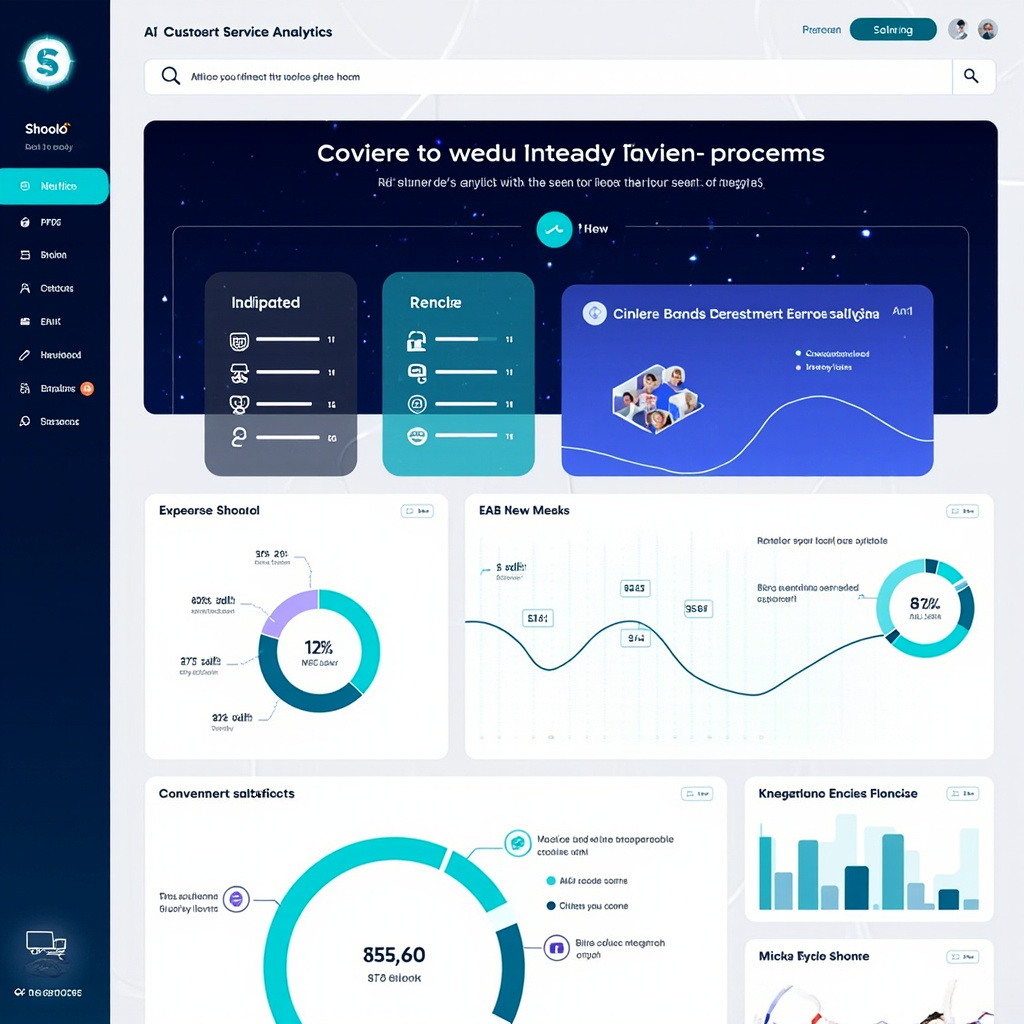
AI customer service analytics dashboard showing metrics and integrations
Comprehensive analytics dashboards help track AI performance, customer satisfaction, and integration effectiveness across multiple platforms

Implementation Best Practices for 2026

Start Small and Scale Gradually

Don’t try to automate everything at once. Begin with your most common, straightforward inquiries and gradually expand as the AI learns and improves. This approach allows you to maintain service quality while building confidence in the system.

Maintain the Human Touch

AI should enhance, not replace, human customer service. Always provide clear paths for customers to reach human agents when needed, and ensure your AI can gracefully hand off complex issues.

Monitor and Optimize Continuously

Use analytics and customer feedback to continuously improve your AI customer service. Most platforms provide detailed insights into which interactions succeed and which need human intervention.

The Future of AI Customer Service

Looking ahead, we’re seeing trends toward even more personalized AI interactions, better integration with voice assistants, and AI that can handle increasingly complex problem-solving scenarios. The tools available in 2026 are just the beginning of what’s possible.

Getting Started Today

The barrier to entry for AI customer service has never been lower. Most platforms offer free trials, and many integrate with popular business tools you’re likely already using. Start by identifying your most common customer inquiries, then choose a tool that specializes in handling those types of interactions.

Remember, the goal isn’t to eliminate human customer service but to make it more efficient and effective. When AI handles routine inquiries, your human team can focus on complex problem-solving and building genuine customer relationships.

AI customer service tools are no longer a luxury for large corporations—they’re becoming essential for any business that wants to compete on customer experience in 2026 and beyond. The question isn’t whether to adopt these tools, but which ones will work best for your specific needs and customer base.

Best AI Writing Tools for Content Creators in 2026

Why AI Writing Tools Have Become Essential

Content creation in 2026 is a different game than it was even two years ago. AI writing tools have evolved from glorified autocomplete into genuine creative partners. They can help you brainstorm ideas, draft articles, refine your tone, optimize for SEO, and even repurpose a single piece of content across multiple formats — all in a fraction of the time it would take manually.

But with dozens of AI writing tools on the market, choosing the right one can be overwhelming. We’ve tested the most popular options and narrowed it down to the best tools for content creators in 2026.

Top AI Writing Tools

1. Claude by Anthropic — Best for Long-Form and Nuanced Writing

Claude has become the writer’s favorite AI. Its ability to handle long documents (up to 200K tokens of context) makes it ideal for long-form articles, reports, and books. Claude’s writing style tends to be more natural and less “AI-sounding” than competitors, with better nuance and reasoning.

Standout features:

  • Massive context window for working with long documents
  • Excellent at matching specific tones and writing styles
  • Projects feature lets you upload reference materials for consistent output
  • Strong at analysis, editing, and providing constructive feedback
  • Artifacts feature for creating and iterating on documents

Pricing: Free tier available; Pro plan at $20/month

Best for: Blog posts, essays, newsletters, reports, and any long-form content

2. ChatGPT with Canvas — Best All-Around Writing Assistant

ChatGPT remains the most versatile AI tool for content creators. The Canvas feature transforms it into a proper writing environment where you can collaboratively edit documents with AI assistance. Its integration with DALL-E for images and browsing for research makes it a one-stop content creation shop.

Standout features:

  • Canvas mode for collaborative document editing
  • Built-in web browsing for research
  • DALL-E integration for creating accompanying images
  • Custom GPTs for specialized writing workflows
  • Voice mode for dictation and brainstorming

Pricing: Free tier; Plus at $20/month; Pro at $200/month

Best for: Versatile content creation, research-heavy writing, multimedia content

3. Jasper — Best for Marketing Teams

Jasper is purpose-built for marketing content. It understands brand voice, campaign objectives, and marketing frameworks. If you’re creating ads, landing pages, email campaigns, or social media copy, Jasper’s templates and workflows can dramatically speed up production.

Standout features:

  • Brand voice training — maintains your company’s tone across all content
  • Marketing-specific templates (ads, emails, product descriptions, social posts)
  • Campaign workflow tools for managing content across channels
  • Team collaboration features with approval workflows
  • SEO optimization built into the writing process

Pricing: Plans start at $39/month

Best for: Marketing teams, agencies, e-commerce copywriting

4. Writesonic — Best Budget-Friendly Option

Writesonic offers impressive AI writing capabilities at a lower price point. It includes a built-in SEO optimizer, article writer, and even an AI chatbot builder. For freelancers and small businesses watching their budget, it’s hard to beat.

Standout features:

  • Chatsonic — AI assistant with real-time web search
  • Article Writer 6.0 with automated research and SEO
  • Brand voice customization
  • Bulk content generation for scaling output
  • WordPress integration for direct publishing

Pricing: Free tier; paid plans from $16/month

Best for: Freelancers, small businesses, SEO-focused content

5. Notion AI — Best for Integrated Workflows

Notion AI is perfect for creators who already use Notion as their content management hub. It’s not a standalone writing tool but an AI layer added to your existing workspace. Draft, edit, summarize, translate, and brainstorm without leaving your project management setup.

Standout features:

  • AI integrated directly into your existing workspace
  • Summarize meeting notes, databases, and documents
  • Translate content into multiple languages
  • Auto-fill database properties with AI
  • Q&A across all your workspace content

Pricing: $10/member/month add-on

Best for: Teams already using Notion for content planning and management

How to Get Better Results From Any AI Writing Tool

1. Provide Context, Not Just Instructions

Instead of “Write a blog post about email marketing,” try: “Write a 1000-word blog post about email marketing best practices for small e-commerce businesses. Target audience is non-technical store owners. Tone should be friendly and practical, with specific examples.”

2. Use the Two-Pass Method

First pass: Let the AI generate a rough draft without overthinking. Second pass: Go back and refine specific sections, asking the AI to improve transitions, add examples, or adjust tone. This produces much better results than trying to get perfection in one shot.

3. Feed It Examples

Upload or paste examples of writing you admire. Most AI tools can analyze style, tone, and structure from examples and apply similar patterns to new content.

4. Always Add Your Human Touch

The best AI-assisted content is a collaboration. Use AI for the heavy lifting — research, first drafts, outlines, repurposing — but add your personal insights, experiences, and opinions. That’s what makes content truly valuable and authentic.

5. Repurpose Aggressively

One of AI’s biggest superpowers is content repurposing. Write one detailed blog post, then ask the AI to create: a Twitter thread, a LinkedIn post, an email newsletter version, a YouTube script, and Instagram carousel copy. One piece of content becomes six.

The Bottom Line

AI writing tools in 2026 aren’t replacing content creators — they’re supercharging them. The creators who thrive are the ones using AI to eliminate the grunt work (research, first drafts, reformatting) so they can focus on what humans do best: original thinking, personal storytelling, and genuine expertise.

If you’re just getting started, Claude or ChatGPT are your best bets for general writing. If you’re on a marketing team, Jasper is worth the investment. And if budget is tight, Writesonic punches well above its price point.

The only wrong choice? Not using AI at all.