AI Image Generators Compared: DALL-E 3 vs Midjourney vs Flux


The AI Image Generation Landscape in 2026
AI image generation has exploded in quality and accessibility. Whether you’re a designer looking for creative inspiration, a marketer who needs quick visuals, or just someone who loves creating art, there’s never been a better time to explore these tools. But with so many options, which one should you actually use?
In this comparison, we’ll put three of the biggest AI image generators head-to-head: DALL-E 3 (via ChatGPT), Midjourney v7, and Flux by Black Forest Labs. Each has distinct strengths, and the best choice depends entirely on what you’re trying to create.
DALL-E 3 — Best for Accessibility and Text Rendering
OpenAI’s DALL-E 3 is built directly into ChatGPT, making it the most accessible AI image generator for casual users. You simply describe what you want in conversation, and ChatGPT generates it — no special syntax or parameters needed.
Strengths:
- Text in images: DALL-E 3 is still the leader at rendering readable text within images — signs, logos, book covers, and memes
- Conversational refinement: You can iteratively adjust images through natural dialogue (“make the sky more orange,” “remove the person on the left”)
- Safety guardrails: Strong content filtering makes it suitable for professional and educational use
- Integration: Works seamlessly within ChatGPT’s ecosystem for multi-modal workflows
Weaknesses:
- Can feel “smoothed over” — images sometimes lack the raw artistic quality of competitors
- Limited control over artistic style without detailed prompting
- Resolution capped compared to dedicated tools
Best for: Quick mockups, social media graphics, presentations, anything requiring text in the image.
Midjourney v7 — Best for Artistic Quality
Midjourney has long been the artists’ choice, and version 7 cements that position. The images it produces have a distinctive aesthetic quality that’s hard to replicate — rich lighting, cinematic composition, and an almost painterly feel.
Strengths:
- Stunning aesthetics: Produces the most visually striking images of any generator, with beautiful lighting and composition
- Style consistency: Great at maintaining a consistent look across multiple generations
- Community and curation: Active community with shared prompts and styles to learn from
- Web interface: The new web app (replacing the Discord-only era) makes it much more user-friendly
- Personalization: Style references and character references let you maintain consistency across projects
Weaknesses:
- Text rendering still trails DALL-E 3
- No free tier — plans start at $10/month
- Less precise control over specific details (hands, fingers still occasionally off)
- Can be “too artistic” when you want photorealistic accuracy
Best for: Marketing materials, concept art, book covers, any project where visual beauty is the priority.
Flux — Best for Photorealism and Open-Source Flexibility
Flux by Black Forest Labs (from the original Stable Diffusion creators) has emerged as the technical powerhouse of AI image generation. Its open-source roots mean unmatched flexibility, and its photorealistic output is genuinely hard to distinguish from photographs.
Strengths:
- Photorealism: Produces the most convincingly real-looking images, especially human faces and environments
- Open source: Flux.1 models can be run locally, giving you full control and zero per-image costs
- Prompt adherence: Exceptionally good at following complex, detailed prompts accurately
- No content restrictions: When running locally, you have complete creative freedom
- LoRA and fine-tuning: Vast ecosystem of community fine-tunes for specific styles, characters, and use cases
Weaknesses:
- Requires technical knowledge to run locally (or use a hosted API)
- Less “artistic” out of the box — outputs tend toward realism over stylization
- No built-in conversational interface — you need a separate UI or API setup
- Hardware requirements for local use are significant (16GB+ VRAM recommended)
Best for: Product photography, stock photo replacement, realistic mockups, and advanced users who want maximum control.
Head-to-Head Comparison
Here’s how they stack up across key criteria:
Image Quality: Midjourney (artistic) > Flux (photorealistic) > DALL-E 3 (good all-around)
Text in Images: DALL-E 3 >> Flux > Midjourney
Ease of Use: DALL-E 3 > Midjourney > Flux
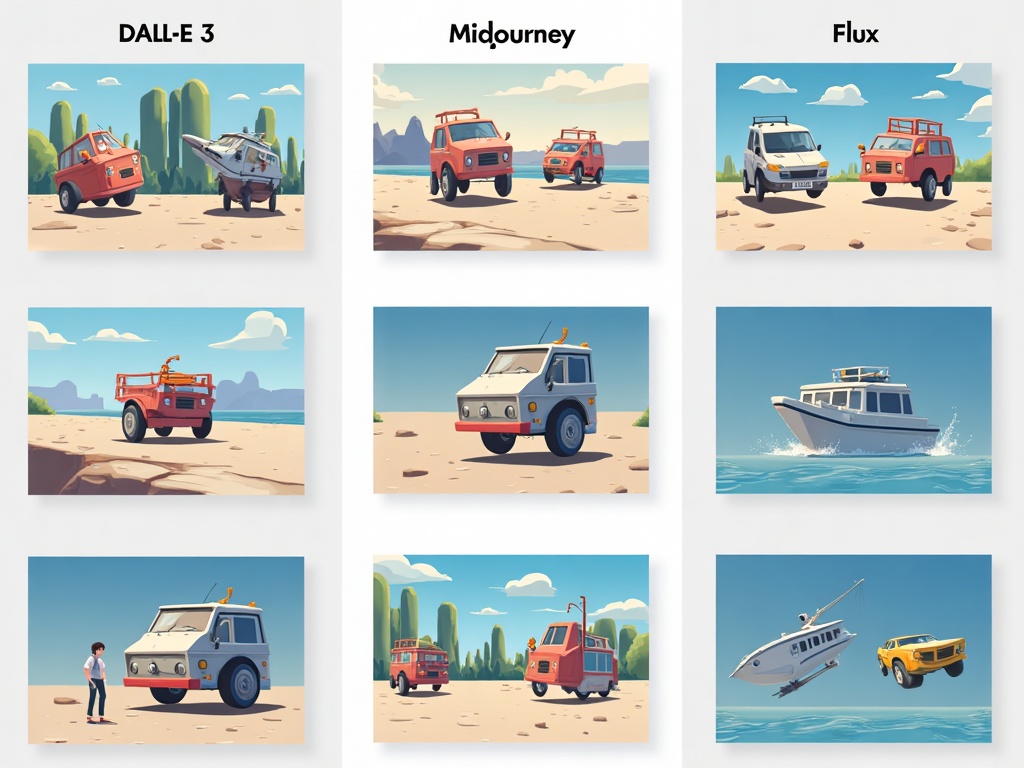
Price: Flux (free locally) > DALL-E 3 (included with ChatGPT Plus) > Midjourney ($10-60/mo)
Customization: Flux >> Midjourney > DALL-E 3
Speed: DALL-E 3 ≈ Midjourney > Flux (local, hardware-dependent)
Which Should You Choose?
- Choose DALL-E 3 if: You want the easiest experience, need text in your images, or already pay for ChatGPT Plus
- Choose Midjourney if: Visual quality is your top priority and you’re willing to pay for consistently beautiful results
- Choose Flux if: You want photorealistic images, value open-source freedom, or need to run generation locally for cost or privacy reasons
Pro Tip: Use Multiple Tools
The real power move in 2026? Don’t limit yourself to one tool. Many professionals use DALL-E 3 for quick ideation and text-heavy graphics, Midjourney for hero images and marketing visuals, and Flux for photorealistic product shots. Each tool has a sweet spot, and combining them gives you the best of all worlds.
The AI image generation space continues to evolve rapidly, with new models and features dropping almost monthly. Whichever tool you start with, the most important step is to start experimenting — you’ll be amazed at what these tools can create with just a few well-crafted words.
Related Reading
- The Best AI Coding Assistants for 2026: A Complete Comparison Guide
- Best AI Productivity Tools Worth Paying For in 2026
- OpenArt AI ControlNet: The Game-Changing Tool That Gives You Pixel-Perfect Control Over AI Art