AI Planning Assistants for 2026: Save 2 Hours Daily with Smart Scheduling


Productivity experts have long known a simple truth: just 10-12 minutes of daily planning can save you up to 2 hours and boost productivity by 25%. But in 2026, AI planning assistants are taking this concept to entirely new levels, with users reporting an average of 26 minutes saved per day on routine tasks alone.

The days of juggling multiple calendars, sticky notes, and endless to-do lists are rapidly becoming a thing of the past. AI planning assistants represent one of the most significant productivity breakthroughs we’ve seen, transforming how everyday users organize their time and accomplish their goals.

The Planning Revolution: From Chaos to Clarity

Traditional planning methods often fail because they require constant manual updates and lack the intelligence to adapt to changing priorities. AI planning assistants solve these fundamental problems by learning your patterns, predicting conflicts, and automatically adjusting your schedule based on real-world constraints.
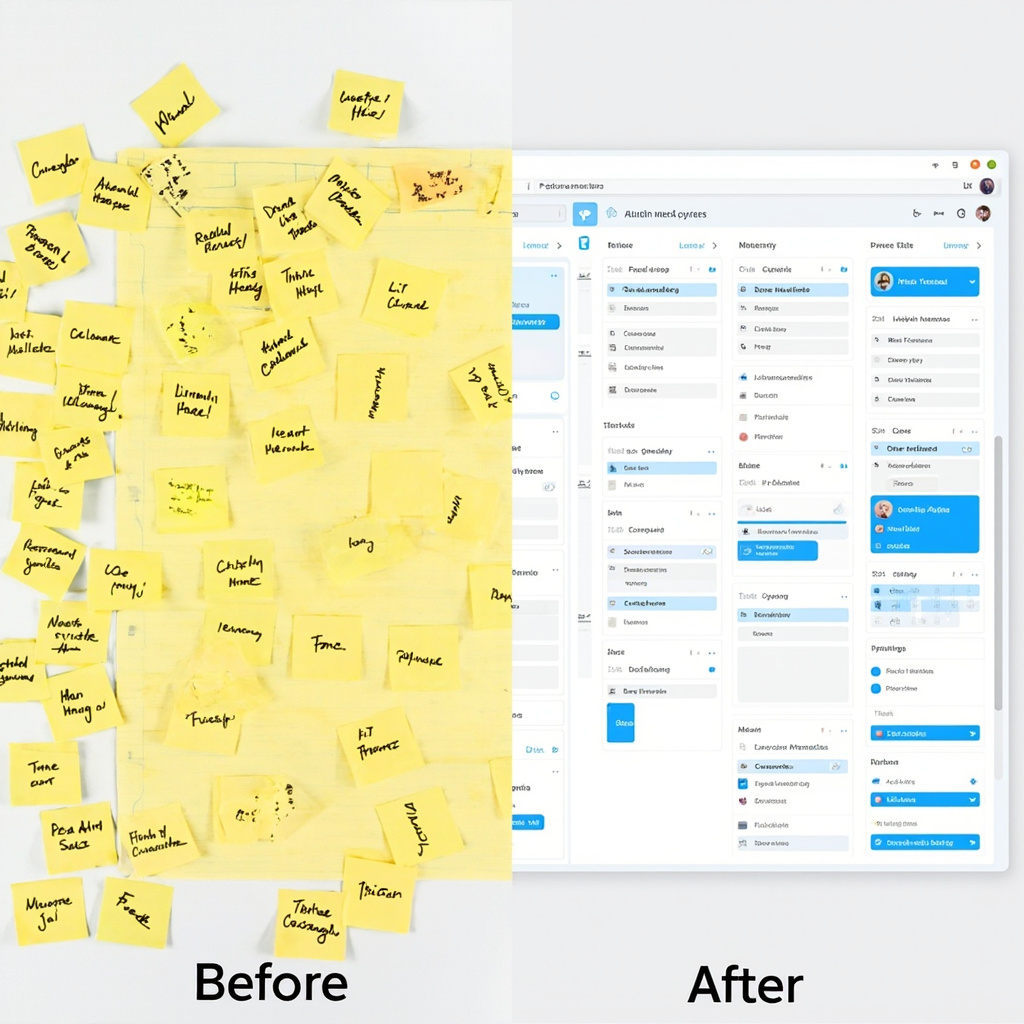
Before and after comparison of chaotic planning vs AI-organized scheduling

These intelligent systems don’t just manage your calendar—they understand context. They know that your 3 PM meeting tends to run long, that you’re most productive in the morning, and that you need buffer time between back-to-back video calls. This contextual awareness transforms scheduling from a reactive chore into a proactive advantage.

Key Benefits That Actually Matter

The real power of AI planning assistants lies in their ability to handle the mental overhead of organization:

  • Automatic Time Blocking: No more manual calendar tetris. AI assistants automatically block time for your priorities based on deadlines, energy levels, and availability.
  • Conflict Prevention: Advanced algorithms predict and prevent scheduling conflicts before they happen, saving you from embarrassing double-bookings.
  • Priority Intelligence: These tools learn what matters most to you and ensure high-priority tasks get protected time slots.
  • Adaptive Rescheduling: When plans inevitably change, AI assistants instantly reorganize your entire schedule to minimize disruption.
  • Cross-Platform Sync: Your AI assistant works across all your devices and apps, maintaining consistency whether you’re on your phone, laptop, or tablet.

Top AI Planning Tools to Try in 2026

The market has exploded with options, but several standout tools are leading the pack for everyday users:

Person using multiple AI planning tools across devices

Motion

Combines project management with intelligent scheduling. Motion’s AI automatically schedules tasks based on deadlines, priorities, and your available time slots. Perfect for professionals juggling multiple projects.

Clockify AI

Excels at time tracking and analysis. It learns your work patterns and suggests optimizations for better productivity. Great for freelancers and consultants who need detailed time insights.

Reclaim.ai

Specializes in defending your focus time. It automatically blocks calendar slots for important work and adjusts them based on meeting requests and priorities.

Trevor AI

Focuses on daily planning with drag-and-drop simplicity. It helps you realistically schedule tasks based on how long they actually take, not how long you think they should take.

Getting Started: Your First Week with AI Planning

Adopting an AI planning assistant doesn’t have to be overwhelming. Here’s a practical approach:

Week 1: Start with calendar sync only. Let the AI observe your current patterns without making changes. This builds its understanding of your routine.

Week 2: Enable automatic time blocking for one category of tasks (like “Deep Work” or “Email Processing”). See how it fits into your existing schedule.

Week 3: Add priority levels to your tasks and let the AI start making scheduling recommendations. You’ll be amazed at how it finds time slots you never noticed.

Week 4: Go full automation. Trust the system to manage your entire schedule while you focus on the work that actually matters.

The Future Is Already Here

We’re entering an era where AI planning assistants will work as “super agents” across all your productivity tools—seamlessly moving between your email, project management software, and calendar to create a unified workflow. The question isn’t whether you’ll eventually use an AI planning assistant, but how much productivity you’re willing to leave on the table while you wait.

The productivity gains are real, measurable, and immediate. With AI planning assistants handling the mental overhead of organization, you’re free to focus on what humans do best: creative thinking, relationship building, and strategic decision-making.

Start with one tool, give it a few weeks to learn your patterns, and prepare to wonder how you ever managed without it.


AI Agents for Everyday Users: How to Set Up Your First Automated Assistant in 2026

AI is no longer just about chatbots that wait for your questions. The biggest trend of 2026 is AI agents – artificial assistants that work in the background, handling tasks automatically without constant supervision. Unlike traditional AI tools, you give an agent a goal and it figures out the steps, uses your apps, and gets the job done on its own.

This week, OpenClaw became the most popular project on GitHub, even surpassing React and Linux in popularity. OpenAI acquired it in February, signaling that AI agents are moving from experimental technology to mainstream tools that everyday users can leverage.

What Makes AI Agents Different?

Traditional AI tools like ChatGPT or Gemini are reactive – you ask a question, get an answer, then ask another question. AI agents are proactive. You set them up once with clear instructions, and they continuously work toward your goals:

  • Email management: An agent can automatically sort your inbox, draft responses, and schedule follow-ups
  • Content creation: Set up an agent to research topics, write blog posts, and schedule social media posts
  • Data analysis: Agents can monitor spreadsheets, generate reports, and alert you to important changes
  • Personal scheduling: Coordinate calendars, book appointments, and send reminders

Person using ChatGPT Tasks interface

3 AI Agent Tools You Can Start Using Today

The good news is you don’t need programming skills to get started with AI agents. Here are three platforms that make automation accessible to everyone:

1. ChatGPT Tasks (Beginner-Friendly)

If you’re already using ChatGPT, Tasks is the easiest way to dip your toes into AI agents. Available to ChatGPT Plus subscribers, this feature lets you schedule repeating AI tasks without writing any code.

What you can do:

  • Schedule daily news summaries for your industry
  • Set up weekly reminders with personalized motivational messages
  • Automate research tasks that run on a schedule
  • Create recurring content ideas for social media

Getting started: Open ChatGPT, look for the “Tasks” option in the menu, and describe what you want automated. The system will ask clarifying questions to set up your first agent.

2. Lindy.ai (Most Versatile)

Lindy.ai connects to your most-used apps like Gmail, Slack, Notion, and Google Calendar. It’s more powerful than ChatGPT Tasks because it can actually take actions in your connected apps, not just provide information.

Popular use cases:

  • Automatically categorize and respond to customer emails
  • Update project status in Notion when Slack messages contain specific keywords
  • Schedule calendar events based on email requests
  • Generate and send weekly team reports

Pricing: Starts at $30/month for basic automation, with more complex workflows requiring higher-tier plans.

3. n8n (Free and Powerful)

For users who want maximum control without monthly fees, n8n is an open-source automation platform. While it requires more technical setup, it offers unlimited possibilities and connects to over 350 different services.

Best for:

  • Small businesses wanting to automate without recurring costs
  • Users comfortable with visual workflow builders
  • Teams needing custom integrations
  • Anyone who prefers self-hosted solutions

Comparison of AI automation tools

How to Choose the Right AI Agent Tool

The best platform depends on your technical comfort level and specific needs:

Choose ChatGPT Tasks if:

  • You’re new to AI automation
  • You already have a ChatGPT Plus subscription
  • You need simple, information-based tasks
  • You want to test AI agents without additional cost

Choose Lindy.ai if:

  • You need agents that take actions in multiple apps
  • You’re willing to pay for advanced features
  • You want pre-built templates for common workflows
  • Customer support and reliability are priorities

Choose n8n if:

  • You prefer one-time costs over subscriptions
  • You need custom integrations
  • Data privacy and control are important
  • You have some technical skills or access to IT support

Getting Started: Your First AI Agent in 5 Minutes

Ready to create your first AI agent? Here’s a simple project anyone can complete:

Goal: Set up a daily news digest agent that emails you industry-specific headlines every morning.

Using ChatGPT Tasks:

  1. Open ChatGPT and navigate to Tasks
  2. Type: “Send me a daily email with 5 headlines about [your industry] every morning at 8 AM”
  3. ChatGPT will ask for your email and specific preferences
  4. Confirm the setup and wait for your first automated digest

This simple automation can save you 15-20 minutes daily and ensure you never miss important industry news.

The Future of AI Agents

We’re still in the early days of AI agent adoption. By the end of 2026, experts predict that multi-agent dashboards will become standard, allowing you to manage dozens of AI assistants from a single interface. These agents will operate across all your digital environments – your browser, email, calendar, and work apps – without requiring constant management.

The key to success with AI agents is starting small. Pick one repetitive task that takes 10-15 minutes of your day, automate it with one of these tools, and gradually expand as you become more comfortable with the technology.

AI agents aren’t replacing human workers – they’re giving us back time to focus on creative and strategic work that actually matters. The question isn’t whether AI agents will become mainstream, but how quickly you’ll adopt them to stay competitive in an increasingly automated world.

AI Agents in 2026: The Autonomous Assistants Transforming Your Daily Workflow

The future of productivity is here, and it has a name: AI agents. These autonomous digital assistants are revolutionizing how we work, schedule, and manage our daily tasks. Unlike traditional AI chatbots that wait for your commands, AI agents proactively handle complex workflows, make decisions, and execute actions on your behalf.

What Are AI Agents and Why 2026 is Their Breakthrough Year

AI agents represent a fundamental shift from reactive tools to proactive thinking systems. Microsoft describes this evolution as moving from “tools to thinking systems with memory and agents” embedded directly into Windows and Office applications. These digital partners remember your preferences, learn from your habits, and execute complex workflows without constant supervision.

The key difference? Traditional AI tools respond to your requests. AI agents anticipate your needs and act autonomously within defined parameters. They can coordinate between multiple applications, handle multi-step processes, and even collaborate with other AI agents to complete complex tasks.

Game-Changing Applications for Everyday Users

Smart Scheduling That Actually Works

AI scheduling assistant managing calendars

Imagine an AI agent that doesn’t just schedule meetings—it negotiates with attendees’ calendars, finds optimal time slots across time zones, books conference rooms, sends prep materials, and even reschedules automatically when conflicts arise. These scheduling agents capture behavioral patterns and environmental signals to make intelligent decisions about when you’re most productive for different types of meetings.

Leading platforms like Microsoft 365 Copilot are rolling out agentic capabilities that handle the entire meeting lifecycle, from initial scheduling to follow-up actions. The agent learns that you prefer morning meetings for strategic discussions but afternoon slots for routine check-ins.

Email Management Revolution

AI email management system organizing inbox

Email AI agents go far beyond sorting your inbox. They can draft responses in your voice, prioritize urgent messages, schedule follow-ups, extract action items, and even coordinate with your calendar agent to schedule meetings mentioned in conversations. The most advanced systems learn your communication patterns and can handle routine correspondences entirely autonomously.

These agents don’t just filter spam—they understand context, urgency, and relationships. They can recognize when an email requires your personal attention versus when they can handle the response themselves, always keeping you in the loop on important decisions.

Project Coordination Across Platforms

AI agents excel at connecting disconnected workflows. They can monitor project management tools, update status reports, coordinate team communications, and ensure deliverables stay on track. If a deadline slips in one system, the agent automatically adjusts dependent tasks, notifies relevant stakeholders, and proposes alternative timelines.

The Enterprise Advantage: Multi-Agent Orchestration

The most powerful implementations involve multiple AI agents working together. Kore.ai and similar platforms offer multi-agent orchestration engines that act as control layers across enterprise tech stacks. These systems enable different specialized agents to collaborate, hand off context, and execute tasks with varying levels of autonomy.

For example, one agent might monitor customer support tickets while another handles inventory management. When a customer complaint relates to a product shortage, the agents automatically coordinate to provide accurate delivery estimates and proactive customer communication.

Privacy and Control: The Human-in-the-Loop Approach

Despite their autonomous capabilities, the best AI agents maintain human oversight. They operate within defined parameters, provide transparency into their decision-making, and always offer the option for human intervention. This “human-in-the-loop” approach ensures you maintain control while benefiting from AI efficiency.

Enterprise-grade platforms prioritize security and privacy, with agents operating within strict data governance frameworks. Your personal information stays protected while agents handle routine tasks that previously consumed hours of your day.

Getting Started with AI Agents Today

While full agentic capabilities are still rolling out, you can start preparing now:

  • Evaluate your repetitive tasks: Identify workflows that involve multiple steps across different applications
  • Clean up your digital workspace: AI agents work better with organized calendars, email folders, and project structures
  • Start with simple automation: Use existing tools like Zapier or Microsoft Power Automate to connect applications
  • Define your preferences: Begin documenting your work patterns, communication style, and decision-making criteria

The Road Ahead: What to Expect in 2026

Industry analysts predict that by late 2026, AI agents will handle up to 40% of routine business tasks for knowledge workers. Microsoft is embedding agentic capabilities directly into Windows, while specialized platforms are emerging for everything from financial planning to content creation.

The key is finding the right balance between automation and control. The most successful implementations will be those that enhance human capabilities rather than replace human judgment.

AI agents represent more than just productivity gains—they offer the promise of reclaiming time for strategic thinking, creative work, and meaningful relationships. As these systems mature throughout 2026, the question isn’t whether you’ll use AI agents, but how quickly you can adapt your workflows to benefit from their capabilities.

AI Browser Extensions Taking Over in 2026: The Smart Tools You Need Now

The AI revolution has moved beyond standalone apps and directly into your browser. In March 2026, we’re seeing an unprecedented wave of AI browser extensions and desktop tools that are transforming how people work, research, and browse the internet.

Google’s expansion of Gemini integration into Chrome across more regions, combined with emerging tools like Claude browser extensions and specialized AI companions, means everyday users now have access to powerful AI assistance without leaving their current workflow.

Browser Extensions Leading the Charge

The most significant development is the integration of major AI models directly into browsers. Gemini Pro Companion has emerged as a standout extension, offering multimodal capabilities that can “see” and analyze images on web pages. If you have a circuit diagram open, the extension can identify potential issues in the schematic. This level of contextual understanding represents a massive leap forward.

Desktop AI productivity workspace

Chrome’s native Gemini features are also expanding rapidly. Users in India, New Zealand, and Canada recently gained access to enhanced AI experiences, with more regions expected to follow. These built-in capabilities include smart summarization, context-aware suggestions, and automated form filling.

Desktop Productivity Revolution

Beyond browsers, desktop AI tools are reaching new levels of sophistication. The latest productivity suites integrate AI writing assistants, smart calendars, and automated task managers that learn from your behavior patterns.

  • AI writing assistants that understand context across multiple applications
  • Smart calendar tools that automatically schedule based on email content
  • Task automation that connects different software platforms
  • Voice-to-text systems with near-perfect accuracy

These tools work seamlessly in the background, enhancing productivity without requiring constant user intervention.

Security Considerations You Can’t Ignore

AI security and privacy protection interface

With great power comes great responsibility—and significant security risks. Microsoft recently identified malicious AI assistant extensions harvesting LLM chat histories, highlighting the importance of choosing trustworthy tools.

When selecting AI browser extensions, prioritize:

  • Extensions from established developers with good reputations
  • Clear privacy policies explaining data usage
  • Regular security updates and active maintenance
  • Minimal permission requirements

Avoid extensions that request excessive browser permissions or come from unknown sources. The convenience of AI assistance isn’t worth compromising your personal data.

Getting Started Safely

For users ready to embrace AI browser tools, start with official extensions from major AI companies. Google’s Gemini integration, Anthropic’s Claude extensions, and Microsoft’s Copilot tools offer the best balance of functionality and security.

Begin with one tool at a time to understand its capabilities and limitations. Monitor your browser performance and data usage, as some AI extensions can be resource-intensive.

The AI browser revolution is here, transforming how we interact with the web. By choosing tools carefully and prioritizing security, you can harness this power to dramatically improve your digital productivity.

Claude Gets Memory: How Anthropics New Feature Changes Everything for AI Users

Anthropic has quietly rolled out one of the most significant upgrades to Claude in months: persistent memory across conversations. This isn’t just another incremental update—it’s a fundamental shift that transforms Claude from a helpful but forgetful assistant into a true digital companion that learns and remembers.

What Claude Memory Actually Does

Unlike previous versions that started fresh with every conversation, Claude can now retain context about your preferences, work style, and ongoing projects across separate chat sessions. Think of it as giving your AI assistant a working memory instead of digital amnesia.

Claude memory interface showing conversation continuity

The feature works automatically in the background, identifying and storing relevant information from your interactions. Claude can remember:

  • Your communication preferences and writing style
  • Ongoing projects and their specific requirements
  • Important personal context like role, industry, or goals
  • Previous decisions and rationales you’ve shared
  • Recurring tasks and how you prefer them handled

Why This Changes Everything

Before memory, every Claude conversation required extensive context-setting. You’d spend the first few messages explaining your role, preferences, and project background. Now, Claude picks up where you left off, making interactions feel more natural and efficient.

For professionals managing multiple projects, this is transformative. A marketing manager can discuss campaign strategy on Monday, switch to budget planning on Tuesday, and return to campaign refinements on Wednesday—with Claude maintaining full context throughout.

Privacy and Control

Anthropic has built robust privacy controls into the memory system. Users can:

Professional using Claude with memory features in modern workspace

  • View and edit all stored memories
  • Delete specific memories or clear everything
  • Turn memory off for sensitive conversations
  • Control what information gets retained

The system is designed with privacy-first principles, storing only information that enhances future interactions while allowing users complete control over their data.

Getting Started with Claude Memory

The memory feature is now available to all Claude users across web and mobile platforms. There’s no setup required—it works automatically from your first conversation after the update.

To maximize the benefits:

  • Be explicit about your preferences in early conversations
  • Regularly review stored memories in your settings
  • Use the memory controls for sensitive topics
  • Give feedback when Claude remembers something incorrectly

The Bigger Picture

Claude’s memory feature represents a crucial step toward more sophisticated AI assistants. As these systems become better at maintaining context and understanding individual users, they move from being simple tools to becoming genuine productivity partners.

Combined with Claude’s recently expanded context window and improved reasoning capabilities, memory makes Anthropic’s assistant significantly more competitive with GPT-4 and other leading models.

For everyday users, this means spending less time explaining context and more time getting meaningful work done. Claude finally remembers what you told it last week—and that might be the most human-like feature an AI has gained yet.

The Best AI Coding Assistants for 2026: A Complete Comparison Guide

The landscape of AI coding assistants has evolved dramatically in 2026, transforming how developers write, debug, and optimize their code. From GitHub Copilot’s enterprise dominance to Cursor’s revolutionary approach, modern AI coding tools are becoming indispensable for software development teams.

The Current State of AI Coding Assistants

In 2026, AI coding assistants have moved beyond simple autocomplete suggestions. Today’s tools offer multi-file editing, intelligent debugging, code explanation, and even autonomous coding capabilities. The market has consolidated around several key players, each offering unique approaches to AI-powered development.

Comparison of GitHub Copilot vs Cursor interfaces

Top AI Coding Assistants in 2026

GitHub Copilot: The Enterprise Standard

GitHub Copilot remains the most widely adopted AI coding assistant, with significant improvements in 2026. The platform now supports model switching between GPT-4o, Claude 3.5 Sonnet, and Gemini 1.5 Pro, giving developers flexibility based on their specific needs.

Key Features:

  • Multi-model support for different coding scenarios
  • Enhanced “Edits” feature for multi-file changes
  • Deep integration with GitHub Enterprise
  • Robust security compliance features
  • Massive developer community and documentation

Best For: Enterprise teams, GitHub-centric workflows, developers who prioritize stability and compliance.

Cursor: The Revolutionary Editor

Cursor has emerged as the most innovative AI coding environment, offering a complete reimagining of the development experience. Its “Composer” feature enables autonomous multi-file editing that goes far beyond traditional autocomplete.

Key Features:

  • Autonomous multi-file code generation
  • Context-aware project understanding
  • Natural language code requests
  • Real-time collaboration with AI
  • Advanced debugging assistance

Best For: Individual developers, rapid prototyping, complex refactoring tasks, AI-native development workflows.

Codeium: The Free Alternative

Codeium continues to offer competitive AI coding assistance at no cost, making it an attractive option for individual developers and small teams. In 2026, it has significantly improved its code quality and context understanding.

Key Features:

  • Completely free for individual use
  • Support for 70+ programming languages
  • Fast autocomplete and chat features
  • Privacy-focused approach
  • Integration with popular IDEs

Best For: Budget-conscious developers, students, open-source projects, privacy-sensitive environments.

Choosing the Right AI Coding Assistant

AI coding assistant workflow diagram

Selecting the best AI coding assistant depends on your specific needs, team size, and development workflow. Here are key factors to consider:

For Individual Developers

If you’re working solo or on personal projects, Cursor offers the most innovative experience with its autonomous coding capabilities. For those on a budget, Codeium provides excellent value without any cost.

For Small Teams

GitHub Copilot provides the best balance of features, stability, and team collaboration tools. Its integration with GitHub workflows makes it ideal for teams already using the platform.

For Enterprise Organizations

GitHub Copilot for Business remains the gold standard for enterprise environments, offering comprehensive security features, compliance tools, and administrative controls that large organizations require.

Productivity Impact in 2026

Recent studies show that developers using AI coding assistants in 2026 experience:

  • 40-60% faster code completion
  • Reduced debugging time by up to 50%
  • Improved code quality through AI suggestions
  • Enhanced learning of new programming languages
  • Better documentation and code commenting

Looking Ahead: The Future of AI-Assisted Coding

As we progress through 2026, AI coding assistants are becoming more sophisticated, with improvements in context understanding, multi-language support, and autonomous coding capabilities. The integration of large language models with development environments is creating new possibilities for how we write and maintain software.

Whether you’re a seasoned developer or just starting your coding journey, incorporating an AI coding assistant into your workflow is no longer optional—it’s essential for staying competitive in modern software development.

Getting Started

To begin your journey with AI coding assistants, start with a free trial of your chosen platform. Most tools offer easy installation and onboarding processes that can have you coding with AI assistance within minutes.

The future of coding is collaborative, intelligent, and AI-powered. Choose the right assistant for your needs, and experience the transformation in your development productivity.

The Top AI Development Tools Shaking Up 2026: What Every Developer Needs to Know

The AI development landscape is evolving at breakneck speed in 2026. New models are dropping monthly, development tools are becoming more sophisticated, and the competition for developer mindshare has never been fiercer. If you’re feeling overwhelmed by the choices, you’re not alone.

Based on the latest March 2026 rankings from industry analysts, here’s what you need to know about the AI tools that are actually moving the needle for developers right now.

The New AI Model Powerhouses

AI coding assistant interface

Claude 4.6 Opus has claimed the technical leadership position with an impressive 75.6% SWE-bench score and a 1M context window in beta. What makes this particularly exciting is the 128K output capability, enabling complex long-form coding tasks that were previously impossible.

But here’s the plot twist: Gemini 3.1 Pro is making waves as the efficiency champion. Google managed to deliver a massive performance upgrade while keeping the same $2/$12 pricing as Gemini 3 Pro. With a 77.1% ARC-AGI-2 score that more than doubles its predecessor’s reasoning performance, it’s becoming the go-to choice for cost-conscious developers.

Claude Sonnet 4.6 is now the default free model on claude.ai, bringing near-Opus performance at a fraction of the cost. The 1M context window in beta and significant computer use improvements make it a compelling option for everyday development tasks.

Development Tools That Actually Matter

While AI models grab headlines, the real productivity gains come from integrated development environments. Here are the tools leading the pack:

Windsurf: The Agentic Workflow Champion

Windsurf maintains its top position with game-changing features like Arena Mode, which enables side-by-side model comparison with hidden identities. Plan Mode adds smarter task planning before code generation, and the parallel multi-agent sessions with Git worktrees enable true concurrent development.

At Free-$60 pricing with full IDE capabilities and the Cascade AI agent, Windsurf offers the most complete agentic development experience available today.

Antigravity: The Free Disruptor

Perhaps the most interesting story in 2026 is Antigravity, which remains completely free during preview. Its multi-agent orchestration and integrated Chrome browser automation are unmatched, supporting models like Gemini 3.1 Pro, Claude Sonnet 4.5/Opus 4.5, and GPT-OSS.

The fact that a tool this powerful is free is reshaping developer expectations across the industry.

Open Source Gets Serious

AI model performance comparison chart

GLM-5 is making headlines as the open-source leader with its MIT license and self-hosting support. At $1.00/$3.20 pricing, it delivers frontier-level performance while giving enterprises the flexibility they demand.

What’s particularly noteworthy is that GLM-5 was trained entirely on Huawei Ascend chips with no NVIDIA dependency, signaling a shift in the AI hardware landscape.

What This Means for Developers

The key takeaway from 2026’s AI tool evolution is that there’s no longer a one-size-fits-all winner. The smart approach is to match tools to your specific workflow:

  • For maximum productivity and budget flexibility: Windsurf or Cursor
  • For experimentation and learning: Antigravity (while it’s free) or Gemini CLI
  • For enterprise deployments: GLM-5 for self-hosting or Claude 4.6 Opus for cloud
  • For cost optimization: Gemini 3.1 Pro offers the best price-to-performance ratio

Looking Ahead

The AI development tool space is moving so fast that leadership positions can shift monthly. What’s clear is that 2026 will be remembered as the year AI coding assistants became indispensable rather than novelties.

The winners are those tools that focus on workflow integration rather than just raw AI performance. Features like multi-agent collaboration, Git integration, and live preview capabilities are becoming table stakes.

If you’re not already experimenting with AI development tools, now is the time to start. The productivity gains are real, and the learning curve is getting friendlier every month.

The question isn’t whether you should adopt AI development tools—it’s which combination will give you the biggest competitive advantage.

AI Agent Builders: The Hottest Trend Transforming How We Work in 2026

If you haven’t heard about AI agent builders yet, you’re about to discover the technology that’s quietly revolutionizing productivity across industries. With a staggering 70% user growth in 2026, agentic workflows are no longer just a tech buzzword—they’re becoming essential tools for everyday professionals.

What Are AI Agent Builders?

Think of AI agent builders as platforms that let you create your own digital employees. Unlike simple automation tools that follow rigid if-then rules, AI agents can make decisions, adapt to new situations, and complete complex multi-step tasks without constant human supervision.

As one industry expert puts it: “I like to think of AI agents as junior level employees that can not only follow your instructions but also begin to make their own decisions without you being involved.”

Popular AI automation tools interface

Why AI Agents Are Exploding in Popularity

The numbers don’t lie. Recent surveys show that 60% of professionals now use three or more AI tools daily, with automation platforms leading the charge. Here’s why everyone’s jumping on board:

  • Real Business Impact: Companies report eliminating hours of repetitive work weekly
  • No-Code Solutions: You don’t need programming skills to build sophisticated workflows
  • Integration Power: Connect all your existing tools seamlessly
  • Cost Savings: Reduce manual labor costs while improving accuracy

Top AI Agent Builder Platforms for 2026

1. Zapier

The most user-friendly option for beginners. Zapier’s no-code agents can connect virtually any app or service, making it perfect for simple to moderate automation tasks.

2. n8n

An open-source powerhouse that offers more customization than Zapier. Great for technical users who want advanced workflow control without vendor lock-in.

3. Make.com (formerly Integromat)

Excels at visual workflow design with powerful data transformation capabilities. Ideal for complex business processes that require detailed logic.

4. GumLoop

A newer player focusing specifically on agentic workflows with built-in AI decision-making capabilities.

Professional working with automated workflows

Real-World Use Cases That Work Today

Here are practical ways professionals are using AI agents right now:

Customer Support Teams

  • Automatically categorize and route support tickets
  • Generate initial response drafts based on ticket content
  • Escalate complex issues to human agents

Marketing Professionals

  • Monitor competitor mentions and generate reports
  • Create personalized email sequences based on user behavior
  • Automatically post social media content across platforms

Solo Entrepreneurs

  • Qualify and respond to business inquiries
  • Generate invoices and follow up on payments
  • Schedule appointments and send reminders

Getting Started: Your First AI Agent

Ready to build your first AI agent? Here’s a simple starter project:

  1. Choose Your Platform: Start with Zapier if you’re new to automation
  2. Pick a Simple Task: Email notifications when new leads come in
  3. Map Your Workflow: Lead form → Data validation → Email alert → CRM update
  4. Test Thoroughly: Run several test scenarios before going live
  5. Monitor and Improve: Check results weekly and refine as needed

The Future of Work is Agentic

We’re witnessing the early stages of a fundamental shift in how work gets done. AI agents aren’t replacing humans—they’re freeing us from repetitive tasks so we can focus on creativity, strategy, and human connection.

The key to success with AI agents is starting small and thinking systematically. As the experts say: “You can only automate what you can articulate.” Begin with processes you understand well, then expand as you gain confidence.

The 70% growth in agentic workflows isn’t slowing down. The question isn’t whether AI agents will transform your industry—it’s whether you’ll be leading that transformation or catching up later.

AI Automation Tools That Are Changing How We Work in 2026

The workplace is transforming faster than ever, and AI automation tools are leading the charge. In 2026, we’re seeing explosive growth in agentic workflows and smart automation platforms that are making everyday work not just easier, but genuinely intelligent.

The Automation Revolution in Full Swing

According to recent industry reports, agentic workflows and automation tools like Zapier and n8n have experienced over 70% user growth in the past year. This isn’t just hype – it’s a fundamental shift in how we approach productivity and efficiency.

What makes 2026 different is the emergence of truly “agentic” AI – systems that don’t just execute predetermined tasks, but actually think through problems and make decisions on your behalf. These tools are becoming your digital workforce, handling everything from email management to complex data analysis.

Top AI Automation Platforms to Know

Zapier AI

The granddaddy of automation has evolved dramatically. Zapier’s AI features now understand natural language commands like “When I get an important email, create a task in my project management tool and notify my team.” No more complex if-then programming required.

n8n (Intelligent Workflows)

This open-source powerhouse has become the go-to choice for teams who want granular control over their automation. The recent AI integration means n8n can now suggest workflow improvements and automatically optimize your processes.

Microsoft Power Automate

Microsoft’s automation platform has embraced AI in a big way, with features that can read documents, understand context, and make intelligent routing decisions across your entire Microsoft 365 ecosystem.

Real-World Impact: What’s Actually Changing

The statistics are compelling: professionals using 3 or more AI automation tools daily has jumped from 20% to over 60% in 2026. But what does this mean in practice?

  • Email Management: AI now pre-sorts, summarizes, and even drafts responses based on your communication patterns
  • Data Processing: Complex spreadsheet operations that once took hours now happen automatically as data flows in
  • Customer Service: Intelligent routing ensures customers get to the right person with full context immediately
  • Project Coordination: AI assistants keep teams synchronized across time zones and platforms without human intervention

Getting Started: Your First Steps

If you’re new to AI automation, start small:

  1. Identify repetitive tasks: Look for anything you do more than twice a week that follows a pattern
  2. Choose your platform: Zapier for simplicity, n8n for flexibility, Power Automate if you’re in Microsoft’s ecosystem
  3. Start with one workflow: Pick something low-risk but annoying, like organizing downloaded files or backing up photos
  4. Scale gradually: Once you see the benefits, you’ll naturally find more automation opportunities

The Productivity Revolution is Here

We’re not talking about the future anymore – AI automation tools are reshaping work right now in 2026. The question isn’t whether you should explore these technologies, but how quickly you can start benefiting from them.

The most successful professionals and teams are those who embrace these AI agents as partners rather than replacements. They’re using automation to eliminate busy work and focus on the creative, strategic thinking that only humans can provide.

Ready to join the automation revolution? Start with one simple workflow this week. Your future self will thank you.

Google Gemini 3.1 Pro: The AI Game-Changer with 1 Million Token Context Window

Google has quietly launched its most powerful AI model yet, and it’s changing the game for everyday users. Meet Google Gemini 3.1 Pro – an AI assistant that can process massive amounts of information in a single conversation, making it ideal for complex research, document analysis, and creative projects.

What Makes Gemini 3.1 Pro Special?

The standout feature of Gemini 3.1 Pro is its enormous 1 million token context window. To put this in perspective, that’s equivalent to processing about 1,500 pages of text simultaneously. This means you can upload entire documents, have lengthy conversations, and the AI will remember everything throughout your session.

Visualization of 1 million tokens as flowing data streams

But it’s not just about quantity – Gemini 3.1 Pro has achieved a 77.1% score on the ARC-AGI-2 benchmark, demonstrating advanced reasoning capabilities that rival human-level problem solving in many scenarios.

Key Features for Everyday Users

Multimodal Capabilities

Gemini 3.1 Pro isn’t limited to text. It can analyze images, audio, video, and code – all within the same conversation. This makes it incredibly versatile for:

  • Analyzing photos and extracting detailed information
  • Reviewing video content and providing summaries
  • Processing audio files for transcription and analysis
  • Code review and programming assistance

Three Thinking Levels

One unique aspect of Gemini 3.1 Pro is its adjustable thinking levels (Low, Medium, High). This allows you to balance speed versus depth of analysis depending on your needs:

  • Low: Fast responses for simple queries
  • Medium: Balanced approach for most tasks
  • High: Deep analysis for complex problems
Person using AI assistant for research with multimodal capabilities

How to Access Gemini 3.1 Pro

Google has made Gemini 3.1 Pro available across multiple platforms, making it easy to integrate into your existing workflow:

  • Google AI Studio: Web-based interface for developers and power users
  • Vertex AI: Enterprise-grade access for businesses
  • Gemini App: Mobile and web app for casual users
  • NotebookLM: Integrated research and note-taking
  • Android Studio: For app developers
  • Gemini CLI: Command-line interface for technical users

Real-World Applications

Research and Analysis

The massive context window makes Gemini 3.1 Pro exceptional for research tasks. You can upload multiple research papers, have the AI analyze connections between them, and generate comprehensive summaries without losing context.

Content Creation

Writers and content creators can benefit from the AI’s ability to maintain consistency across long documents while providing creative suggestions and fact-checking in real-time.

Business Applications

With competitive enterprise pricing, businesses can use Gemini 3.1 Pro for document processing, customer service automation, and data analysis tasks that require understanding large amounts of context.

Pricing and Availability

While still in preview, Gemini 3.1 Pro offers competitive pricing that makes it accessible for high-volume enterprise workloads. The combination of the 1 million token context window and cost-effective pricing positions it as a strong alternative to other leading AI models.

Getting Started

If you’re ready to try Gemini 3.1 Pro, start with Google AI Studio for the most straightforward experience. The interface is user-friendly, and you can begin experimenting with the massive context window immediately.

For mobile users, the Gemini app provides easy access to the model’s capabilities, while NotebookLM offers a more structured approach for research and note-taking tasks.

The Bottom Line

Google Gemini 3.1 Pro represents a significant leap forward in AI accessibility and capability. Its 1 million token context window, multimodal processing, and adjustable thinking levels make it a versatile tool for everything from casual research to professional workflows.

Whether you’re a student analyzing complex documents, a professional handling large datasets, or a creative looking for an AI assistant that can keep up with your ideas, Gemini 3.1 Pro offers the context and intelligence to help you work more effectively.