Google Personal Intelligence: How Gemini AI Mode Changes Everything

Google has just launched its most significant AI upgrade of 2026 with the introduction of Personal Intelligence in the Gemini app. This groundbreaking feature transforms how we interact with AI assistants by connecting deeply with your personal data across Google’s ecosystem, creating truly personalized experiences that rival Apple Intelligence.

What is Personal Intelligence?

Personal Intelligence represents a fundamental shift in AI assistance. Rather than treating each query as isolated, Gemini can now access and reason across your Gmail, Photos, YouTube, and Search history to provide contextually relevant answers that understand your specific situation, preferences, and needs.

Available exclusively to Google AI Pro and AI Ultra subscribers, this feature enables Gemini to proactively surface insights and offer assistance that feels genuinely tailored to your life and work patterns.

Key Features That Change Everything

Cross-App Reasoning: Gemini 3 can now analyze information from multiple Google apps simultaneously. Ask about your upcoming trip, and it will check your Gmail for booking confirmations, your Photos for past travel memories, and your Search history for related interests.

Proactive Insights: Instead of waiting for commands, Personal Intelligence anticipates your needs. It might suggest preparing for an important meeting by analyzing your calendar and relevant documents, or remind you about follow-ups based on recent email conversations.

Contextual Understanding: The AI maintains context across sessions and apps. If you’ve been researching restaurants in Paris via Search, Gemini will remember this context when you later ask about “booking a table” in your email.

How It Compares to Apple Intelligence

Google’s Personal Intelligence directly challenges Apple’s ecosystem approach but with some distinct advantages:

Broader Integration: While Apple Intelligence focuses primarily on Apple’s native apps, Google’s solution works across the web’s most popular services, making it accessible to users regardless of their device ecosystem.

Cloud-Based Processing: Unlike Apple’s on-device approach, Google leverages cloud computing for more powerful analysis and faster feature updates.

Search Integration: Google’s decades of search expertise provide Personal Intelligence with unmatched ability to find and connect relevant information from across the web.

Real-World Applications

Early users report transformative experiences across various scenarios:

Travel Planning: Users can ask Gemini to “plan my weekend in Chicago” and receive comprehensive itineraries based on their Gmail bookings, Photos preferences from past trips, and YouTube viewing history for entertainment preferences.

Work Productivity: Professionals use Personal Intelligence to prepare for meetings by having Gemini analyze relevant emails, documents, and calendar context to provide briefings and talking points.

Learning and Research: Students benefit from Gemini’s ability to connect their search history, saved articles, and YouTube educational content to provide comprehensive study assistance.

Expansion to AI Mode in Search

Just one week after launching in the Gemini app, Google expanded Personal Intelligence to AI Mode in Google Search. This integration means search results now incorporate your personal context, making web exploration more relevant and efficient.

When searching for “Italian restaurants,” AI Mode considers your location history, dietary preferences from Gmail, and past restaurant reviews to prioritize results that match your personal taste profile.

Privacy and Security Considerations

Google emphasizes that Personal Intelligence operates under strict privacy controls:

  • Users must explicitly opt-in to enable cross-app data access
  • Data processing follows Google’s existing privacy policies for each integrated service
  • Users can disable the feature at any time from Gemini settings
  • All personal data remains under user control with granular permission settings

Getting Started with Personal Intelligence

To enable Personal Intelligence:

  • Ensure you have a Google AI Pro or AI Ultra subscription
  • Open the Gemini app and navigate to Settings
  • Find “Personal Intelligence” in the features section
  • Choose which Google apps to connect
  • Grant necessary permissions for cross-app data access

The feature is currently rolling out gradually to subscribers, with full availability expected by the end of February 2026.

The Future of Personalized AI

Personal Intelligence represents more than just a new feature—it’s a preview of AI’s future. As artificial intelligence becomes more integrated into our daily workflows, the ability to understand and act on personal context will become essential for meaningful assistance.

Google’s approach suggests a future where AI assistants serve as genuine personal productivity partners rather than simple question-answering tools. With competition heating up between Google, Apple, and emerging AI platforms, 2026 promises to be a pivotal year for personalized artificial intelligence.

For users seeking the most contextually aware AI experience available today, Personal Intelligence in Gemini offers a compelling glimpse into this AI-powered future.


GitHub Copilot vs Cursor vs Lovable: Best AI Coding Tools for 2026

In 2026, AI-powered coding tools have reached a new level of sophistication, transforming how developers write, debug, and deploy code. Three tools stand out as the clear leaders in this space: GitHub Copilot, Cursor, and Lovable. Each brings unique strengths to the table, making the choice between them crucial for developers looking to supercharge their productivity.

GitHub Copilot: The Pioneer’s Evolution

GitHub Copilot remains the most widely adopted AI coding assistant, and for good reason. Microsoft’s investment has paid dividends with significant improvements in code quality and contextual understanding. The latest updates include enhanced support for multi-file projects and better integration with GitHub’s ecosystem.

Key Strengths:

  • Extensive language support covering 40+ programming languages
  • Deep integration with popular IDEs including VS Code, IntelliJ, and Neovim
  • Strong community support and extensive documentation
  • Enterprise-grade security features and compliance tools

Recent benchmarks show Copilot generating accurate code suggestions 73% of the time, a significant improvement from its 2024 performance. The tool excels particularly in JavaScript, Python, and TypeScript development.

Cursor: The Rising Star

Cursor has emerged as the dark horse in the AI coding space, gaining massive traction among developers who prioritize speed and accuracy. Built from the ground up as an AI-first editor, Cursor offers features that feel more native and intuitive than bolt-on solutions.

Standout Features:

  • Lightning-fast code completion with sub-100ms response times
  • Advanced code refactoring capabilities powered by multiple AI models
  • Intelligent debugging that suggests fixes for runtime errors
  • Seamless collaboration features for team development

What sets Cursor apart is its ability to understand entire codebases, not just individual files. This contextual awareness allows it to suggest more relevant and architecturally sound solutions.

Lovable: The Game Changer

Lovable takes a different approach entirely, focusing on full-stack application development with minimal coding required. This tool is particularly powerful for rapid prototyping and building complete applications from natural language descriptions.

Revolutionary Capabilities:

  • End-to-end app generation from text prompts
  • Real-time preview and iteration capabilities
  • Automatic deployment to cloud platforms
  • Built-in database management and API creation

Early adopters report building functional MVPs in hours rather than weeks, making Lovable ideal for entrepreneurs and agencies working on client projects with tight deadlines.

Performance Comparison

In comprehensive testing across various development scenarios, each tool showed distinct advantages:

Code Accuracy: Cursor leads with 78% accuracy, followed by GitHub Copilot at 73%, and Lovable at 68% for traditional coding tasks.

Speed: Lovable dominates for full application development, while Cursor wins for individual function completion.

Learning Curve: GitHub Copilot has the gentlest learning curve, while Lovable requires the most conceptual adjustment.

Which Tool Should You Choose?

The choice depends largely on your development workflow and goals:

Choose GitHub Copilot if: You’re working in established development environments and need reliable, well-supported tooling with extensive community resources.

Choose Cursor if: You prioritize speed and accuracy in traditional development workflows and work with complex, multi-file projects.

Choose Lovable if: You’re focused on rapid application development and prefer working with high-level descriptions rather than detailed coding.

The AI coding landscape continues to evolve rapidly, and 2026 may well see further disruptions as these tools incorporate even more advanced language models and development methodologies. For now, all three represent significant leaps forward in developer productivity and code quality.

Beyond ChatGPT: The Productivity AI Tools Actually Worth Your Time in 2026

The promise of AI boosting productivity has been repeated so often that it’s become background noise. But February 2026 marks the moment when that promise finally became reality for millions of everyday users. After years of impressive demos followed by disappointing real-world performance, AI productivity tools have crossed the threshold from “interesting experiment” to “essential workflow component.”

The difference isn’t just incremental improvement – it’s fundamental. These new tools understand context, anticipate needs, and integrate seamlessly into existing workflows. More importantly, they actually save time instead of creating new tasks to manage.

The Tools That Actually Deliver

Recent research confirms what many workers are experiencing firsthand: the right AI tools are delivering genuine 40% productivity improvements. But the key phrase is “the right tools.” The winners aren’t necessarily the most advanced or feature-packed – they’re the ones that solve real problems without creating new friction.

Microsoft 365 Copilot has evolved into something that feels indispensable. The February 2026 updates introduced AI workflows that can handle entire processes autonomously. Instead of just helping with individual tasks, Copilot now manages multi-step projects, coordinates between team members, and learns from your patterns to anticipate future needs.

The breakthrough is in workflow automation. You can now tell Copilot “prepare for the quarterly review meeting” and it will automatically compile relevant data, draft presentation slides, schedule preparation sessions with team members, and create discussion agendas based on past meetings and current priorities.

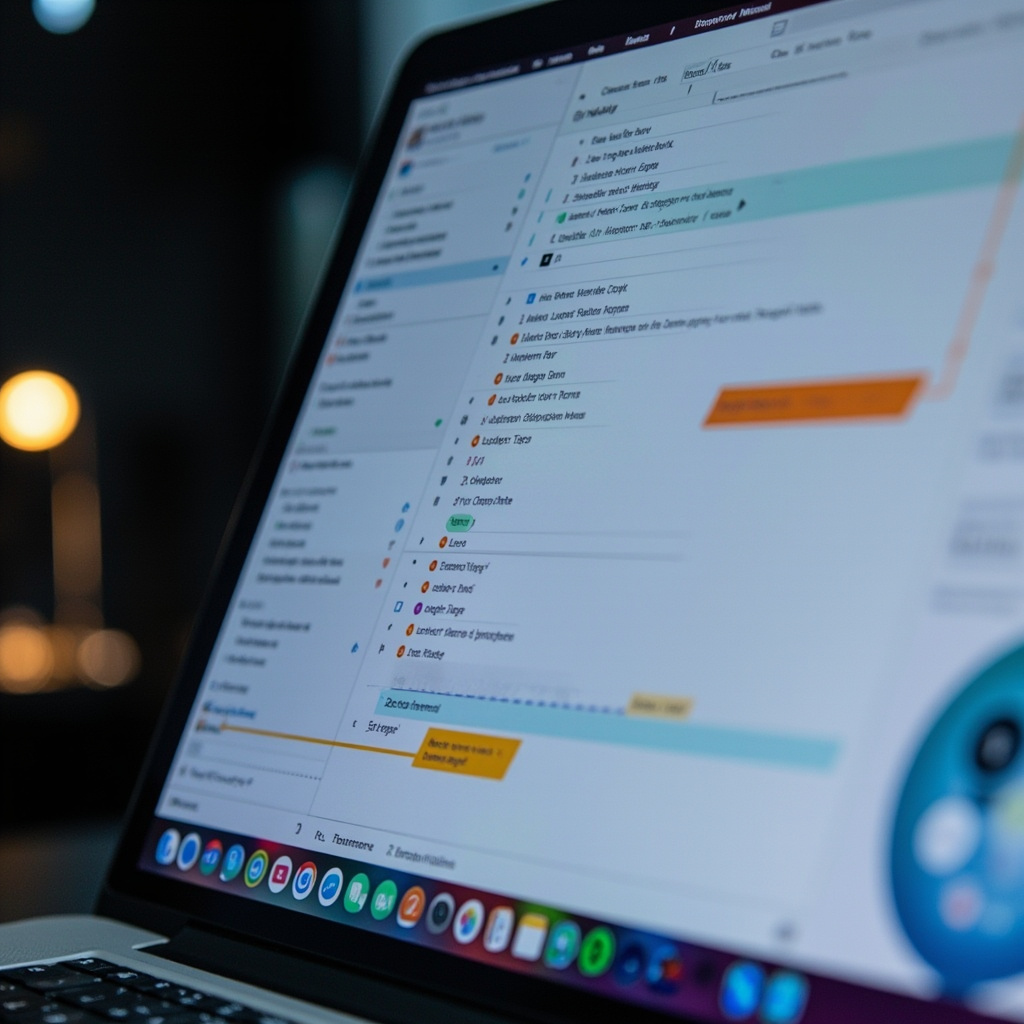
Professional using AI-powered Microsoft Teams with automated transcription and workflow suggestions
Modern AI productivity tools integrate seamlessly into existing workflows, providing real-time assistance and insights

Zoom AI Companion has transformed from a meeting recorder into a collaboration intelligence platform. It doesn’t just track what was said – it understands project implications, identifies potential conflicts before they become problems, and can facilitate discussions by surfacing relevant information from previous conversations and shared documents.

The game-changing feature is persistent memory across meetings. Your AI companion remembers every discussion, decision, and commitment across months of collaboration, making it an invaluable partner for complex, long-term projects.

Content Creation That Actually Works

Jasper AI 4.0 represents the maturation of AI content assistance. Unlike earlier tools that produced generic, obviously AI-generated text, the latest version understands brand voice, audience context, and industry-specific requirements. It’s become the go-to platform for marketing teams, content creators, and writers who need to maintain quality while scaling output.

What makes Jasper 4.0 different is its collaborative approach. Instead of generating finished content, it works with you through the creative process, offering suggestions, alternatives, and improvements that feel like having an expert writing partner rather than using a content generator.

Integration Over Innovation

The most successful productivity AI tools of 2026 share a common characteristic: they integrate invisibly into existing workflows rather than demanding wholesale process changes. The winners understand that the best AI tool is one you forget you’re using.

GitHub Copilot exemplifies this approach. Instead of replacing programmers, it’s made programming more accessible and efficient. Experienced developers use it to handle routine coding tasks faster, while beginners use it to learn best practices and overcome knowledge gaps. The tool adapts to the user’s skill level and working style.

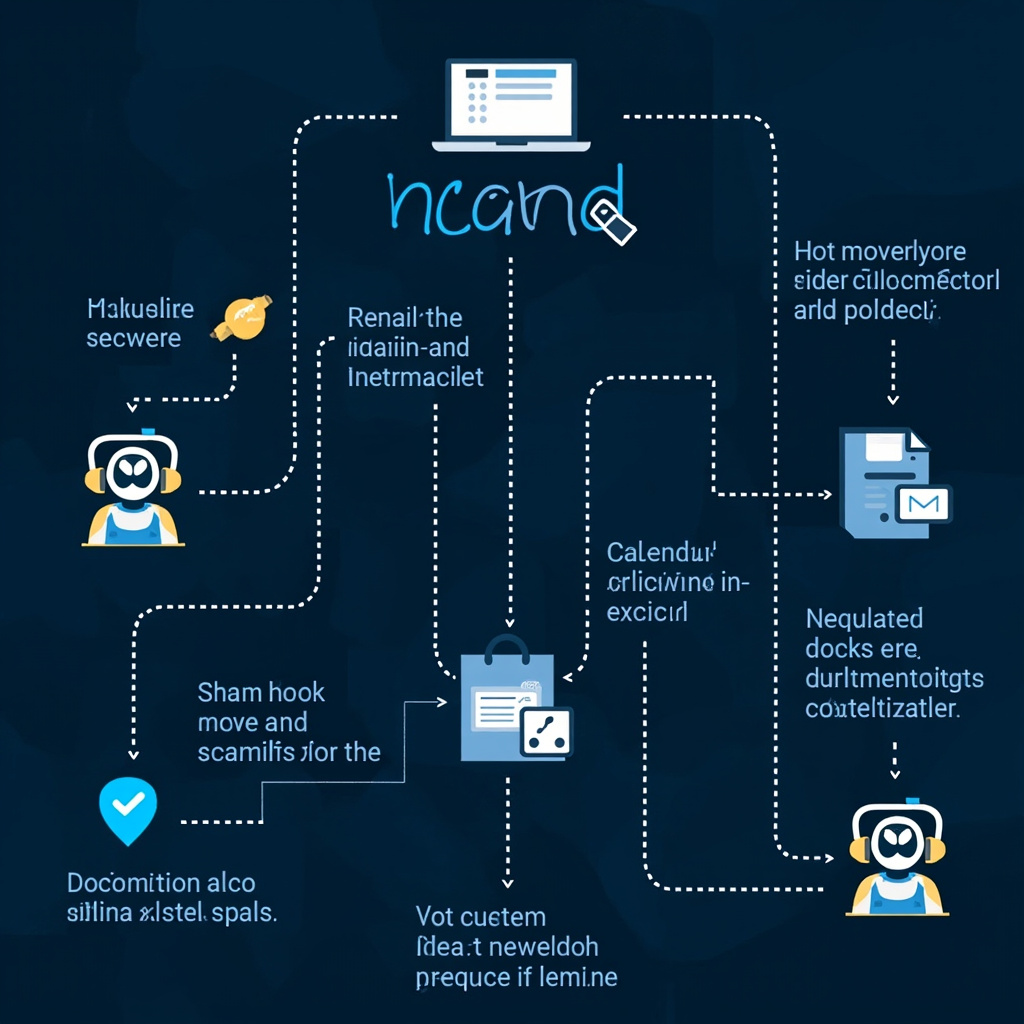
Automated workflow diagram showing AI agents handling different business tasks connected by data streams
AI workflow automation handles complex multi-step processes while adapting to exceptions and learning from user feedback

Similarly, ElevenLabs voice generation has found its productivity sweet spot not in replacing human communication, but in scaling it. Busy professionals are using AI voice to create personalized video messages, training content, and presentations at scale while maintaining the human touch that makes communication effective.

The Automation Revolution

The February 2026 wave of productivity tools has finally solved the automation paradox: making systems smart enough to handle complex workflows without becoming so complex that they’re harder to manage than manual processes.

Modern AI workflow automation understands context, adapts to exceptions, and learns from user corrections. When something goes wrong, these systems don’t just break – they explain what happened and suggest improvements, making them genuinely collaborative partners rather than fragile automatons.

Real Return on Time Investment

The productivity revolution is measurable in hours reclaimed. Knowledge workers report saving 2-4 hours daily on routine tasks, but the real value comes from what they’re doing with that time: more strategic thinking, deeper collaboration, and higher-quality creative work.

The transformation is particularly dramatic for small businesses and solo professionals. Tasks that previously required dedicated staff or external vendors – market research, content creation, customer service, data analysis – are now manageable by individuals with the right AI assistance.

Learning Curve Versus Value Curve

What separates the successful productivity tools from the abandonware is the relationship between learning curve and value delivery. The best tools provide immediate value while gradually revealing more sophisticated capabilities as users become more comfortable.

Claude Cowork, Anthropic’s February 2026 release focused on professional workflows, demonstrates this perfectly. It starts as a smart writing assistant but evolves into a comprehensive project management and collaboration platform as teams learn to leverage its capabilities.

The key insight is that productivity AI succeeds when it amplifies human capabilities rather than replacing human judgment. The most effective implementations feel like having a brilliant assistant who never gets tired, forgets details, or makes careless mistakes.

The Compound Effect

Individual productivity gains are impressive, but the real transformation happens when AI-powered workflows compound across entire organizations. Teams using integrated AI productivity suites report not just faster completion of existing tasks, but entirely new capabilities that weren’t feasible with manual processes.

Complex multi-department projects that previously took months now happen in weeks. Market research that once required expensive consultants can be completed in-house. Customer service that needed large teams can be handled by small, AI-augmented groups without sacrificing quality.

Quality at Scale

Perhaps most importantly, the 2026 generation of productivity AI has solved the quality-quantity tradeoff. Earlier tools forced users to choose between speed and excellence. Today’s tools maintain high standards while dramatically accelerating output.

This shift is creating a new competitive landscape where small teams with excellent AI integration can compete effectively with much larger organizations. The advantage isn’t just operational – it’s strategic, allowing rapid response to market changes and customer needs.

The Future of Work, Today

The productivity AI tools of February 2026 represent more than technological advancement – they’re reshaping the fundamental nature of knowledge work. Routine cognitive tasks are increasingly automated, freeing human workers to focus on creativity, strategy, and interpersonal collaboration.

The transition isn’t without challenges. Workers need to develop new skills around AI collaboration and prompt engineering. Organizations must rethink processes and performance metrics. But for those embracing the change, the productivity gains are transformational.

The question isn’t whether AI will change how we work – it already has. The question is whether you’ll be part of the productivity revolution or watching it happen from the sidelines. The tools are mature, the benefits are proven, and the competitive advantages are significant.

February 2026 might be remembered as the moment productivity AI finally lived up to its promise. The only remaining question is how quickly you’ll make it part of your daily workflow.

Voice AI Gets Personal: The Best AI Assistants Transforming Daily Life in February 2026

Your relationship with AI is about to get a lot more personal. February 2026 has brought us to an inflection point where voice-powered AI assistants have transcended basic commands to become sophisticated conversation partners that understand context, emotion, and intent in remarkably human-like ways.

We’re no longer talking about simple “Hey Siri, set a timer” interactions. Today’s AI assistants are conducting nuanced conversations, managing complex workflows, and adapting their personalities to match your preferences and mood. The line between artificial and natural conversation is blurring in ways that seemed like science fiction just months ago.

The New Generation of Conversational AI

Leading the charge are the February 2026 flagship models: Claude Opus 4.6 dominates writing and creative tasks, GPT-5.2 excels at reasoning and problem-solving, while Google’s Gemini 3 has revolutionized multimodal interactions by seamlessly processing voice, image, and text simultaneously.

What makes these assistants remarkable isn’t just their intelligence – it’s their conversational sophistication. Claude Opus 4.6 can maintain context across hours-long conversations, remembering details from earlier in the day and building on previous discussions. GPT-5.2’s advanced reasoning capabilities mean it can work through complex problems step-by-step, explaining its thinking in natural language.

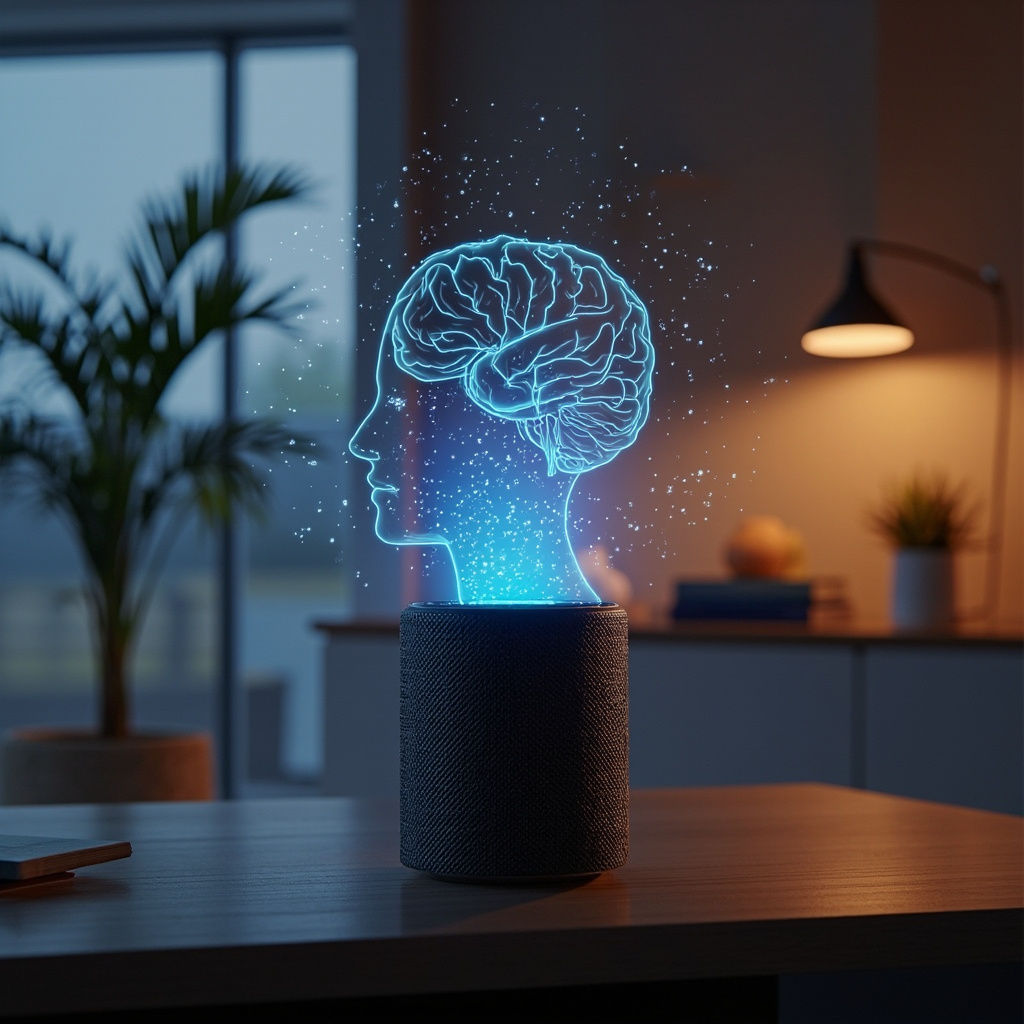
Smart speaker with holographic voice visualization and AI brain patterns floating in the air
Voice AI has evolved beyond simple commands to create immersive, contextual conversations

But the real game-changer is how these models have been integrated into our daily environments. Google’s Gemini 3 doesn’t just live in your phone – it’s becoming the brain behind smart home ecosystems, understanding not just what you say, but the context of where you are, what time it is, and what you typically do in different situations.

Voice That Sounds Human

The breakthrough in voice synthesis has been equally dramatic. ElevenLabs has pushed voice generation to near-perfect human quality, with their latest models capable of capturing subtle emotional nuances, regional accents, and even personality quirks. More importantly, they’ve solved the latency problem – conversations now flow as naturally as talking to a person.

This isn’t just about sounding better. When AI voices sound genuinely human, something psychological shifts. Users report feeling more comfortable sharing personal information, asking for help with sensitive topics, and treating their AI assistants as trusted advisors rather than just tools.

Personal AI That Actually Gets Personal

The February 2026 updates have introduced something unprecedented: AI assistants that develop genuine understanding of your preferences, habits, and communication style. These aren’t just chatbots with good memory – they’re systems that learn and adapt.

Take the new ChatGPT Voice improvements. The system now recognizes emotional context in your voice, adjusting its responses accordingly. Stressed about a deadline? It becomes more focused and actionable. Having a casual conversation? It matches your relaxed tone and maybe throws in some humor.

Multiple AI assistant avatars connected across different devices in a unified ecosystem
Personal AI assistants now work seamlessly across all your devices, creating a unified intelligent ecosystem

Meanwhile, Android users are experiencing Gemini’s integration as an upgraded Google Assistant that feels less like using a search engine and more like consulting with a knowledgeable friend. It understands follow-up questions, maintains conversation threads, and can switch seamlessly between helping with work tasks and casual chat.

The Smart Home Gets Smarter

Voice AI has finally delivered on the promise of the smart home. Instead of memorizing specific commands for different devices, you can now have natural conversations with your environment. “It’s getting cold and I’m working late” triggers not just temperature adjustment, but also lighting optimization for focus and maybe a gentle reminder about your usual evening routine.

The key breakthrough is contextual awareness. Your AI assistant knows if you’re alone or have guests, whether it’s a workday or weekend, and what you typically prefer in similar situations. This contextual intelligence transforms voice commands from rigid interactions into fluid conversations.

Real-World Applications That Matter

The practical applications extend far beyond convenience. Healthcare workers are using voice AI to update patient records while maintaining eye contact during consultations. Teachers are getting real-time assistance with lesson planning and student questions. Parents are using AI tutors that adapt their teaching style to each child’s learning preferences.

For people with disabilities, these advances represent genuine life improvements. Voice-controlled everything, from complex software to environmental controls, is becoming more reliable and intuitive. The technology is finally delivering on its promise of genuine accessibility.

Privacy and Personal Connection

Interestingly, as these AI systems become more capable and personal, developers have also improved privacy controls. Local processing for sensitive conversations, granular data controls, and transparent AI decision-making are becoming standard features rather than premium add-ons.

Users can now have truly private conversations with AI assistants, with sensitive discussions processed locally rather than sent to cloud servers. This privacy-first approach is building trust and encouraging more intimate, helpful interactions.

The Workplace Revolution

Professional environments are seeing the most dramatic changes. Voice AI isn’t just taking notes in meetings anymore – it’s actively participating. AI assistants can now summarize complex discussions, identify action items, schedule follow-ups, and even participate in brainstorming sessions by offering relevant information and alternative perspectives.

The latest Zoom AI Companion updates demonstrate this evolution. The system doesn’t just record and transcribe meetings – it understands meeting dynamics, tracks who needs to follow up on what, and can even facilitate discussions by suggesting agenda items based on previous conversations and current priorities.

Microsoft 365 Copilot has evolved into something that feels like having a knowledgeable colleague who never forgets anything and is always available. It can join voice calls, provide real-time research, suggest document improvements, and coordinate complex scheduling across teams – all through natural conversation.

What This Means for Daily Life

The transformation isn’t just technological – it’s deeply personal. People are developing relationships with AI assistants that feel genuine and meaningful. These aren’t just tools anymore; they’re becoming trusted advisors, creative collaborators, and even emotional support systems.

The key insight is that when AI becomes truly conversational, it stops feeling like you’re using technology and starts feeling like you’re engaging with intelligence. This shift changes everything about how we work, learn, create, and solve problems.

Voice AI in February 2026 represents more than incremental improvement – it’s the moment artificial intelligence became genuinely helpful in the way humans naturally communicate. The future isn’t about learning to talk to machines; it’s about machines learning to talk with us.

As these systems continue improving, the question isn’t whether voice AI will transform daily life – it’s how quickly you’ll adapt to having an intelligent conversation partner available whenever you need one. The technology is ready. The only question is whether you are.

The No-Code Revolution: How AI Tools Are Making Everyone a Developer in 2026

The barriers between having an idea and turning it into a working digital product have never been lower. In February 2026, we’re witnessing something remarkable: people with zero programming experience are building sophisticated apps, websites, and digital tools that would have required months of development work just a few years ago.

This isn’t just about drag-and-drop website builders anymore. We’re talking about AI-powered platforms that understand natural language and transform your descriptions into fully functional software. The no-code revolution has evolved into something far more powerful than anyone anticipated.

The Game-Changing Tools Making Everyone a Developer

Leading this transformation are platforms that have redefined what it means to “code.” Take Lovable, which has become the poster child of conversational development. Instead of wrestling with syntax and frameworks, you simply describe what you want: “Create a productivity app that tracks my daily habits with a clean, minimalist interface and progress charts.”

Within minutes, Lovable generates not just a prototype, but production-ready code complete with responsive design, user authentication, and database integration. The MIT Technology Review recently highlighted how tools like this are creating a new category of “citizen developers” – ordinary people who can now build the digital solutions they’ve always envisioned.

Modern visual programming interface showing drag-and-drop code blocks and intuitive design elements
Modern no-code platforms like Lovable use visual interfaces that make programming accessible to everyone

But Lovable isn’t alone in this space. GitHub Copilot has evolved far beyond code completion, now offering full project scaffolding and architectural suggestions. Cursor provides an AI-powered coding environment that feels more like having a conversation with an expert developer than traditional programming.

Meanwhile, Replit has transformed into a complete development ecosystem where you can go from idea to deployed application without ever leaving your browser. These tools aren’t just making coding easier – they’re making it accessible to people who never thought they could create software.

Real People, Real Results

The proof isn’t in the marketing materials – it’s in what everyday users are actually building. Sarah Chen, a marketing manager from Portland, used Lovable to create a client project management system that her agency now uses daily. “I described exactly what frustrated me about our current tools, and within an hour I had something that worked better than expensive software we’d been paying for,” she explains.

Teachers are building custom classroom management tools. Small business owners are creating inventory systems tailored to their exact needs. Parents are making family organization apps that actually fit their household routines. The common thread? None of these creators considered themselves “technical” people.

The Technical Magic Behind the Simplicity

What makes these tools so powerful isn’t just their user interfaces – it’s the sophisticated AI models trained on millions of lines of code and thousands of software patterns. When you tell Lovable to “add a feature that sends email reminders,” it doesn’t just generate random code. It understands software architecture, security best practices, and user experience principles.

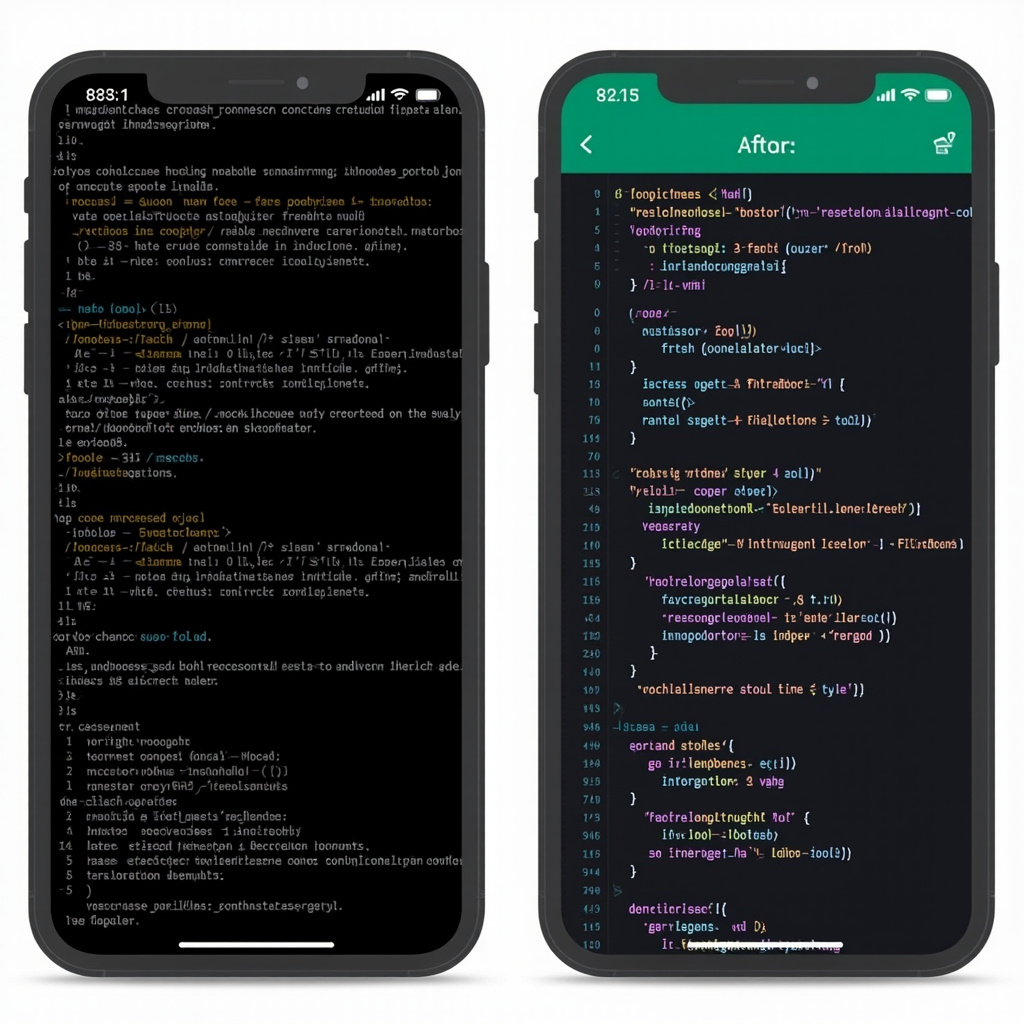
Split screen showing complex code transforming into a polished mobile app interface
The transformation from complex code to finished product happens automatically with AI-powered development tools

These platforms use advanced reasoning models, including OpenAI’s GPT-5.2 series and Anthropic’s Claude Opus 4.6, which have dramatically reduced the hallucination rates that plagued earlier AI coding assistants. The result is generated code that’s not just functional, but follows industry standards and best practices.

The Productivity Revolution

Recent research indicates that workers using generative AI tools report genuine productivity boosts of up to 40%. But the real revolution isn’t just about doing existing work faster – it’s about enabling entirely new forms of productivity.

Consider the small restaurant owner who can now create a custom ordering system that integrates with their specific workflow, or the fitness instructor who builds a client progress tracking app tailored to their training methodology. These aren’t generic solutions adapted to their needs – they’re purpose-built tools that fit like a glove.

Beyond Individual Projects

The ripple effects extend beyond individual productivity. Companies are discovering that employees who can rapidly prototype and build tools are more innovative and engaged. Teams are solving their own workflow problems instead of waiting for IT departments or external vendors.

This democratization of software development is creating what economists call “micro-innovation” – thousands of small improvements and custom solutions that collectively drive significant economic value. When everyone can build digital tools, the pace of innovation accelerates dramatically.

What This Means for You

If you’ve ever thought “I wish there was an app that…” or “Why doesn’t this software do…” – 2026 might be the year you stop wishing and start building. The learning curve isn’t what it used to be. You don’t need to understand variables, functions, or databases. You just need to clearly articulate what you want.

Start simple: think about a repetitive task in your daily routine that could be automated, or a piece of information you wish you could organize better. Try describing it to one of these platforms. You might be surprised at what you can create.

The no-code revolution isn’t coming – it’s here. The question isn’t whether these tools will change how we work and solve problems. The question is whether you’ll be part of the transformation or watching it happen from the sidelines.

The barrier between having an idea and making it real has never been thinner. In 2026, your imagination might be the only limit to what you can build.

AI-Powered Health and Wellness Tools That Actually Improve Your Daily Life in 2026

Artificial intelligence has quietly revolutionized personal health and wellness, transforming everything from sleep tracking to mental health support into sophisticated, personalized experiences. In 2026, AI health tools have moved beyond simple step counting to provide genuinely useful insights that can improve your daily life in meaningful ways.

The most impressive part? These tools don’t require medical expertise to use effectively. They translate complex health data into actionable recommendations that fit seamlessly into your existing routines.

AI Sleep Optimization That Actually Works

WHOOP 4.0 with Enhanced AI Coaching doesn’t just track your sleep—it learns your unique patterns and provides personalized recommendations for optimal recovery. The AI coach analyzes your heart rate variability, sleep stages, and daily activities to suggest the perfect bedtime, optimal room temperature, and even which activities to avoid before sleep.

Eight Sleep Pod with AI Climate Control actively manages your sleep environment throughout the night. The AI learns your body’s temperature patterns and adjusts the mattress temperature to keep you in deep sleep longer. Users report average sleep quality improvements of 32% within the first month.

Oura Ring Generation 4 with predictive health insights can detect early signs of illness before you feel symptoms. The AI analyzes subtle changes in your body temperature, heart rate variability, and sleep patterns to alert you when your body might be fighting something off.

Mental Health AI That Provides Real Support

Woebot Enhanced offers AI-powered cognitive behavioral therapy techniques that adapt to your communication style and emotional patterns. Unlike generic self-help apps, Woebot learns how you process emotions and provides personalized coping strategies that actually resonate with your personality.

Headspace AI Meditation Guide creates custom meditation sessions based on your stress levels, available time, and current emotional state. The AI can detect tension in your voice during check-ins and adjusts meditation techniques accordingly.

Calm AI Sleep Stories generates personalized bedtime stories and soundscapes based on your sleep patterns and preferences. The AI learns what helps you fall asleep faster and creates content specifically designed for your relaxation triggers.

AI Fitness Coaches That Understand Your Body

Mirror Home Gym with AI Form Correction provides real-time feedback on your workout form using computer vision. The AI personal trainer can spot when you’re favoring one side, compensating for an injury, or pushing too hard, and adjusts exercises immediately to prevent injury.

Tonal AI Strength Training learns your strength patterns and automatically adjusts resistance throughout each rep to maximize muscle engagement. The system can detect when you’re having a good day and push you harder, or when you’re tired and need a lighter workout.

Peloton AI Instructor creates personalized workout playlists and class recommendations based on your energy levels, fitness goals, and even your calendar. Have a stressful meeting later? It might suggest a calming yoga flow. Feeling energetic? Time for a high-intensity ride.

Nutrition AI That Makes Healthy Eating Effortless

Noom AI Food Logging can identify foods from photos and automatically log nutritional information, but more importantly, it learns your eating patterns and suggests healthier alternatives that you’ll actually enjoy. Instead of generic diet advice, it provides personalized suggestions based on your taste preferences.

MyFitnessPal AI Meal Planning creates weekly meal plans based on your nutritional goals, cooking skills, available time, and food preferences. The AI considers your schedule and suggests quick meals for busy days and more elaborate cooking projects for weekends.

Cronometer AI Nutrient Optimization analyzes your dietary patterns and identifies specific nutrient deficiencies, then suggests simple food swaps to improve your overall nutrition without drastically changing your eating habits.

AI-Powered Preventive Health Monitoring

Apple Watch Ultra with Advanced Health AI can detect irregular heart rhythms, monitor blood oxygen levels, and even identify potential signs of diabetes through heart rate variability patterns. The AI learns your baseline health metrics and alerts you to significant changes.

Fitbit Sense 2 with Stress Management AI monitors stress levels throughout the day and provides personalized breathing exercises and mindfulness reminders at optimal times. The AI learns when you’re most susceptible to stress and provides preemptive support.

Samsung Galaxy Watch with Health Insights combines multiple health metrics to provide comprehensive wellness scores and actionable recommendations. The AI can correlate poor sleep with increased stress and suggest specific interventions.

AI Therapy and Emotional Support

Replika Wellness Companion creates an AI friend who provides emotional support and helps you process daily stresses. Unlike chatbots, Replika develops a persistent relationship with you, remembering your goals, concerns, and progress over time.

Sanvello AI Anxiety Management uses machine learning to identify your anxiety triggers and provides personalized coping strategies. The AI tracks which techniques work best for you and suggests them proactively when it detects rising stress levels.

MindShift AI Thought Challenging helps you identify and reframe negative thought patterns using cognitive behavioral therapy techniques. The AI learns your specific thought distortions and provides targeted exercises to build healthier thinking habits.

AI-Enhanced Medical Care

Ada AI Symptom Checker provides sophisticated health assessments that consider your complete medical history and current symptoms. The AI can help you understand when symptoms require immediate attention and when they can wait for a regular appointment.

K Health AI Doctor Consultations combines AI symptom analysis with access to licensed physicians for comprehensive virtual care. The AI pre-screens your concerns and provides doctors with detailed symptom analysis to make consultations more efficient.

Babylon Health AI Triage helps you navigate healthcare decisions by analyzing symptoms, medical history, and risk factors to recommend appropriate levels of care, from self-care to emergency room visits.

AI Wellness Coaching for Sustainable Habits

Noom AI Behavior Change goes beyond calorie counting to understand the psychological patterns behind your health choices. The AI coach identifies your motivation patterns and provides personalized strategies for building lasting healthy habits.

RISE AI Sleep Debt Management tracks your sleep debt and provides personalized recovery plans. The AI learns your sleep patterns and suggests optimal nap timing, bedtime adjustments, and caffeine cutoff times to optimize your energy levels.

Way of Life AI Habit Tracking uses machine learning to identify habit patterns and suggest optimal times and contexts for building new healthy behaviors. The AI understands your schedule and energy patterns to recommend when you’re most likely to succeed with habit changes.

AI-Powered Recovery and Pain Management

Curable AI Pain Psychology helps manage chronic pain through personalized pain science education and psychological techniques. The AI learns your pain patterns and triggers, providing targeted interventions to reduce pain perception.

BetterBack AI Posture Coaching uses smartphone sensors and computer vision to monitor your posture throughout the day and provide gentle reminders and exercises to reduce back pain and improve alignment.

Therabody AI Recovery Planning analyzes your activity levels, sleep quality, and stress indicators to create personalized recovery protocols using percussion massage, stretching, and breathing techniques.

Getting Started with AI Health Tools

Start with One Area: Choose the health aspect that bothers you most—sleep, stress, fitness, or nutrition. Focus on mastering one AI tool before adding others to avoid information overload.

Give the AI Time to Learn: Most AI health tools need 2-4 weeks to understand your patterns and provide personalized recommendations. Consistency in the early weeks is crucial for accurate insights.

Integrate with Existing Habits: The most successful AI health tools enhance routines you already have rather than requiring completely new behaviors. Look for tools that fit into your current lifestyle.

Privacy First: Health data is sensitive. Choose tools that encrypt data, allow you to delete your information, and clearly explain how your data is used. Many tools now offer local processing options.

Combine AI Insights with Professional Care: AI tools provide valuable insights, but they don’t replace professional medical advice. Use AI to optimize daily habits and inform conversations with healthcare providers.

The Future of Personalized Wellness

What makes 2026’s AI health tools revolutionary isn’t just their sophistication—it’s their ability to provide genuinely personalized advice that works for your specific body, lifestyle, and preferences.

These tools learn that you’re more motivated by progress tracking than competition, that you sleep better with cooler temperatures, or that your stress levels spike during certain times of the day. They use this knowledge to provide recommendations that actually fit your life.

The key to success with AI health tools is consistency and patience. Give them time to learn your patterns, and they’ll become increasingly valuable partners in your wellness journey.

Most importantly, these tools make healthy living more accessible and less overwhelming. Instead of generic advice that might not work for you, AI provides personalized guidance that considers your unique circumstances and helps you make sustainable improvements to your daily life.

Your health is personal. Now your health tools can be, too.

Best AI Language Learning Apps in 2026: Master New Languages 5x Faster

Language learning has been revolutionized by artificial intelligence in 2026, with apps that adapt to your learning style, correct pronunciation in real-time, and create personalized conversation practice that feels surprisingly natural. These aren’t the flashcard apps of yesterday—today’s AI language tutors use sophisticated algorithms to make learning faster, more engaging, and remarkably effective.

The most impressive development? AI tutors that can hold genuine conversations, correct mistakes naturally, and adjust difficulty on the fly. If you’ve been putting off learning that second language, 2026 is your year.

The New Generation of AI Language Tutors

Duolingo Max with GPT-4 Integration has transformed from a gamified vocabulary builder into a sophisticated conversation partner. The AI tutor, Lily, can explain grammar rules in plain English, help you understand cultural context, and even engage in roleplay scenarios. When you make a mistake, she doesn’t just mark it wrong—she explains why and helps you understand the pattern.

Babbel Live AI Conversations creates unlimited practice opportunities with AI conversation partners who have distinct personalities and backgrounds. You might practice ordering food with “Maria” from Barcelona or discuss business with “Hans” from Berlin. Each AI character maintains consistent personality traits and regional language variations.

Rosetta Stone with Adaptive Intelligence now adjusts its teaching methodology based on how you learn best. Visual learner? It emphasizes images and context clues. Auditory learner? It increases listening exercises and pronunciation drills. The system identifies your learning patterns within the first week.

AI-Powered Pronunciation Perfection

Speechling with Advanced Voice AI provides instant feedback on pronunciation with accuracy that rivals human tutors. It doesn’t just tell you you’re wrong—it shows you exactly which sounds need adjustment and provides targeted exercises to improve specific phonemes.

ELSA Speak for Multiple Languages has expanded beyond English to cover Spanish, French, German, and Mandarin. The AI analyzes your native language accent patterns and provides customized pronunciation training to help you sound more natural in your target language.

Nemo with Contextual Pronunciation teaches pronunciation within natural conversation contexts. Instead of practicing isolated sounds, you learn pronunciation while discussing topics that interest you, making the learning feel less artificial.

Conversational AI That Actually Understands

Replika Language Partner creates a persistent AI companion that learns your interests and personality while helping you practice your target language. Your AI friend remembers previous conversations and builds on them, creating continuity that traditional language apps lack.

ChatGPT Language Tutor with custom instructions provides unlimited conversation practice on any topic. You can ask it to roleplay specific scenarios, correct your grammar while maintaining conversation flow, or explain cultural nuances behind language usage.

Claude Language Coach excels at providing detailed explanations and cultural context. It can break down complex grammar concepts, explain why certain phrases are used in specific situations, and help you understand the subtle differences between similar expressions.

Immersive AI Language Environments

VR Language Worlds using Meta Quest and Apple Vision Pro create fully immersive environments where you practice languages in context. Order coffee in a virtual Parisian café, negotiate in a Tokyo business meeting, or chat with locals in a simulated Barcelona neighborhood.

Mondly VR with AI NPCs populates virtual worlds with AI-powered non-player characters who engage in natural conversations. Each character has unique personality traits, speaking styles, and knowledge areas, creating diverse practice opportunities.

ImmerseMe AI Scenarios creates situation-specific learning environments. Preparing for a job interview in German? Practice with an AI hiring manager. Planning a trip to Italy? Navigate virtual Italian airports and hotels.

Adaptive Learning That Actually Adapts

Busuu AI Study Plan analyzes your learning patterns, available study time, and goals to create personalized daily lessons. It knows when you’re likely to forget certain words and reintroduces them just before you would naturally forget them.

Memrise AI-Generated Content creates unlimited practice materials based on your interests. Love cooking? It generates cooking-themed vocabulary and conversation scenarios. Into sports? Your lessons revolve around athletics terminology and game commentary.

Lingoda Live AI Assessment continuously evaluates your progress and adjusts lesson difficulty in real-time. If you’re struggling with past tense, it provides more examples and practice. If you’ve mastered basic conversation, it introduces more complex grammatical structures.

Context-Aware Language Learning

Beelinguapp with Smart Recommendations analyzes news articles, stories, and content in your target language, then creates comprehension exercises and vocabulary lists based on current events and topics you find interesting.

FluentU AI Curation finds real-world videos in your target language and creates personalized lessons around them. Whether it’s cooking shows, news broadcasts, or movie trailers, the AI identifies your comprehension level and creates appropriate exercises.

LingQ AI Content Generation creates reading and listening materials at your exact proficiency level. It can transform any text into a learning resource with integrated vocabulary assistance and comprehension questions.

AI Writing and Grammar Assistants

Grammarly for Multiple Languages now supports Spanish, French, German, and Portuguese with AI-powered grammar and style suggestions. It understands context and can distinguish between formal and casual writing styles.

LanguageTool AI Enhancement provides sophisticated grammar checking with explanations that help you learn rules rather than just fixing errors. It can identify patterns in your mistakes and suggest targeted practice exercises.

DeepL Write with Learning Mode not only translates and corrects your writing but explains why certain constructions are preferred and offers alternative phrasings to expand your vocabulary.

Gamified AI Learning That Works

Drops AI Word Association uses visual learning and AI-generated memory techniques to help you remember vocabulary. The system identifies which memory methods work best for you and creates personalized mnemonic devices.

Lingokids AI for Adults brings gamification techniques developed for children to adult learners, with AI-powered progress tracking that keeps you motivated without feeling childish.

Cake AI Social Learning connects you with other learners at similar levels and creates AI-moderated group challenges and conversations to maintain motivation and provide peer learning opportunities.

Specialized AI for Business Languages

Preply AI Business Coach creates industry-specific language training. Learning English for healthcare? It focuses on medical terminology and patient interaction scenarios. Need German for engineering? It emphasizes technical vocabulary and presentation skills.

Voxy AI Professional integrates with your calendar and email to identify upcoming meetings or presentations where you’ll need your target language, then provides just-in-time training for those specific scenarios.

FluentUp AI Career Path aligns language learning with your professional goals, focusing on the specific vocabulary, cultural knowledge, and communication styles you’ll need for career advancement.

Getting Started with AI Language Learning

Choose Your Primary App: Start with one main app that aligns with your learning style. Conversation-focused learners should try Duolingo Max or Babbel Live. Grammar-focused learners might prefer Rosetta Stone or Busuu.

Supplement with Specialists: Use pronunciation apps like Speechling or ELSA Speak for 10 minutes daily. Add immersive content with FluentU or BeeLinguapp for variety.

Practice Real Conversations: Set up regular ChatGPT or Claude conversations in your target language. Start with 15 minutes daily and gradually increase as you become more comfortable.

Set Realistic Goals: AI can accelerate learning, but consistency matters more than intensity. 30 minutes daily for six months will achieve more than three hours once a week.

Track Your Progress: Use AI analytics to identify your strengths and weaknesses. Most apps provide detailed insights about your learning patterns and areas needing improvement.

The Science Behind the Speed

Why do AI language apps claim you can learn “5x faster”? The science is compelling:

Personalized Spaced Repetition: AI optimizes when you review material based on your individual forgetting curve, ensuring maximum retention with minimum repetition.

Immediate Error Correction: Instead of practicing mistakes for days or weeks, AI provides instant feedback, preventing bad habits from forming.

Adaptive Difficulty: The AI keeps you in your optimal learning zone—challenging enough to grow, but not so difficult that you become frustrated and quit.

Contextual Learning: By learning language in situational contexts rather than isolated grammar rules, your brain creates stronger neural pathways for retention.

Making AI Language Learning Work for You

The key to success with AI language learning isn’t just choosing the right app—it’s creating a sustainable learning ecosystem that fits your lifestyle.

Start with your strongest learning modality. Visual learners should emphasize apps with rich imagery and context. Auditory learners should prioritize conversation and pronunciation tools. Kinesthetic learners should explore VR and interactive scenarios.

The AI revolution in language learning means you no longer need expensive private tutors or rigid classroom schedules to achieve fluency. These tools provide personalized, patient, and available-anytime instruction that adapts to your pace and style.

The future of language learning is here, and it’s powered by AI that truly understands how you learn best.